nixStats-multi
- By
A configurable sidebar HUD that tracks any Minecraft stat — blocks mined, items used, mob kills, distances, time played, and more — all in one glanceable overlay.
2026-07-31_06.40.02.png
2026-07-31_06.40.45.png
2026-04-07_19.51.32.png
2026-04-07_19.51.34.png
2026-04-07_19.51.35.png
2026-04-07_19.51.35_2.png
Description
📊 nixStats
Your stats, your screen — a fully configurable sidebar HUD for anything Minecraft counts.









nixStats puts a clean, compact stats sidebar on your screen and lets you fill it with whatever you actually care about — the phantom (insomnia) timer, blocks mined, mobs killed, distance walked, play time, and hundreds of other vanilla statistics. Everything is set up in-game from a config screen with a live preview — no config-file editing, no IDs to memorize, no external overlay tools.
🆕 New in 1.4.3: one jar now runs on every Minecraft 26.x release — 26.1, 26.1.1, 26.1.2, 26.2 and 26.3 — and the Controls screen names the keybind category properly (NixStats Config).
✨ Features
- 📊 A clean sidebar HUD — a bordered, titled panel with a per-row item icon, a label, and a right-aligned value. Rows alternate shading and columns auto-size to their content.
- 🌙 Live phantom (insomnia) timer — counts down to when phantoms can spawn and shifts color from rested → warning → critical as the clock runs out. One glance tells you whether it's time to sleep. Sleeping resets it.
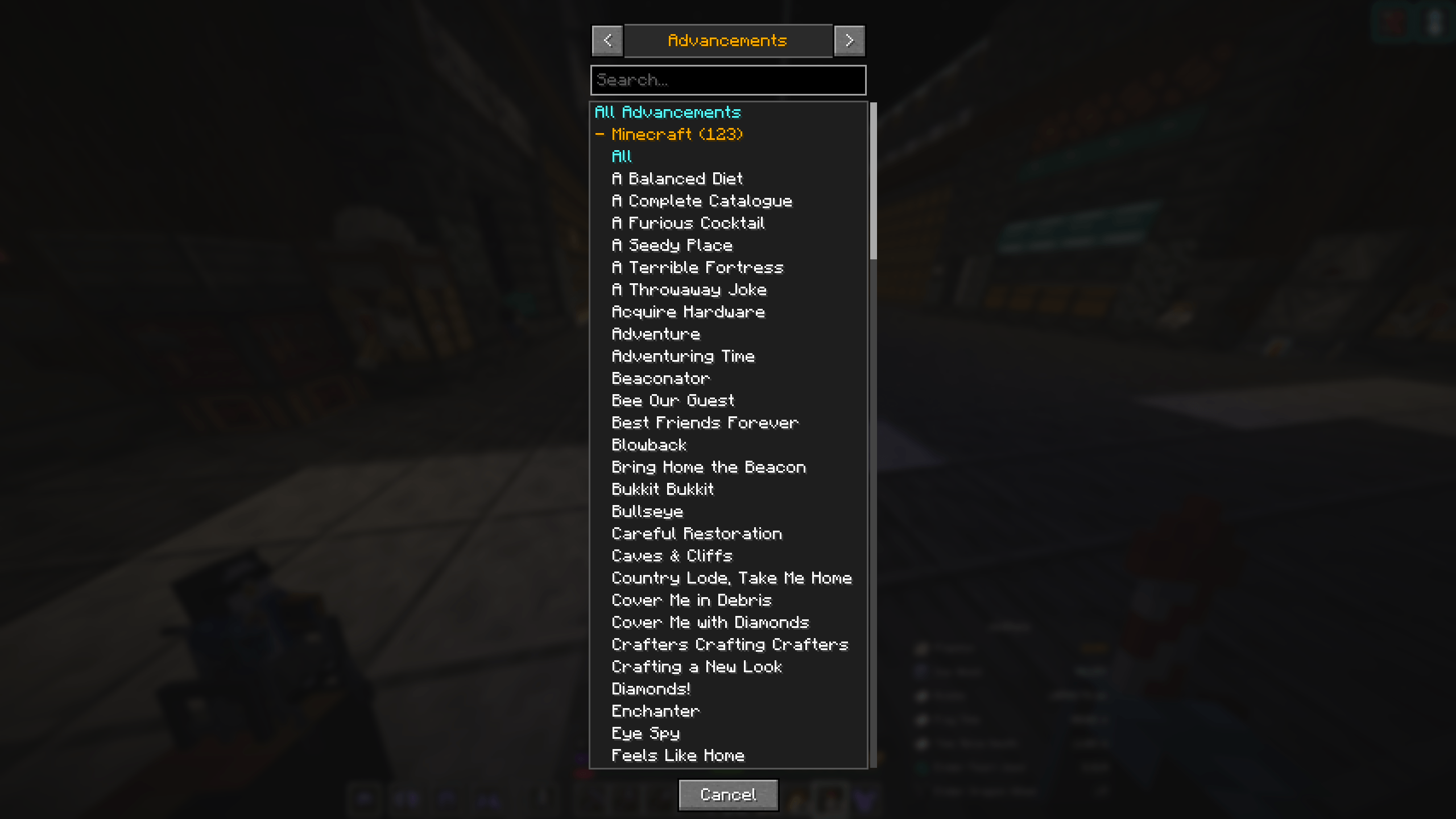
- 🏆 Advancement tracking (26.x) — a grand total across every namespace, per-namespace totals (vanilla, a datapack, or a mod — each on its own), or individual advancements with live
X/Ycriteria progress and a ✓ when complete. Datapack & modded advancements appear automatically. - 🧮 Track almost any vanilla stat — blocks mined, items used / crafted / broken / picked up / dropped, mobs killed, deaths by a mob, plus the whole General family: counts, distances, and time stats.
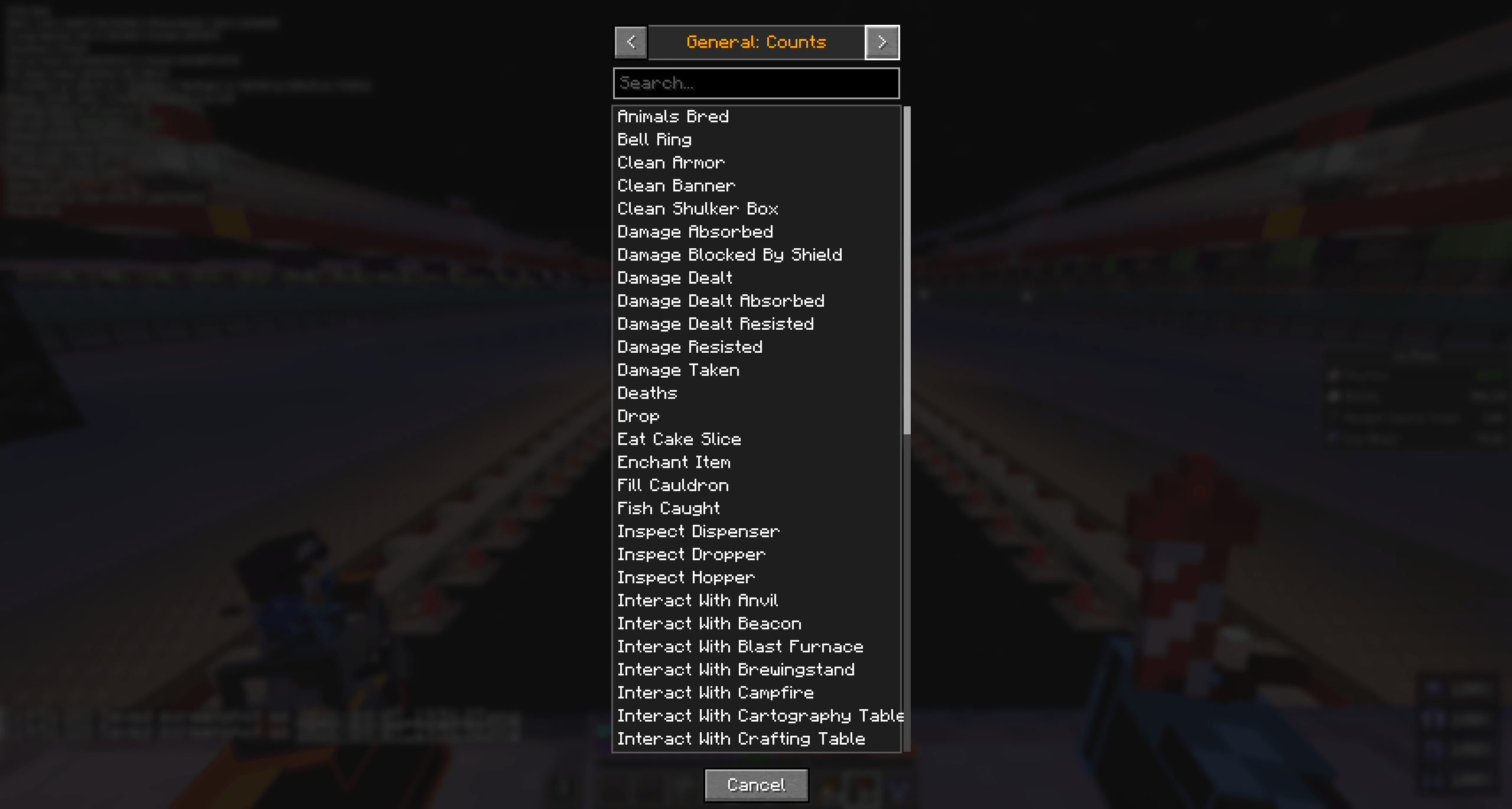
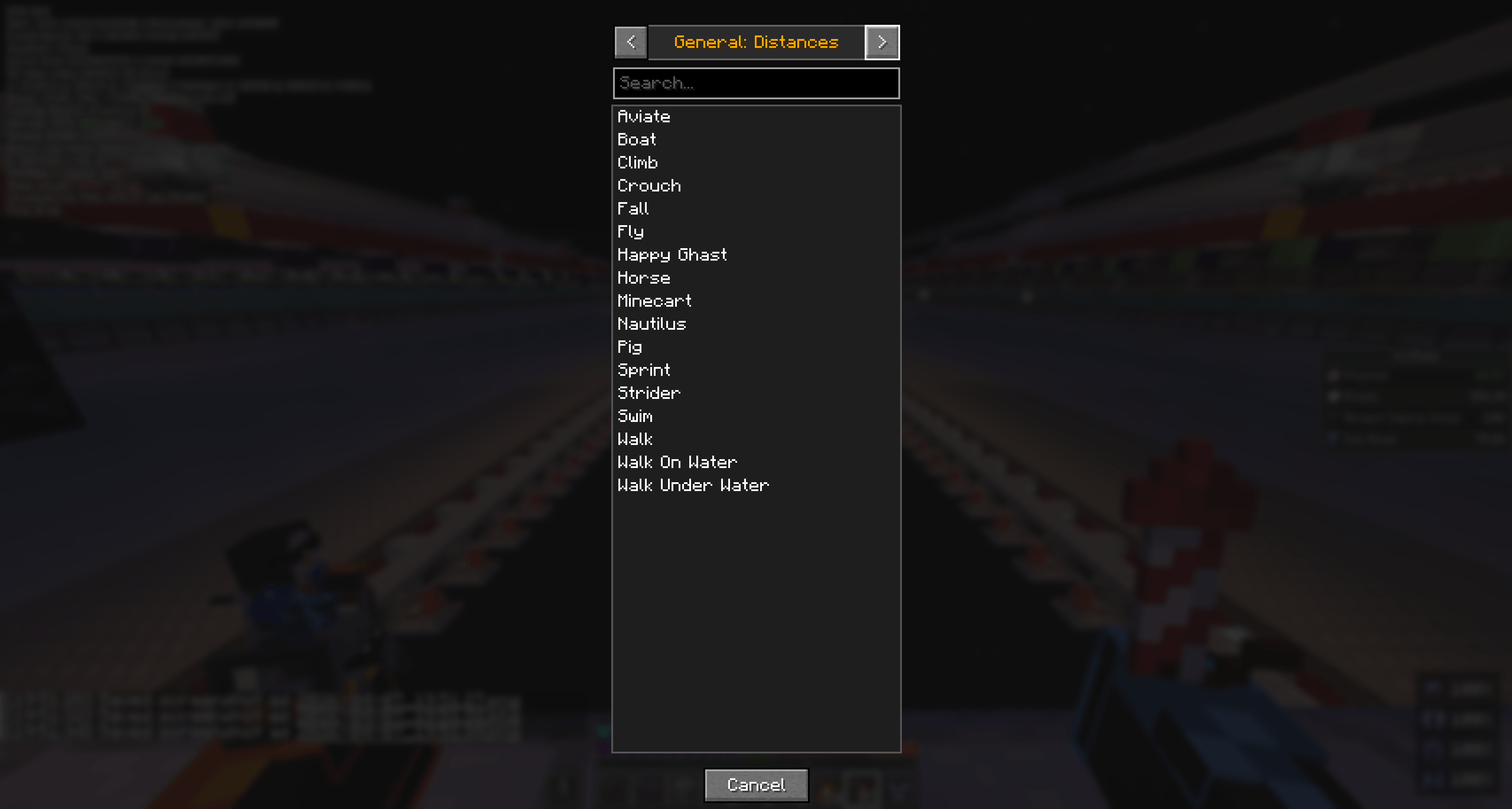
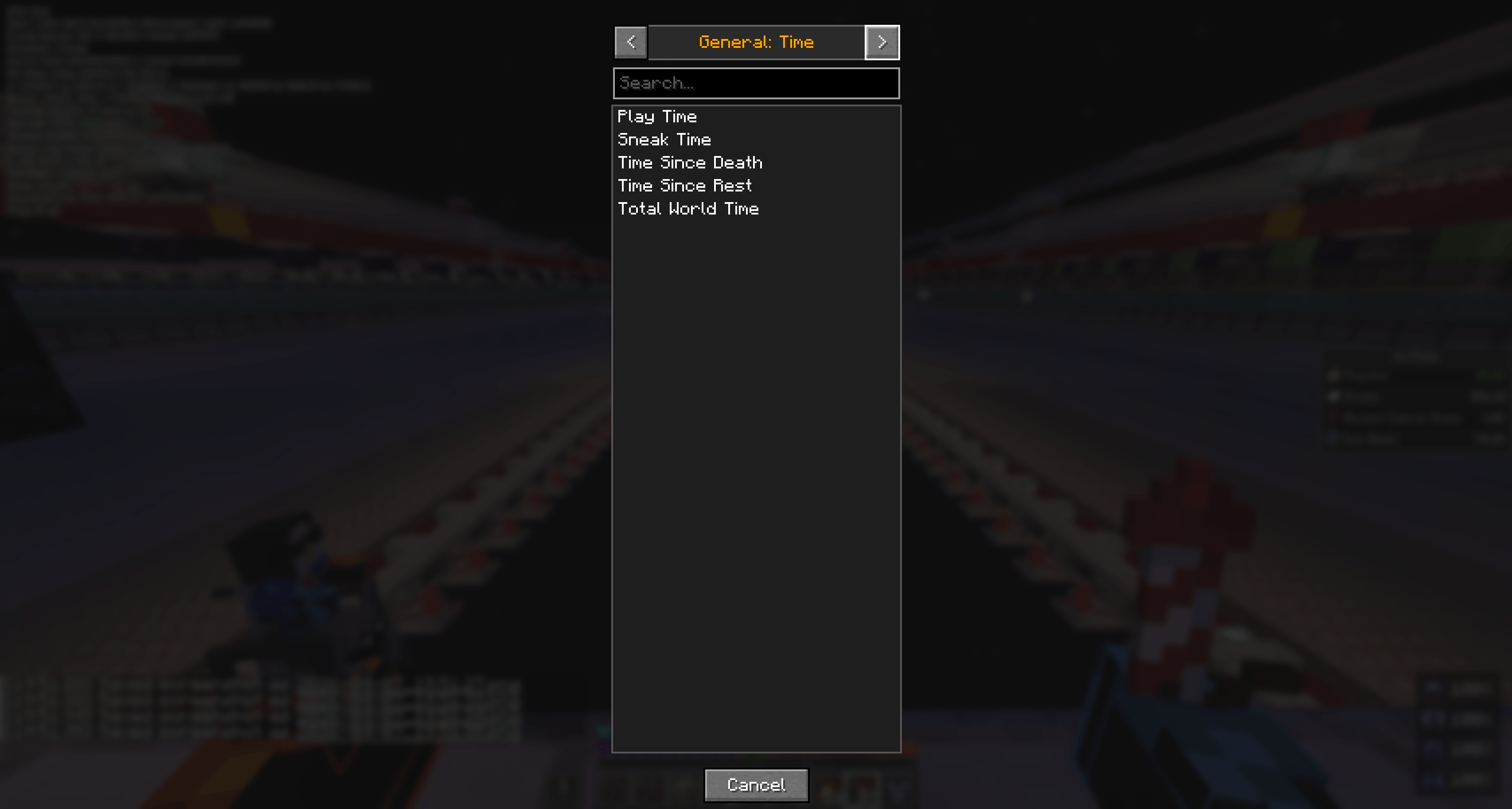
- 🖱️ Add stats from a visual picker — browse categories with a searchable 9-wide item grid (with tooltips) or a scrolling list for General stats, then click to add. No IDs required.
- 🏷️ Name display, three ways (26.x) — a single button cycles Show Names (full label, Stone Mined), Show Abbrev (the action alone, Mined) and Show None (no label at all — just the icon and the number). The caption always reads the mode in effect. General stats, advancements and the phantom timer keep their full label in every mode, since their icon alone wouldn't identify them.
- 🔢 Abbreviate large values (26.x) — an optional
Values: Shorttoggle shortens big counts to1.5K/2.3M/1.1Band narrows the value column to match. Off by default. Distances, times, the phantom clock and advancement progress keep their own format. - 🎚️ Full in-game configuration — title, HUD scale, text scale, column padding, sync interval, the three phantom colors, warning/critical thresholds, and the stat list itself — all beside a live preview.
- 📍 Drag-to-place positioning — a dedicated "Set Position" mode lets you drag the frame anywhere; one click resets it to the default top-right corner.
- ⌨️ Open it your way — a rebindable keybind (unbound by default) or just
/nixstats, plus a separate Show / Hide HUD keybind (26.x) that toggles the whole sidebar. - 🌐 Multiplayer-aware — periodically refreshes your stats from the server so counts stay live, and reads straight from the integrated server in single-player for tick-accurate values.
- 🧩 Fully client-side — install on your client and it works on any server, vanilla or modded. Modded blocks, items, mobs, and stats appear in the picker automatically because everything is read from the live registry.
📋 What you can track
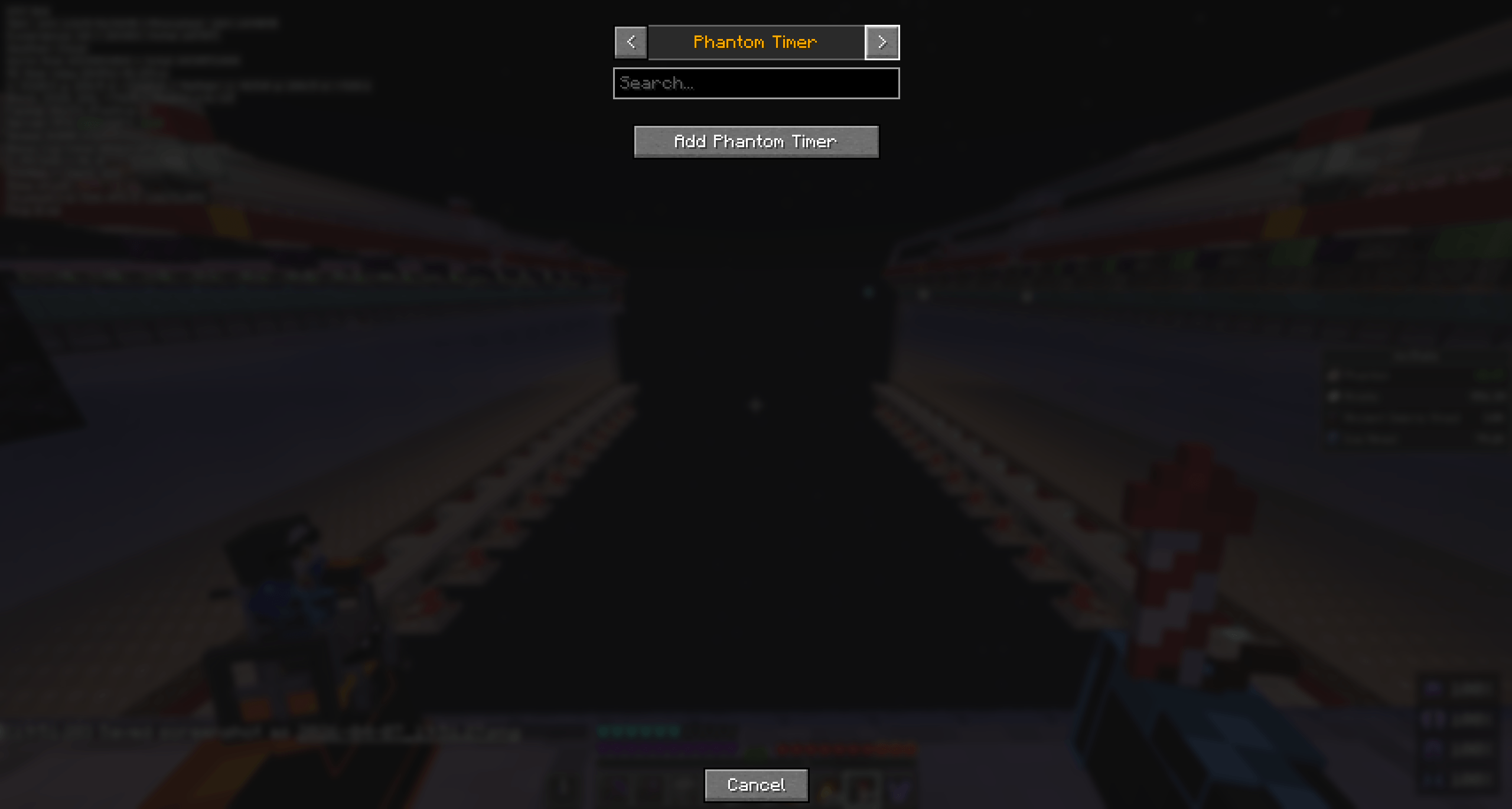
The + Add Stat picker groups everything into browsable categories:
| Category | What it lists |
|---|---|
| Phantom Timer | The built-in insomnia countdown (one click adds it). |
| General: Counts | Count-type stats (jumps, damage dealt, …). |
| General: Distances | Distance stats (walked, sprinted, flown, swum, …). |
| General: Time | Time stats (play time, time since rest, …). |
| Items: Mined | Breakable blocks — tracked as blocks mined. |
| Items: Used | Any item — tracked as used. |
| Items: Crafted | Craftable items (from the server's recipes). |
| Items: Broken | Damageable items — tracked as broken. |
| Items: Picked Up | Any item — tracked as picked up. |
| Items: Dropped | Any item — tracked as dropped. |
| Mobs: Killed | Any mob (shown as its spawn egg) — kills. |
| Mobs: Killed By | Any mob — times it killed you. |
| Advancements (26.x) | Grand total, per-namespace totals, or individual advancements — a collapsible, searchable tree. |
Every value is formatted to match Minecraft's own Statistics screen — counts as grouped numbers (1,234,567), distances in km / m / cm, and play-time as d / h / m. Advancements show their vanilla X/Y criteria progress (✓ when complete). The one exception is the phantom timer, which shows a live MM:SS countdown.
🎛️ Configuration
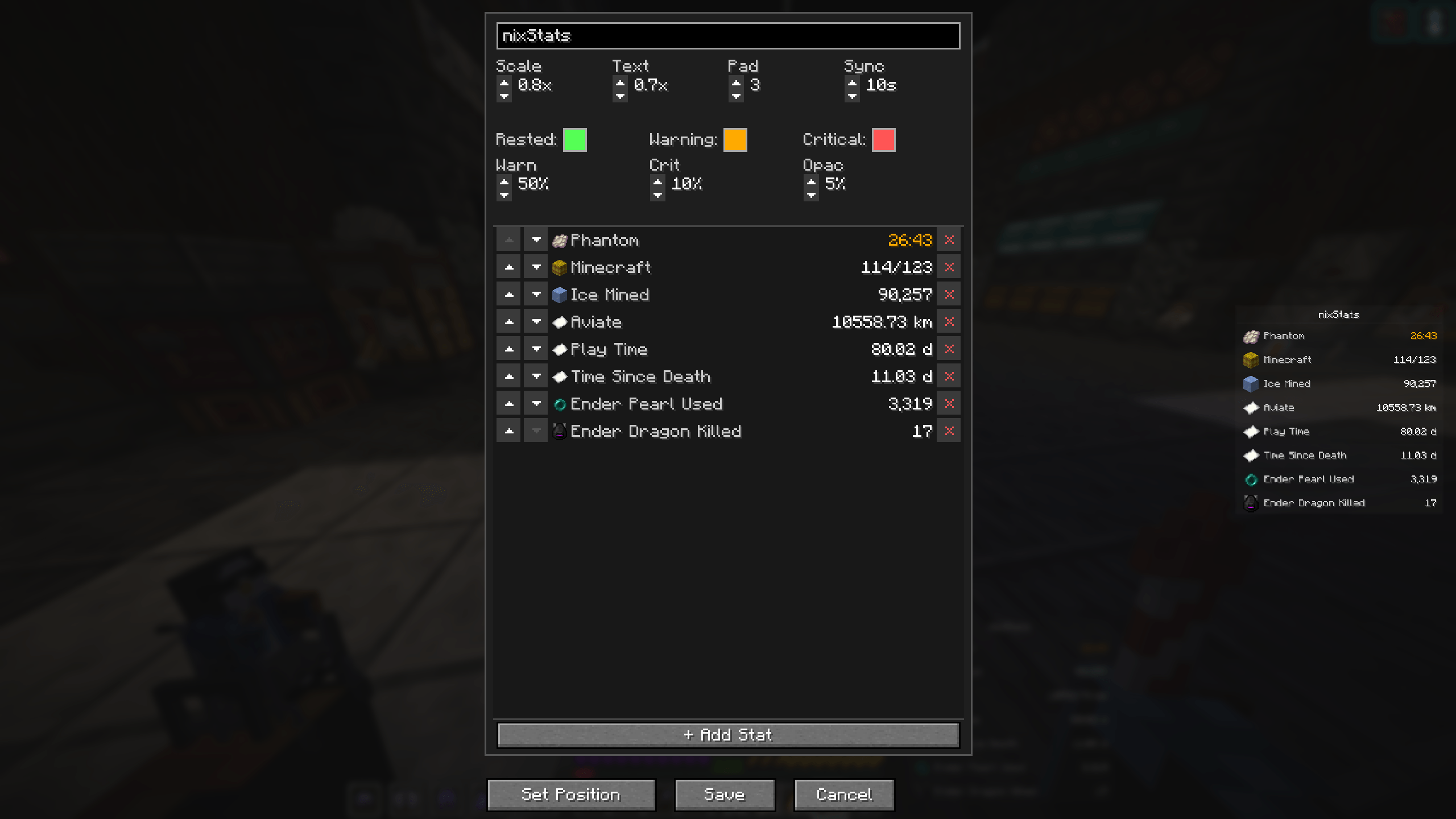
Open the config screen with the keybind or /nixstats. A live preview of the sidebar sits beside the controls so you see every change instantly — nothing applies until you hit Save.
- Sidebar Title — any title, up to 32 characters.
- Scale — overall HUD size,
0.10x–3.00x. - Text — text size relative to the HUD,
0.50x–2.00x. - IGap / LPad / VPad (26.x) — breathing room on each column: icon→label gap, label column, value column,
0–20each. Columns still auto-size to their content. - ECol (26.x) — the middle column's width when no row uses it (e.g. every row under Show None),
0–20. At0the column disappears entirely and the icons sit against the numbers. - Names (26.x) — cycle Show Names / Show Abbrev / Show None for the label on each row.
- Values (26.x) — toggle between the full count (
1,234,567) and a short form (1.2M). - Sync — how often stats refresh on servers, in seconds.
- Phantom Colors — set the Rested, Warning, and Critical colors on one line (click a swatch to cycle the presets; right-click to step back).
- Warn / Crit — the
%-of-time-remaining thresholds where the phantom timer changes color. - Opacity (26.x) — HUD background & frame opacity,
0%–100%(text and icons stay fully opaque). - Stats — a scrollable list; use ↑ / ↓ to reorder, × to remove, and + Add Stat to open the picker.
- Set Position — enter drag mode to place the frame; Reset Position restores the top-right corner.
Scale, Text, IGap, LPad, VPad, ECol, Sync, the Warn/Crit thresholds and Opacity are compact up/down spinners. Config is saved to config/nixstats.json, but you rarely need to touch it — the in-game screen covers everything.
💡 Use cases
- Never get ambushed by phantoms — keep the insomnia timer on screen and sleep when it turns yellow.
- Grind tracking — watch Ancient Debris Mined, Mob X Killed, or Item Crafted tick up during a session.
- Personal challenges & runs — surface Deaths, Damage Taken, Play Time, or Distance by Elytra.
- Streaming & recording overlays — a tidy, scalable, repositionable panel of exactly the numbers you want on camera.
- Modpack dashboards — modded stats register automatically, so pin mod-specific counters right alongside vanilla ones.
- Completionist runs (26.x) — pin All Advancements or a datapack's total and watch it climb, or track a specific advancement's
X/Yprogress.
✅ Compatibility
| Loaders | Fabric and NeoForge — one jar |
| Minecraft | 26.1 – 26.3 — one jar, v1.4.3 · 1.21.11 and 1.21.9 – 1.21.10 — v1.2.4 (no 26.x-only features) |
| Fabric API | Required on Fabric · not needed on NeoForge |
| Side | Client-side — install on your client |
| Extra libraries | None |
🆕 New in 1.4.2: Three-way name display (Show Names / Show Abbrev / Show None), per-column width controls, and optional abbreviated values, on 26.x. Advancement tracking, HUD opacity and the Show / Hide keybind arrived in 1.3.1. The 1.21.x build stays at v1.2.x.
Enjoying it? Hop in the Discord · ⭐ the repo · explore the rest of Lunixia's Minecraft QOL Mods
⛏️ Small, focused mods that cut out the boring stuff.
nixStats-multi Team

Owner