My Photo Paintings
Create customizable paintings in Minecraft using your own PNG, JPG and JPEG images.
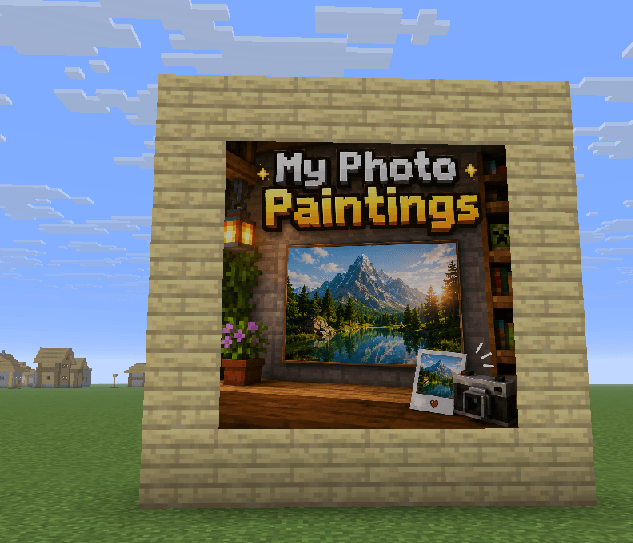
Wall with painting.png
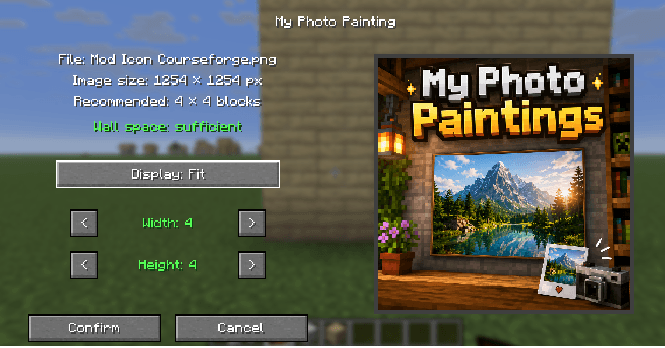
Menue.png
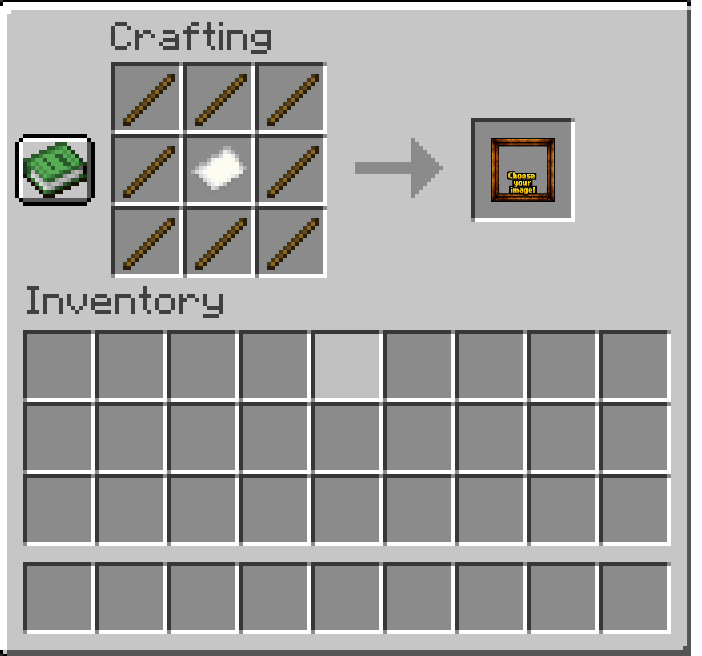
Crafting Recipe.png
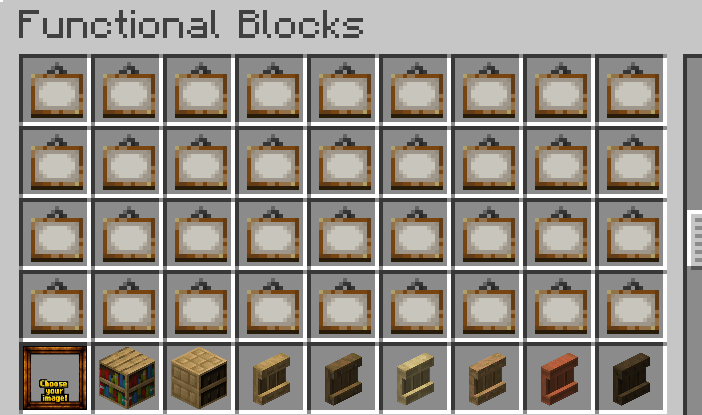
Functional Blocks.png
Description
My Photo Paintings
My Photo Paintings makes it quick and easy to turn your own images into custom paintings directly inside Minecraft — no resource packs, manual file copying, or complicated setup required.
Simply use the Photo Painting item on a wall, choose an image from your computer, select the size you want, and place it in your world.
Features
- Import your own PNG, JPG and JPEG images
- Native file picker — no manual resource pack editing required
- Choose painting sizes from 1×1 up to 16×16 blocks
- Automatic size recommendation based on the image aspect ratio
- Two display modes:
- Fit — stretches the full image to the selected size
- Crop — keeps the original aspect ratio and crops the edges if necessary
- Live preview before placing the painting
- Checks whether enough wall space is available
- Supports multiple different images in the same world
- Images are stored directly inside the Minecraft world folder
- Identical images are only stored once
- Works in all four horizontal directions
- Custom images remain available after restarting Minecraft
- Version 2.0.0 introduces multiplayer support while remaining fully compatible with singleplayer. Earlier versions support singleplayer only.
- For multiplayer, My Photo Paintings must be installed on the server and on every connecting client.
How image saving works
When you confirm a Photo Painting, the selected image is immediately saved as a PNG inside the current Minecraft world folder.
The placed painting itself is saved by Minecraft as part of the normal world save process.
If Minecraft is force-closed before the next world save, the image file may already exist while the newly placed painting entity has not yet been saved. Under normal gameplay and normal shutdown, this is not an issue.
Storage location
Images are stored inside the world folder under:
my_photo_paintings/images
Crafting Recipe
The Photo Painting is crafted with:
Stick Stick Stick
Stick Paper Stick
Stick Stick Stick
Notes
- The selected source image is copied into the world and no longer depends on the original file on your computer.
- Removing a Photo Painting drops a normal empty Photo Painting item.
- When placing it again, you can choose a new image.
- The mod is currently designed primarily for singleplayer use.
- This mod may be included in any modpack, as long as the license terms are respected.
Disclaimer
This mod is solely a technical tool for rendering and synchronizing images within Minecraft. The developer does not operate, host, or control any servers used to store, cache, upload, transmit, or display images through the mod.
Users and Minecraft server operators are solely responsible for any content they choose to upload, transmit, store, or display using this mod. This includes ensuring compliance with all applicable laws and regulations, including copyright, privacy, data protection, personality rights, and other third-party rights.
Users must ensure that they have all necessary rights, permissions, and consents for any content they upload, transmit, store, or display using this mod.
The developer does not endorse, review, monitor, or assume responsibility for user-provided content or for any misuse of the mod.
Use of this mod is at the user's own responsibility and risk, to the extent permitted by applicable law.
My Photo Paintings Team