My Little Steam Engine
- By
A fully functional steam engine with linkable carts you can also colourise.
{85ECCCEC-BD8B-410C-AFB4-8EF56E469D49}.png
{F3F8617D-5204-4FA6-95A1-B975221FC7B7}.png
Description
My Little Steam Engine
Little engine. Your own railway.
Build a railway with a working steam engine, linked minecarts and tracks that cross at right angles.
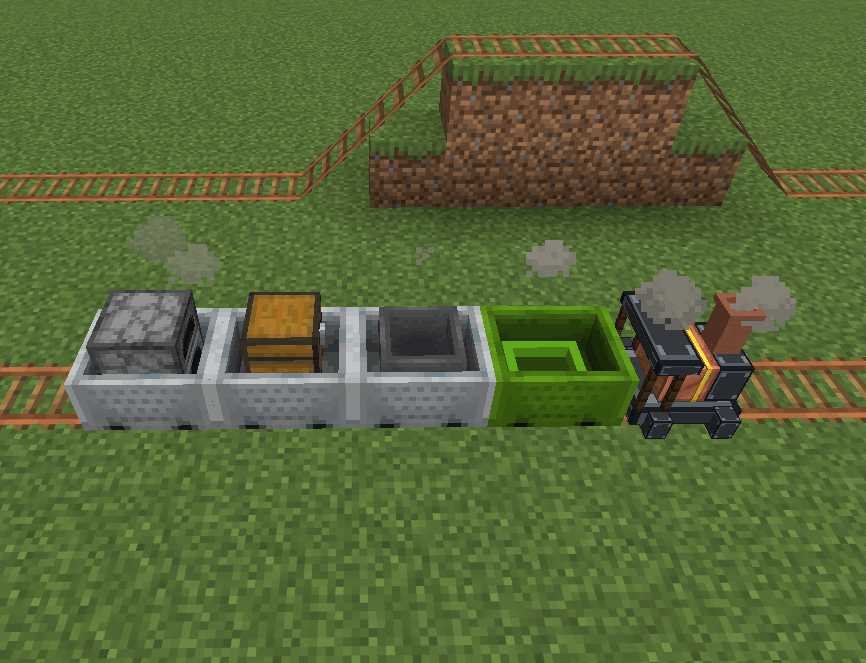
My Little Steam Engine by Owlife Software adds a minecart-sized locomotive with its own model, a simple control panel and campfire-style chimney smoke. Take a seat in an attached minecart and let your engine do the pulling!
Features
- A proper little locomotive — A dedicated steam-engine model with no visible minecart shell. Ride in an attached passenger cart while the engine pulls your train.
- Build a train — Connect one engine to up to six minecarts using the Coupling Wrench and iron chains. Visible chains show the connections.
- Easy cart selection — Hold Left Ctrl + right-click with the wrench to select carts without opening chests, fuelling furnaces or boarding passenger carts. A floating chain icon marks your first selection.
- Simple controls — Choose Forward, Reverse or Stop, select a speed of 2, 4, 6 or 8 blocks per second, and sound the horn.
- Four fuel slots — Carry up to four full stacks of coal. Fuel feeds automatically, and stopping preserves the remaining burn time.
- Wood and coal fuel — Use coal, charcoal, coal blocks, logs, planks, wooden slabs, wooden stairs or sticks, with their normal furnace burn durations.
- Campfire-style smoke — Chimney smoke becomes denser at higher selected speeds while the engine runs.
- Copper rails — An additional unpowered track option supporting bends and slopes.
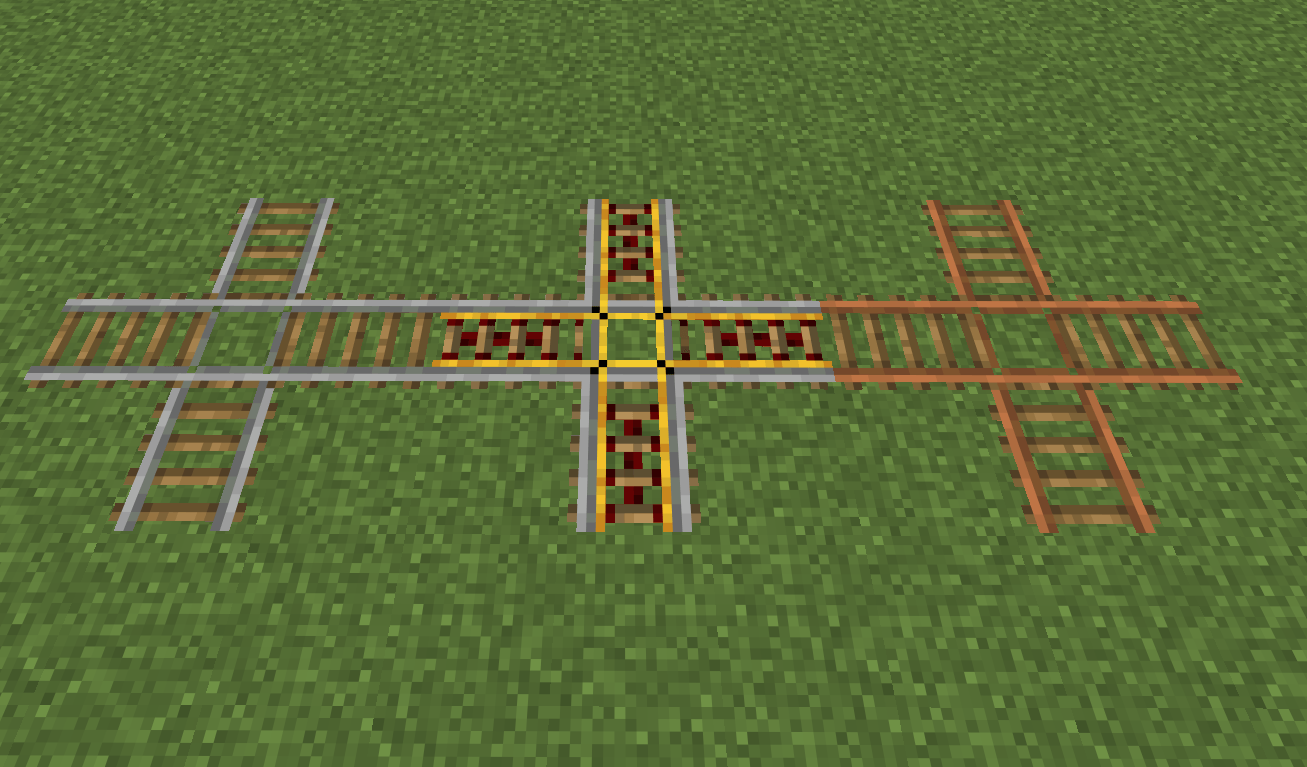
- Five crossing types — Ordinary, copper, powered, detector and activator crossings let tracks cross at 90 degrees.
- Sixteen coloured minecarts — Personalise your train with dyes. An ink sac can also make a black minecart.
- Saved trains — Fuel, controls and cart links persist when you save your world. Breaking an engine returns its item and unused stored fuel.
Getting Started
-
Craft your engine using a furnace, a minecart and a decorated pot in any arrangement.
-
Place it on rails, looking in the direction you want the engine to consider forward.
-
Right-click the engine to open its fuel and controls panel.
-
Load fuel, then choose a direction and speed.
-
Couple your carts using the instructions below.
Linking Minecarts
Have your Coupling Wrench ready and keep iron chains in your inventory.
-
Hold Left Ctrl and right-click the first cart with the wrench.
-
A floating chain icon appears above the selected cart.
-
Keep the second cart within three blocks of the first.
-
Hold Left Ctrl and right-click the second cart to connect them.
Each new link consumes one iron chain in Survival mode. The selection icon disappears once the link succeeds.
Cancel a selection: Hold Left Ctrl and right-click the selected cart again. Selections also expire after 20 seconds.
Uncouple a cart: Sneak and right-click it with the wrench. This removes that cart’s links and returns the chains.
Train rules: Use one engine per train, position it at an end, and attach up to six minecarts. Loops and multiple engines in the same train are rejected.
Normal clicks still let you open chest carts, fuel furnace carts and board passenger carts.
Crafting Recipes
Steam Engine
Furnace + Minecart + Decorated Pot
Shapeless recipe — place the ingredients anywhere in the crafting grid.
Coupling Wrench
Requires three iron ingots, one copper ingot and one stick.
Arrange them in a crafting table:
- Top row: Empty · Iron Ingot · Iron Ingot
- Middle row: Empty · Copper Ingot · Iron Ingot
- Bottom row: Stick · Empty · Empty
Copper Rails
Use six copper ingots and one stick, arranged like the ordinary rail recipe.
Makes 16 copper rails.
Coloured Minecarts
Combine an ordinary minecart + dye in a shapeless recipe.
Supports all 16 dye colours. An ink sac can also be used for black.
Rail Crossings
Combine two rails of the same type in a shapeless recipe.
You can also convert an existing straight, flat rail into a crossing: face across it and use a matching rail on it.
Available crossing types:
- Ordinary
- Copper
- Powered
- Detector
- Activator
Crossings carry carts straight through along their incoming direction. They do not turn or route trains. Trains can collide if they enter a crossing at the same time.
Installation
- Download the build for your exact Minecraft version and mod loader.
- Install the matching mod build on both the client and server.
- Fabric requires the matching Fabric API.
- Read your chosen file’s release notes for tested versions and known limitations.
Current release: Beta. Builds have passed compilation and dedicated-server checks; full graphical playtesting is still needed.
Created by Owlife Software
My Little Steam Engine Team