Music Regions
- By
A simple music mod for RPG maps, designed to enhance the setting and atmosphere of dungeons.
{34A74AC5-58AC-4E7F-8804-D9AAC4F13DC6}.png

{4326D8BE-6E0C-4101-A6E3-2460F30D1EB6}.png
{16379146-EF60-454D-A4B9-A943E8AF916E}.png
Description
**Summary (short description field):**
Play your own .ogg music inside areas selected with WorldEdit. It loops while you're inside and fades out when you leave. Set priorities for overlapping areas, add tracks with WinRAR, and preview the areas with a toggleable outline.
---
# Music Regions
Turn any area of your world into a music zone. Select a box with WorldEdit, pick a track, and everyone who walks into that box hears your music. Walk out, and it fades away.
Perfect for adventure maps, dungeons, boss rooms, towns and servers that want a custom soundtrack in specific places, without resource packs or editing any JSON files.
## Features
- **Music zones with WorldEdit**: select with `//pos1` and `//pos2`, then run `//setmusic`.
- **Your own music**: just drop `.ogg` files into the mod. No `sounds.json` editing needed.
- **Loops while you're inside**, then a **quick fade out** (about 0.75 s) when you leave.
- **Seamless between zones**: if two zones touch or overlap and use the same track, the music keeps playing without restarting.
- **Priorities**: when zones overlap, the one with the lowest priority number plays (1 = highest priority). On a tie, the newest zone wins.
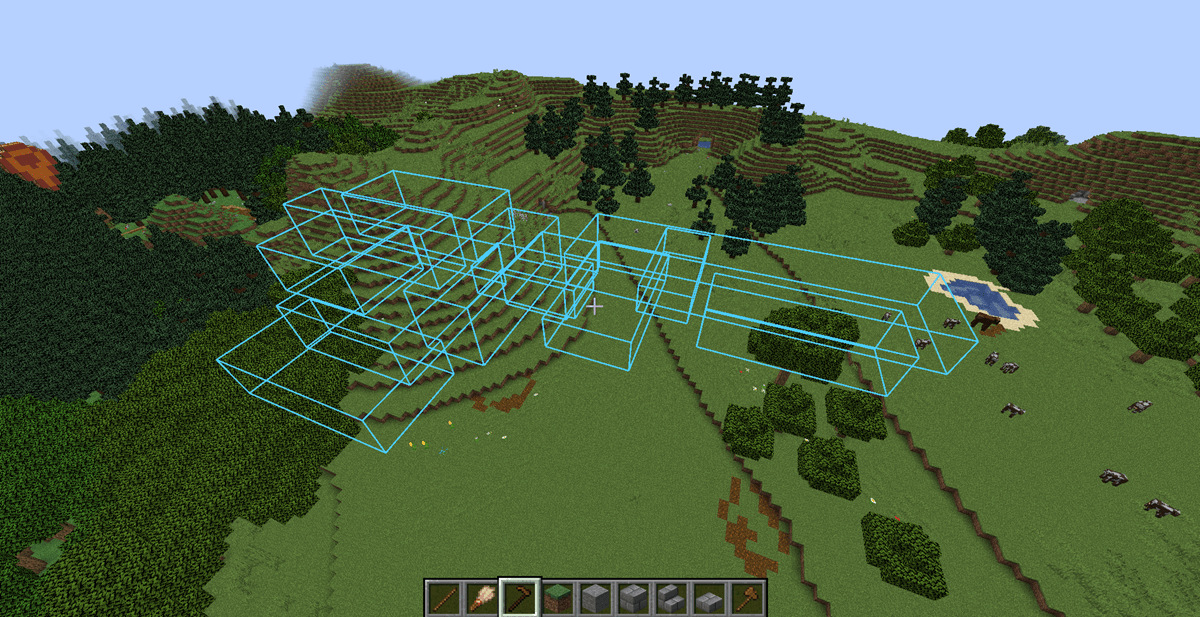
- **Zone preview**: toggle an outline of all zones with `//musicbox` (visible through walls; the zone currently playing is highlighted in green).
- **Replaces the vanilla background music** while a zone track is playing, so the two never overlap.
- Zones are **saved with the world**.
## Requirements
- Minecraft **1.20.1**
- Forge **47+**
- [WorldEdit for Forge 1.20.1](https://www.curseforge.com/minecraft/mc-mods/worldedit) (needed to select the areas)
- Must be installed on the **server and on every client** (the audio plays on each player's computer).
## How to add your music
The mod does not include any music. You add your own:
1. Open the mod `.jar` with **WinRAR** or **7-Zip** (a .jar is just a zip file).
2. Go to `assets/musicregions/sounds/music/`.
3. Drag your `.ogg` files into that folder and save.
**File name rules** (a Minecraft requirement):
- only lowercase letters, numbers, `_`, `-` and `.`
- no spaces, no accents, no capital letters
- the extension must be `.ogg` (lowercase)
Good: `boss_battle.ogg` Bad: `Boss Battle.OGG`
> Tip: when you update the mod, the new `.jar` won't have your tracks. Keep your `.ogg` files and add them again.
## How to use
1. Select the area with WorldEdit (`//pos1` and `//pos2`, or the `//wand`).
2. Run `//setmusic <track> <priority>`, without the `.ogg` extension.
Example: `//setmusic boss_battle 1`
Press TAB to see your available tracks.
3. Walk into the area. The music starts, loops, and fades out when you leave.
Running `//setmusic` again with the same selection replaces that zone's track and priority.
### Commands
| Command | What it does |
|---|---|
| `//setmusic <track> <priority>` | Creates a music zone from your current WorldEdit selection. Priority 1 is the highest. |
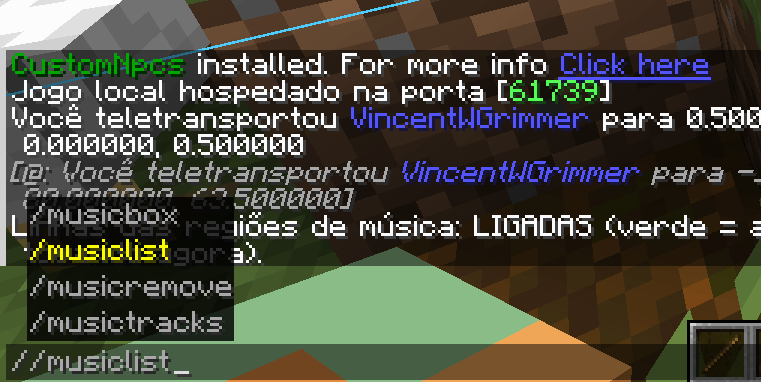
| `//musiclist` | Lists all zones with their coordinates, track and priority. |
| `//musicremove` | Removes the zone whose music is currently playing where you stand. |
| `//musicremove <number>` | Removes a specific zone from the `//musiclist` list. |
| `//musictracks` | Lists the tracks found inside the mod (and warns about invalid file names). |
| `//musicbox` | Toggles the zone outlines on your screen (client-side, only you see it). |
`//setmusic`, `//musiclist`, `//musicremove` and `//musictracks` require operator permission (in singleplayer, cheats must be enabled). `//musicbox` can be used by anyone.
## Priorities
If you are inside two overlapping zones, the zone with the **lower priority number** wins. For example, a boss room (priority 1) inside a big dungeon zone (priority 5) will play the boss music while you're in the room, then go back to the dungeon music when you leave. If two overlapping zones have the same priority, the most recently created one wins.
## Multiplayer notes
- Install the mod on the server and on all clients.
- Every player needs the **same `.jar` with the same tracks inside**. A player missing a track file will hear nothing in that zone.
## FAQ
**Does it include any music?** No. Only use music you own or have the rights to use.
**Which audio format?** OGG (Vorbis) only.
**The track isn't found by `//setmusic`.** Run `//musictracks` to see which files the mod found and which have invalid names.
**I get "WorldEdit not found" or "no selection".** Make sure WorldEdit for Forge 1.20.1 is installed and that you made both `//pos1` and `//pos2` in the dimension you're standing in.
Music Regions Team