MTR Traffic Addon
- By
Addon for minecraft Transit Network adding traffic generation, traffic lights and more!
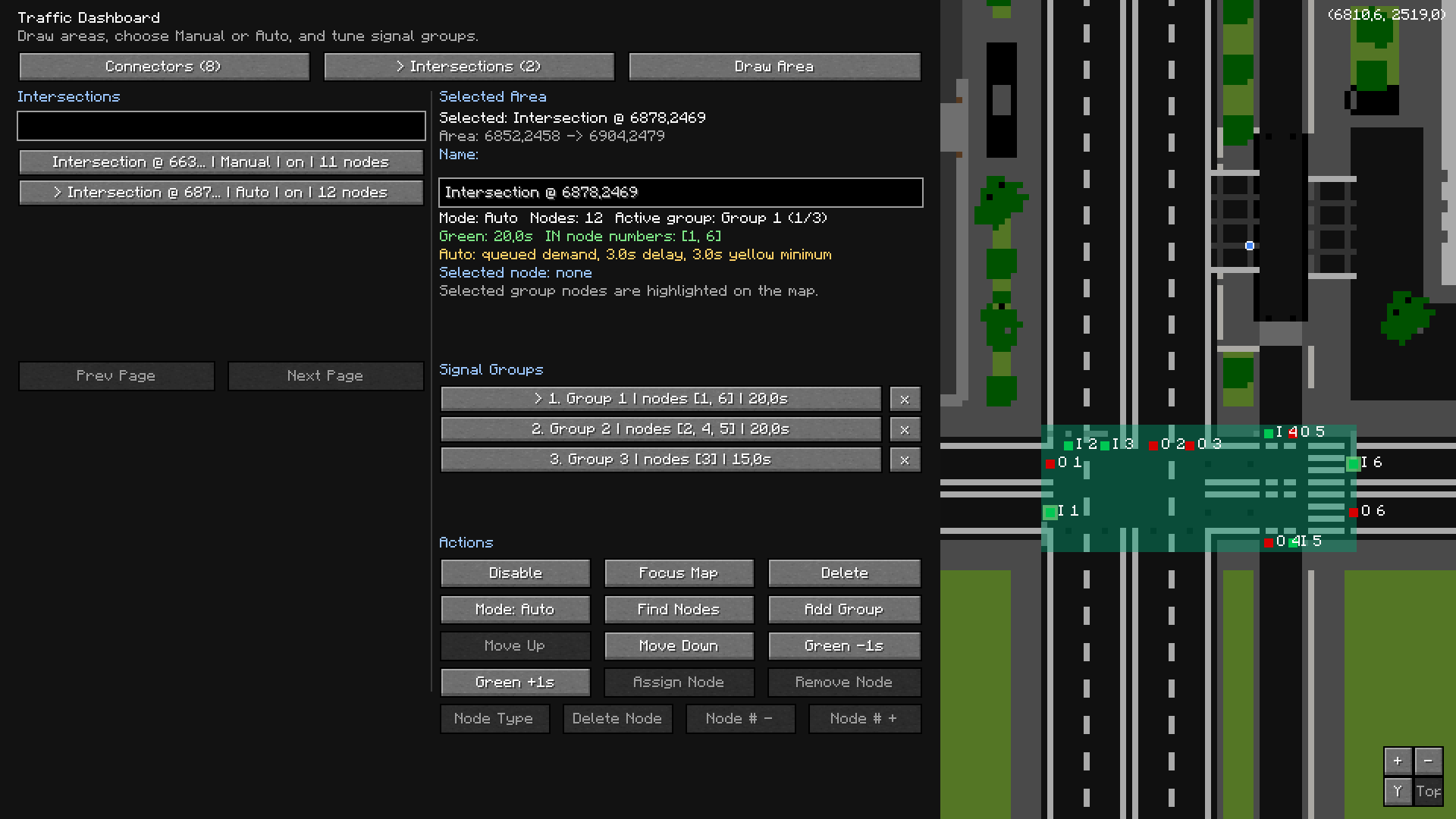
Traffic Dashboard
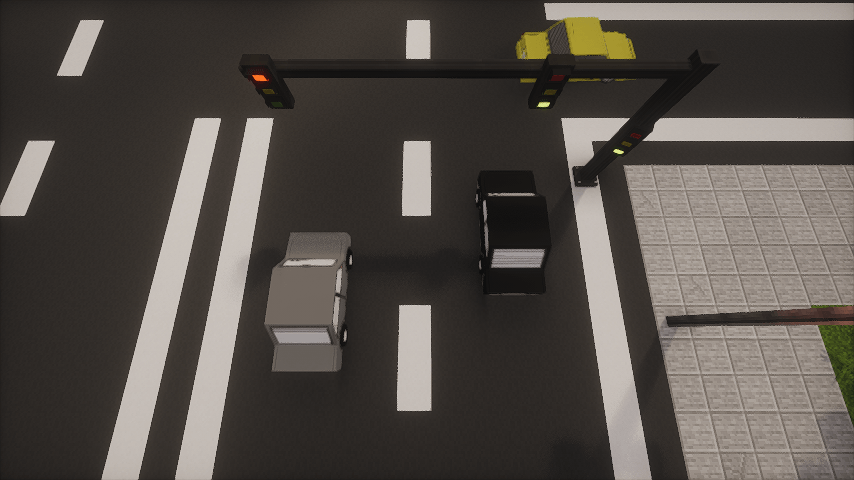
Vehicles on road
Description

MTR Traffic Addon (BETA) adds generated road traffic to Minecraft Transit Railway worlds. Place traffic spawn and despawn connectors, manage routes through the Traffic Dashboard, and let vehicles drive through your MTR-based road network. For example you have built bus network using mtr and some resource packs - now you can generate car traffic, manage intersection traffic lights and more!
Features:
- Traffic Spawn and Despawn Connectors
- In-game Traffic Dashboard
- Vehicle pool selection per spawn point
- Intersection areas with signal phases
- Vehicle spacing, queueing, and MTR vehicle awareness
- 8 built in sedan models (MTA Mesh Sedan [8 color variants])
Important info:
- Requires Fabric, Fabric API, Minecraft 1.20.1, and MTR 4.0.4 or newer
- Designed for fabric and won't support forge in near future.
- Still in active development, so larger worlds and multiplayer setups may need testing
How To Use:
1. Install Fabric API, Minecraft Transit Railway, and MTR Traffic Addon.
2. Open your world and take the Traffic Spawn Connector, Traffic Despawn Connector, and Traffic Dashboard from the MTR Traffic Addon creative tab.
3. Place spawn connectors where traffic should appear, and despawn connectors where traffic should leave.
4. Open the Traffic Dashboard to view connectors, refresh routes, clear active vehicles, and manage vehicle pools.
5. Select which vehicle models each spawn connector can use.
6. For intersections, create an intersection area in the dashboard and assign signal groups for incoming roads.
7. Enable the connectors/intersections and traffic will start spawning when a valid route exists.

Disclaimer:
- Backup your worlds first before using it!
- This mod is in alpha state and it requires custom resource packs with car models, however there are built-in MTA Sedan models with different color, but they are low-effort and it is recommended to download external car packs.
MTR Traffic Addon Team

Owner

![Modern Furniture Forked [MFF] project image](https://media.forgecdn.net/avatars/thumbnails/2110/653/256/256/639273379611663700.png)