
Description
🧪 MrChair1's Reactive Skins (Add-on)
⚠️ Note: This is an expansion for [MrChair1's Skin Changer]. You must have the base mod (v1.6.1) installed for this to work.
This mod is currently not being updated. I'm currently focusing on the base mod.
✨ Features
- Dynamic Skin Switching: Your skin now adapts to your gameplay! Automatically swap skins when specific in-game conditions are met.
- Smart Conditions: Create rules based on three key variables:
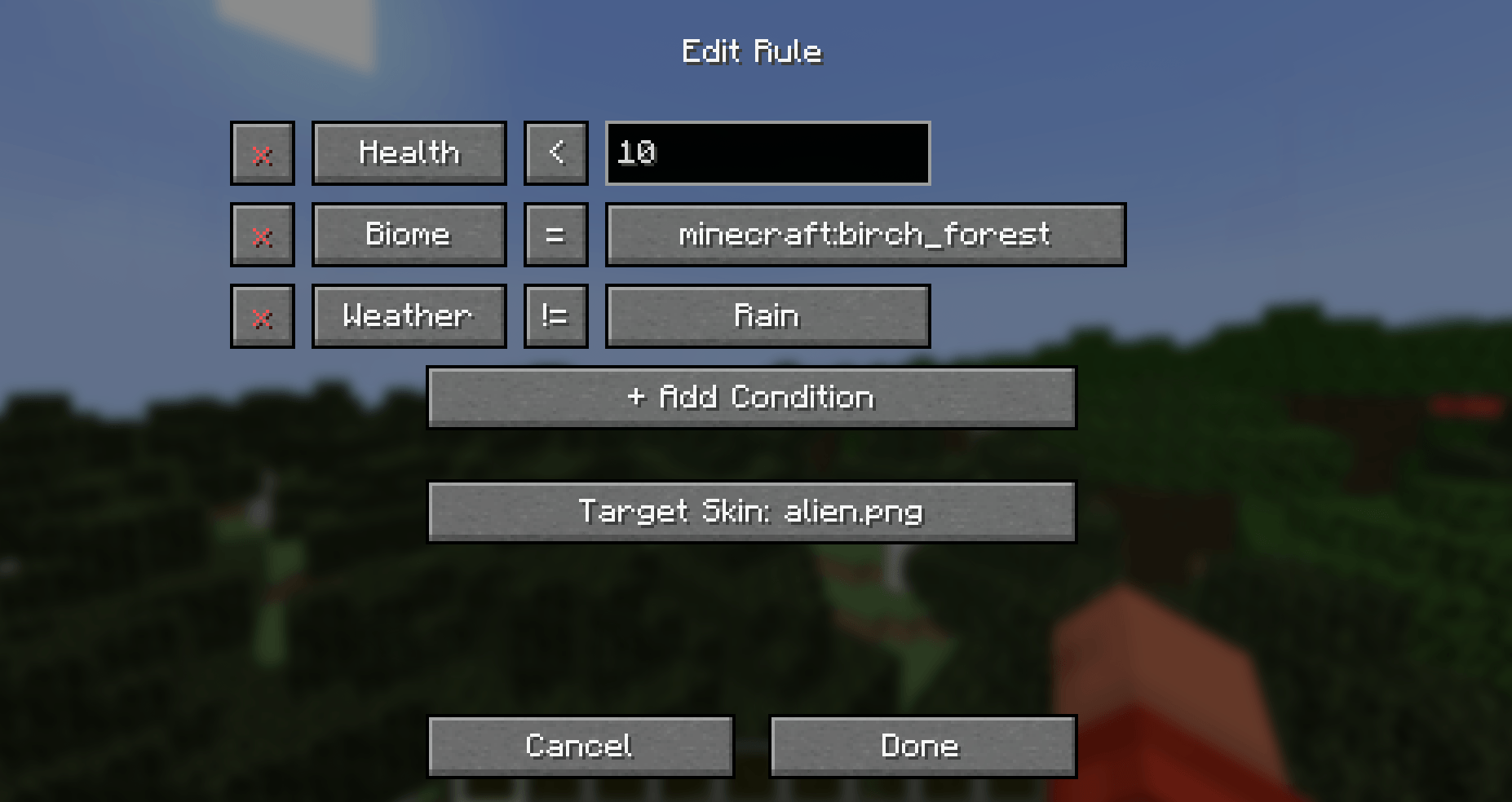
- ❤️ Health: Trigger a "damaged" skin when your health drops below a certain amount (e.g., < 10 HP).
- 🌎 Biome: Automatically wear camouflage or themed outfits when entering specific biomes (e.g., Desert, Birch Forest).
- 🌧️ Weather: Put on a raincoat skin automatically when it starts raining.
- Customizable Rules: Combine multiple conditions into a single rule (e.g., IF Health < 5 AND Weather = Rain).
- Total Control:
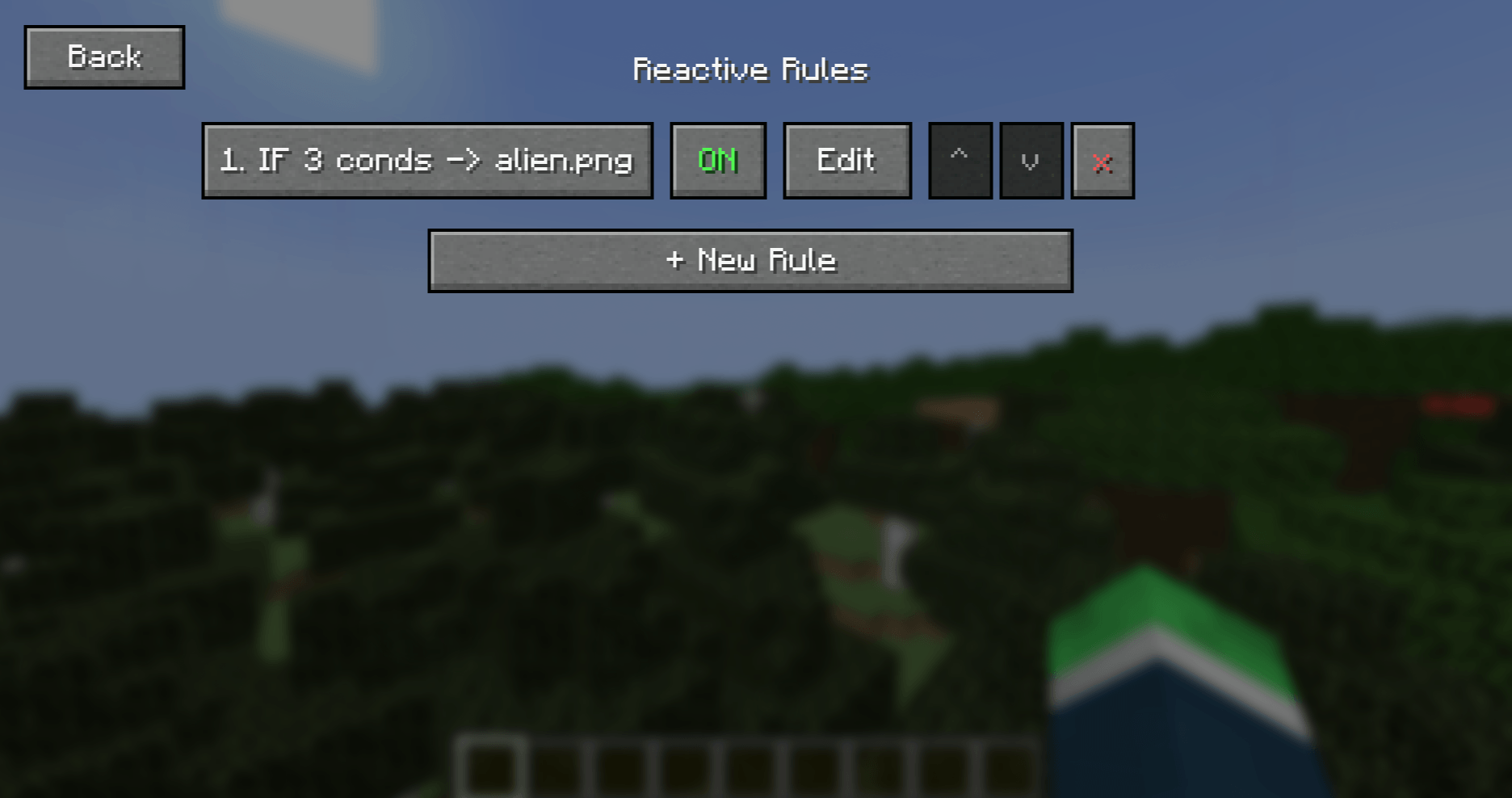
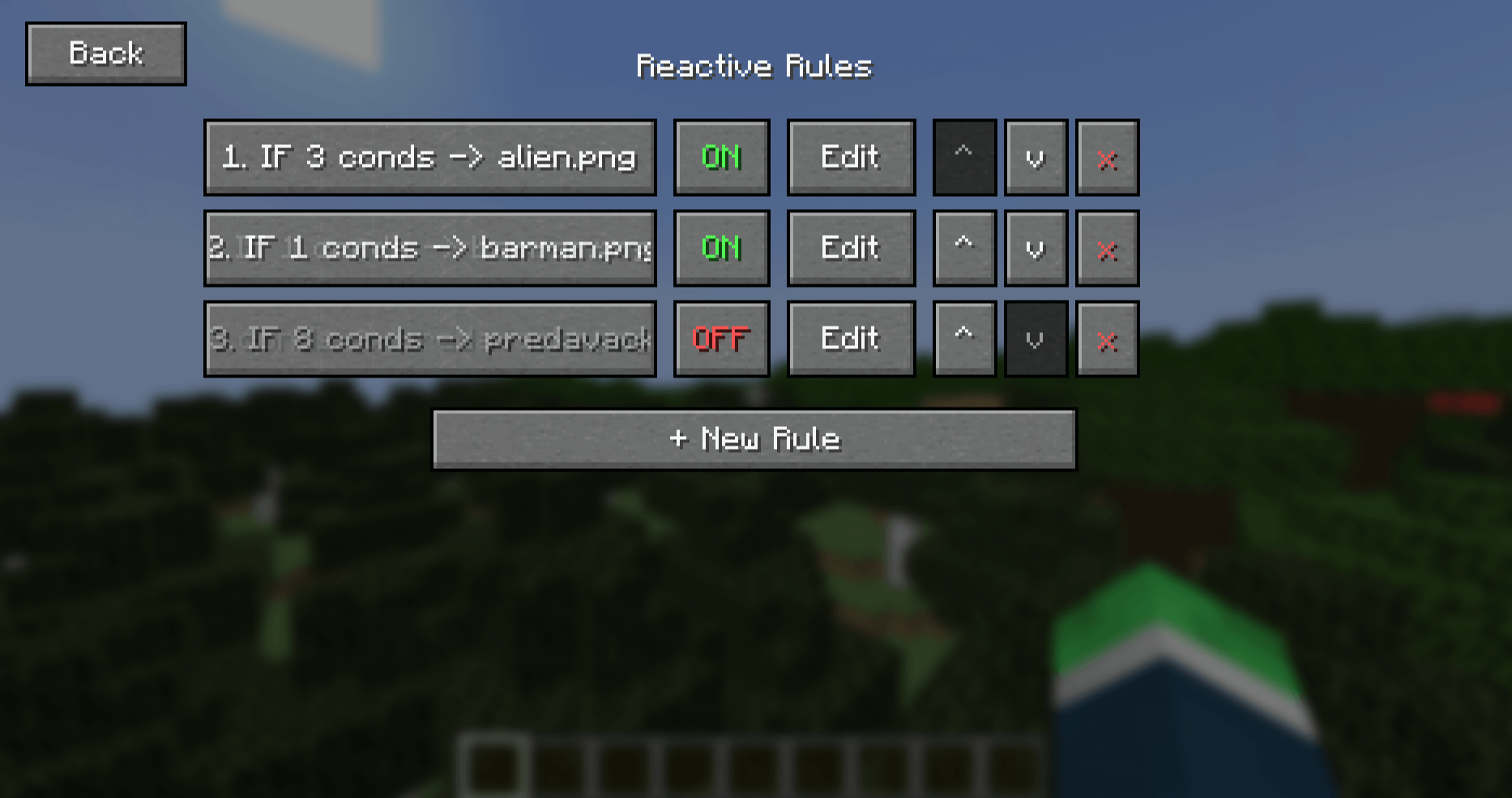
- Toggle Switch: Easily turn individual rules ON or OFF without deleting them.
- Priority System: Use the
^andvarrows to prioritize which rule takes precedence if multiple conditions are met. - Editor: Edit or delete existing rules on the fly via the simple GUI.
🚀 How to Use
-
-
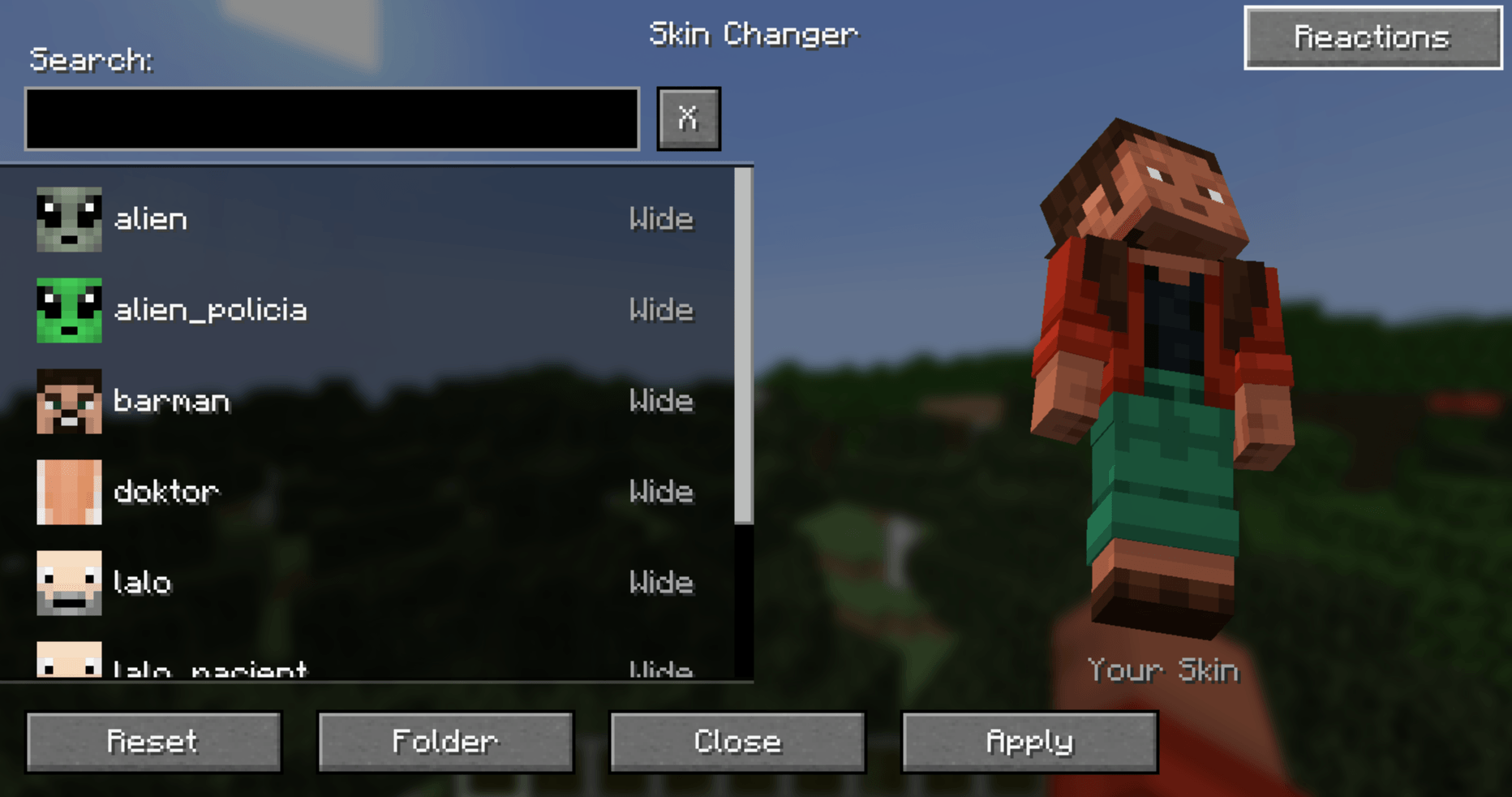
Open the Menu: Press K (or your bound key) to open the standard Skin Changer menu.
-
Access Reactions: Click the new "Reactions" button in the top right corner.
-
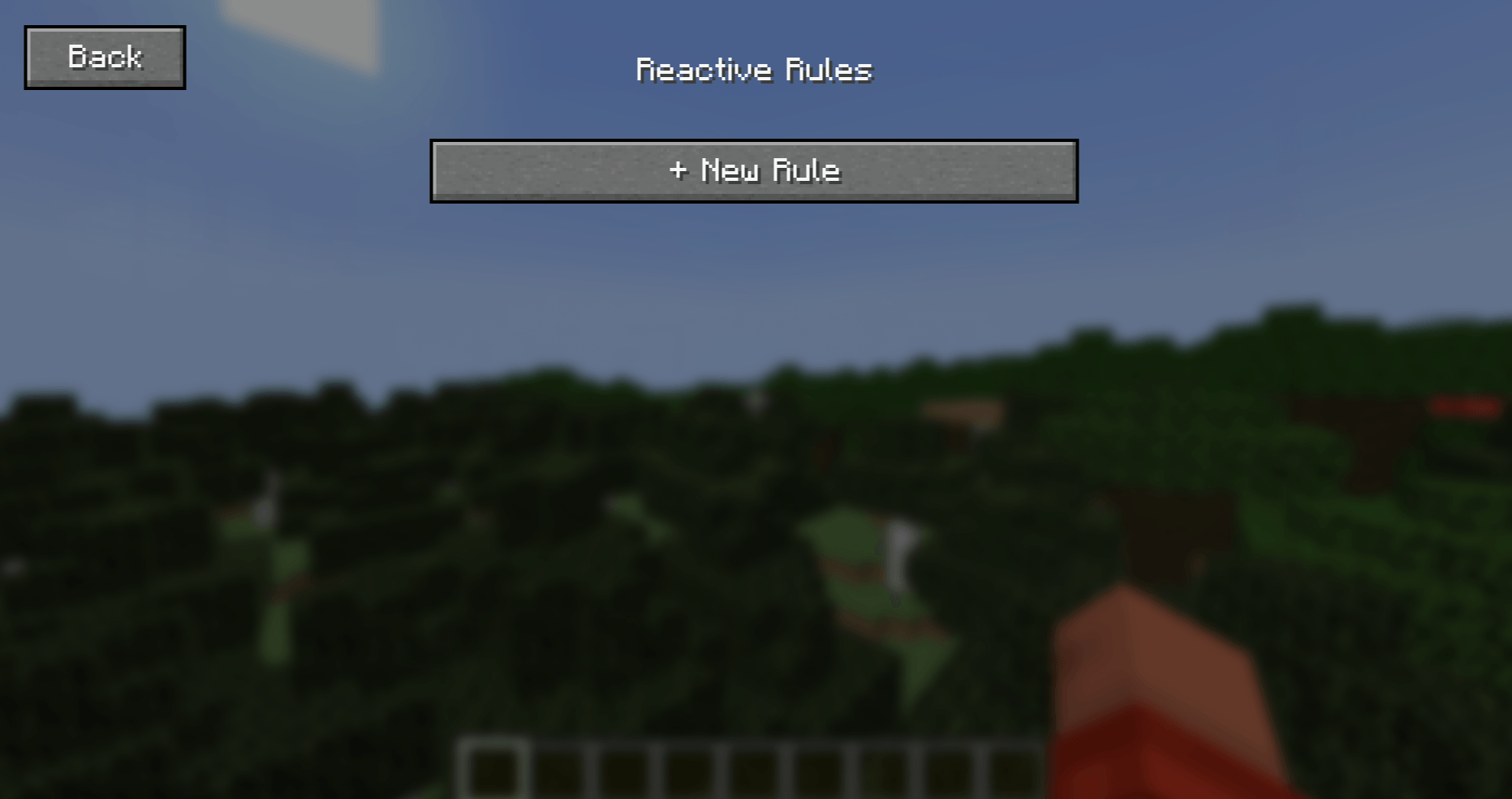
Create a Rule: Click "+ New Rule".
-
Set Conditions:
-
Click "+ Add Condition" to select triggers (Health, Biome, or Weather).
-
Set your logic (e.g., Health
<10). -
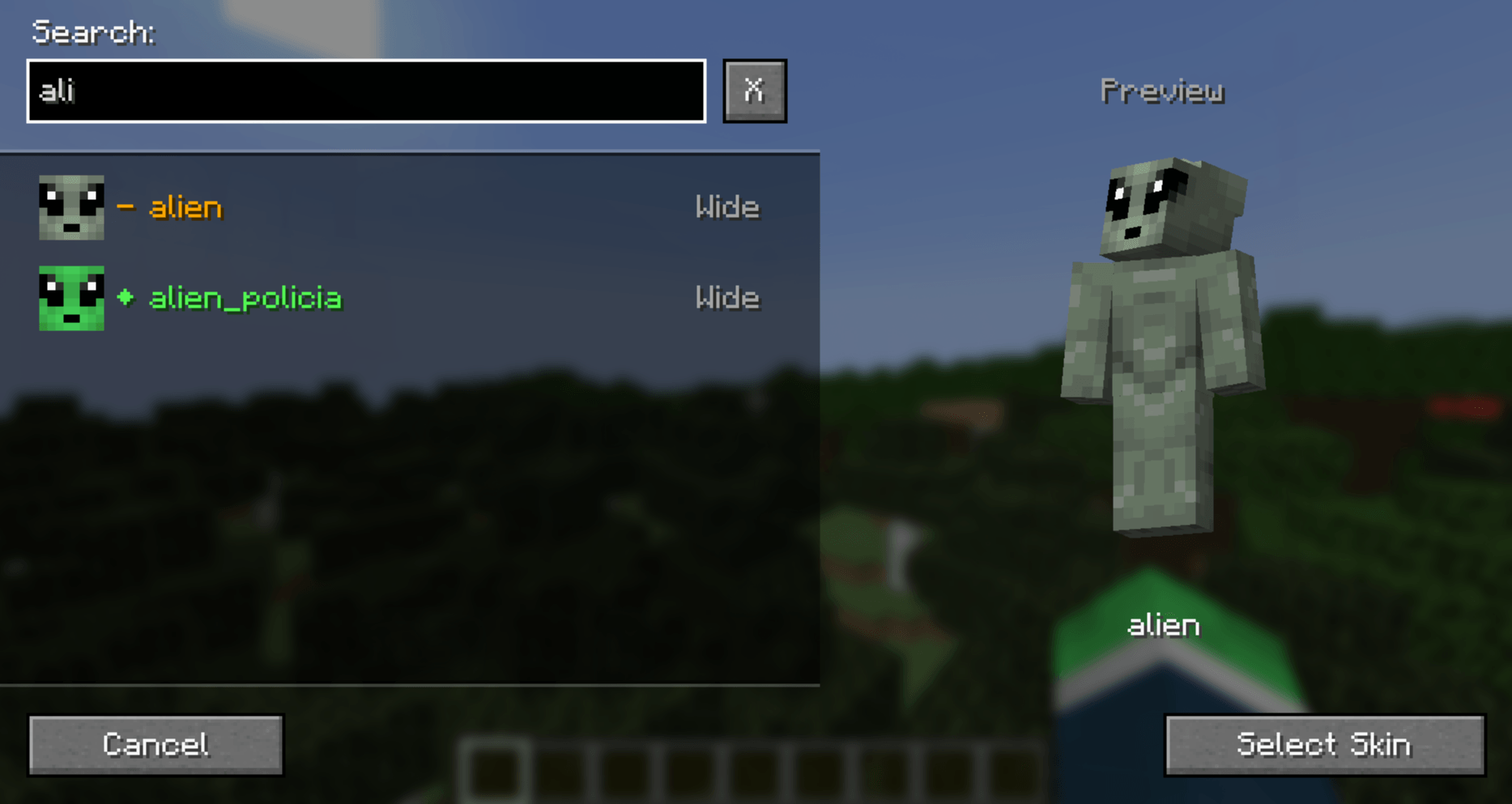
Click "Target Skin" to select which texture should apply when these conditions are met.
-
-
Save & Play: Click Done. Your skin will now react automatically to the world around you!
-
(Note: By default the mod checks for the rule conditions every 10 ticks (0.5 seconds), this can be changed through the configuration menu accessible in the top right corner of the menus with your rules or the Mod Menu mod's configuration button.)
📦 Compatibility
- Requires: MrChair1's Skin Changer
- Minecraft Version: 1.21.1
- Loader: Fabric
- Multiplayer: ✅ (Follows the same sync rules as the base mod).
☕ Support me on Ko-fi 💖: https://ko-fi.com/mrchair1
🎥 Support me on YouTube 💌: https://www.youtube.com/@MrChair1
🔴🧾Feel free to leave feedback in the comments!
MrChair1's Reactive Skins Team