Modpack Core Essentials [ MCE ]
- By
Change game window title and icon. Add a welcome message to the screen when you first start the game. Very light. Easy to customize. Zero bloat. NeoForge & Fabric.

A lightweight, client-side utility mod built for modpack creators.
Modpack Core Essentials gives modpack authors a clean set of tools to customize modpack without any performance overhead.
✨ Features ✨
🪟 Custom Game Window Title Set a custom title for the Minecraft window to match your modpack's branding. Players will see your modpack's name in their game window title.

🖼️ Custom Window Icon Replace the default Minecraft window icon with your own.

📋 Configurable Welcome Screen Display a welcome screen when players launch the game. You can configure it to appear only once (on first launch), never or every time the game starts -> great for changelogs, server announcements, or greetings. Also, it supports different colors. You can change title and text.

Older look:

⚙️ Full ModMenu Integration Seamlessly integrates with ModMenu, providing an in-game config editor so you can tweak settings without leaving the game.

Older look:

❤️ But also easy config file!
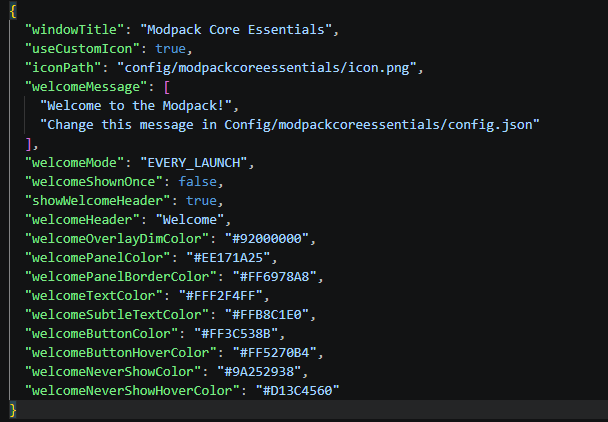
Older look:
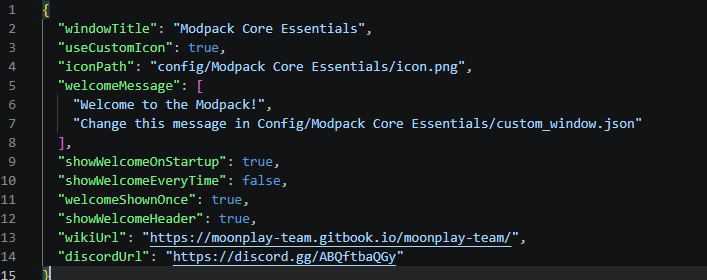
📦 Requirements:
Recommended: ModMenu (for in-game configuration)
🔧 FAQ:
- Is this mod Client-Side Only?
- This mod runs entirely on the client. No need to install it on server.
- Why doesn't the icon load when I click the reload button?
- Because you can't “reload” a window icon. You need to restart the game.
- What size should the icon be?
- 64x64 or 32x32
🔗 Links
Built with ❤️ by the MoonPlay Team.
Modpack Core Essentials [ MCE ] Team

Owner