ModernMenu with animations by Adapts
- By
A modern, animated main menu, pause menu and loading screens for Minecraft 1.12.2.
2026-09-26_23.50.44.png
modern dl.png
Description
Modern Menus
Give the look of a modern game! Modern Menus completely redesigns the main menu, the pause menu and the loading screens with smooth animations and a clean, realistic style.
🏠 MAIN MENU
- Smooth vanilla panorama with real perspective and mouse parallax
- Or a dark animated background with drifting lights and particles
- Flat animated buttons: cascade intro, accent bar and sliding text on hover
- Minecraft logo with the classic yellow splash text
- Minecraft, Forge and mod count info in a corner
- Fade-in from black when the game starts
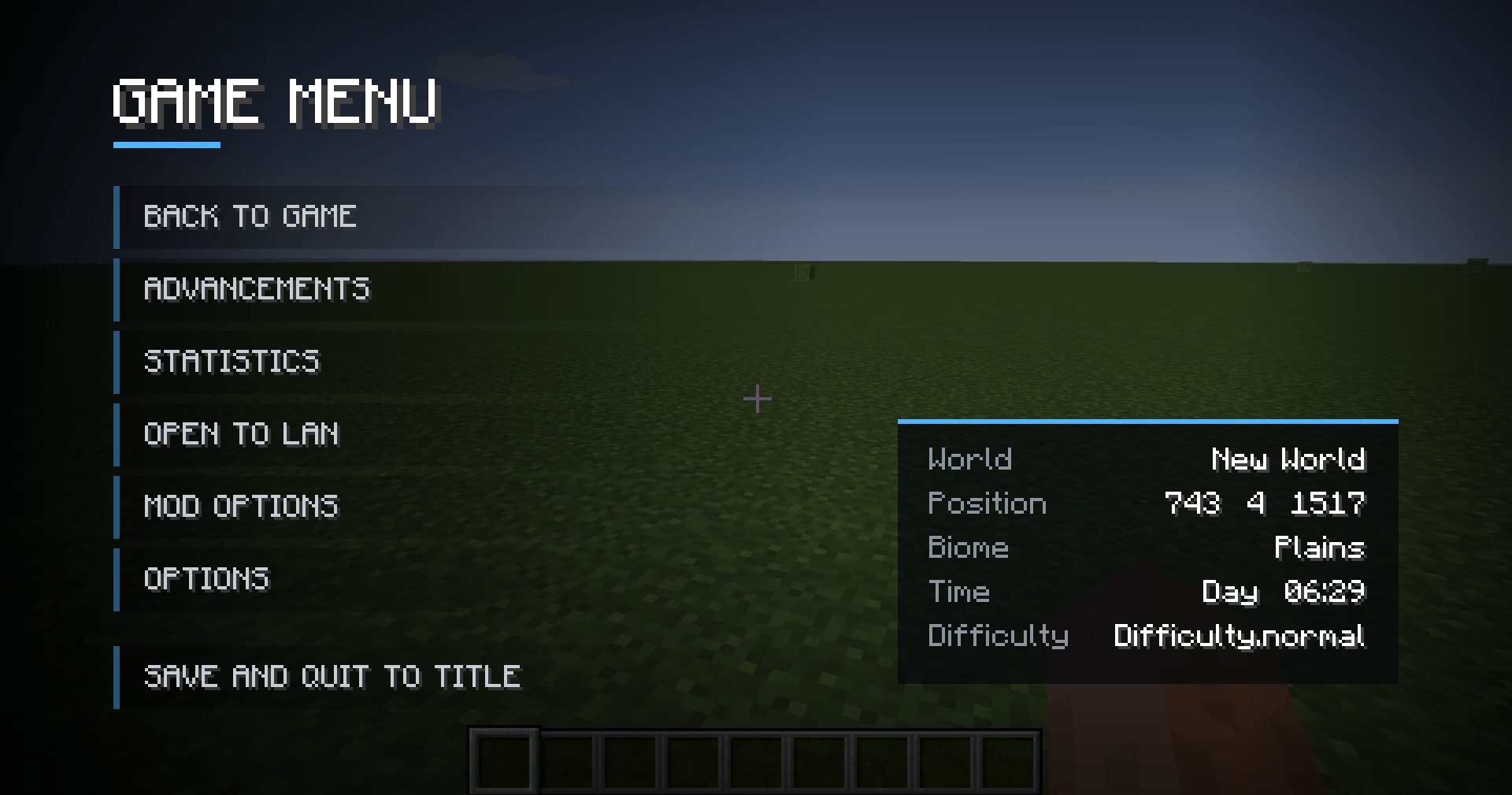
⏸️ PAUSE MENU (ESC)
- Darkened game view with a sleek side panel
- Same animated buttons as the main menu
- World info card: world or server name, position, biome, day and time, difficulty, players online
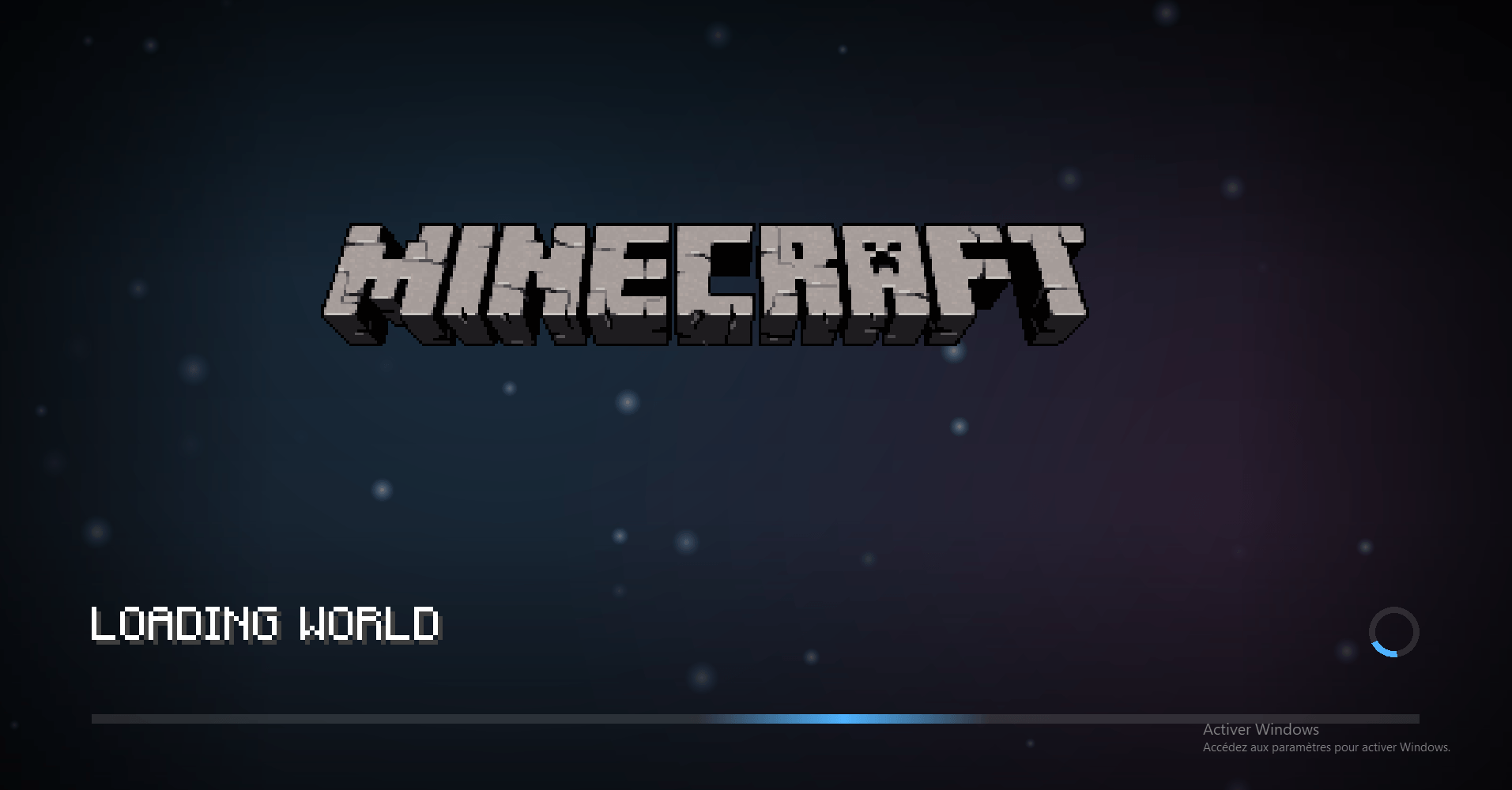
⏳ LOADING SCREENS
- World creation and loading, server connection and terrain download
- Animated background with a "breathing" logo
- Gameplay tips that fade in and out
- Real progress bar while the terrain is generating
- Spinning loading indicator
- Very lightweight: adds almost no loading time
🎨 STARTUP SCREEN
- The Forge startup screen gets a matching dark theme (visible from the second launch, since Forge shows it before mods are loaded)
⚙️ CONFIGURATION
Everything is editable in-game (Mods > Modern Menus > Config) or in config/modernmenus.cfg:
- Accent color (any hex color)
- Position of every element: logo, buttons and info cards (left, center or right + X/Y offsets)
- Logo size, button width, height and spacing
- Custom title text instead of the Minecraft logo, with a subtitle (great for modpacks!)
- Background type, panorama speed, darkness, mouse parallax
- Animations on/off, uppercase buttons
- Each part (main menu, pause menu, loading screens) can be turned off individually
📦 INSTALLATION
- Minecraft 1.12.2 with Forge
- Drop the .jar into your mods folder
- Client-side only: works on any server!
❓ FAQ
Does it need a resource pack?
No, everything is drawn by the mod.
Can I use it in my modpack?
Yes! You can even replace the logo with your modpack name in the config.
Does it work with other mods?
Yes. It only replaces the vanilla menus, so menus added by other mods are left untouched.
The ModernMenu with animations by Adapts Team