ModernEmb
- By
A customizable Modern UI overhaul for Embeddium, featuring modernized settings, custom themes, animated shimmer effects, improved navigation, and optional Oculus/Iris integration.
92d1147c-a3d0-4d3b-b393-3ccbef1a4058.png
e4c6aab3-f1a4-4caa-80ed-e2dcad1b527f.png
332e087b-b687-45b7-86f0-a14af4a181b6.png
111ca649-0df9-4ce4-bb4c-a65da8a66155.png
Description
ModernEmb
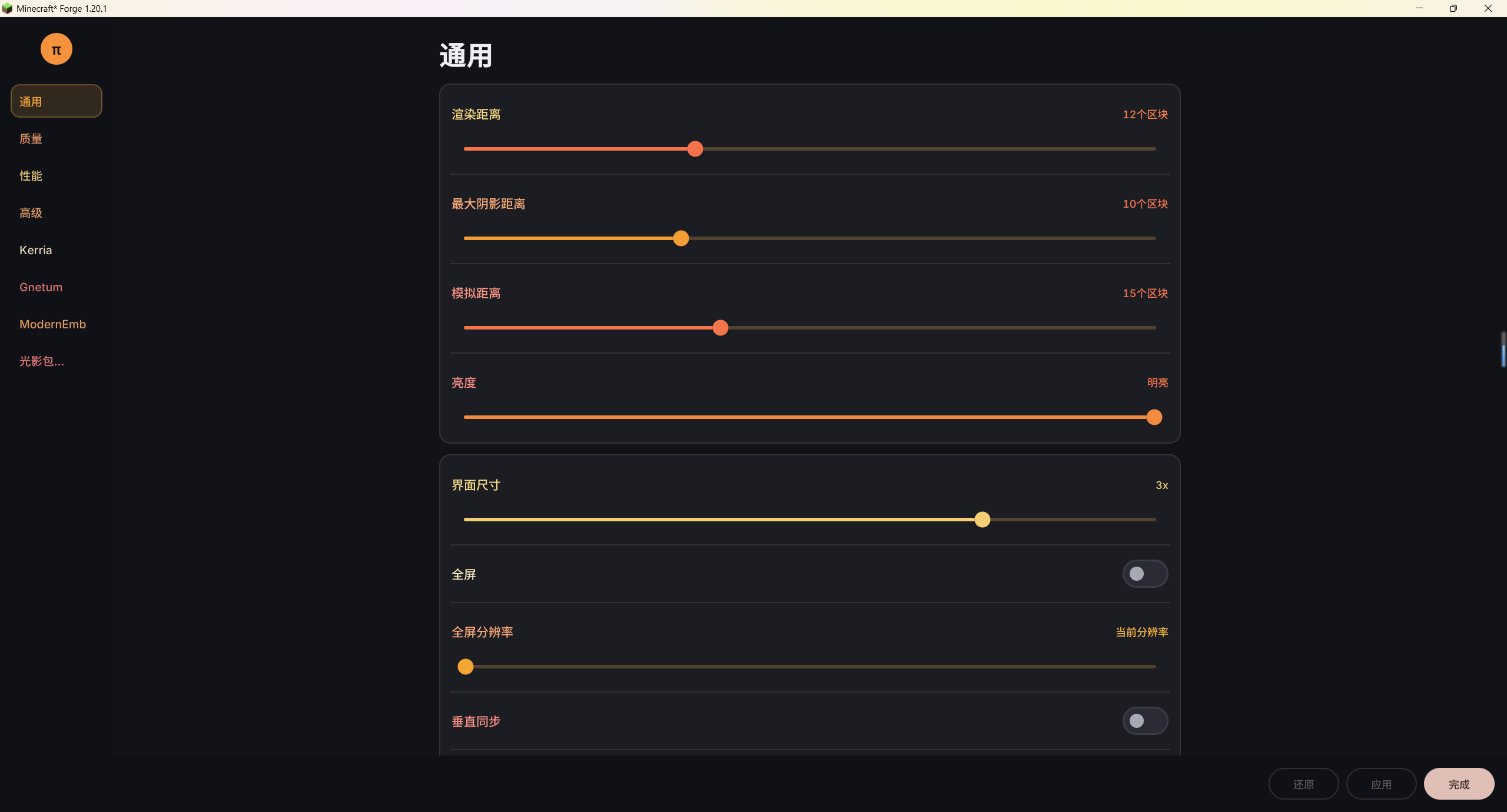
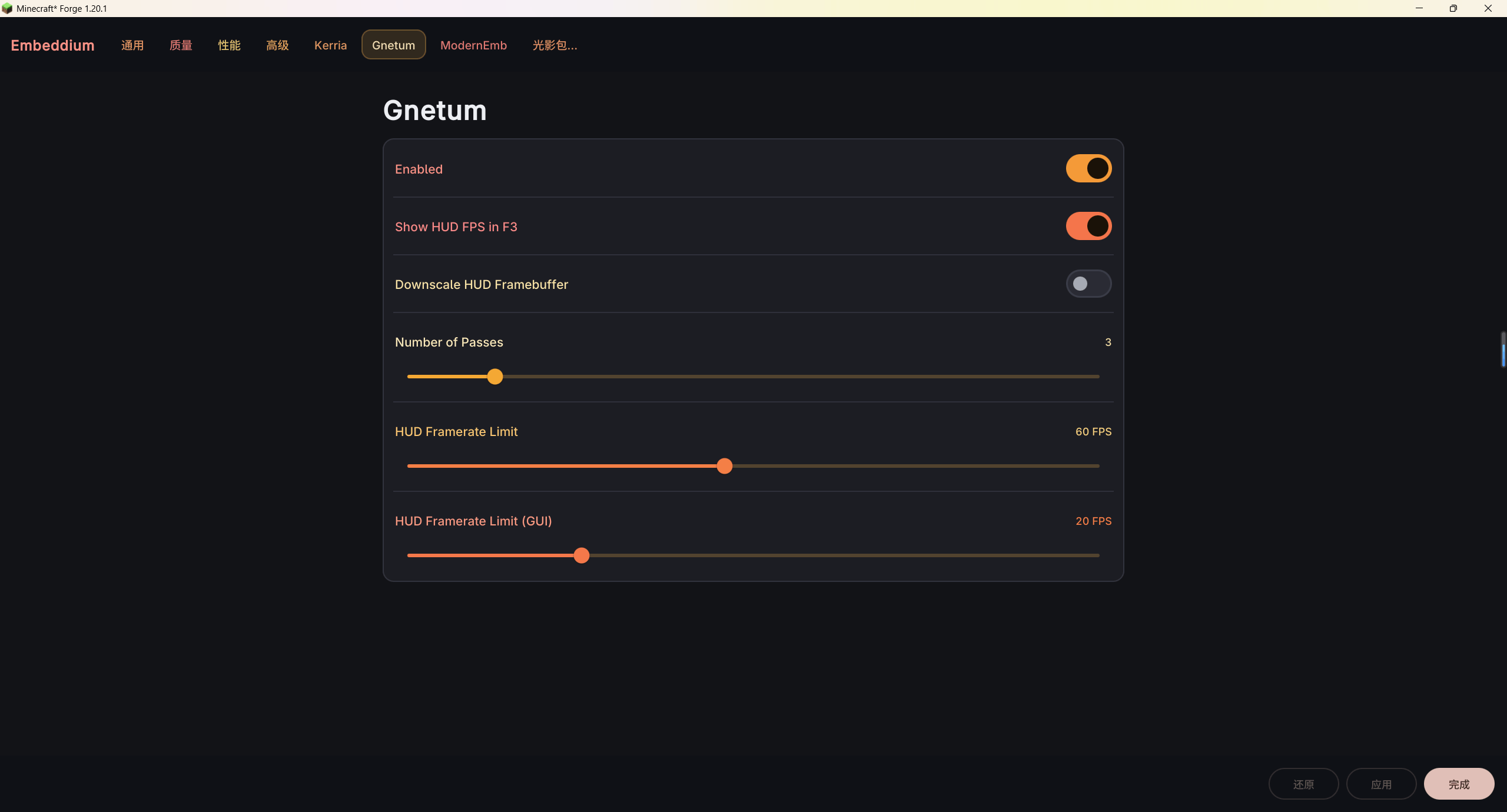
ModernEmb is a client-side UI overhaul for Embeddium. It replaces Embeddium's default video settings screen with a modern, customizable interface while preserving Embeddium's original option system and settings behavior.
Compatible option pages added by other mods are also retained and organized into a cleaner navigation layout.
Features
- Modernized Interface: Replaces the default Embeddium settings screen with a Modern UI-based layout featuring section cards and collapsible groups.
- Flexible Navigation: Choose between Sidebar, Classic, and Top navigation styles.
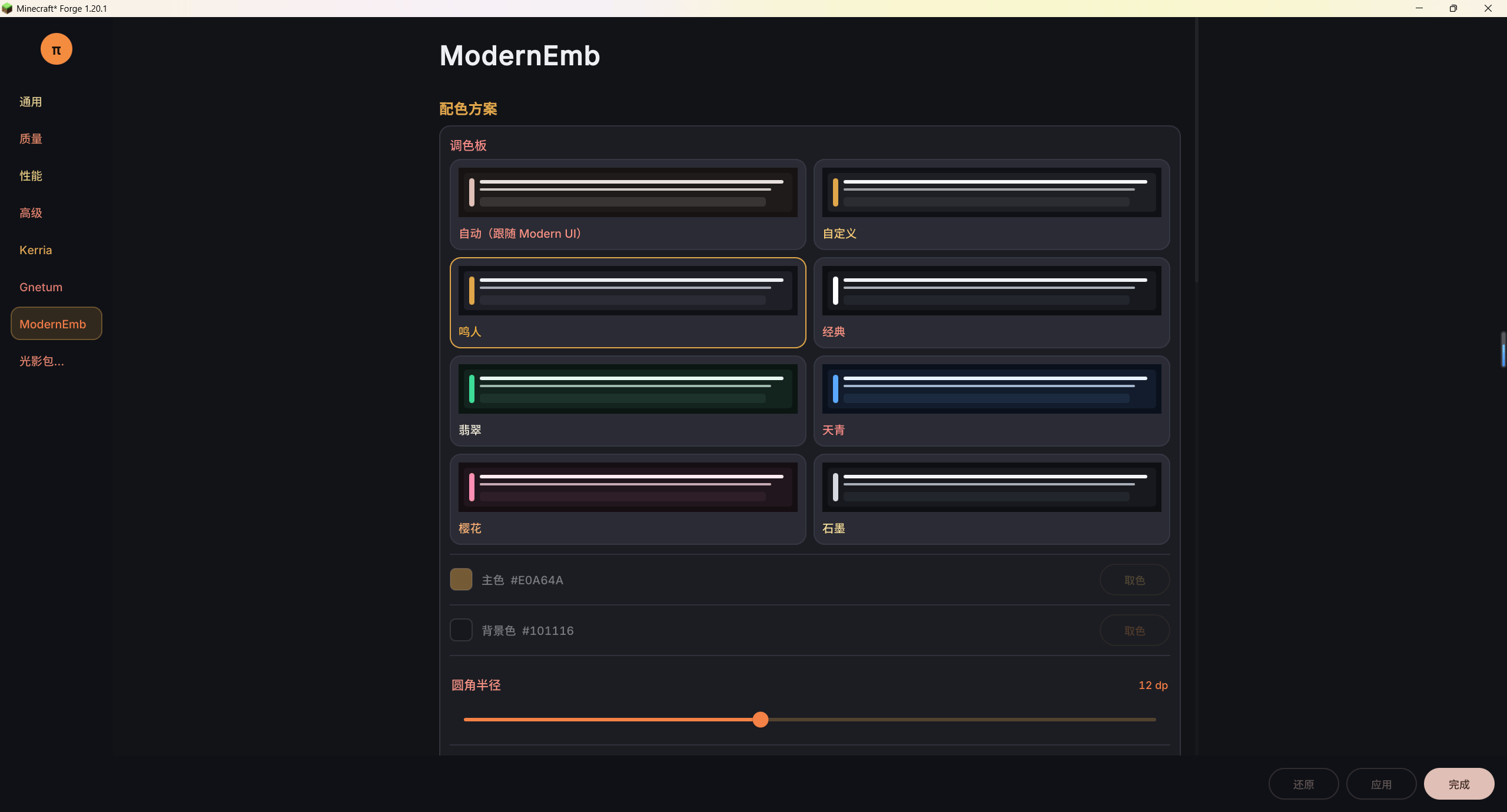
- Custom Themes: Use automatic or preset color schemes, or create your own theme by customizing accent and surface colors. Corner radius and content spacing are adjustable as well.
- Animated Shimmer Effects: Add optional animated glow effects to navigation labels, titles, and option rows.
- Shimmer Customization: Choose from several built-in palettes or create a custom color band. Adjust animation speed, strength, and density independently.
- Third-party Compatibility: Retains compatible settings pages contributed by other mods and groups multiple pages by their source mod where possible.
- Apply and Undo: Provides dedicated Apply, Undo, and Done actions, along with unsaved-changes protection.
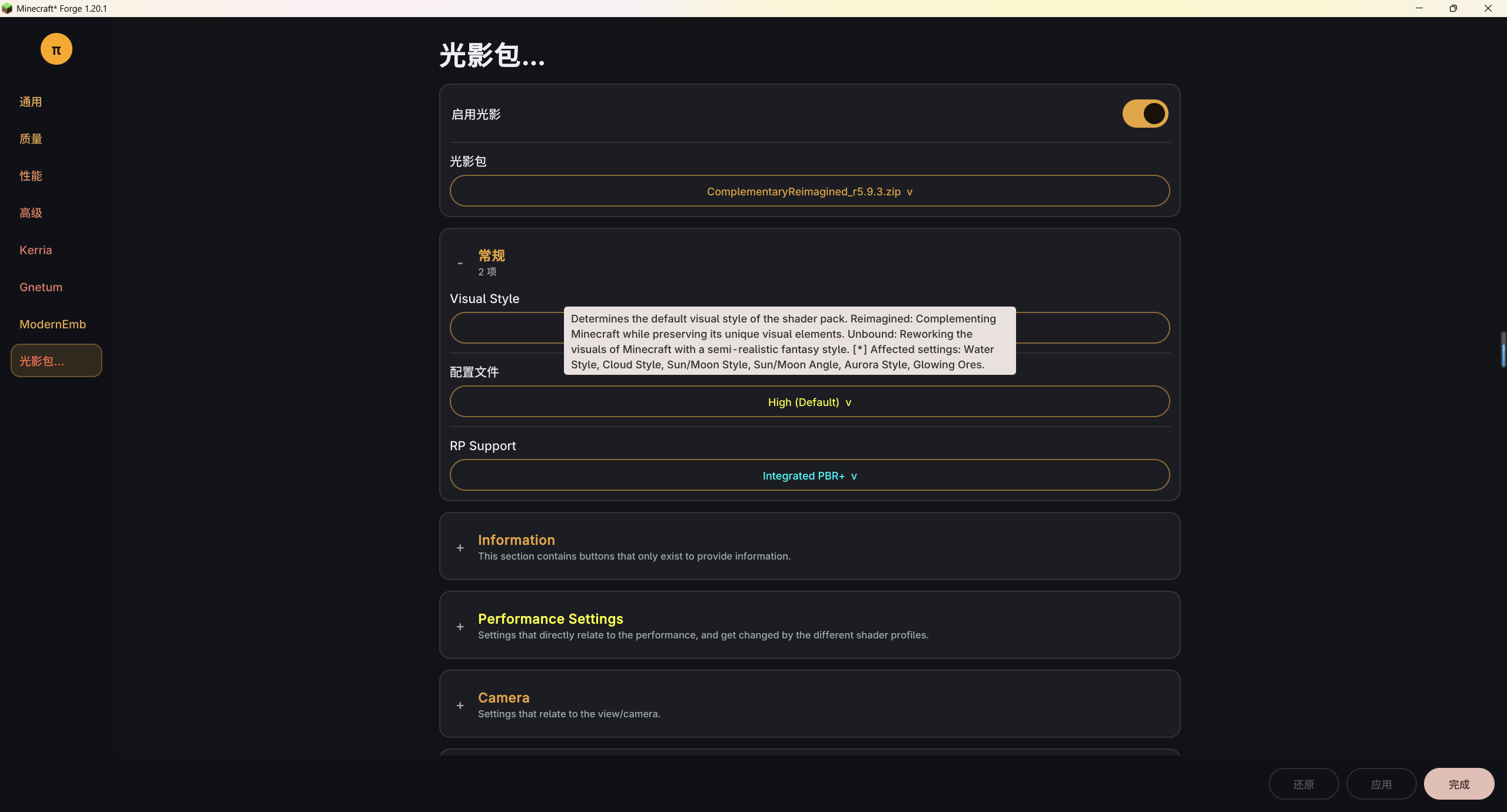
- Oculus / Iris Integration: When a supported shader mod is installed, shader-pack selection and related controls can be accessed through the redesigned settings interface. Detailed per-pack shader options remain available through the shader mod's own screen.
Configuration
ModernEmb's appearance settings can be accessed from Embeddium's video settings screen. Configuration is saved in config/modernemb-client.toml.
ModernEmb is client-side and focuses on the presentation and usability of Embeddium's settings rather than changing the underlying rendering engine.
ModernEmb Team

Owner