New visual editor, video instructions here:
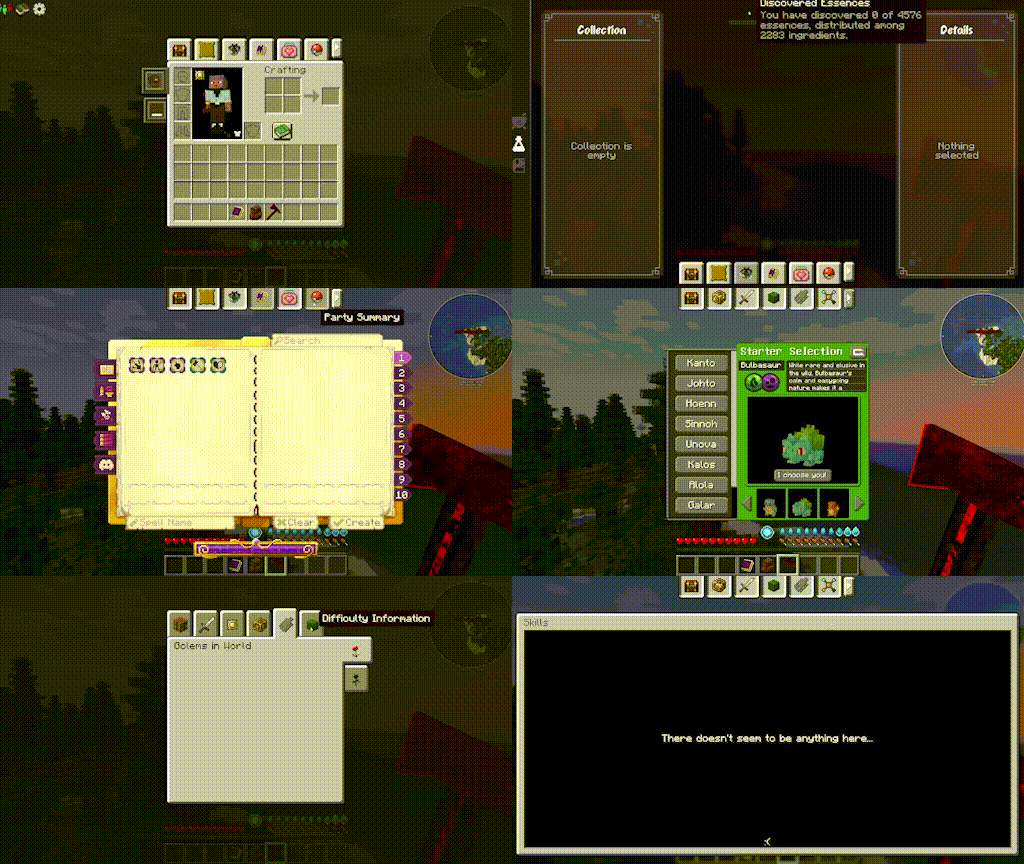
Mod Tabs is a client-side utility mod that adds a convenient tab system to Minecraft GUI screens.
- Access various mod screens directly from your inventory
- Tabs will appear on the supported mods screens for easy back and forth tabbing
- Press the inventory key (default e) to return to the inventory from a clicked tab
- Tab Cycling: When on any screen with tabs, press shift+tab to go to the next tab in order (configurable in keybinds)
- Sticky Inventory tab on far left (configurable)
- Sort tabs in your prefered order (configurable)
- Prioritize which slot to open on Sophisticated Backpacks via config
- Full compatability list below, just note that now that the mod is multiplatform (Neoforge/Fabric/Forge) only mods that support that version will be able to work with Mod Tabs, so there may be some Fabric only or Neoforge or Forge only mods listed here:
- FTB Quests
- FTB Teams
- FTB Chunks
- Xaero's World Map
- Journeymap
- Travelers Backpack
- Sophisticated Backpacks
- Backpacked
- Draconic Evolution
- Ars Nouveau
- Ars Nouveau
- Cobblemon
- Pufferfish Skills
- Eccentric Tome
- Map Atlases
- Cosmetic Armor Reworked
- L2 mods (hostility / artifacts) etc
- L2 mods (hostility / artifacts) etc
- Modular Golems
- Create: Brassworks Missions
- Ars Elixirium
- Reskillable Reimagined
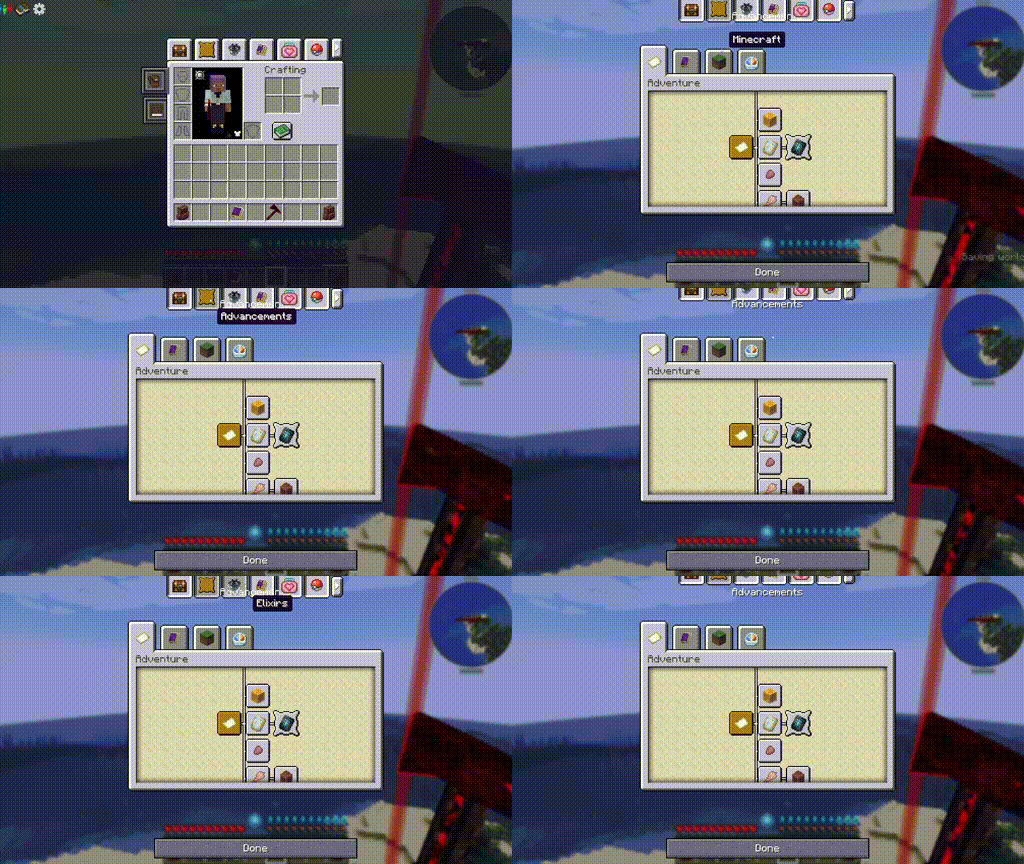
- Better Advancements
- The default minecraft Advancements
- RPG Crafting (requires sinytra)
- Biology Dictionary
- Reliable Backpacks
- Runic Skills
- Apothic Attributes (forge and neo)
- Apothic Attributes (forge and neo)
- Advanced Team (forge)
- Villager Recruits (forge)
- Diet / Bulk (forge)
- The Aether
- Curios
- Epic Fight
- Epic Skills
- Mine and Slash (forge)
- Completionists Index
- Blue Skies (forge)
- SDM Shop
- Quest Log
- mapwright (neoforge)
- Field Guide
- Modnomicon
- Quark Oddities Backpacks
- Origins
- NeoOrigins
- Message me, leave me a comment, or add an issue to github to request more!
New chest tabs:

Custom png icons (should also work with mod references ie modid:resourcelocation)
Instructions:
1. Go to your install: config/modtabs/icons (this folder structure will be created the first time you run the game with the mod installed) and add any png images you want. They should be 16x16 px
2. Go into the game, click and hold on the tab you want to swap icons for
3. In the opened edit menu, click the arrow in the left middle side of the screen. Click the custom icon dropdown and choose your new icon.
Instructions:
1. Go to your install: config/modtabs/icons (this folder structure will be created the first time you run the game with the mod installed) and add any png images you want. They should be 16x16 px
2. Go into the game, click and hold on the tab you want to swap icons for
3. In the opened edit menu, click the arrow in the left middle side of the screen. Click the custom icon dropdown and choose your new icon.
Tuck option:
Attention modpack developers, I've created a system to allow you to make custom tabs. Some mod packs add 3,4,5 tutorial books for various mods, my idea behind this feature is that you can add them as a tab instead, both for quick access and to free up inventory space. This feature is HIGHLY EXPERIMENTAL and may need my assistance for special integrations. Open an issue on github if something is broken. Theoretically this could be used to open any gui screen, though certain guis have specific requirements that may need a mod patch to get working.
Here is an example with Ars Nouveau's tutorial book.
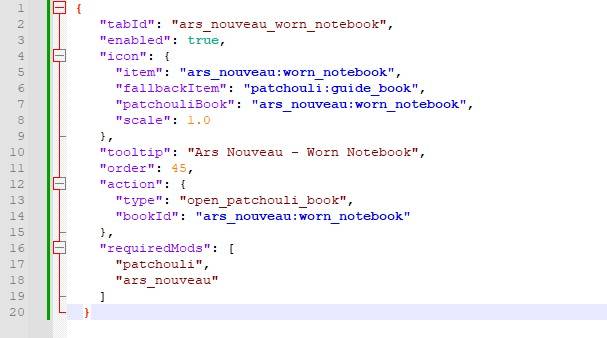
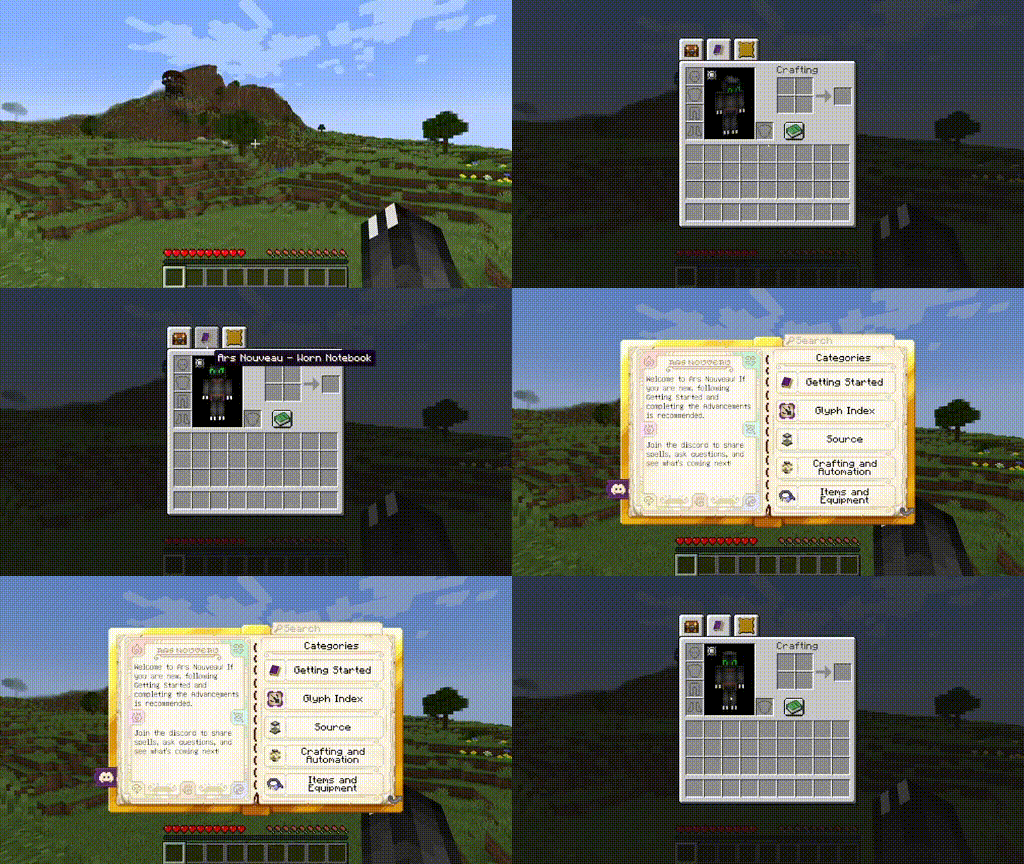
My custom tabs come with full patchouli integration, as well as many other options. Visit the wiki for more information on possibilities and limitations https://github.com/morelandjo/ModTabs/wiki/Information-regarding-custom-tabs
Here is an example with Ars Nouveau's tutorial book.
My custom tabs come with full patchouli integration, as well as many other options. Visit the wiki for more information on possibilities and limitations https://github.com/morelandjo/ModTabs/wiki/Information-regarding-custom-tabs
This mod was originally created by legendary_workshop, under the name Legendary Tabs, for several versions of Forge and has been updated by vodmordia (me) to work with Neoforge under (at the time of fork) MIT license.
Thank you to the following Patrons for keeping my projects alive:
Whiro (Patron Ultimate)
Cabo Sneaker (Patron Plus)
If you would like to assist with development and get access to other cool features you can do so here: https://www.patreon.com/cw/Vodmordia
General FAQ:
- Who do I contact for issues with this mod:
- Contact me via comment, message, or github issue: https://github.com/morelandjo/LegendaryTabsNeoforged
- I am always interrested in collaboration! I am a seasoned developer, but not a texture artist or modeler by any means. If you can create art and models and have an idea for a mod I may be interested in collaborating! Private message me or find me on discord: discord.gg/DQWYpZqj

Mod Tabs Team

Owner