

PrivyChat plugin
This is the PaperMC plugin for the mod PrivyChat (it still on developement)
- 29
- June 27, 2026

PrivyChat plugin
This is the PaperMC plugin for the mod PrivyChat (it still on developement)
- 29
- June 27, 2026


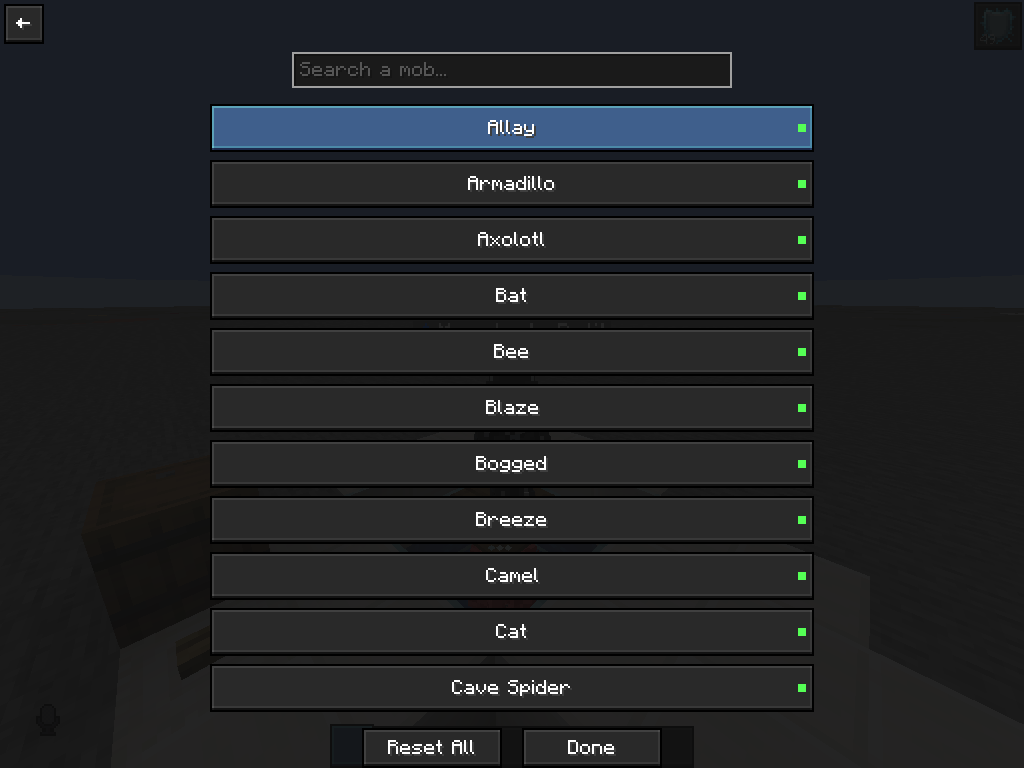
Menu (open with "right control")
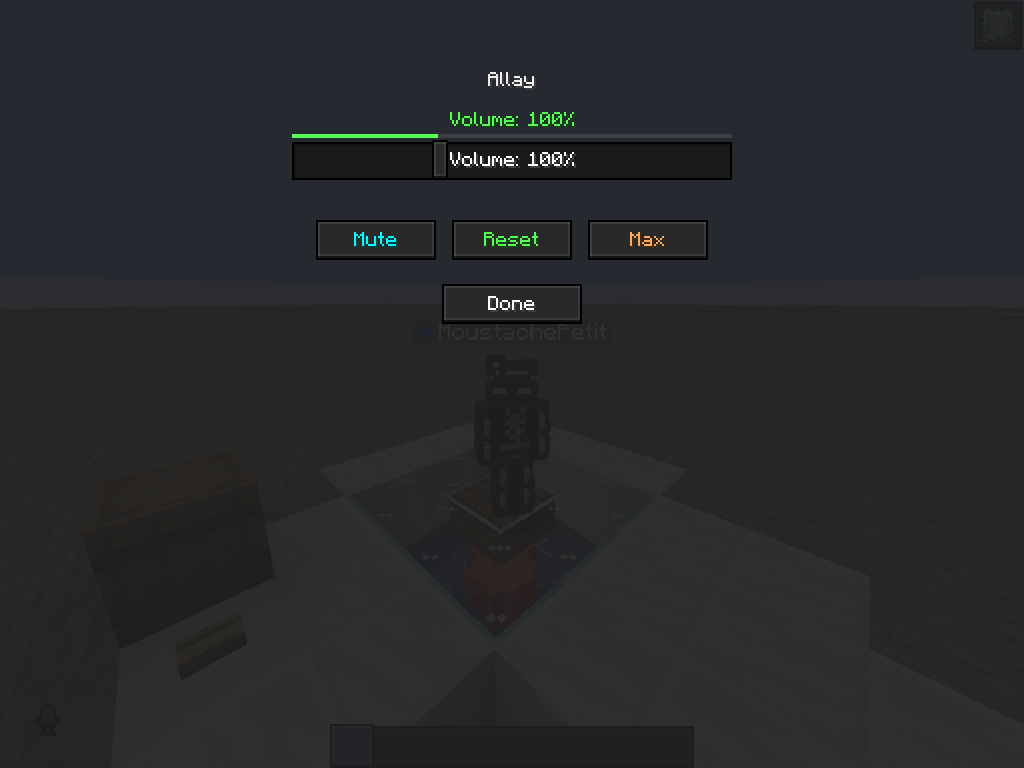
Change volume
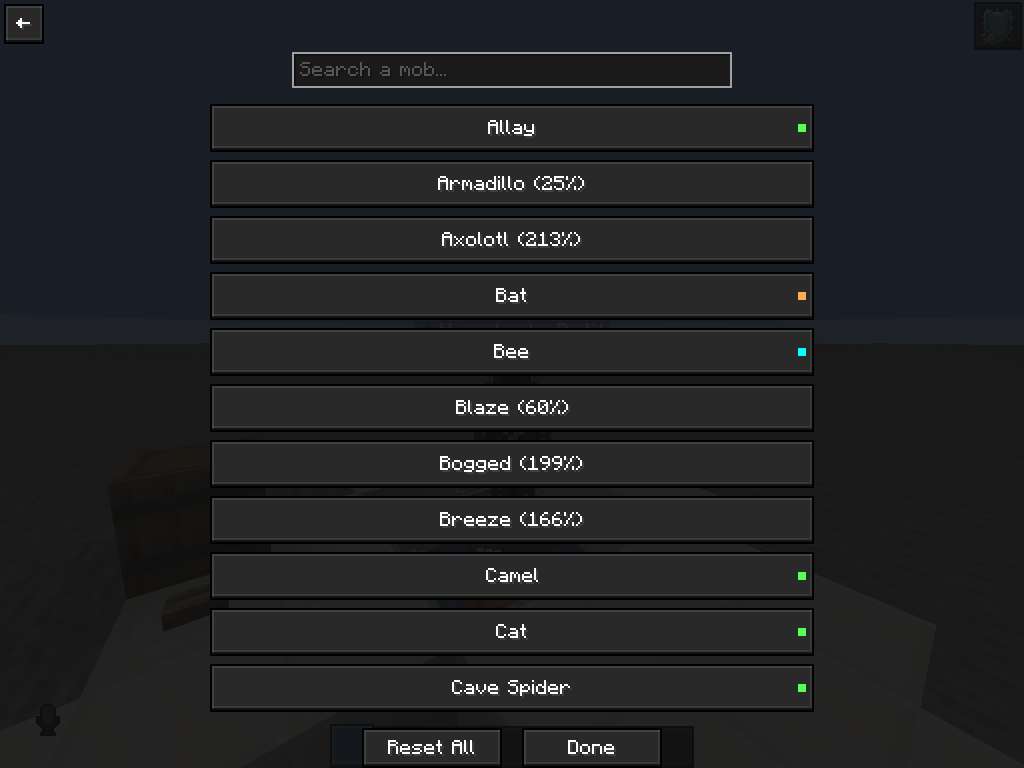
How it look when you change the volumes of mobs
# MobVolume
**Control the volume of every mob in Minecraft, independently.**
Tired of Endermen screeching louder than your music, or Creepers sneaking up in dead silence? MobVolume lets you set a custom volume multiplier for every single entity in the game — individually, with zero server-side requirements.
## Features
- 🎚️ **Per-entity volume control** — Adjust the volume of any mob from 0% (fully muted) to 300% (boosted) using a smooth, perceptually-accurate slider.
- 🔍 **Instant search** — Quickly find any mob by typing part of its name (e.g. "zombie", "cat", "ender").
- 🖱️ **Clean, vanilla-style UI** — Open the mob list with **Right Shift**, browse mob icons and names, and tweak settings without ever touching a config file.
- 💾 **Auto-save settings** — Your volume preferences are saved automatically and persist across game restarts.
- ⚡ **Zero performance impact** — No background ticking, no entity scanning, no wasted frames. MobVolume only does work when a sound actually plays.
- 🌐 **Works everywhere** — 100% client-side. No server-side mod or plugin required — works in singleplayer, on vanilla servers, and on any third-party host (Aternos, Hostinger, etc.) exactly the same way.
- 🧩 **Mod-friendly** — Designed to play nicely alongside Sodium, Iris, Mod Menu, Simple Voice Chat, and other popular client mods.
## How it works
MobVolume hooks into each entity's sound output and applies your chosen multiplier only to that entity's sounds — nothing else is touched. The master volume, sound categories, and other mods' audio are completely unaffected. Because everything happens locally on your own sound engine, there's nothing to install or configure on the server side; if you can hear it, MobVolume can control it.
## How to use
1. Press **Right Shift** in-game to open the MobVolume menu.
2. Search for or scroll to the mob you want to adjust.
3. Click it to open its settings screen.
4. Drag the slider (or use **Mute** / **Reset** / **Max**) to set its volume from 0% to 300%.
5. Done — the change applies instantly and saves automatically.

This is the PaperMC plugin for the mod PrivyChat (it still on developement)
This is the PaperMC plugin for the mod PrivyChat (it still on developement)