MobHealth ReForged
- By
Simple NeoForge plugin to let you know the damage you just caused to a mob, and how much health it has left.
2026-07-12_23.04.27.png
2026-07-13_16.14.12.png
2026-07-13_16.15.35.png
2026-07-13_16.17.41.png
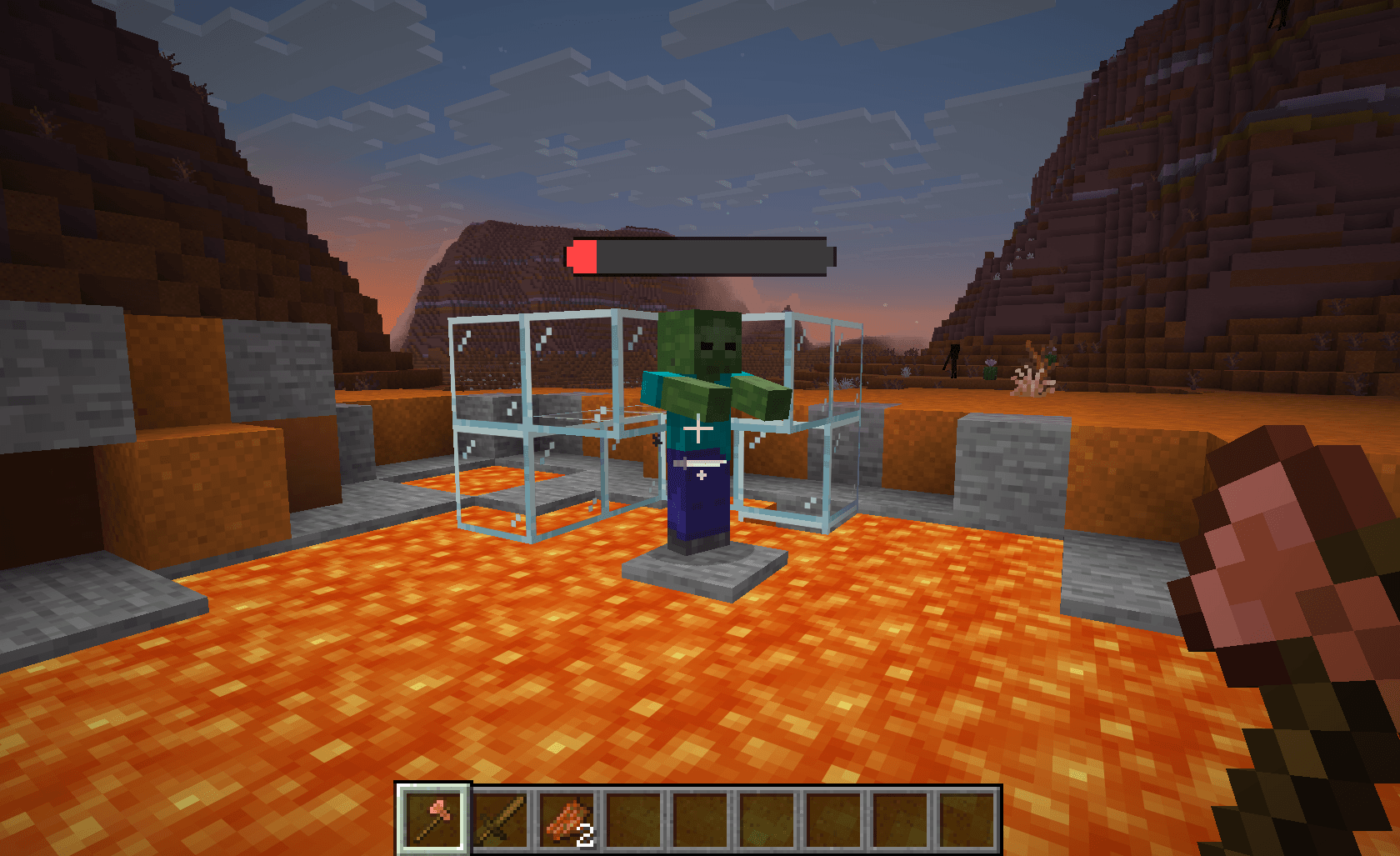
2026-07-13_16.19.35.png
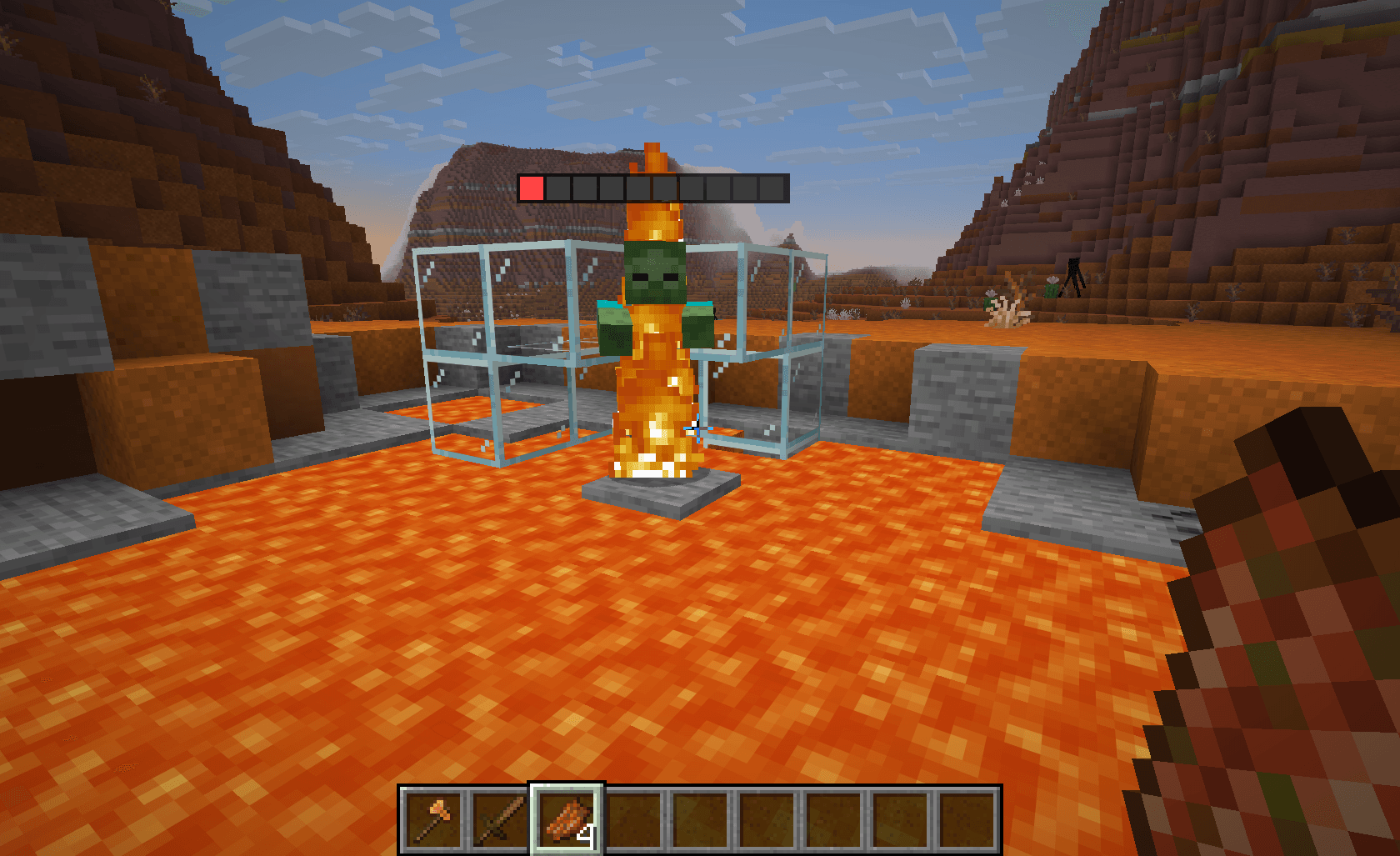
2026-07-13_16.20.37.png
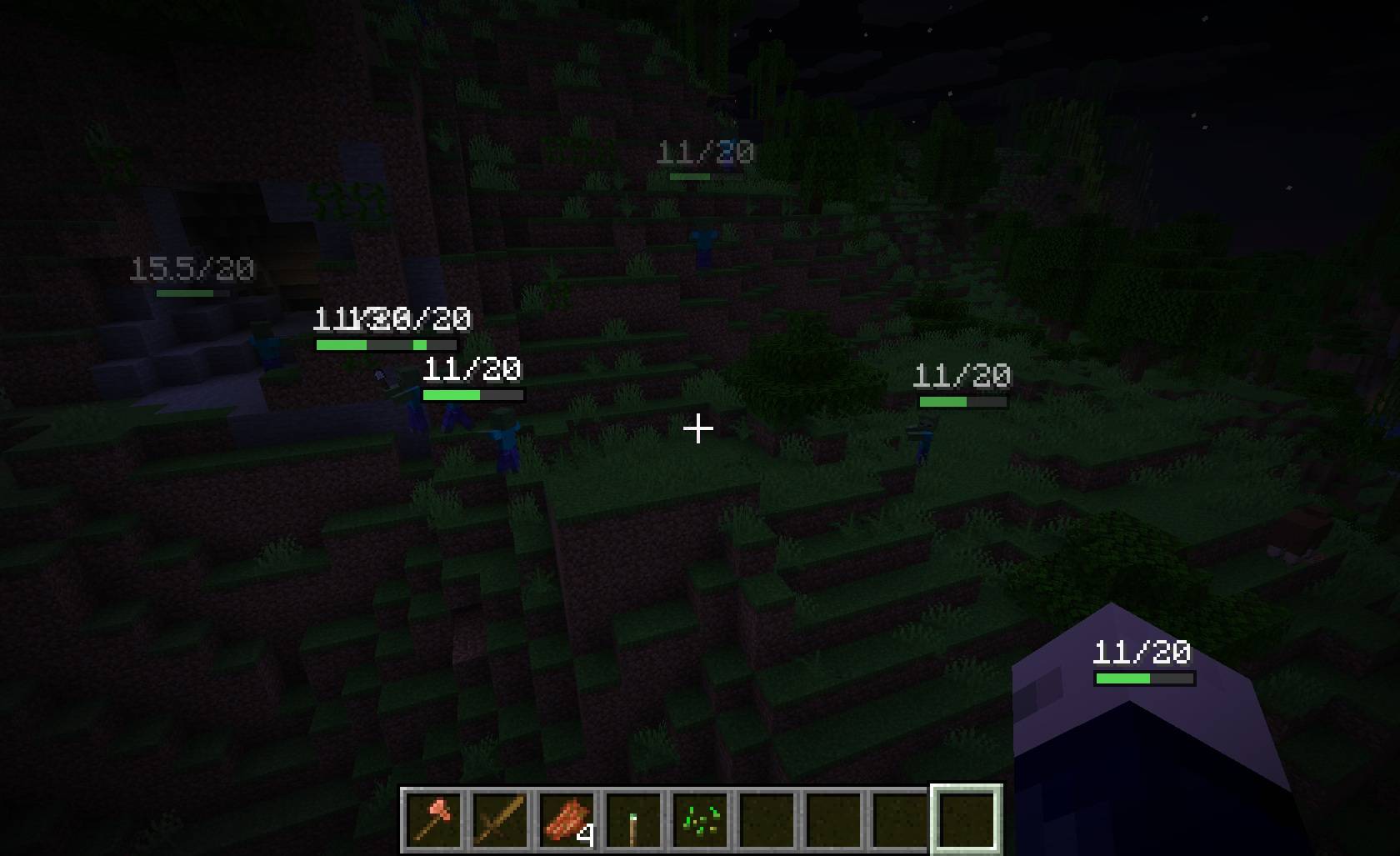
2026-07-13_16.27.57.jpg
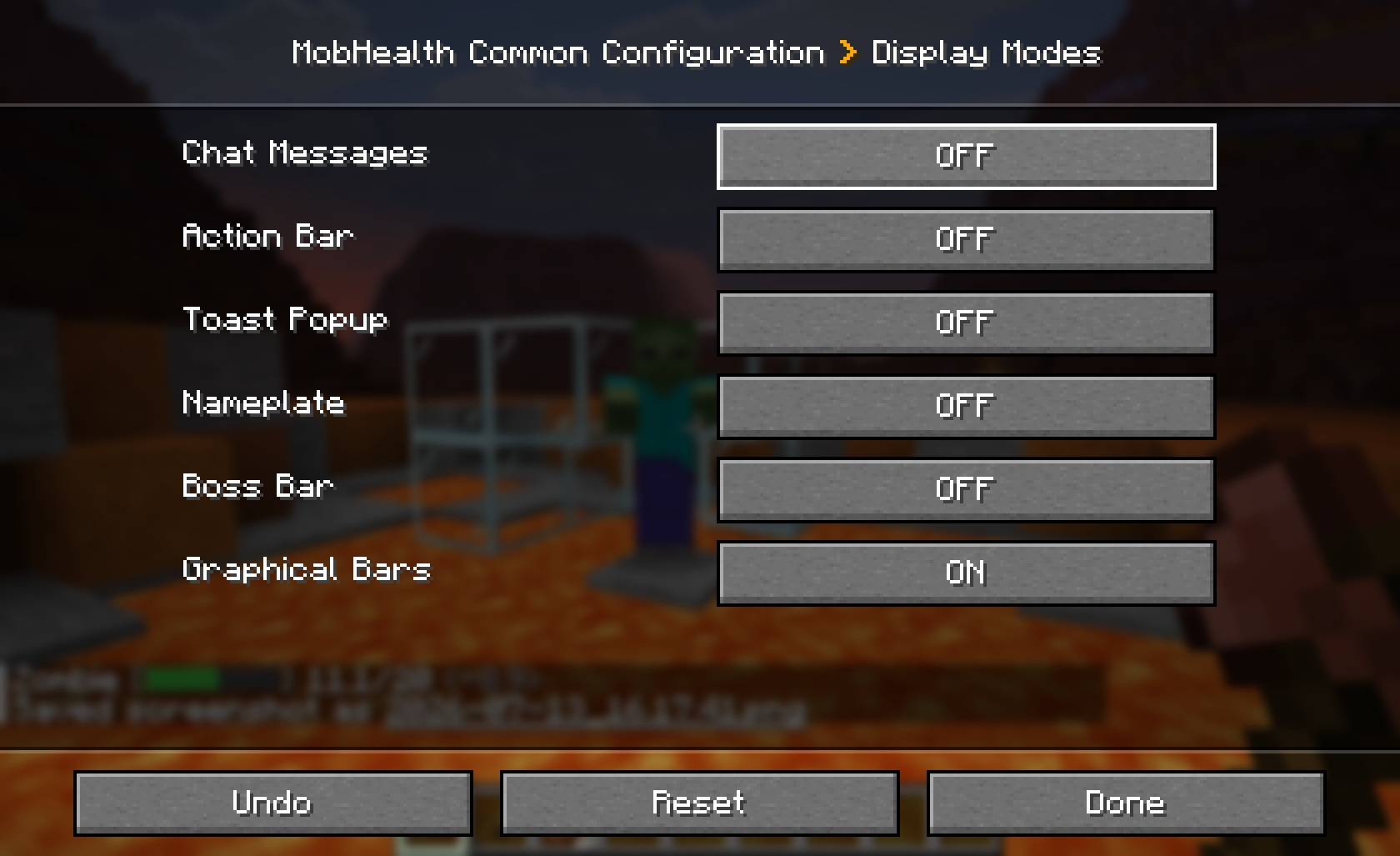
2026-07-13_16.18.07.jpg
2026-07-13_16.18.25.jpg
2026-07-13_16.18.30.jpg
Description
MobHealth
This simple but invaluable mod lets you know the damage you just caused to a mob (including other players), and how much health it has left.
MobHealth is a modern NeoForge rewrite of the classic MobHealth Bukkit plugin — the same idea it had in 2011, rebuilt for Minecraft 1.21.11 with six display modes you can mix and match.
Hit a zombie, and MobHealth tells you exactly what you did to it:
Zombie [||||||||||] 14/20 (-6)
Or shows you a floating health bar above its head. Or a boss bar. Or a name-tag bar. Your call — every mode is independent, and you can enable as many as you like.
Display modes
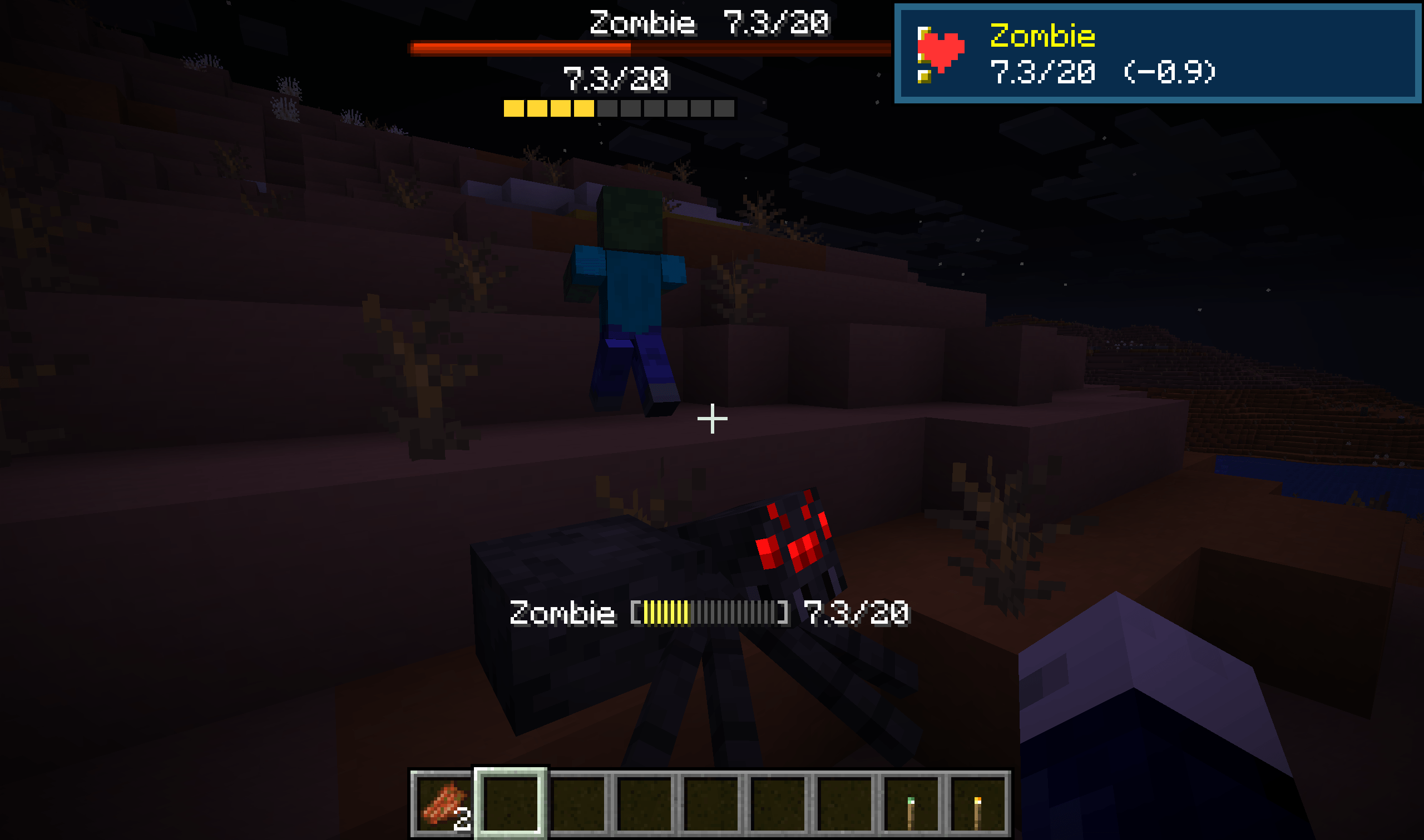
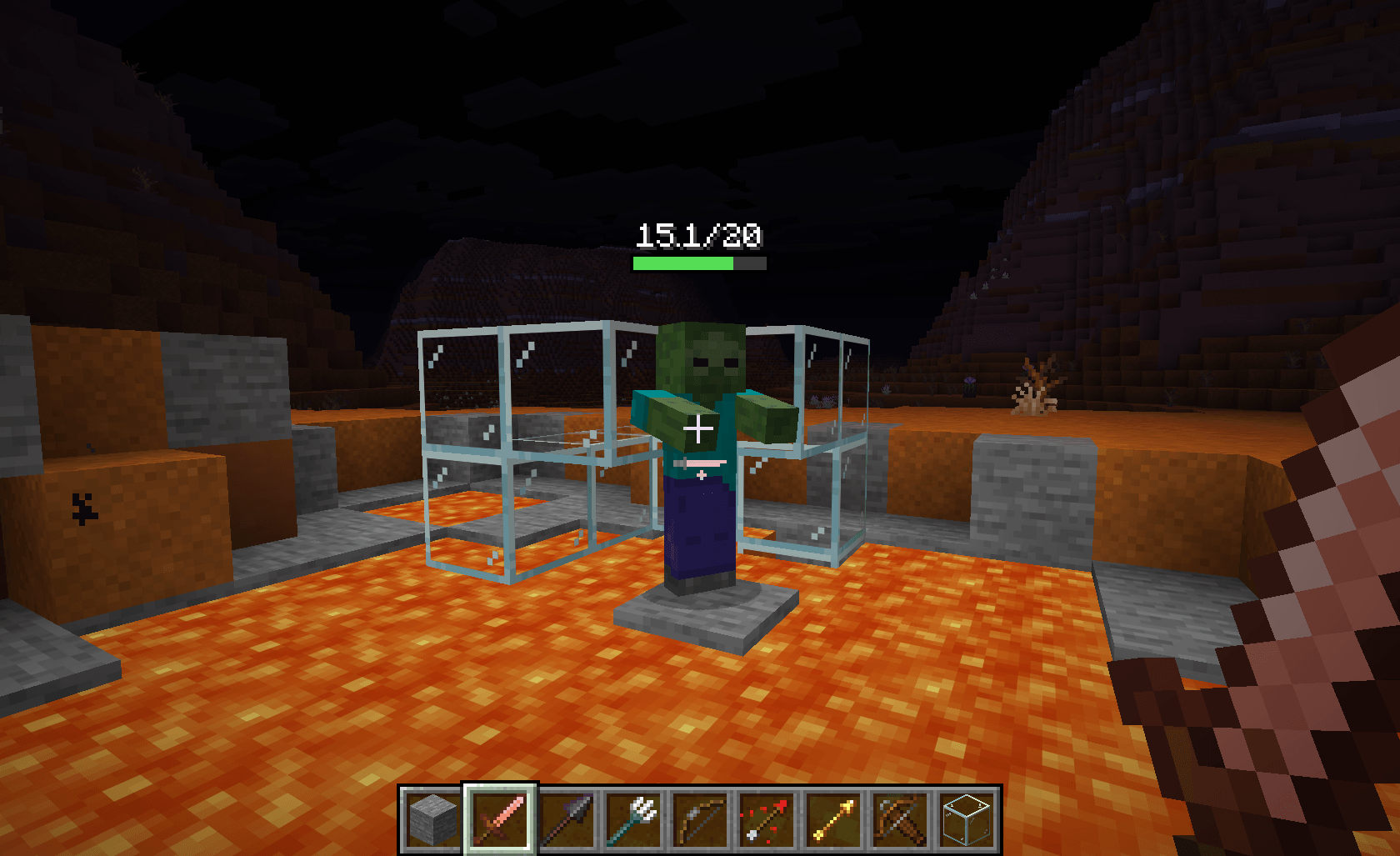
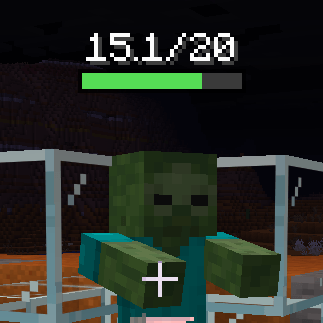 Graphical A floating bar above the mob |
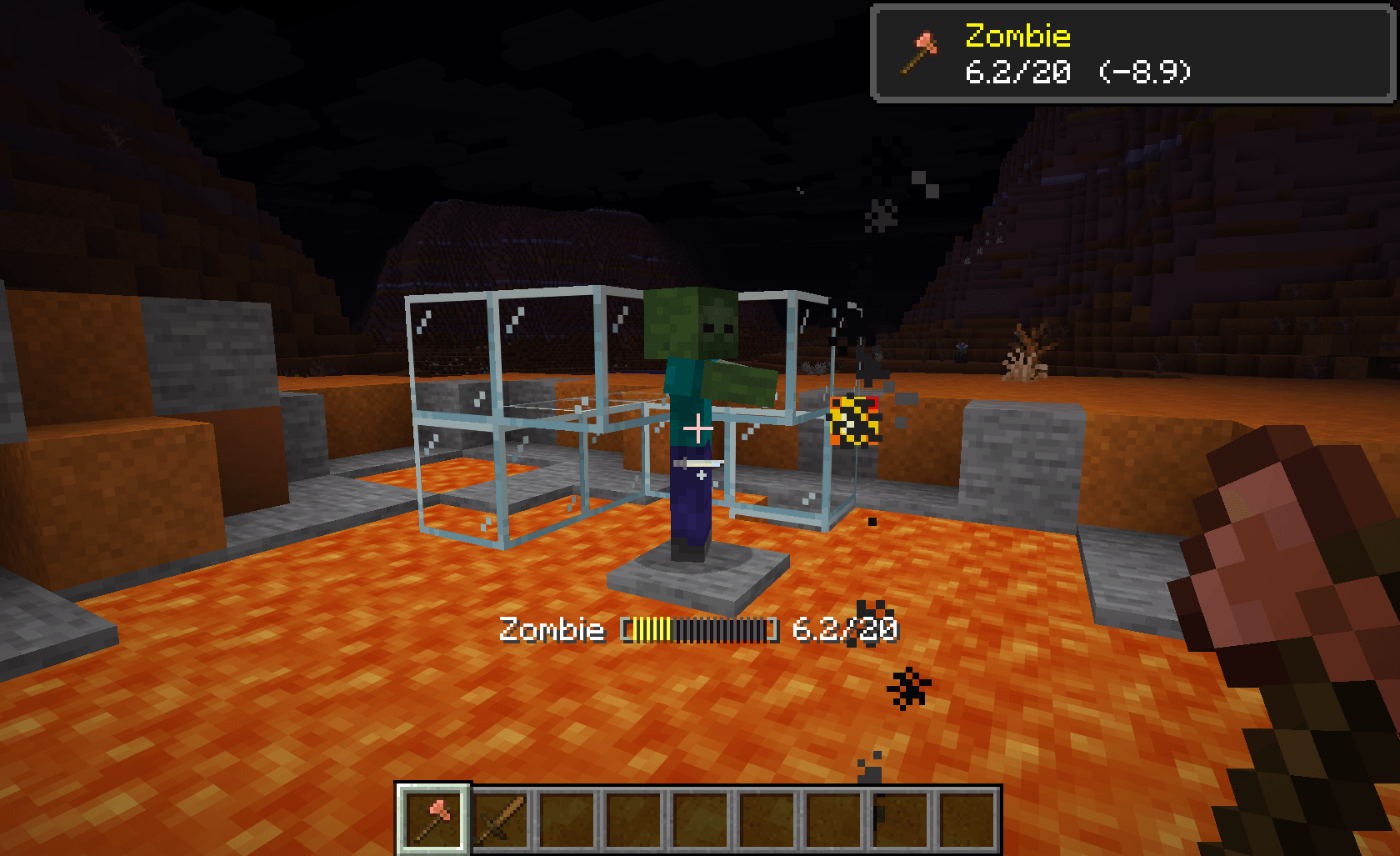
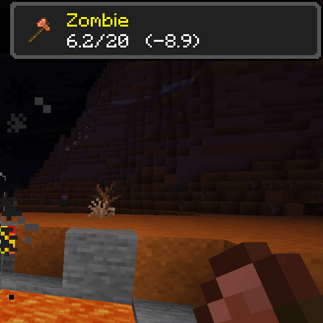 Toast Popup, with the weapon used |
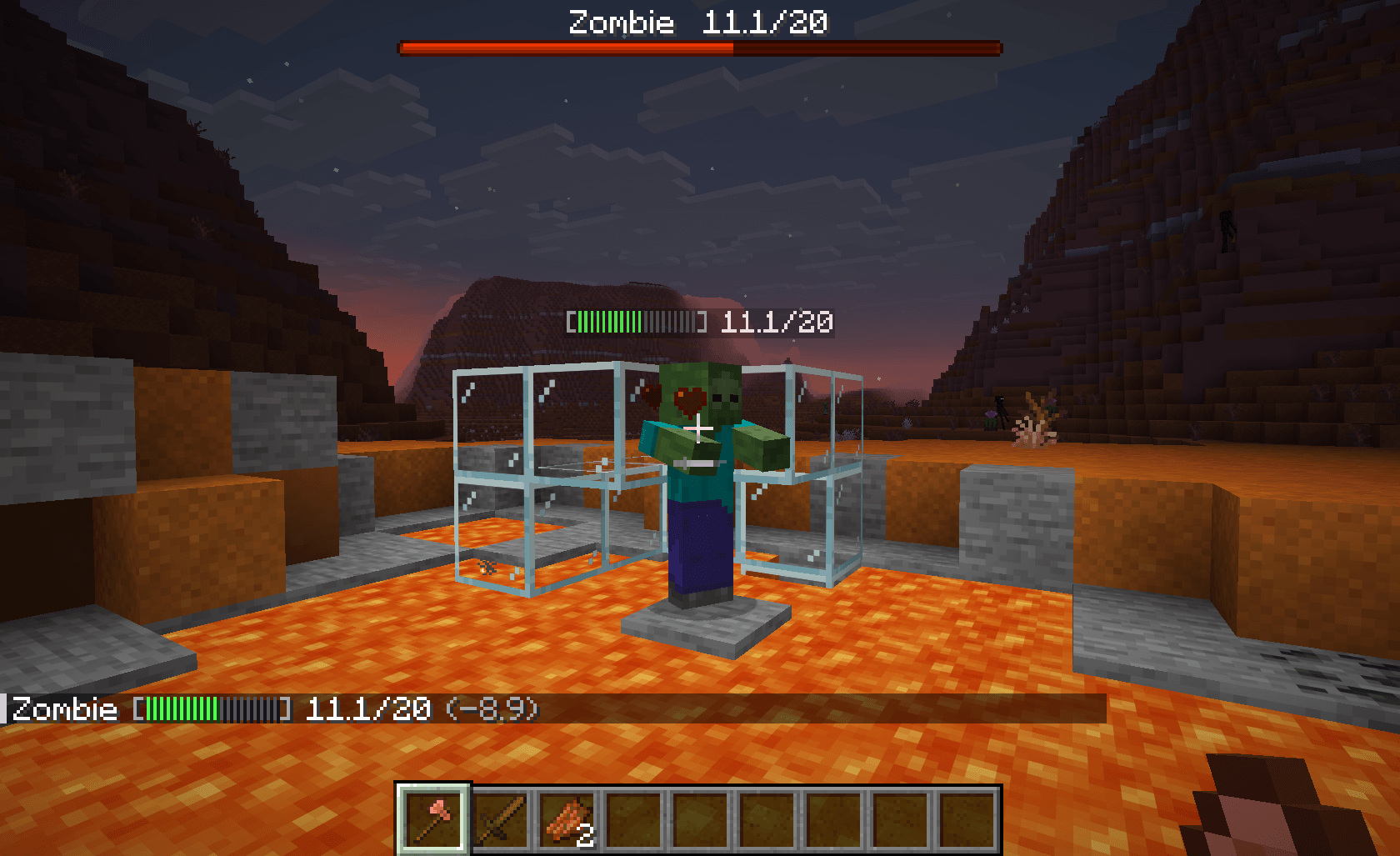
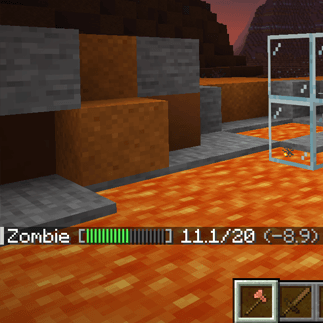 Chat Damage and health, in chat log |
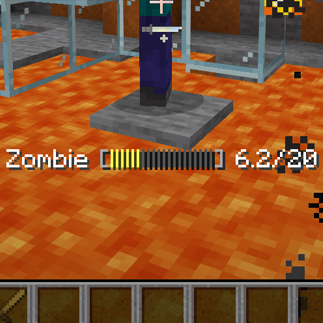 Action bar The readout above your hotbar |
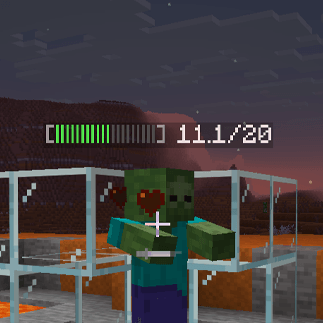 Nameplate Health bar on the mob's name tag |
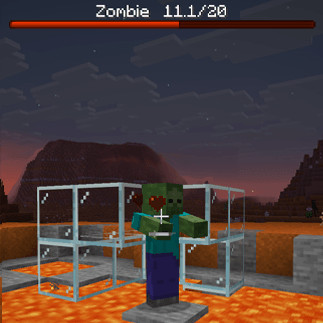 Boss bar Vanilla bar, top of the screen |
| Mode | What it looks like | Needs the mod on the client? |
|---|---|---|
| Chat | A message with damage dealt and health remaining | No |
| Action bar | The same readout on the line above your hotbar | No |
| Nameplate | A coloured health bar on the mob's name tag | No |
| Boss bar | The vanilla boss-bar widget at the top of the screen | No |
| Toast | An achievement-style popup showing the mob, the weapon used, and its health | Yes |
| Graphical | A crisp pixel health bar floating above the mob in the world | Yes |
Bars are coloured by remaining health — green, to yellow, to red.
The first four modes work on completely unmodified vanilla clients. Install MobHealth on your server and every player gets chat, action bar, nameplate and boss-bar health readouts without downloading anything. Players who also install the mod additionally get toasts and graphical bars.
MobHealth runs happily as a server-only, client-only, or both-sides install. Client-only on a vanilla server? You still get graphical bars over everything you can see.
Choose what gets a health bar
- Per-group toggles for hostile, neutral, passive, boss mobs and other players (PvP).
- Per-entity overrides that beat the group setting —
"minecraft:villager=false","somemod:custom_boss=true". Works with modded mobs. - Hide until damaged, so untouched mobs stay clean.
- Choose the audience: only the attacker, or everyone within a configurable radius.
- Per-group display timers — let boss bars linger, let chicken bars vanish.
Make the bars yours
Text bars (chat / action bar / nameplate) let you set the segment count, the filled and empty glyphs, and whether the numbers show as 14/20, 70%, or not at all.
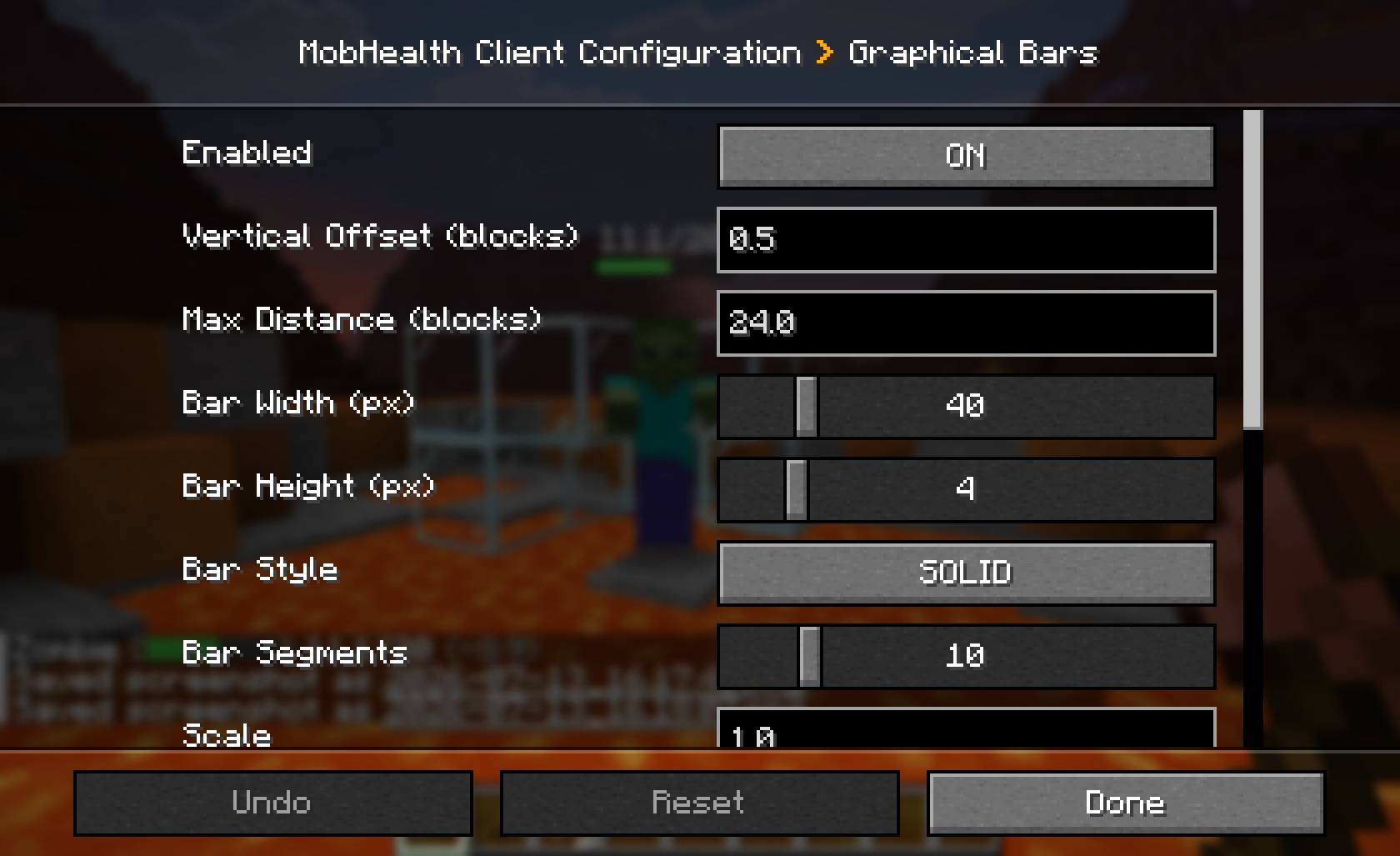
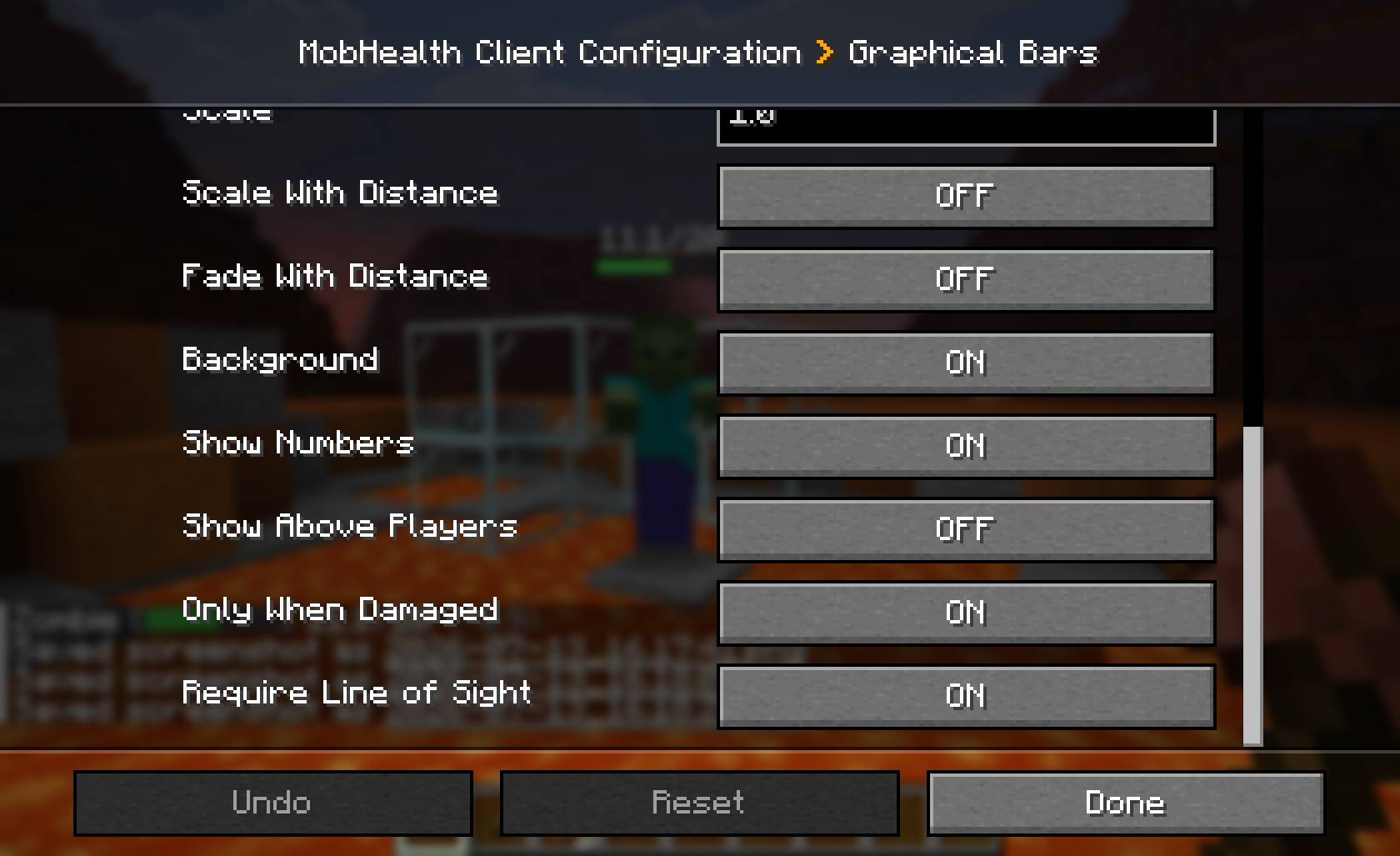
Graphical bars have four styles — solid, rounded, segmented, tapered — plus width, height, scale, vertical offset, draw distance, optional line-of-sight checks, and optional scale-and-fade with distance so they feel anchored in the world rather than pasted on the screen.
Server-enforced graphical settings
Graphical bars are drawn by the client, but a server can enforce any of them. Each option resolves as server override if set, otherwise the client's own choice, so admins can force line-of-sight (no seeing mobs through walls), cap the draw distance, or lock a consistent look — while leaving everything else up to the player. On a vanilla server, nothing is enforced and the client keeps full control.
Commands
| Command | Who | Description |
|---|---|---|
/mobhealth toggle [on|off] |
Everyone | Turn your own displays on or off. Your choice persists across logouts and deaths. |
/mobhealth reload |
Ops (level 2+) | Re-push settings to online players. Config edits auto-apply on save, so this is rarely needed. |
Permissions
MobHealth uses NeoForge's permission system, so it works out of the box with vanilla operator levels — and if you run LuckPerms you can manage the nodes per-group with no extra setup.
| Node | Default | Controls |
|---|---|---|
mobhealth.see |
everyone | Whether a player receives displays at all. Deny it to hide MobHealth from a rank. |
/lp group guest permission set mobhealth.see falseConfiguration
Two TOML files are generated on first run, and both are editable in-game via Esc → Mods → MobHealth → Config:
mobhealth-common.toml— server side: what is shown, to whom, and how.mobhealth-client.toml— client side: the appearance of your graphical bars.
Changes apply as soon as you save. The full config reference, plus ready-made recipes (vanilla-friendly server, MMO always-on bars, PvP fairness, classic chat-only, immersive graphical-only), is on the GitHub page linked below.
Requirements
- Minecraft 1.21.11
- NeoForge 21.11.42+
- Java 21
- No other dependencies.
About
MobHealth was originally a Bukkit plugin (2011–2016, ~1 million downloads) by Sablednah. This is a complete rewrite for NeoForge by the same author — none of the original code carries over, but the spirit does. Licensed MIT.
Bug reports, feature requests and source: https://github.com/Sablednah/MobHealth-NeoForge
MobHealth ReForged Team

Owner