


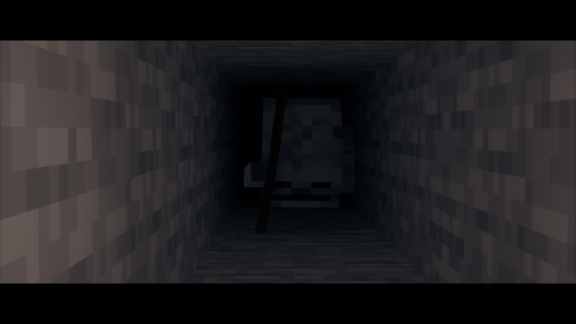
The skeleton is crawling
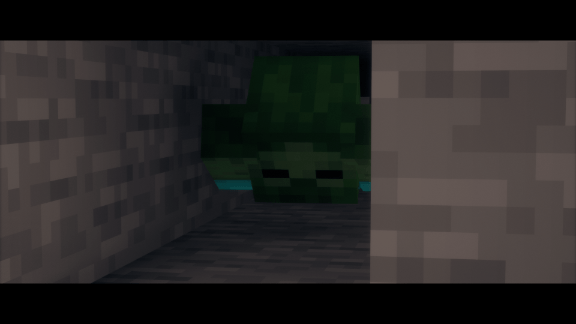
The zombie is crawling
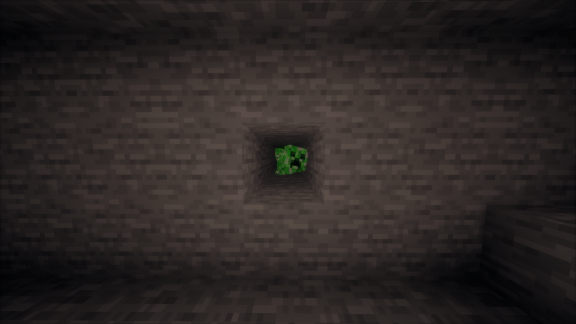
The creeper is crawling
Description
Mob Crawl
Mob Crawl teaches hostile mobs to crawl through 1-block gaps.
You know the situation: you break a single block, hit a mob through the hole, and it can do nothing back. Players have been able to crawl since 1.14 — mobs never could. This mod fixes that. A zombie that sees you behind a 1-block gap lies down and squeezes through, exactly the way you would.
Made for horror and underground survival modpacks. Digging a 1-block hole is no longer a safe spot: whatever is chasing you lies down and crawls in after you.
Features
- Crawling through 1-block gaps, both at floor level and one block up — mobs pull themselves up into a hole in a wall, not just under it.
- Crawling under low ceilings, so mobs no longer suffocate in tight tunnels.
- Proper crawling pose: the body lies down, the head looks ahead, the arms reach forward along the ground.
- Mobs fight while crawling. A zombie lying in your tunnel still hits you, with a slightly longer reach so it can actually connect from the ground.
- Archers shoot while crawling. Skeletons, strays, pillagers and piglins keep their distance, dodge sideways and fire from inside the tunnel instead of crawling up to punch you. Crossbows are reloaded properly, and a drowned still throws its trident.
- Creepers can still explode while crawling. You are not safe just because it is lying down.
- Purposeful behaviour. A mob crawls to reach you and stands back up once it has. It does not crawl around for no reason.
- Short target memory. A mob that loses sight of you inside a tunnel keeps coming for a while instead of forgetting you the moment you turn a corner.
- Safe by default. Only 16 tested vanilla hostile humanoids are enabled out of the box. Nothing else in your modpack is touched unless you enable it yourself.
- Fully configurable in game, without restarts and without editing files.
In-game commands
All commands require operator permissions and apply immediately.
/mobcrawl status— why a nearby mob is or is not crawling, and what it is doing while it crawls/mobcrawl enabled <true|false>— master switch/mobcrawl whitelistOnly <true|false>— restrict crawling to the whitelist/mobcrawl whitelist add|remove|list <entity>— allow a mob to crawl/mobcrawl blacklist add|remove|list <entity>— forbid a mob completely/mobcrawl tiltBlacklist add|remove|list <entity>— keep the crawling, drop the model tilt/mobcrawl pose arm|jointedArm|head|headYaw <value>— fine-tune the crawling pose live
Tab completion suggests every entity registered in your instance, including modded ones, plus modid:* masks for a whole mod at once.
Adding modded mobs
Nothing modded is enabled by default, because the pose is tuned for vanilla humanoid proportions. Adding your own takes one command:
/mobcrawl whitelist add somemod:some_zombie
Works best with mobs roughly the size and shape of a zombie or a skeleton. If a modded mob crawls correctly but its model does not lie down properly — usually because the mod draws it with its own animation system — keep the crawling and disable the tilt for it:
/mobcrawl tiltBlacklist add somemod:some_zombie
Configuration
config/mobcrawl-common.toml, every option documented in the file itself: crawl height, crawl speed, step assist, hostile-only mode, whether a target is required, target distance, path check interval, low-ceiling crawling, suffocation protection, creeper explosions while crawling, melee damage and cooldown while crawling, archer distances and strafing, target memory duration, model tilt and its angle.
Note for existing installations: new options are not added to a config file that already exists. To get the defaults of a new version, delete config/mobcrawl-common.toml once and let it regenerate.
Performance
Only mobs that pass the filter are processed, path checks are throttled, and list matching is cached per entity type. The mod adds no measurable cost even in large modpacks.
Compatibility
Forge 1.20.1. Server-side logic with a client-side pose, safe on dedicated servers. Does not conflict with player crawling mods, which affect players only. Mobs added by other mods are supported through the whitelist.
Installation
Install Forge for 1.20.1 and drop the jar into your mods folder. No dependencies.
Author: Get-6aget
License: All Rights Reserved
The Mob Crawl Team
