Minecart Revival
- By
Bring furnace minecarts back to life with chain-linked trains, fuel controls and smooth high-speed rail travel.
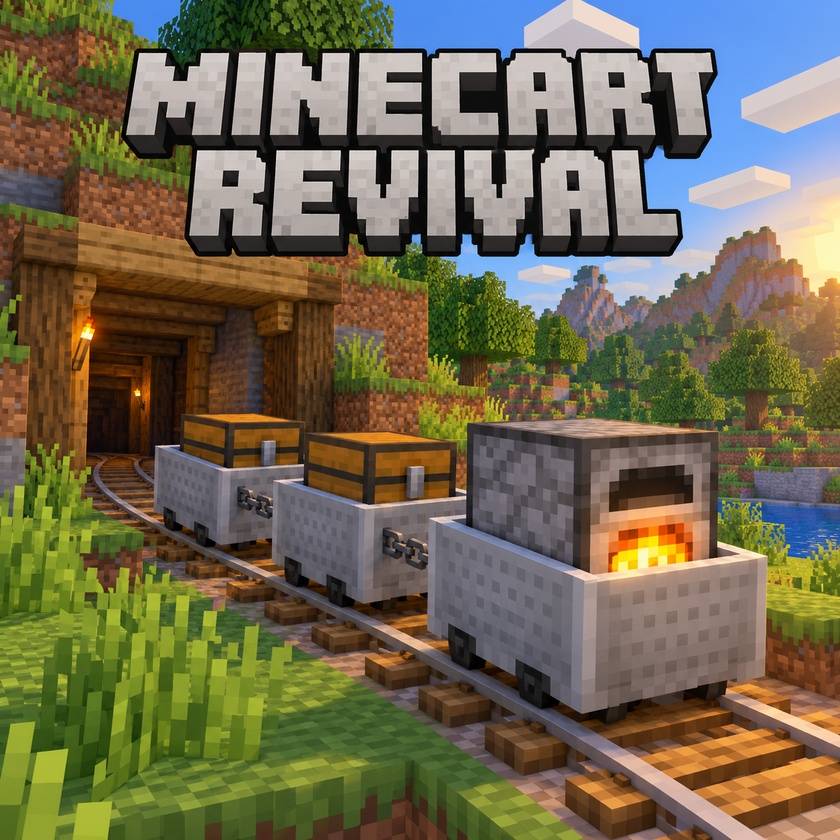
Minecart Revival
Give the furnace minecart a reason to leave the station again. Build small trains with Minecraft-style chains, choose a direction and take passengers or supplies along your railway.
Features
- Connect up to eight minecarts, with one furnace minecart at either end.
- Choose Forward, Stop or Reverse without rearranging your train.
- Smooth acceleration and braking: up to 32 blocks/s on level track and downhill, 15 around curves and 10 uphill.
- Fuel with coal, charcoal, coal blocks or lava buckets. A control menu shows remaining fuel and speed.
- Stop automatically at walls or when the last passenger gets out. Parked trains preserve fuel.
- Disconnect carts by sneak-right-clicking with shears; chains are returned.
- Connections, direction and fuel are saved with your world.
Controls
Right-click two adjacent, stopped carts with a chain to connect them. Right-click the furnace cart with an empty hand to open its controls, or use fuel directly to refill it. In the Beta 1.7.3 edition, press Space while riding to get out.
Versions and installation
Minecraft 1.20.1: use the Forge edition with Forge 47.x. The Beta and Forge editions cannot be interchanged.
Quick Installer — Windows, Beta 1.7.3 only
For the Babric Beta 1.7.3 edition only. Not compatible with the Forge 1.20.1 edition or a plain Vanilla profile.
The optional Quick Installer can update an existing Babric Beta 1.7.3 profile or create a ready-to-import Prism ZIP. It installs Minecart Revival Alpha 3 and downloads StationAPI from its official source, checks file hashes and backs up older mod files.
- Extract the installer ZIP and run Minecart-Revival-Quick-Installer.exe.
- Select your Babric profile, or choose the option to create a new Prism import ZIP. Close Minecraft before updating an existing profile.
- If you created a ZIP, import it with Prism → Add Instance → Import. Select Java 17 for the instance, sign in and launch it.
Requires Windows x64, Prism Launcher and Java 17. Python is not required. The installer does not install Prism, Java or Minecraft.
Download Quick Installer — Windows, Beta 1.7.3 ONLY
On GitHub, open Assets and download Minecart-Revival-Quick-Installer-Windows.zip. The release also includes the installer source and EXE checksum. This is an experimental, unsigned Windows tool.
Beta 1.7.3 — manual installation
Use Minecart Revival 0.1.0 Alpha 3 or newer. Alpha 3 fixes the packaged-launch startup error in Alpha 2.
- Install Prism Launcher and sign in with your Minecraft account.
- Download the ZIP from the official Babric Beta 1.7.3 instance releases. In Prism, choose Add Instance → Import, then select the ZIP. Do not extract it first.
- Open Edit instance → Settings → Java, enable the per-instance Java setting and select Java 17. Enable Ignore Java compatibility checks if Prism warns that Beta expects an older Java. Use Fabric Loader 0.19.5 for this tested setup.
- Download StationAPI 2.0.0-alpha.6.4 and the Beta 1.7.3 Minecart Revival JAR from this project's Files tab.
- Open the instance's Minecraft Folder and put both JARs in its mods folder. Create the folder if necessary. Remove older Minecart Revival copies and leave the JARs zipped.
- Launch this Babric instance. Back up existing worlds before testing.
Folder example:
the-instance/.minecraft/mods/StationAPI-2.0.0-alpha.6.4.jar
the-instance/.minecraft/mods/minecart-revival-b1.7.3-0.1.0-alpha.3.jar
Important: the old Mods and Texture Packs menu is not an installer or activation switch for Babric mods. Do not put these JARs in texturepacks or patch them into minecraft.jar. A plain Vanilla Beta profile cannot load them. Beta 1.7.3 is different from release 1.7.3 and 1.7.10.
Other Beta mods may use legacy ModLoader or jar-patching instructions. Follow the loader required by each mod; this edition requires Babric and StationAPI. StationAPI must be downloaded separately using the link above.
The Beta edition adds its own chain and coal-block items. Craft three iron ingots vertically for eight chains; craft nine coal into a coal block. BH Creative is optional for a creative test world.
Experimental release
Back up your worlds before testing. The Beta edition has passed isolated server behavior tests and a singleplayer client test. A remote multiplayer play session and compatibility with other mods have not yet been validated. Install the matching edition on both client and server. This mod does not force-load chunks.
Created for players who want railways to feel useful again. Feedback and bug reports are welcome in the comments.
Code and original assets: MIT. Babric, Fabric Loader and StationAPI belong to their respective authors. Not an official Minecraft product; not associated with Mojang or Microsoft.
Credits
A special shoutout to cuttlefish for sharing ideas that helped shape Minecart Revival. Some of those ideas became features you can now enjoy in the mod. Thanks for the inspiration!
Minecart Revival Team