![Mecha Dragons [Ice & Fire Community Edition Addon] logo](https://media.forgecdn.net/avatars/thumbnails/2014/883/64/64/639236211083396246.png)
Mecha Dragons [Ice & Fire Community Edition Addon]
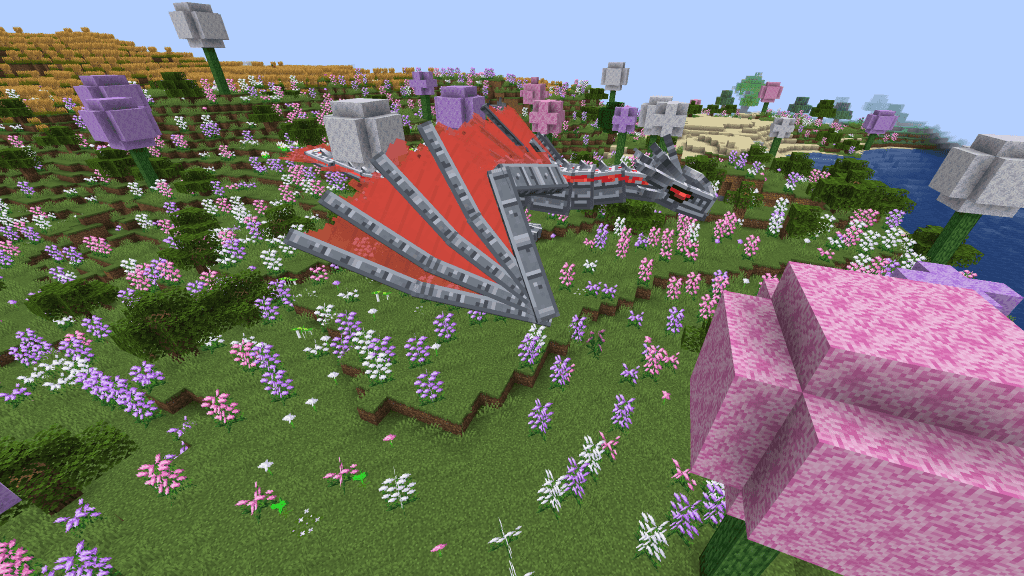
Adds 3 Mechanical-themed dragons to Ice & Fire,with unique fire, ice, and lightning abilities.
2026-09-13_03.34.49.png
Description
Mecha Dragons
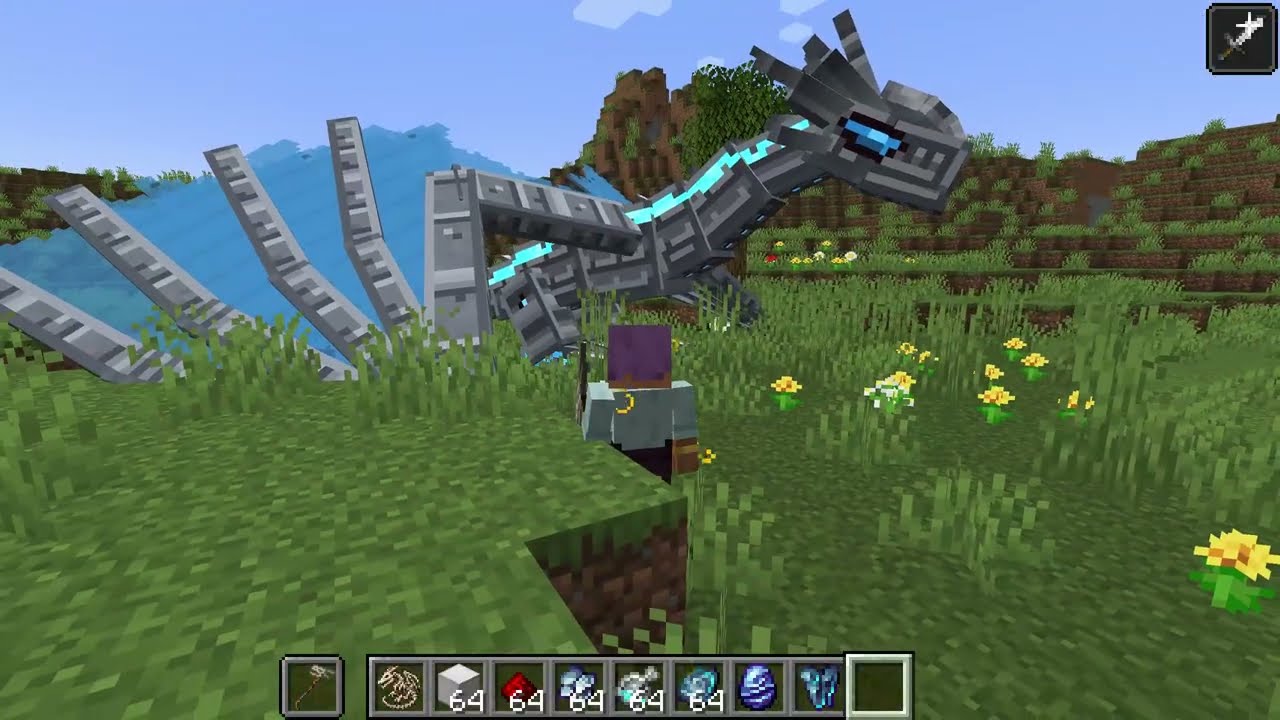
Mecha Dragons is an addon for Ice and Fire Community Edition that lets you rebuild fallen dragons as powerful mechanical companions.
Use a dragon skull as the foundation, assemble a mechanical frame with dragon bones and metal, then install matching scales, flesh, blood, an egg, and a heart. The completed machine inherits the donor skull’s element and growth stage and awakens as a permanently tamed mechanical dragon.
Features
- Mechanical Fire, Ice, and Lightning Dragons
- Survival-friendly assembly system
- Element and growth stage inherited from the donor skull
- Builder ownership and material recovery system
- Unique elemental abilities activated while riding
- Configurable construction costs, attributes, drops, and special abilities
- Creative-mode spawn eggs and assembly items
Crafting the Mechanical Dragon Skeleton
The Mechanical Dragon Skeleton uses a shapeless crafting recipe:
1 Dragon Skull + 6 Dragon Bones → 1 Mechanical Dragon Skeleton
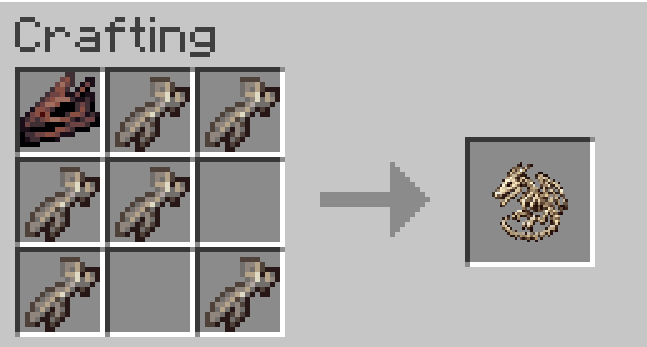
The resulting skeleton preserves the donor skull’s:
- Dragon element: Fire, Ice, or Lightning
- Growth stage
- Dragon age
Hover over the Mechanical Dragon Skeleton in your inventory to see its Iron Block requirement. Hold Shift while hovering to display the complete material list for that specific dragon.
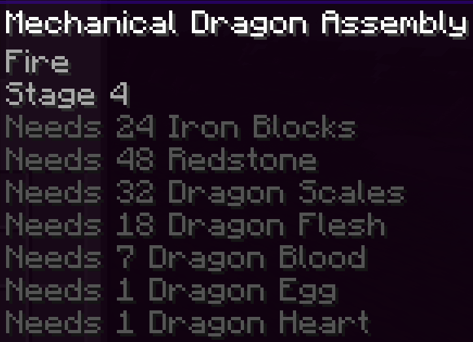
Assembly Order
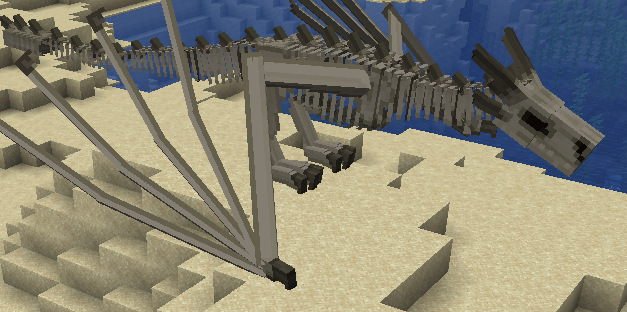
Place the Mechanical Dragon Skeleton in the world, then insert materials by right-clicking the frame.
Materials are installed in the following stages:
- Iron Blocks
- Redstone
- Matching Dragon Scales, Dragon Flesh, and Dragon Blood
- 1 Matching Dragon Egg
- 1 Matching Dragon Heart
Scales, flesh, and blood can be inserted in any order during the draconic-material stage. All dragon materials must match the skeleton’s element.
For example, a Fire Dragon skeleton only accepts Fire Dragon scales, flesh, blood, egg, and heart.
Material Requirements
The required amount depends on the growth stage inherited from the donor skull.
| Dragon Stage | Iron Blocks | Redstone | Scales | Flesh | Blood | Egg | Heart |
|---|---|---|---|---|---|---|---|
| 1 | 4 | 16 | 8 | 4 | 2 | 1 | 1 |
| 2 | 8 | 24 | 16 | 8 | 3 | 1 | 1 |
| 3 | 16 | 32 | 24 | 14 | 5 | 1 | 1 |
| 4 | 24 | 48 | 32 | 18 | 7 | 1 | 1 |
| 5 | 32 | 64 | 48 | 24 | 9 | 1 | 1 |
How to Check the Next Material
- Hold Shift while hovering over the skeleton item to see the complete recipe.
- Follow the fixed assembly order shown above.
- After every successful insertion, a progress message appears above the hotbar.
- Materials inserted too early or belonging to the wrong dragon element are rejected and are not consumed.
- A normal right-click inserts one item.
- Sneak + Right-click inserts as many items as the frame currently needs from the held stack.
Anyone may install materials from Iron Blocks through Dragon Blood. Only the player who originally placed the skeleton may install the Dragon Egg and Dragon Heart.
Removing Materials
The builder can Sneak + Right-click with an empty hand to remove installed materials in reverse order.
Breaking an unfinished assembly also returns the skeleton and all materials already inserted, preventing rare dragon materials from being lost.
Dragon Colors and Element Matching
Dragon Scales and Dragon Eggs are divided into color variants. Their color determines which elemental dragon family they belong to.
Fire Dragon Colors
- Red
- Green
- Bronze
- Gray
Ice Dragon Colors
- Blue
- White
- Sapphire
- Silver
Lightning Dragon Colors
- Electric Blue
- Amethyst
- Copper
- Black
The Mechanical Dragon Skeleton inherits its elemental family and growth stage from the donor skull.
The assembly only accepts Dragon Scales and Dragon Eggs belonging to that elemental family.
For example:
- A Fire skeleton accepts Red, Green, Bronze, or Gray Dragon Scales and Eggs.
- An Ice skeleton accepts Blue, White, Sapphire, or Silver Dragon Scales and Eggs.
- A Lightning skeleton accepts Electric, Amethyst, Copper, or Black Dragon Scales and Eggs.
Scale colors may be mixed as long as every scale belongs to the correct elemental family. The Dragon Egg may also use any color belonging to that family.
Dragon Flesh, Dragon Blood, and Dragon Hearts do not have separate color variants. These materials only need to match the Fire, Ice, or Lightning element.
Wrong-element materials are rejected and are never consumed.
Elemental Abilities
Press Y while riding a mechanical dragon to activate its special ability.
The key can be changed under Controls → Mechanical Dragon.
Fire — Rocket Salvo
Launches multiple compact rockets based on the dragon’s growth stage. The rockets spread outward, follow curved trajectories, and gently steer toward their locked target before exploding.
Ice — Cryo Armor
Ice armor grows upward from the dragon’s feet until its entire body is covered. Damage creates visible cracks. When the armor breaks, it releases an area attack that damages and slows nearby enemies. Natural expiration creates a weaker slowing wave.
Lightning — Overcharge
Temporarily increases movement speed, melee damage, and breath power. Charged melee attacks release sparks and chain lightning damage to nearby enemies.
Assembly
- Craft a Mechanical Dragon Skeleton using a dragon skull and dragon bones.
- Place the skeleton in the world.
- Insert iron blocks, redstone, and matching dragon materials.
- Install a matching dragon egg and heart.
- Complete the frame to awaken your mechanical dragon.
The donor skull determines the dragon’s element and growth stage. Mechanical dragons do not age or breed.
The player who places the skeleton becomes its builder. Only the builder can install the egg and heart. Materials can be removed in reverse order by sneak-right-clicking the frame with an empty hand.
Requirements
- Minecraft 1.21.1
- NeoForge 21.1.248 or newer
- Ice and Fire Community Edition 2.1.1
- Uranus
- Jupiter
- Java 21
Ice and Fire Community Edition and its dependencies are required separately and are not included in this mod.
Configuration
Balance settings are available through:
data/mechadragon/mecha_tier/balance.json
A datapack can override construction costs, dragon attributes, corpse drops, ability durations, rocket behavior, cryo nova effects, and lightning chain damage.
Use /reload after changing datapack settings.
License
Copyright © 2026 MABAM. All Rights Reserved.
Redistribution, modification, rehosting, and the creation of derivative works are not permitted without prior written permission.
Credits
Mecha Dragons requires Ice and Fire Community Edition by IAFEnvoy. That project and its dependencies remain under their respective licenses.
The project avatar is AI-assisted original branding artwork created specifically for Mecha Dragons. Gameplay screenshots and videos represent the actual mod.
The Mecha Dragons [Ice & Fire Community Edition Addon] Team