Description
About
McProfileView is a utility mod for server owners and mod developers. It allows you to see a visual representation of Minecraft profile dumps in a GUI on the client.
How to use
Running the profiler
To use the intergrated profiler in the vanilla game, run the command `/debug start`. This will start the profiler recording data. When you want to end the capture, run the command `/debug stop`. This will save a file with the name profile-results-yyyy-mm-dd_hh.mi.ss.txt in the the debug/ folder in .minecraft/ .
Using the GUI to view this file
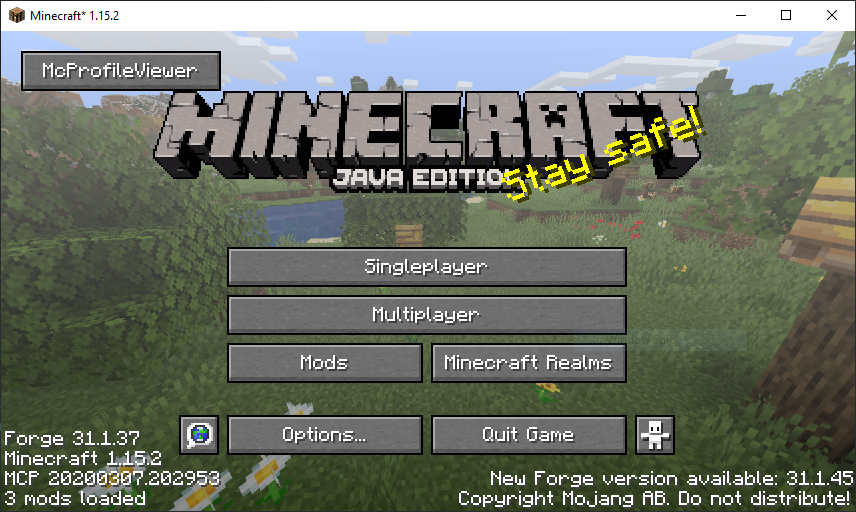
On the main menu, select the McProfileView button, then click the open profile button and navigate to the profiler dump you want to view.
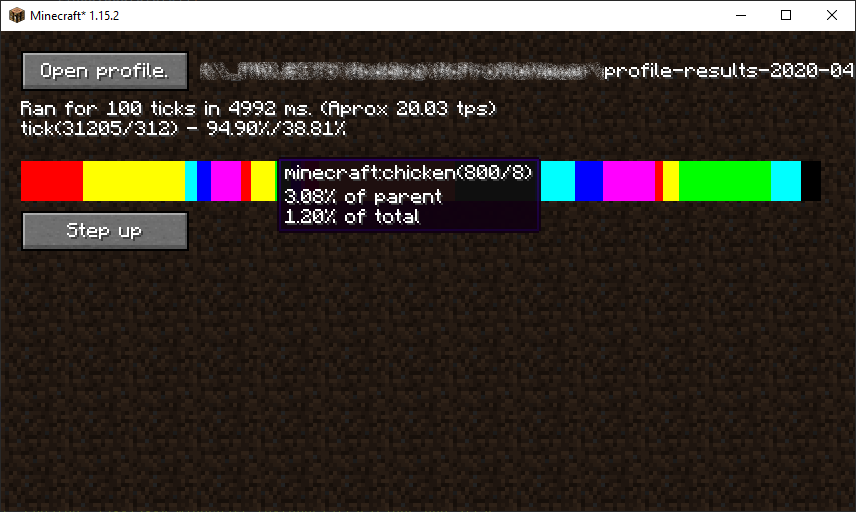
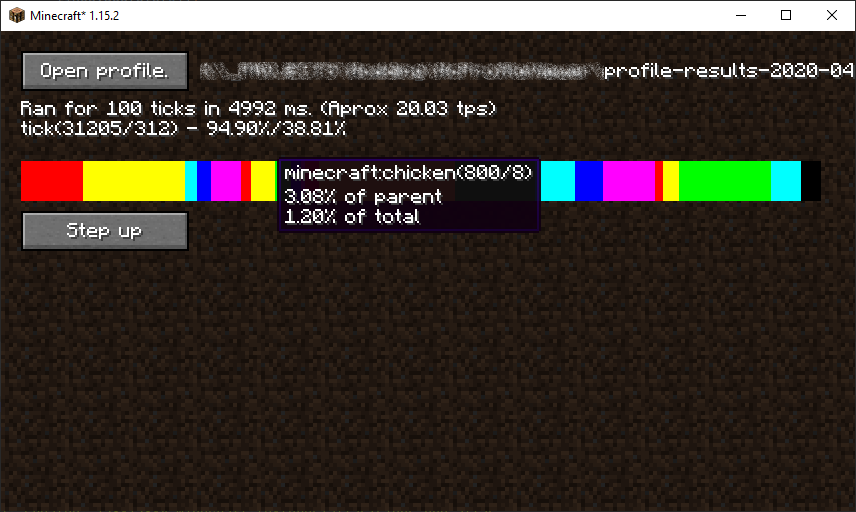
This will present you with a bar you can click on to view the contents of that item.
The 'Step up' button allows you to return to layer you were previously on.
McProfileView Team

Owner