2026-08-01_21.18.35.png
Signed.By.AH.png
Signed.By.Inv.png
Description
ManaMod is a client-side utility mod for ManaCube. It started as a SkyBlock companion — but as of 0.2.1 it works across all of ManaCube's gamemodes: SkyBlock, Survival, KitPvP, Olympus, Islands and Earth. Supported Minecraft versions: 1.21 – 1.21.11.
DEPENDENCIES:
- Fabric API
- owo-lib — required (settings UI + config)
- ModMenu — optional, opens the settings screen
Request Features in the Discord!
✨ Features
📊 HUD Overlay
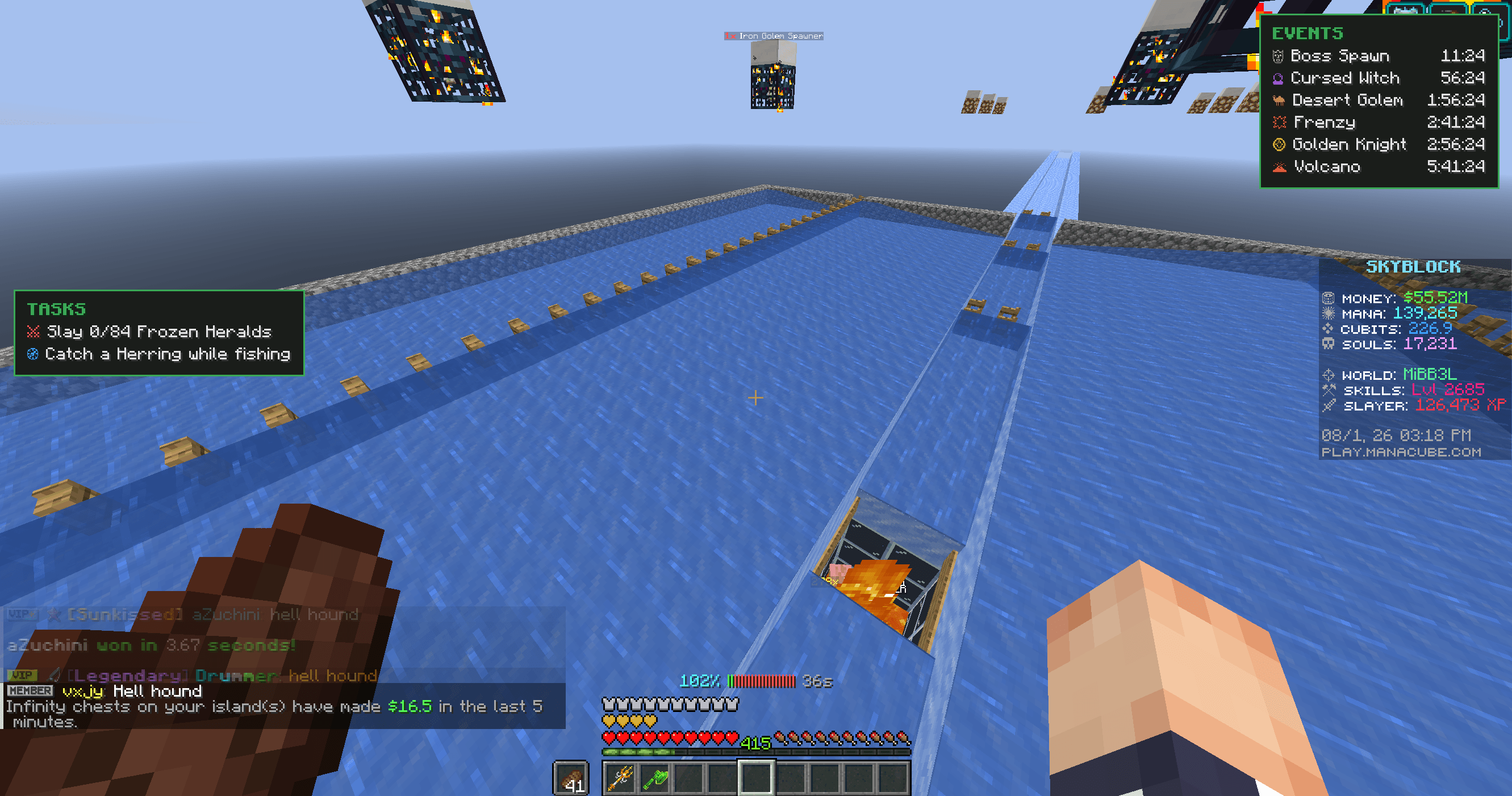
- Event Timer HUD — now every gamemode — shows the live event countdowns for whichever ManaCube server you're on (SkyBlock, Survival, KitPvP, Olympus, Islands, Earth), or a fixed server you pick. Covers all their bosses, minibosses and events: ManaPond, Boss Spawn, KOTH, Capture The Flag, The Purge, Team Deathmatch, Sumo KOTH, Survival Games, Golden Knight, Cursed Witch, Desert Golem, Ashen Titan, Island Wars, Mana Sweeper, Last Player Standing, Volcano, Frenzy and more. Toggle events individually, choose how many show at once (1–6), position it left/right, recolor each event, and scale the panel independently of Minecraft's GUI scale.
- Booster Tracker — shows every active booster (Sell, Mob Head, MCMMO, …) with a live countdown, right in the same panel. Multiple boosters at once? All shown side by side.
- Consumable & Ability Cooldowns — any ManaCube item that lists a
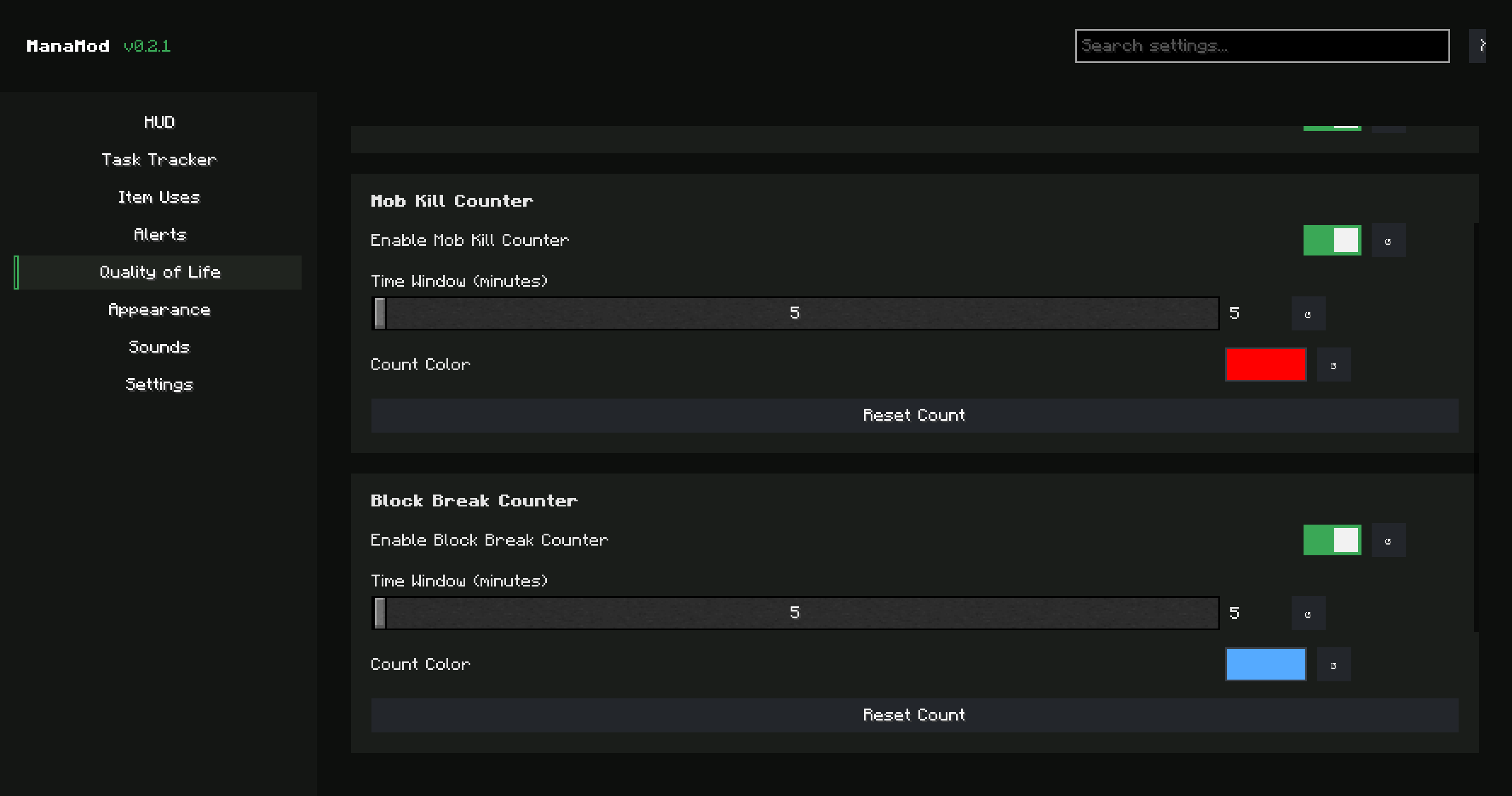
Cooldown:in its lore (Pumpkin Spice Latte, Phoenix Staff, Sell Wand, …) gets a live countdown in the HUD the moment you use it. ManaMod reads the trigger straight from the lore — left-click, right-click or on-consume — so the right cooldown fires for the right action. - Mob Kill & Block Break Counters — two optional counters below the sidebar scoreboard, each over a rolling time window you set (1–1440 min) with a pick-your-own number color and a reset button. Mob kills are player-attributed, so nearby farm kills don't inflate your count.
- Player Stats Footer — optional Cubits + Mana-XP on the HUD.
⚡ Command Shortcuts (F9)
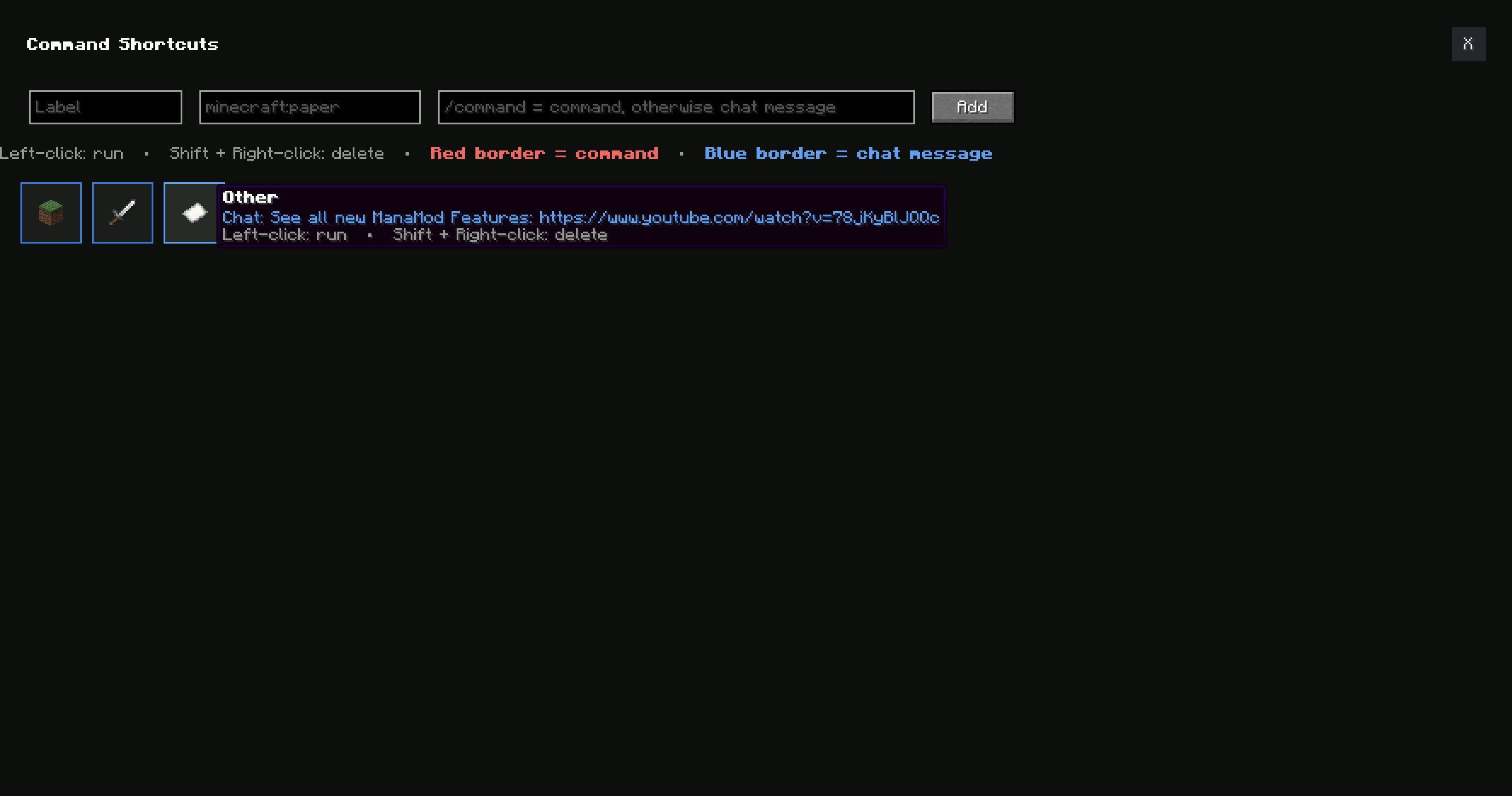
- A grid of clickable item icons that each run a command or send a chat message — great for warps, shops, quick replies and more. Type it and ManaMod detects it: entries starting with
/are commands (red border), everything else is a chat message (blue border). Hover to see exactly what runs. Add entries right in the menu, delete with Shift + right-click.
❓ SVA Quiz (F12)
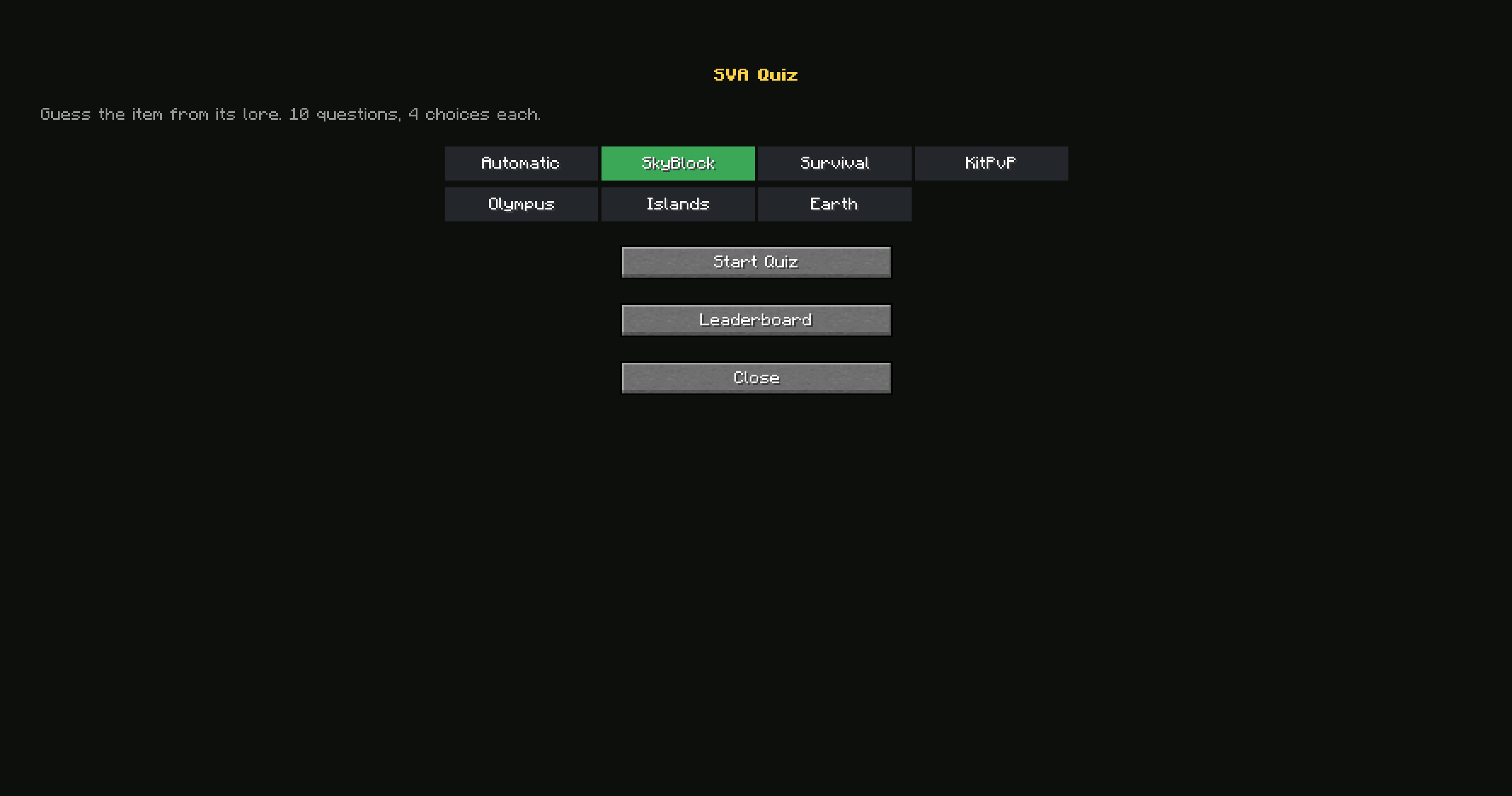
- A "guess the item from its lore" quiz. 10 questions, 4 choices each, pulled from the item pool of the server you pick (or Automatic). Wrong answers are chosen from similar items, the item's identifying lines are hidden, and you get instant right/wrong feedback. Finishes on a global leaderboard, ranked by most-correct, then fastest time.
👥 ManaMod Presence
- Tab-list highlight — other players running ManaMod on your server get a small pink ✦ next to their name, so you can see who else uses the mod.
- Discord Rich Presence — your Discord shows "Playing ManaMod" while you play.
💎 SVA Browser (F8)
- Browse every Special Value Asset as a real, rendered item grid — for any gamemode (Automatic + server switcher). Search, filter to only the ones you own, compare your collection against another player by name, and right-click one to use it as your custom heart icon.
🎒 Item Uses Overlay
- Item Uses HUD — reads a custom item's remaining "Uses" straight from its lore and shows it next to your hotbar. Choose the position (left / right / above the hotbar) and whether to track only the item in your hand or every custom item in your hotbar at once — always clamped so it never bleeds off-screen.
📋 Task Tracker (SkyBlock)
- Auto-Fetch — the moment you switch from the Lobby into SkyBlock, your current Slayer + Adventure task loads automatically — no need to type
/tasksyourself. (Shown only on SkyBlock.) - Live Progress Panel — in its own repositionable, scalable HUD panel; turns green + bold + underlined the instant ManaCube confirms it's done.
- Smarter Detection — correctly counts tasks with large numbers ("Harvest 1,021 Jungle Logs") and multi-word verbs ("Dig up …"), and only counts area-specific Adventure tasks ("Mine 100 Sandara Gold Ore") while you're actually in that world (read from the sidebar).
- Fishing Location — for a "catch a fish" task, shows a
Location:line telling you exactly where to catch it, colored per world. - Auto-Refresh — optionally re-checks for a new task a few seconds after completing one, so the next one shows up on its own.
🔔 Chat & Alerts
- Chat Alerts — sound + on-screen title when you get a direct message or someone mentions your name.
- Drop Rarity Alert — sound + title on LEGENDARY drops, plus your own custom keywords (default: "Spawner Fragment").
- Fishing Alert — Title / Actionbar / sound the instant a fish bites your own rod.
- 5/1-Minute Warning — optional on-screen title before a tracked event starts.
🛠 Quality of Life
- Custom Sound Effects — 17 custom sound effects selectable for trigger sounds.
- Fullbright — one-click toggle, no extra mod needed.
- SVA Tooltips — circulation count shown directly on item tooltips.
- Patron Highlighting — customizable name colors for Patron/Patron+ in chat. Three styles: star + name both in Powder Pink, star only with the name untouched, or disabled entirely.
- Custom Hearts — reskin your health bar with any SVA's icon.
- Configurable Sound Channel — pick which in-game volume slider controls ManaMod's sounds.
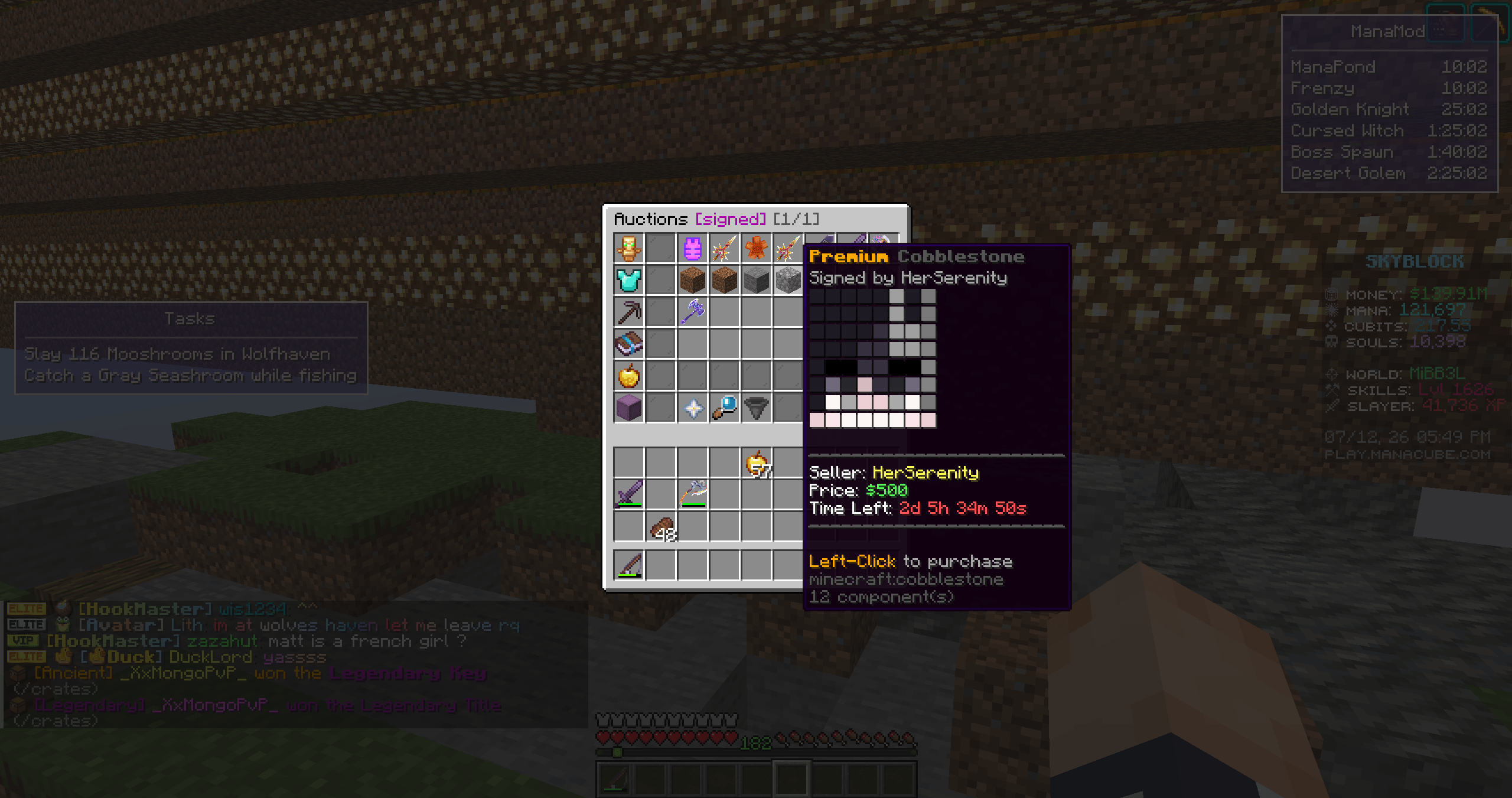
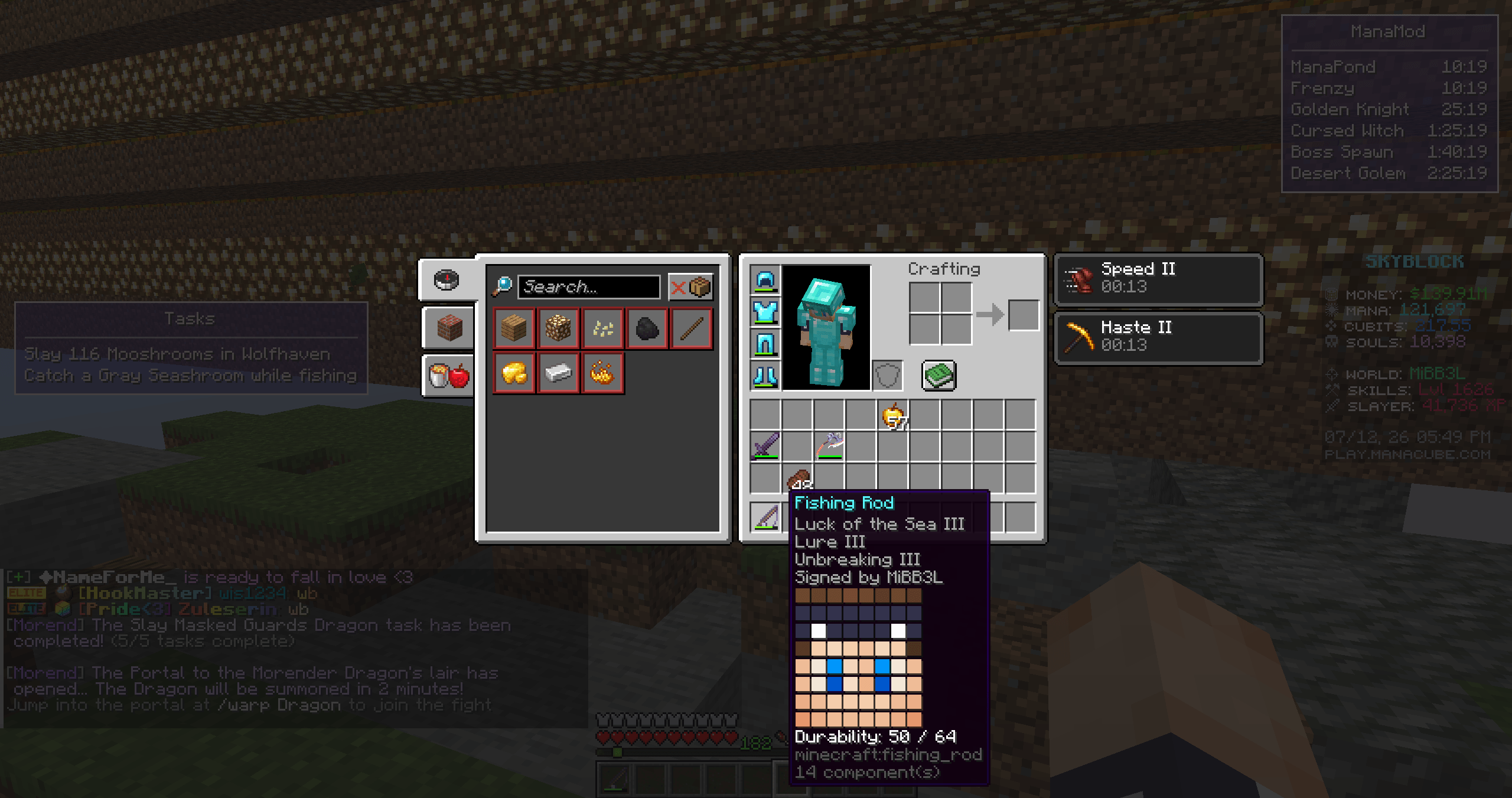
- Player Head Preview — a small pixel-art render of the signer's real Minecraft head appears under the "Signed by …" line on signed items.
Everything is configurable in-game via Mod Menu — no file editing required.
Hotkeys: F8 = SVA Browser · F9 = Command Shortcuts · F12 = SVA Quiz (all rebindable in Options → Controls)
NOT AFFILIATED WITH MANACUBE
The ManaMod - ManaCube Mod Team