Maixr‘s photo chat
- By
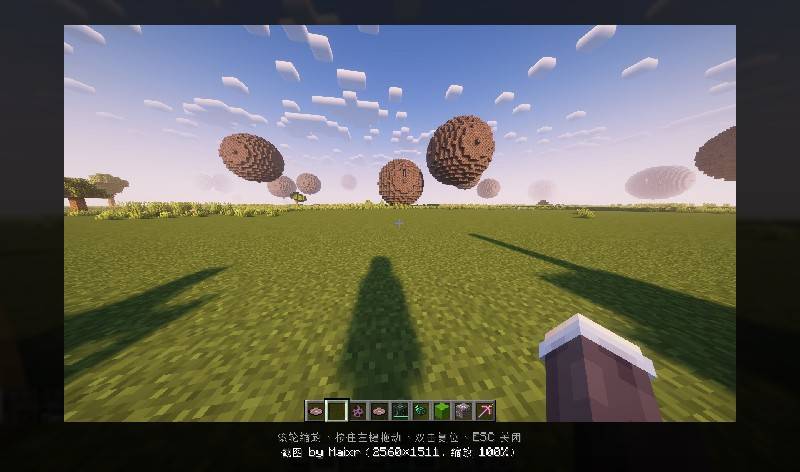
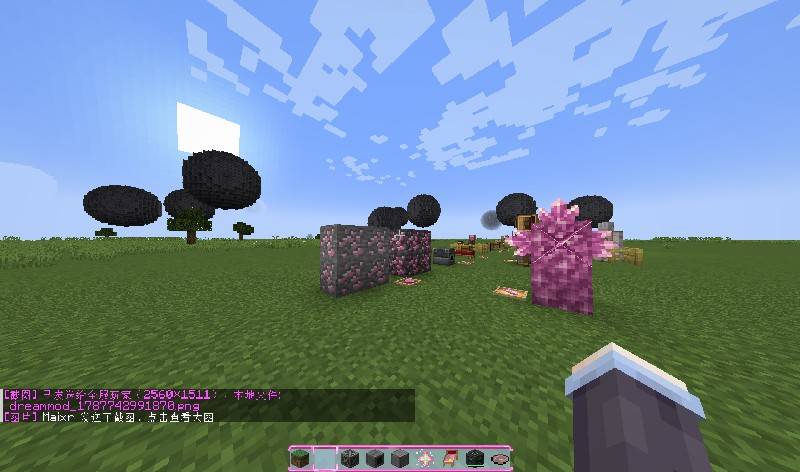
press [f5] and you can send your screenshot to the Chat box. sending photos in your computer disk is also allowed.
# ChatShot

Take a screenshot and send it straight to your chat with a single keypress — sharing your gaming moments has never been easier.

## ✨ Features

- **One-click screenshot sharing**: Press a hotkey to capture the screen and automatically attach the image to your chat input
- **Customizable hotkey**: Bind any key in the Controls settings
- **Lightweight & dependency-free**: No required mods — just install and play
- **(Optional) Preview before sending**: Confirm your screenshot before it hits the chat
- **(Optional) Format options**: Switch between PNG and JPG

## 🎮 How to Use

1. Install the mod and launch the game
2. Go to **Options → Controls → Key Binds** and find the ChatShot screenshot key (default [f5])
3. Press the hotkey in-game — the screenshot automatically appears in your chat input
4. Hit Enter to send

## 📦 Requirements

- **Side**: Client and sever
- **Dependencies**: None

## ⚙️ Configuration

Config file: `config/chatshot-client.toml`
- Screenshot save directory
- Image quality / format
- Preview before send toggle


## 🐛 Feedback & Support

Found a bug or have a feature request? Open an Issue on the issue tracker.


# ChatShot

一键截屏并自动发送到聊天框,和朋友分享你的游戏瞬间从未如此简单。

## ✨ 功能特性

- **一键截屏分享**:按下快捷键,自动截屏并将图片插入当前聊天框
- **自定义快捷键**:在控制设置中自由绑定按键
- **轻量无依赖**:不依赖任何其他模组,安装即用
- **(可选)截图预览**:发送前可预览并确认截图
- **(可选)格式可选**:支持 PNG / JPG 格式切换

## 🎮 使用方法

1. 安装模组后进入游戏
2. 在「选项 → 控制 → 快捷键」中找到 ChatShot 的截屏键(默认建议 `V` 或 `C`)
3. 游戏中按下快捷键,截图自动出现在聊天输入框
4. 回车发送即可

## 📦 依赖信息

- **加载器**:NeoForge(版本号:如 1.20.1 / 1.21)
- **安装端**:客户和服务
- **前置模组**:无

## ⚙️ 配置说明

模组配置文件位于 `config/chatshot-client.toml`,可调整:
- 截图保存路径
- 图片质量 / 格式
- 是否发送前预览
- 文件名命名规则

## 🐛 反馈与支持

遇到问题或有功能建议,欢迎在 Issue 区反馈。