


Litematica MaterialShare
- By

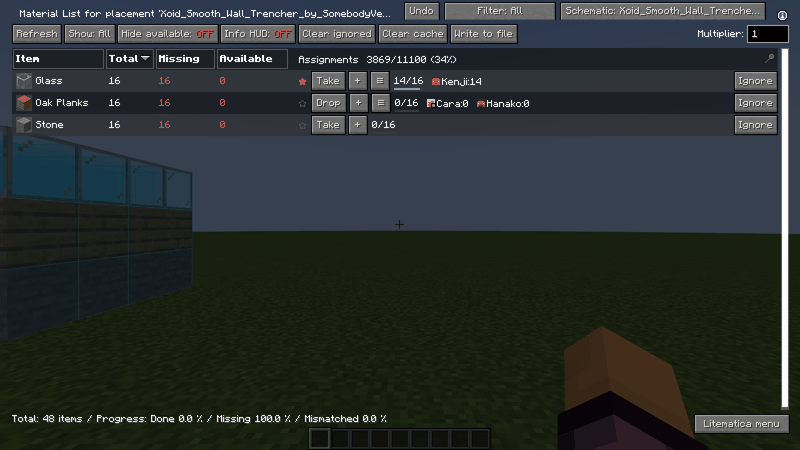
Every row of Litematica's material list shows who takes the item and how much is collected. Press Take to claim an item, + to assign somebody else, and the list button to see everybody. A star marks a priority item.
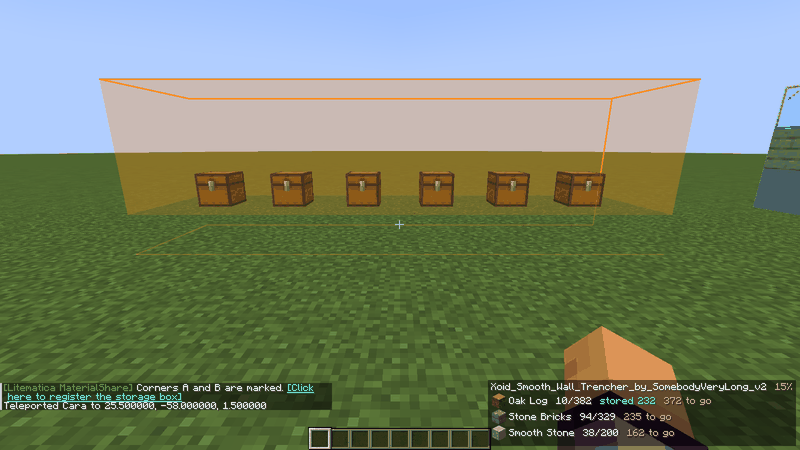
Mark two corners and register the area: the chests inside are counted and drawn as a coloured box in the world. The on-screen list at the bottom right shows what is stored and what is still to go.
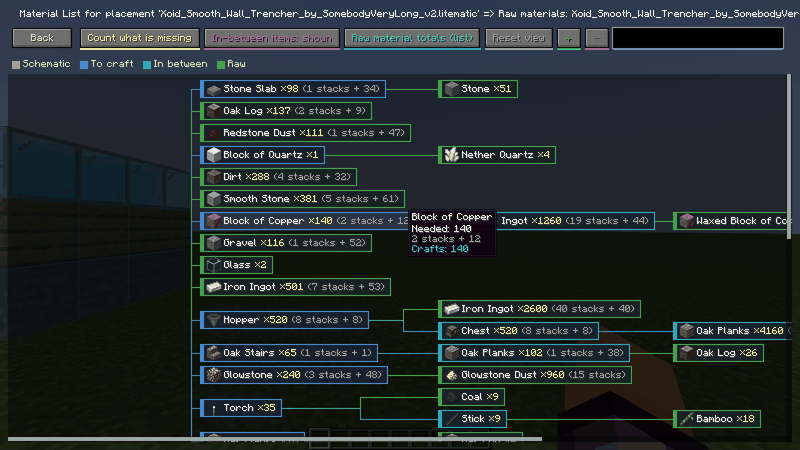
Follow the recipes down to the raw materials. Blue = to craft, light blue = in between, green = raw. Hover an item to see the amount needed and how many crafts it takes.
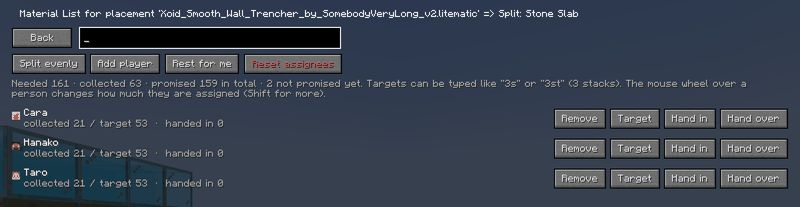
Give each person a target (type 3s for 3 stacks, or use the mouse wheel). The screen shows how much each person has collected and handed in, and how much is still not promised.
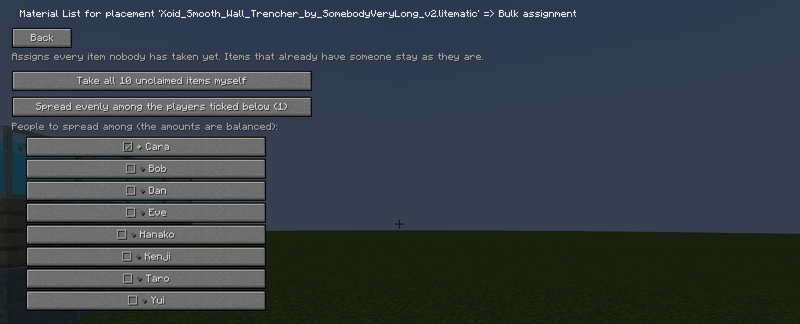
Bulk assign gives all the items nobody has taken yet to the people you choose, balanced by amount and by kind. You can also reset everything, one person, or one item.
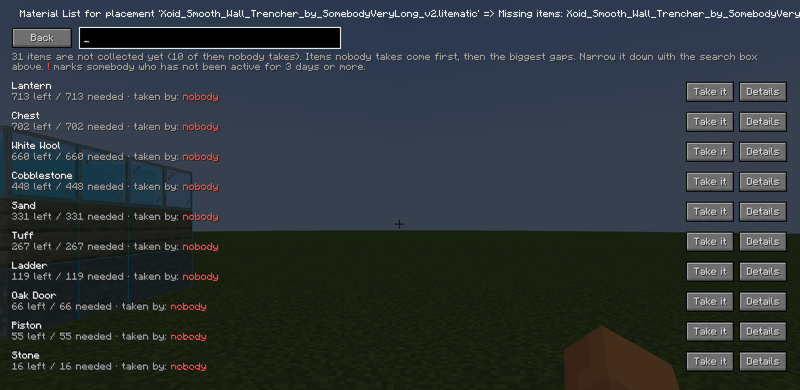
What is not collected yet. Items that nobody takes come first, then the biggest gaps, so everybody sees what to do next.
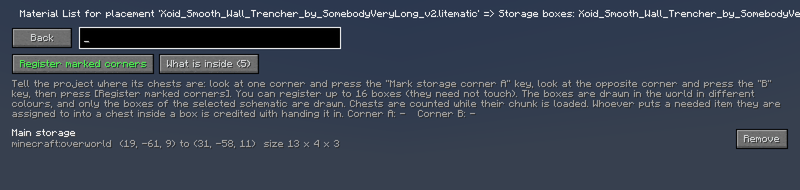
Up to 16 boxes per schematic, in any dimension, and they do not need to touch. Whoever puts a needed item they are assigned to into a chest in a box is credited with handing it in.
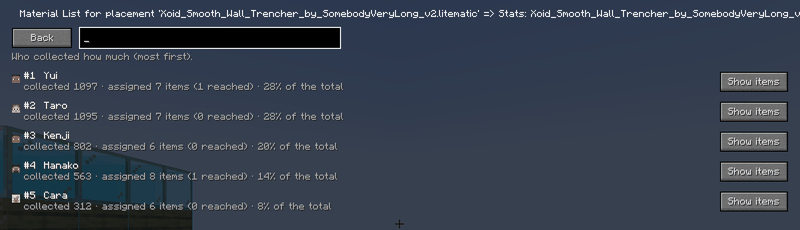
Stats and recent activity: who did what and when. People who did nothing for 3 days are marked.
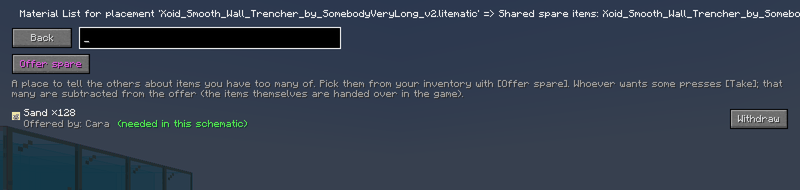
Tell the others about items you have too many of. Whoever wants some presses Take, and the amount is subtracted from your offer.
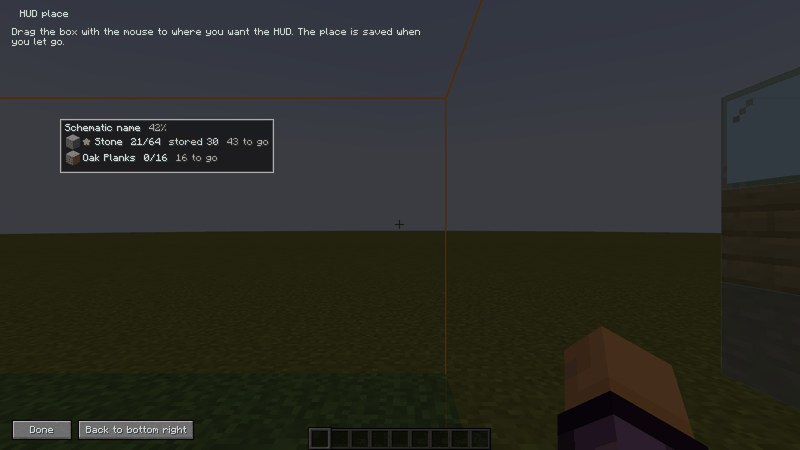
The HUD with what you still have to collect can be dragged to any place on the game screen. The place is saved when you let go.