Legends Jobs Forge
- By
Legends Jobs is a Minecraft jobs and economy mod that lets players choose a profession, earn money by performing job related activities, level up over time, and spend their earnings in a built in shop. No other economy plugin is needed ...
1000443164.png
1000443165.png
Description
Legends Jobs — Mod Description
Legends Jobs is a Minecraft jobs and economy mod that lets players choose a profession, earn money by performing job‑related activities, level up over time, and spend their earnings in a built‑in shop — complete with a detailed profile GUI, dual secondary currencies, and custom sounds. No other economy plugin is needed, everything runs inside the mod itself.
Choose your path and earn rewards by doing what your profession is designed for:
⛏️ Miner — Mine valuable ores and underground resources.
🪓 Woodcutter — Chop trees and collect logs.
🧱 Builder — Place blocks and construct structures.
🌾 Farmer — Grow and harvest crops.
🏹 Hunter — Hunt hostile mobs and animals.
✨ Enchanter — Enchant and upgrade equipment.
🎣 Fish Hunter — Catch fish and aquatic resources.
🧭 Explorer — Discover new chunks and unexplored areas.
⚔️ Weaponsmith — Craft and work with weapons.
🪣 Digger — Dig surface blocks such as dirt, sand, gravel, clay, and grass.
🧪 Brewer — Brew magical potions using a brewing stand.
🔨 Crafter — Craft items and equipment using a crafting table.
Each job doesn't pay on every single action. Instead, actions count toward a quota, and once the quota is reached, the player receives a lump sum of money and experience and moves up to a harder, better‑paying tier.
By default a player sticks to one job at a time. An admin can allow job switching through the config — and even then, a player must wait 7 real days since joining a job before they're allowed to leave it, so job‑hopping stays a real commitment rather than a loophole.
Job Profile — a full stat sheet for your career
Beyond the main Jobs menu, every player gets a dedicated Job Profile screen (/jobs profile) showing their own head, the job's signature tool, current level and XP bar, and three lifetime stats: Total Earnings, Jobs Completed, and current Job Progress — plus a live preview of the next tier's reward. It remembers the last job you viewed, so reopening it jumps straight back to where you left off instead of scrolling through all twelve.
Diamond & Emerald Coins — rare currencies for rare gear
Alongside normal money, dedicated players can earn Diamond Coins and Emerald Coins — rare secondary currencies dropped on your 5th completed quota of the day and during rare "hard mission" events. Spend them in the shop on the rarest items: netherite gear, totems of undying, elytra, and more — kept separate from the normal economy so the high‑end loot never gets inflated away.
Jobs Book & Job Profile Book
Every player receives two personal books the first time they join: the Jobs Book and the Job Profile Book. Right‑click either one to instantly open its matching menu — no commands needed.
A shop built for browsing
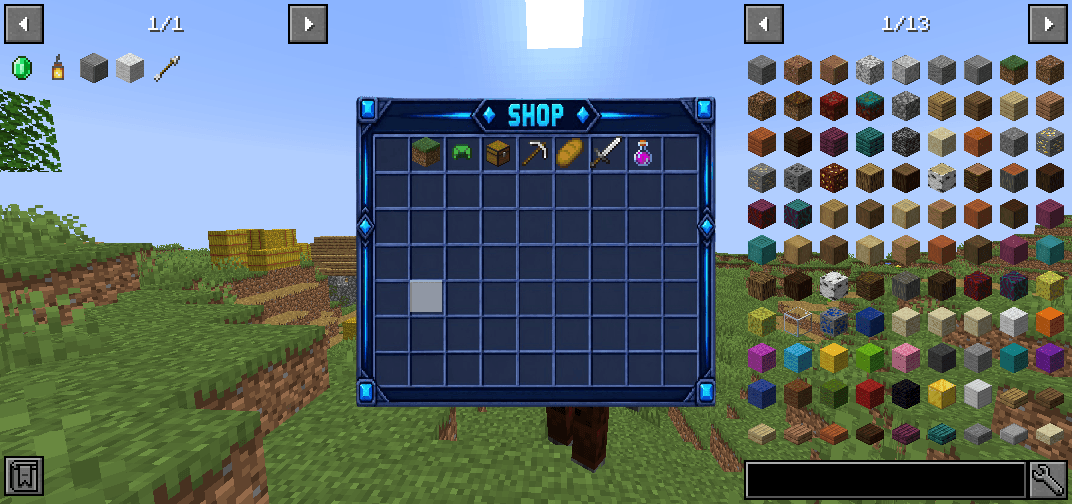
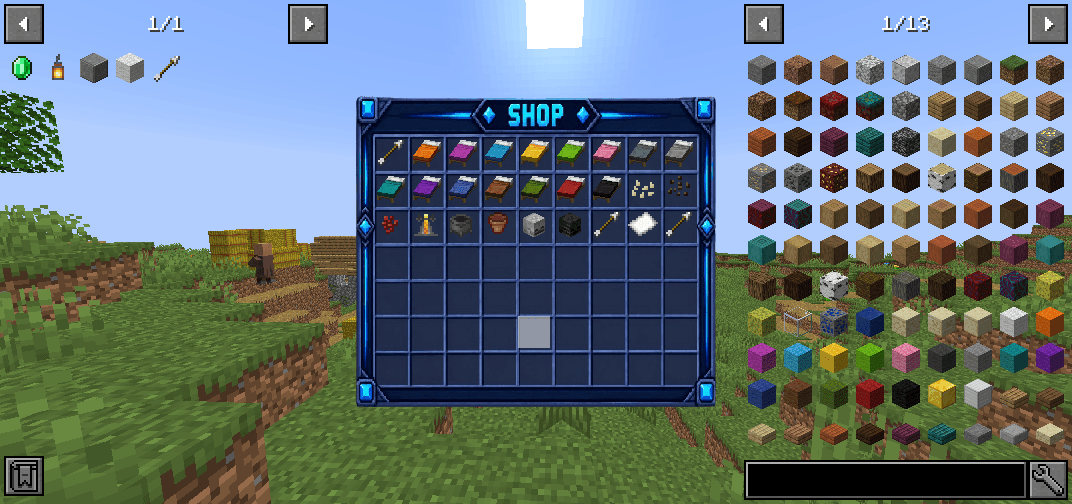
The shop GUI uses every slot for categories and items — no wasted space on navigation icons. Paging and returning to categories are handled by proper buttons, so even large categories like Blocks fill every row cleanly. Admins can manage the catalog entirely in‑game with /shop admin, adding, repricing, or removing items on the fly.
Custom sound cues
Two custom sounds tie the experience together: a chime plays whenever you earn a reward (quota completion, rare find, or coin bonus), and a soft tone plays whenever any of the mod's menus open — heard only by you, never by nearby players.
Commands
Jobs
•/jobs — opens the Jobs menu where you can browse all twelve jobs, see their description and rewards, and join or leave the one you are viewing.
•/jobs list — shows a text list of all available jobs.
•/jobs leave <job> — leaves the given job directly, if job changing is allowed and your 7‑day lock has passed.
•/jobs info <job> — shows the rewards for each action of a given job.
•/jobs stats [player] — shows the jobs, levels, and experience of yourself or another player.
•/jobs profile [player] — opens your (or another player's) Job Profile: lifetime earnings, completions, progress, and next‑reward preview.
•/jobs top <job> [amount] — shows the top ranked players for a given job.
•/jobs reload — reloads the mod configuration, for admins.
Economy
•/eco balance [player] — checks your own balance, Diamond Coins, and Emerald Coins, or another player's.
•/eco pay <player> <amount> — sends money from your balance to another player.
•/eco give <player> <amount> — gives money to a player, for admins.
•/eco take <player> <amount> — removes money from a player, for admins.
•/eco set <player> <amount> — sets a player's balance to a specific amount, for admins.
•/eco top [amount] — shows the richest online players.
Shop
•/shop — opens the shop menu, where items are organized by category with prices based on rarity.
•/shop admin — opens the shop in admin mode, letting admins add, remove, or reprice items directly from the game.
•/shop search <text> — searches the whole catalog by name or ID.
•/sell — sells the entire item stack currently held in your hand, if it exists in the shop.
•/sellall — sells every item in your inventory that exists in the shop, leaving everything else untouched.
Earn money, level up your profession, and build your own legend.
The Legends Jobs - AnonymDv
Legends Jobs Forge Team

![OmniAdmin - [All Server Management] project image](https://media.forgecdn.net/avatars/thumbnails/2031/756/256/256/639243281032343514.png)