Ledz
- By
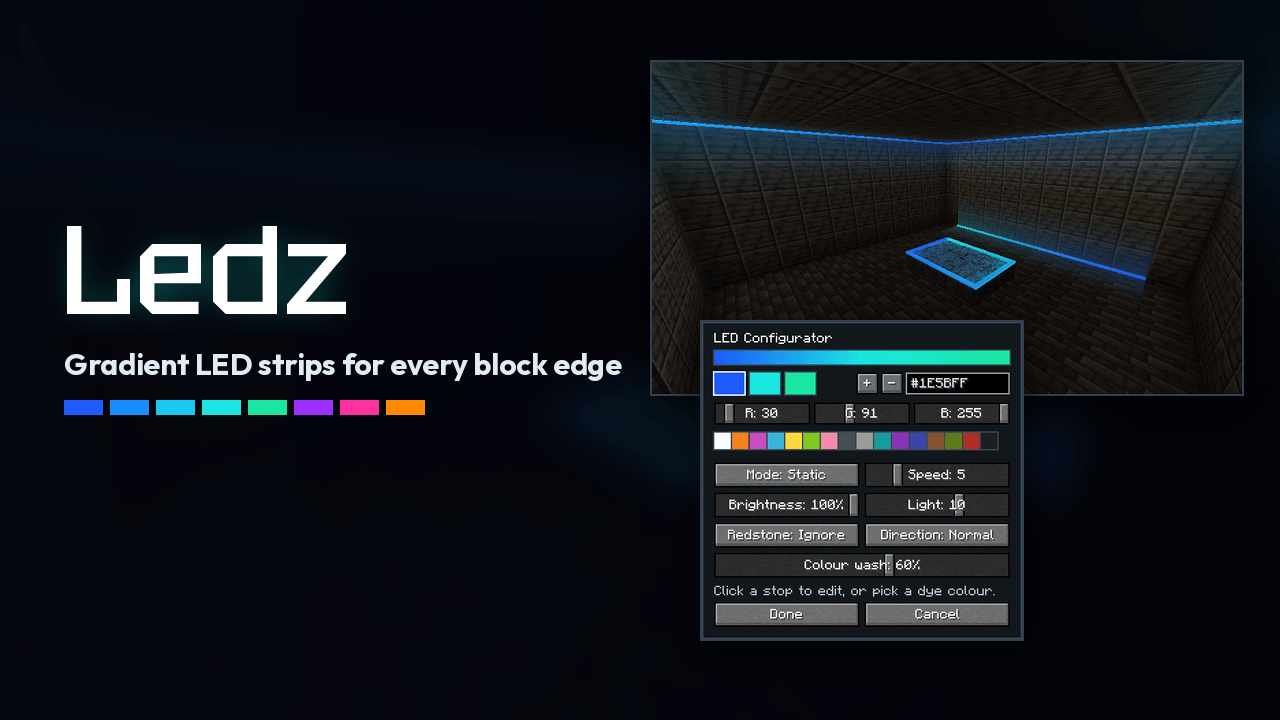
Stick LED strips on any block edge and paint them with animated colour gradients that flow across blocks and around corners.
Hero
Description
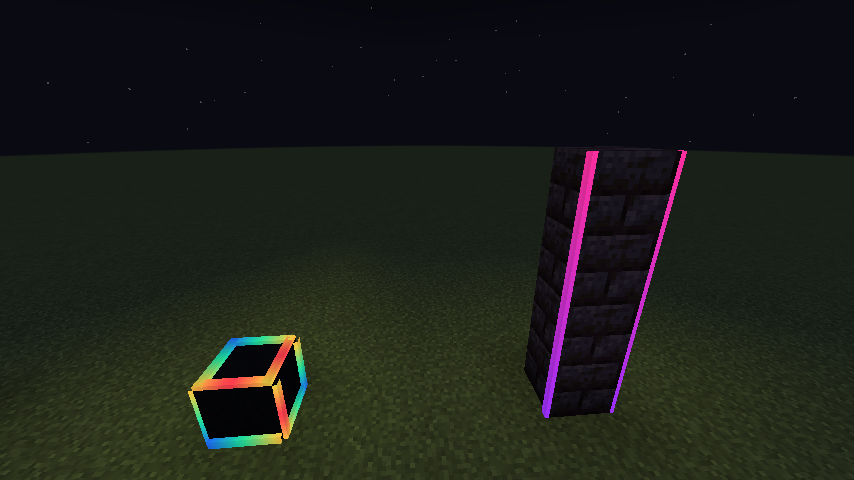
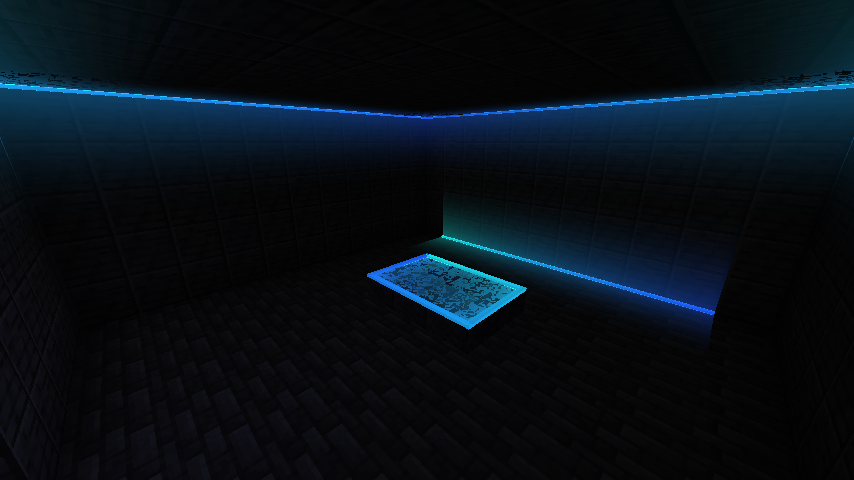
Ledz adds LED strips you can stick on any block edge, then paint with colour gradients and animations using the LED Configurator. Strips that touch join into one run, so a gradient flows across blocks, round corners and up walls.
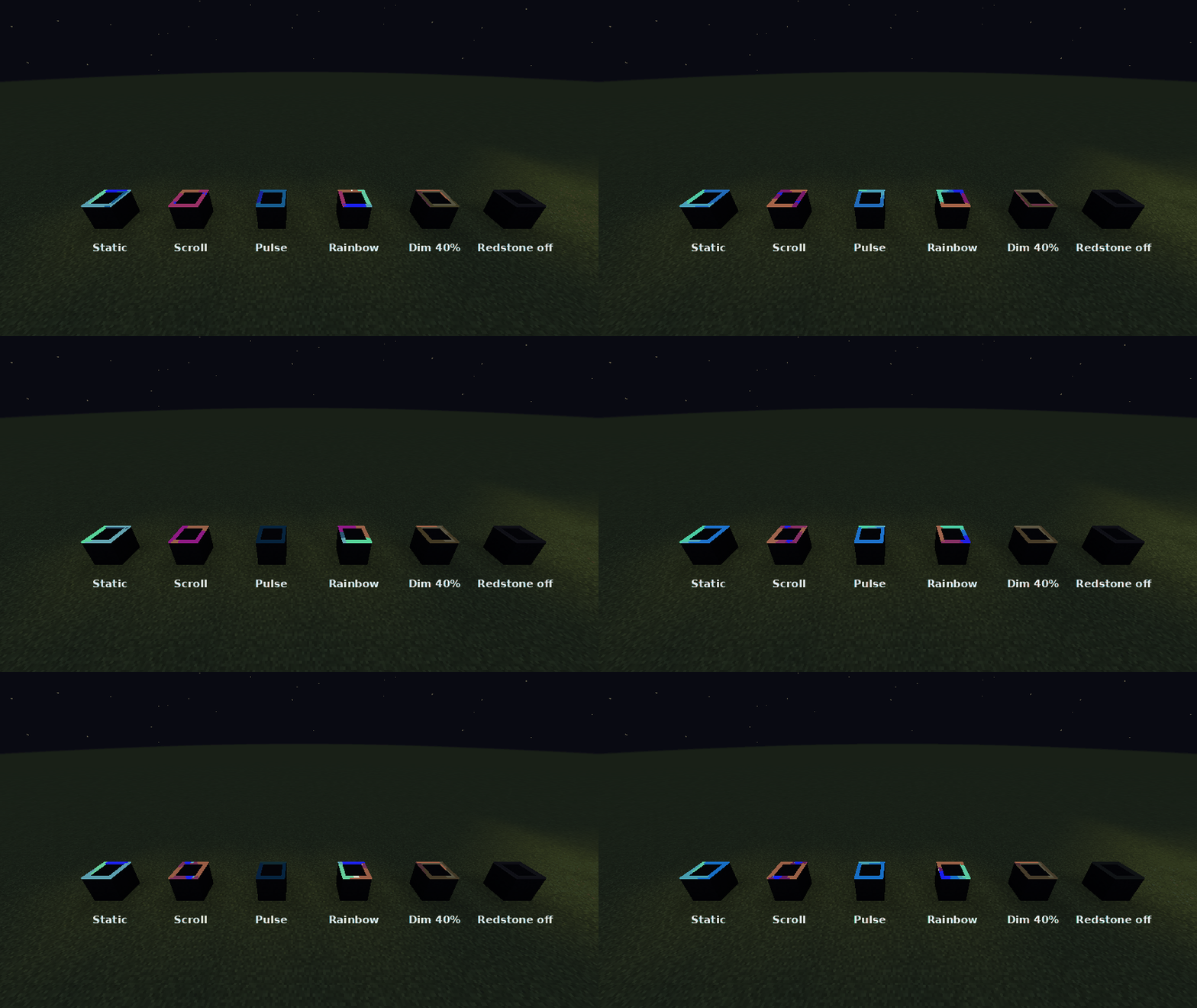
LED Strip
- Use on a block face and the strip snaps to the nearest edge of that face. Up to 24 strips fit in one block space (4 edges on each of 6 faces).
- Strips that touch end to end form a run. The gradient spans the whole run, not each block.
- A new strip copies the look of a strip it touches, so a run keeps going as you build.
- Break strips one at a time. A strip pops off if the block holding it is removed.
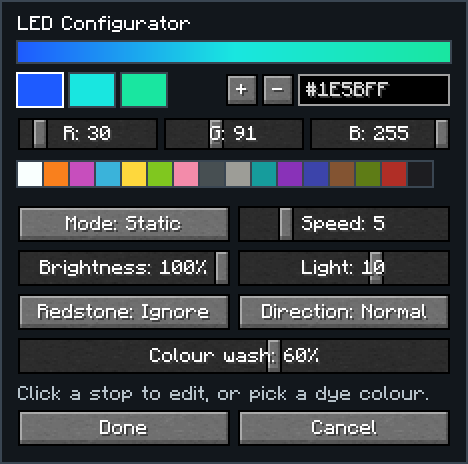
LED Configurator
- Use in the air to open the editor, with a live preview of the strip.
- Use on a strip to apply your settings to its whole run. Sneak-use copies a strip's look into the configurator.
- 2 to 4 colour stops, set with hex codes, RGB sliders or the dye palette.
- Modes: Static, Scroll, Pulse and Rainbow, with speed, brightness and direction.
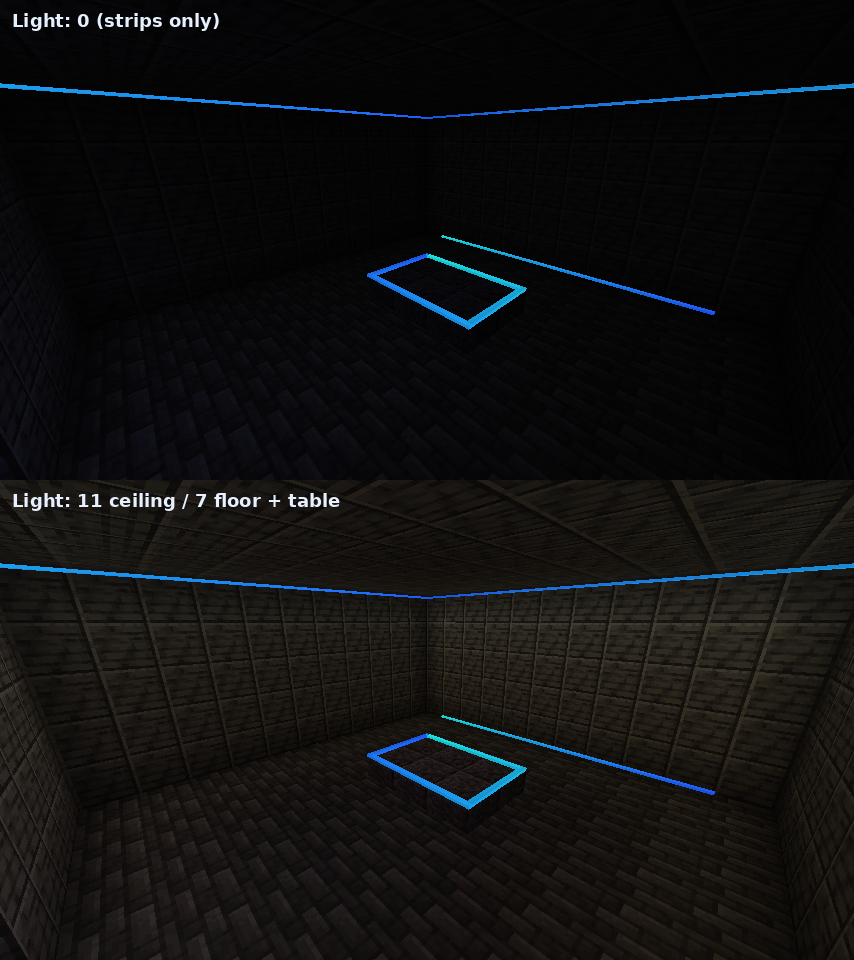
- Light: 0 to 15 real block light.
- Redstone: ignore it, on when powered, off when powered, or brightness by signal strength.
- Colour wash: 0 to 100%. Tints nearby walls, floors and ceilings with the strip's colour, fading out over 2.5 blocks. Vanilla light has no colour, so this fakes it.
Lighting a room
Recipes
- 8 LED Strips: glowstone dust + glass pane + copper ingot (shapeless)
- LED Configurator: amethyst shard on top, copper / redstone / copper in the middle, copper below.
Requirements
- Minecraft 1.21.1 with NeoForge 21.1+, or Minecraft 26.1.2 with NeoForge 26.1.2+
- Install on both client and server
Ledz Team