AppliedSwatches - AE2 Addon
- By
Pick a colour or theme and pull matching blocks straight out of your Applied Energistics 2 network.
Title Screen
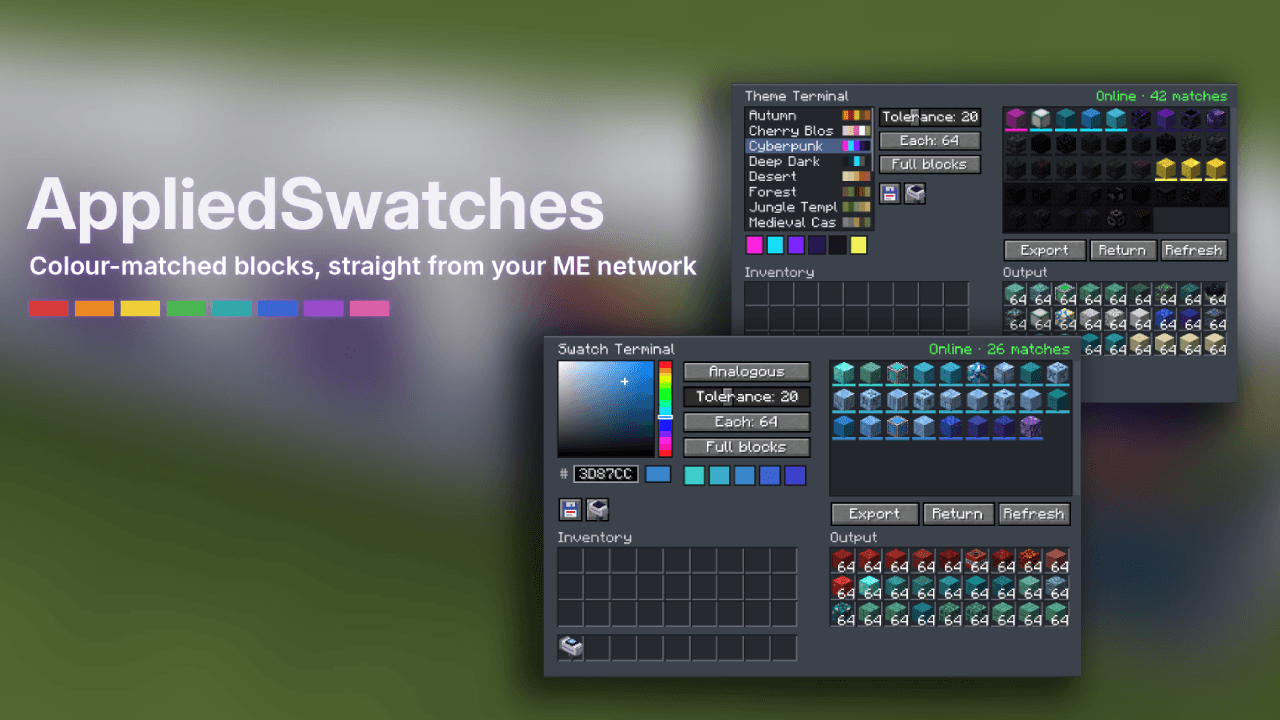
Terminals Hero
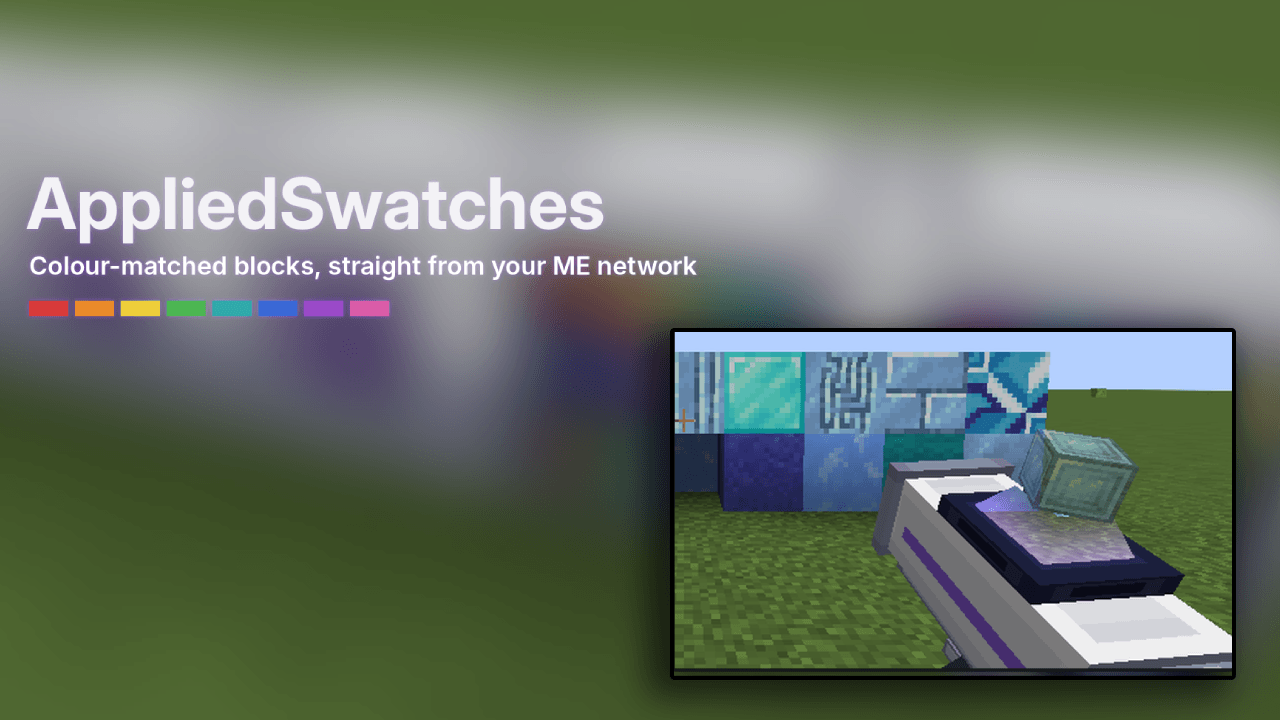
Swatch Applicator
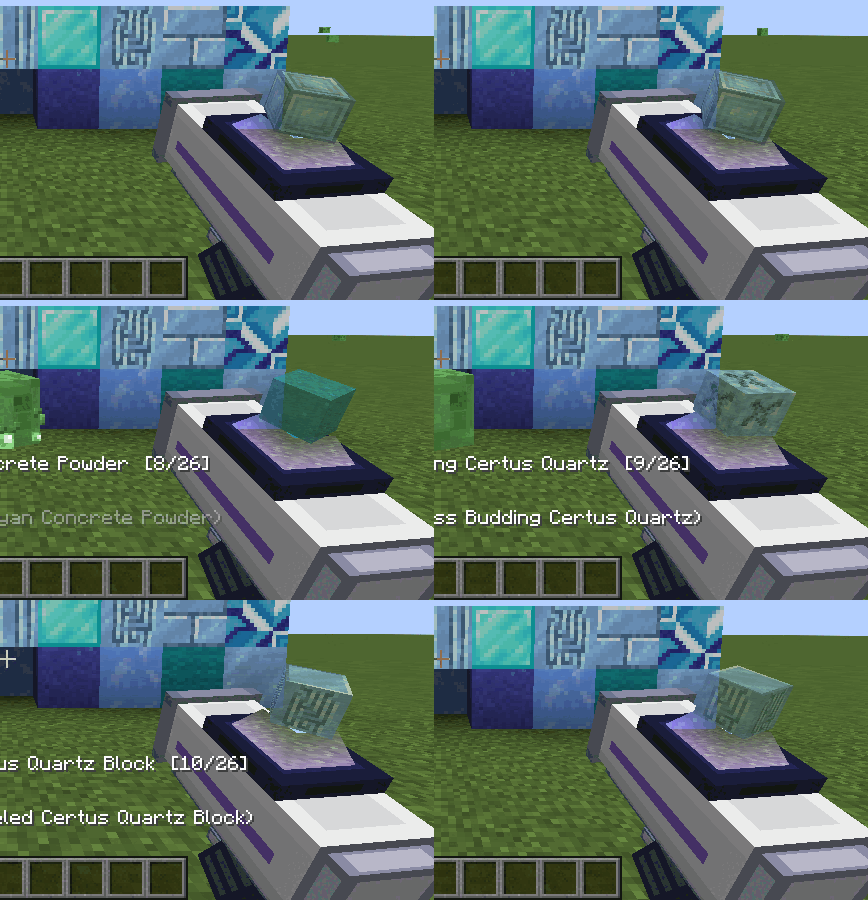
Swatch Applicator Hologram
Description
AppliedSwatches is an Applied Energistics 2 addon for builders. Choose a colour or a theme, and it finds every block in your ME network that fits, then hands them to you.
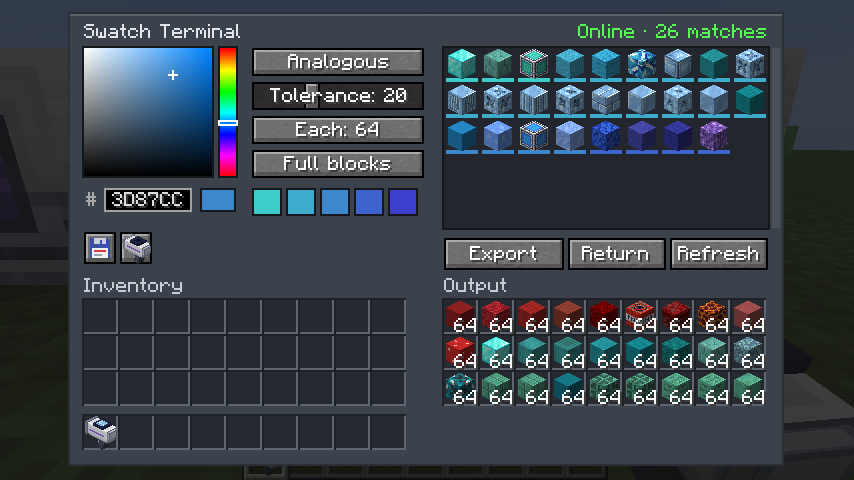
Swatch Terminal
Pick a colour with the HSV picker or a hex code, then a scheme: single, monochrome, analogous, complementary, split complementary or triadic. The terminal reads the actual textures of every block you have stored and lists the ones that match, closest first.
- Tolerance slider and amount per block (1–64)
- Full blocks only, or any shape (slabs, stairs, walls…)
- Click a result to skip it
- Export pulls a balanced spread of the palette into 27 output slots; Return puts it back
- Save and load swatches as
.json, or save one as a theme. Share it online or view other themes at https://www.ae-swatches.xyz/ - Output slots work with hoppers and pipes
- Resource packs change the matches, since colours come from the textures you see
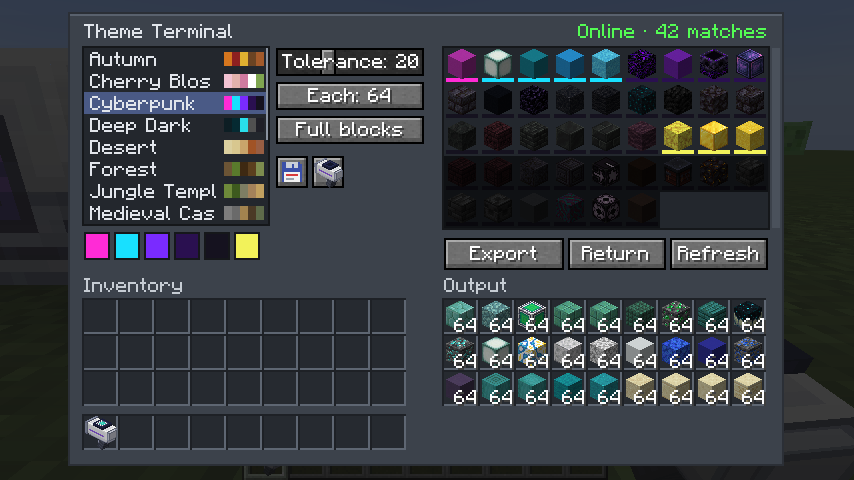
Theme Terminal
Works the same way, but with named palettes. It ships with 14: Autumn, Cherry Blossom, Cyberpunk, Deep Dark, Desert, Forest, Jungle Temple, Medieval Castle, Nether, Pastel, Snowy Tundra, Steampunk, The End and Underwater. Themes can pin signature blocks, and you can import and export your own as .json.
Swatch Applicator
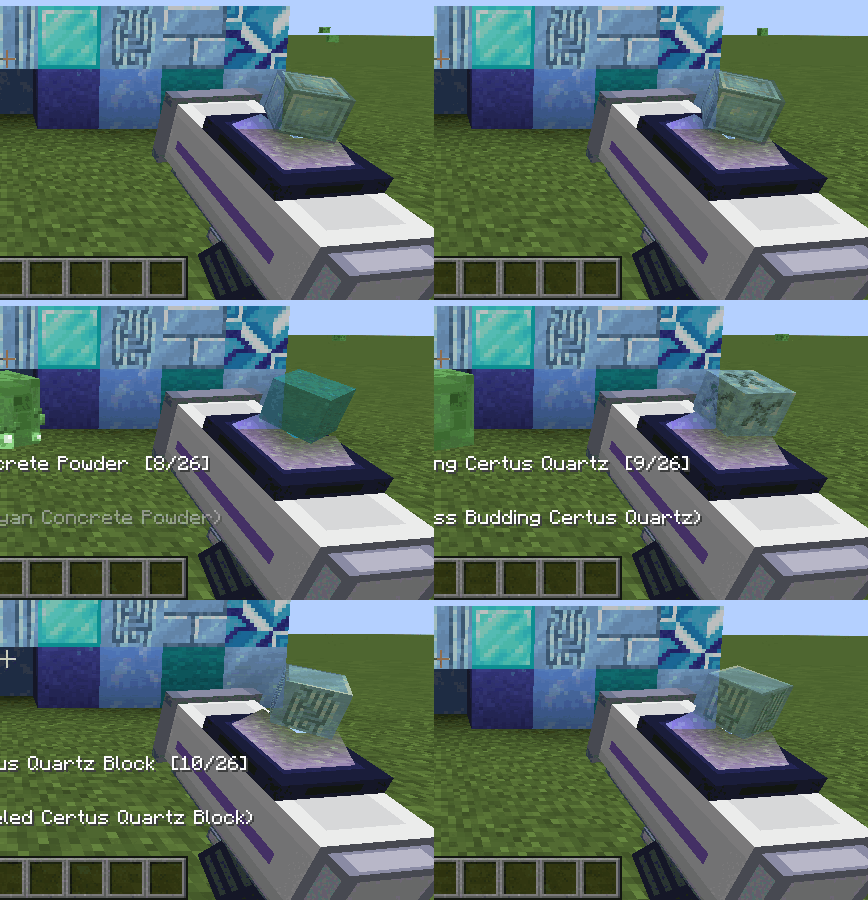
A handheld placer. Load a palette from either terminal with one click, then right-click to place blocks straight out of your ME network. Shift + scroll changes the block, and Random mode mixes the whole palette as you build. The screen shows a hologram of the selected block.
Requirements
- Minecraft 1.21.1, NeoForge 21.1+
- Applied Energistics 2 (19.x)
- Install on both client and server
Recipes
- Swatch Terminal: ME Terminal + Logic Processor + red, green and blue dye
- Theme Terminal: Swatch Terminal + book
- Swatch Applicator: Formation Core, Wireless Receiver, Engineering Processor, 2 iron ingots
Config
config/appliedswatches-server.toml: idle power for each terminal (default 2 AE/t) and applicator range (default 64 blocks, 0 = whole dimension).
AppliedSwatches - AE2 Addon Team