![[LDS] Lazy Display Stand logo](https://media.forgecdn.net/avatars/thumbnails/2087/831/64/64/639266010469822303.jpeg)
Description
Lazy Display Stand 2.0.0
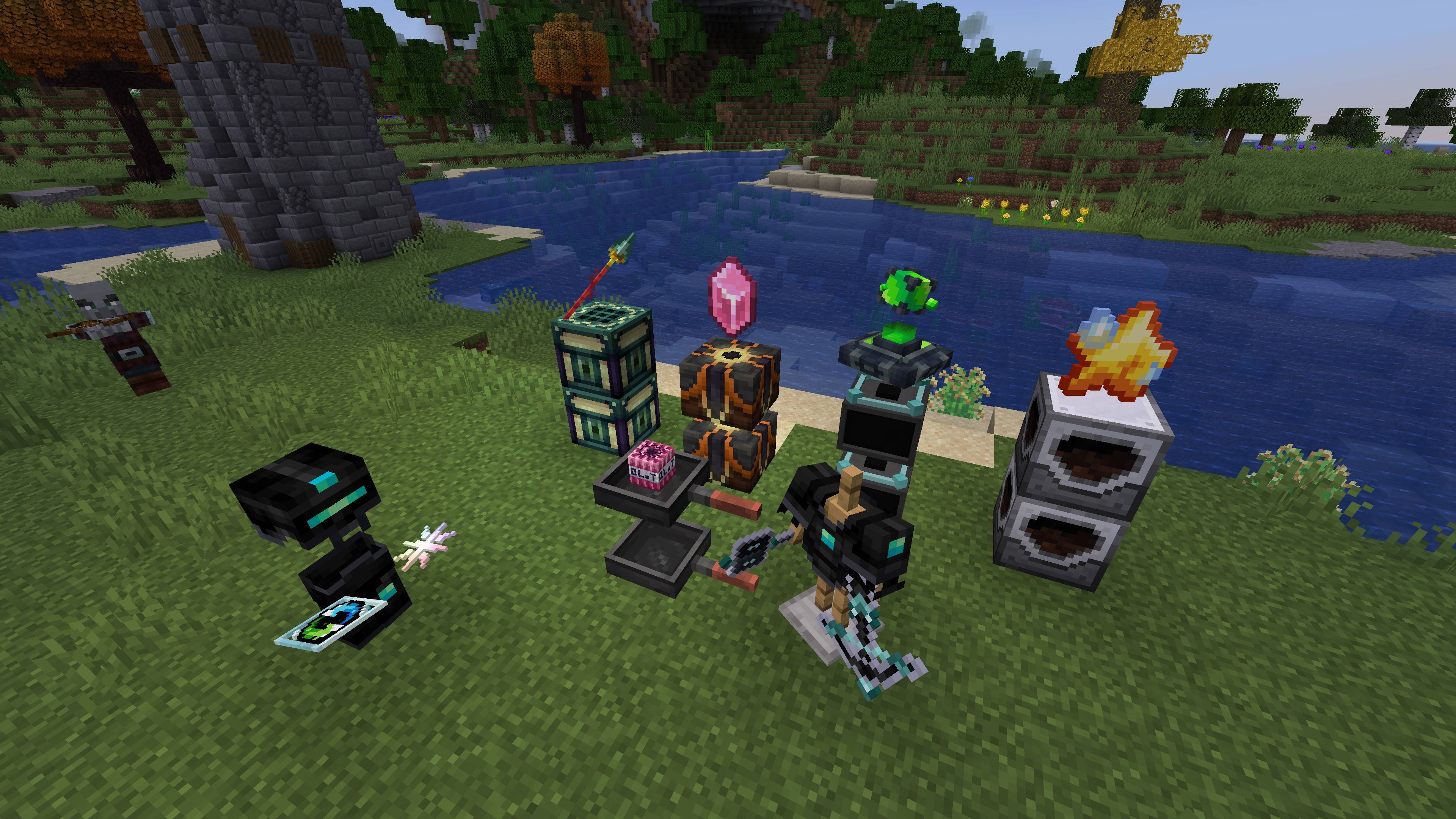
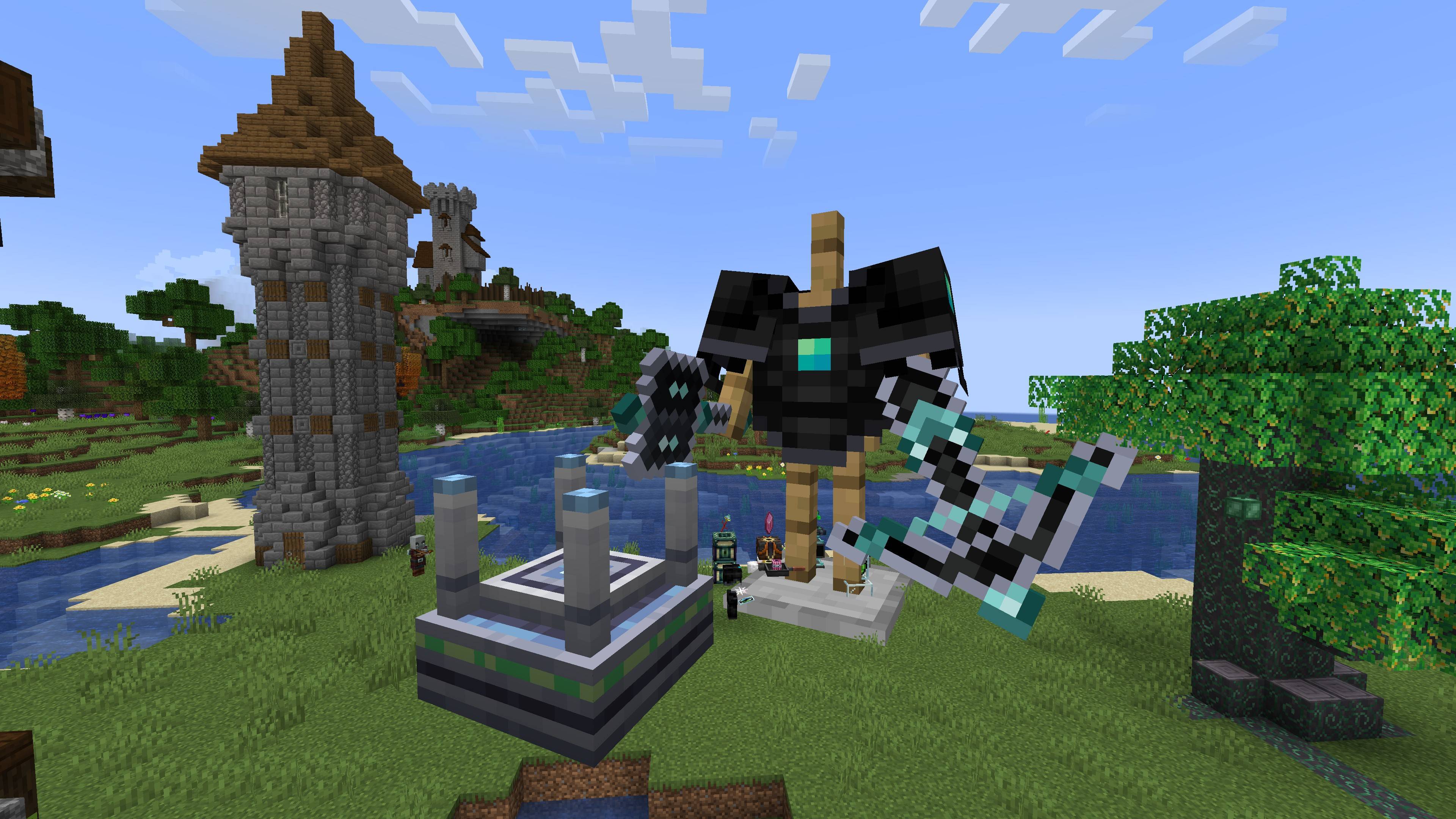
A decoration mod focused on item display. Just one single display block fulfills all your display and decoration‑related needs.
| Getting the block | Details |
|---|---|
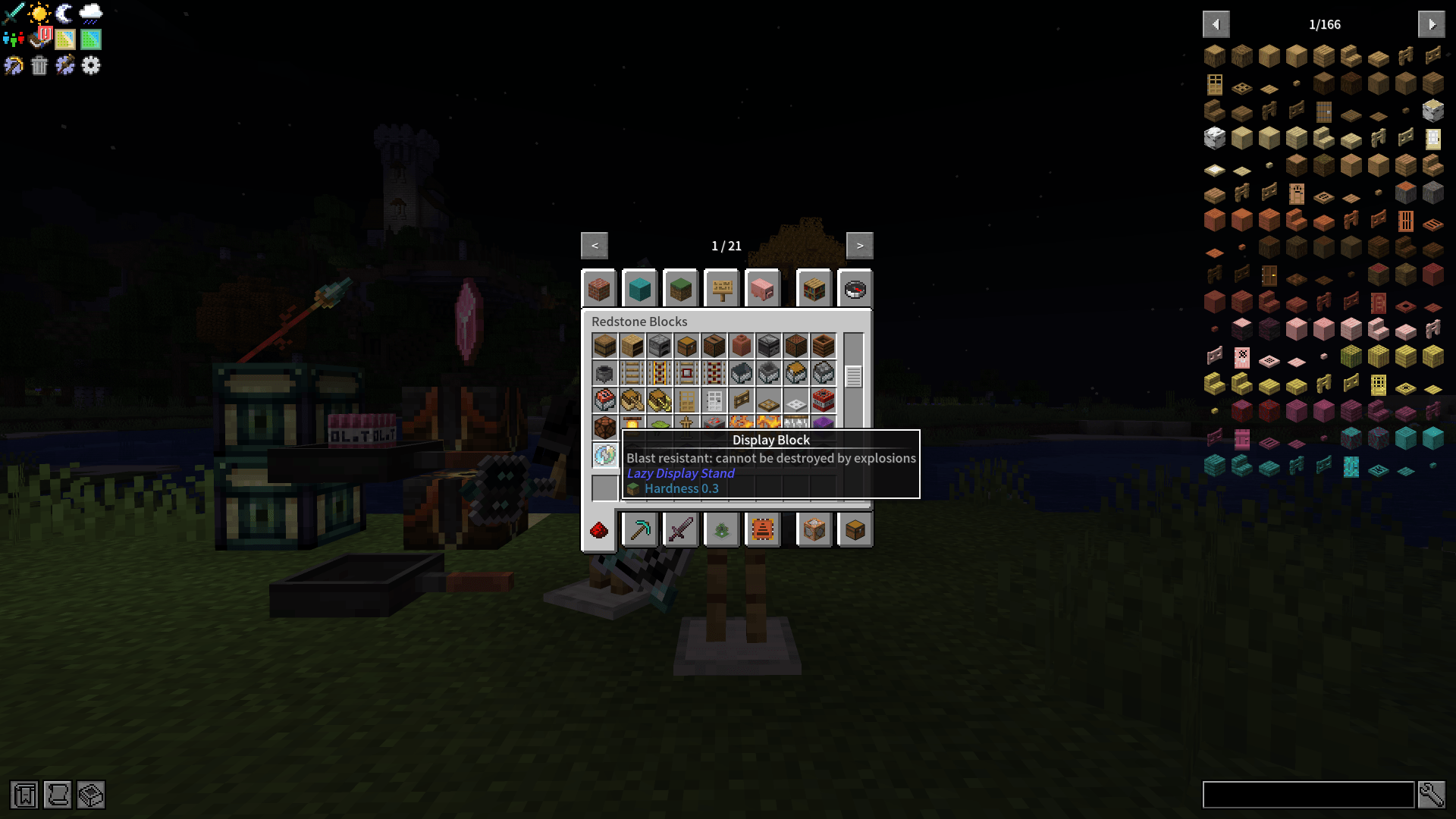
| Crafting | 1 glass pane(shapeless) → 1 Display Block |
| Creative | The Minecraft Redstone Blocks tab |
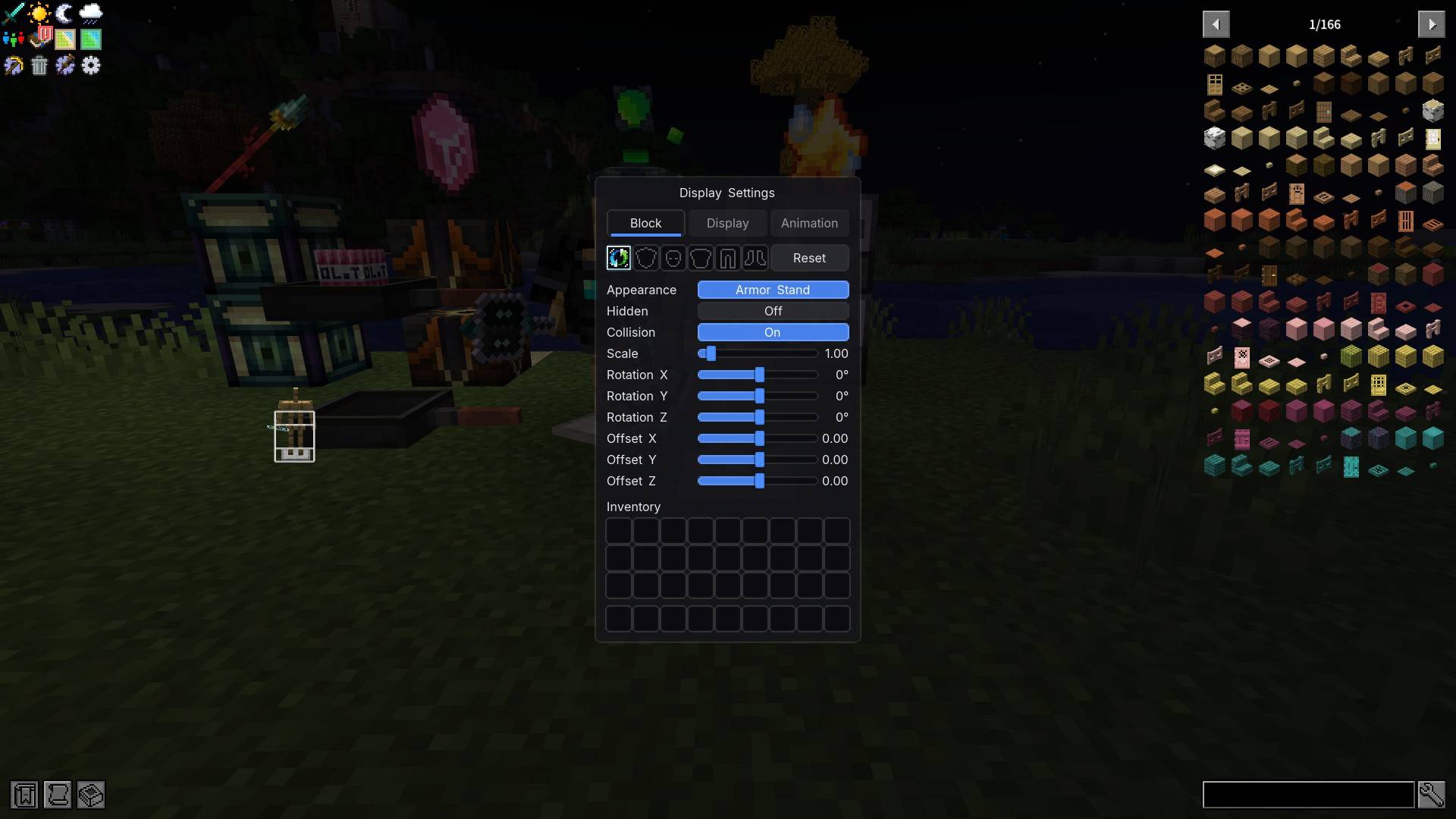
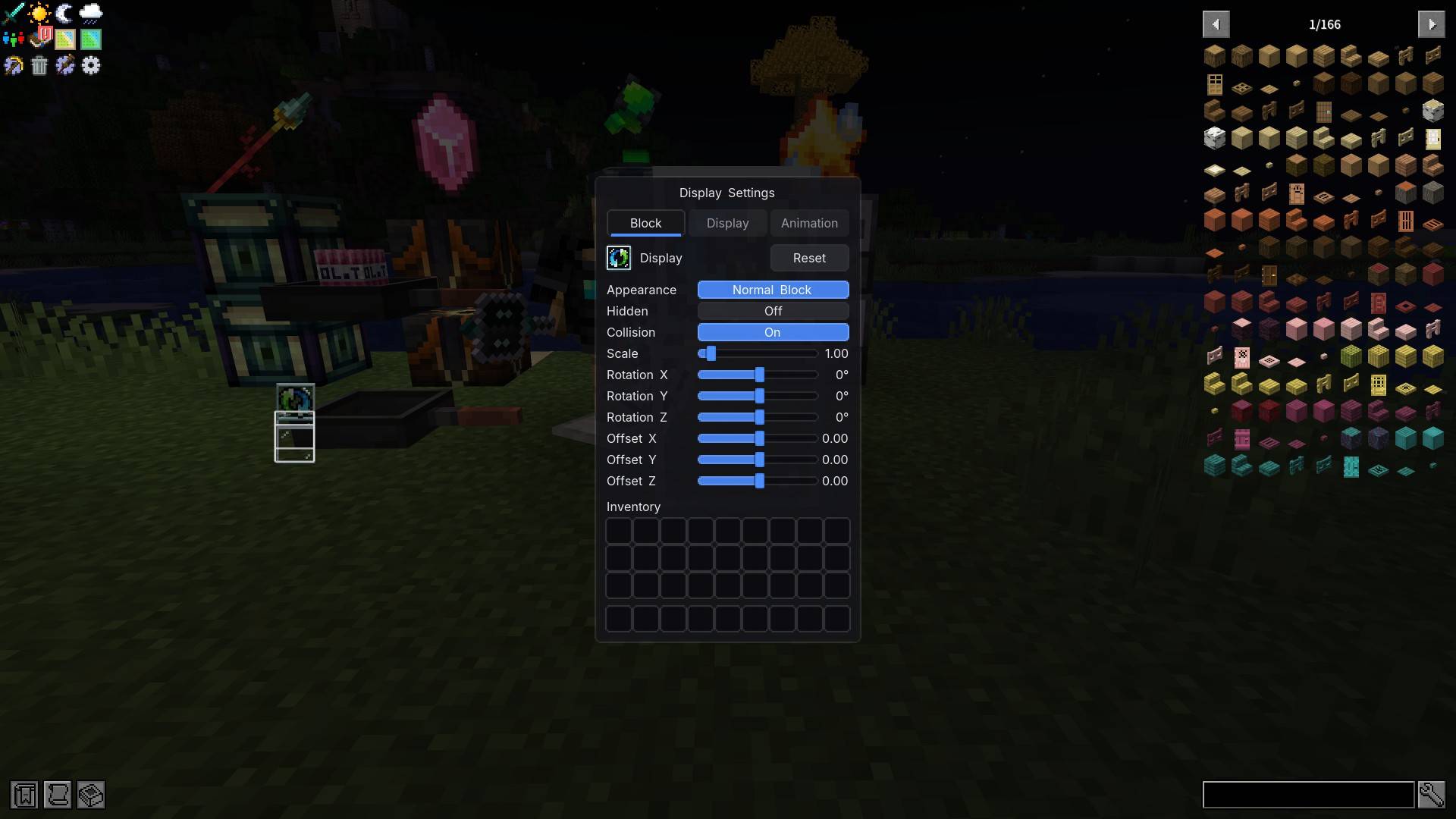
Right-click to open the Display Settings screen. Sneak-right-click does exactly the same thing — there are no modifier combos and no keybinds anywhere in this mod.
| Where | What |
|---|---|
| Top | Three tabs: Block / Display / Animation |
| Right of the tabs | The Reset button — resets the current tab only |
| Middle | 3D Preview, updating live; an empty slot shows the "3D Preview" placeholder text |
| Slot | One Display slot: put the item you want to show in it |
Tab · Block — the body itself

| Parameter | Type | Range | Default | Effect |
|---|---|---|---|---|
| Appearance | cycle | Normal Block / Mimic Block / Armor Stand | Normal Block | What the body looks like |
| Hidden | toggle | On / Off | Off | Drops the body, leaves the exhibit |
| Collision | toggle | On / Off | On | Off lets players walk through; On pushes entities out of the cell to prevent suffocation |
| Scale | slider | 0.1 – 10 | 1.00 | Body size |
| Rotation X / Y / Z | slider | -180° – 180° | 0° | Body rotation on each axis |
| Offset X / Y / Z | slider | -1.00 – 1.00 (blocks) | 0.00 | Body position fine-tuning |
Tab · Display — the exhibit

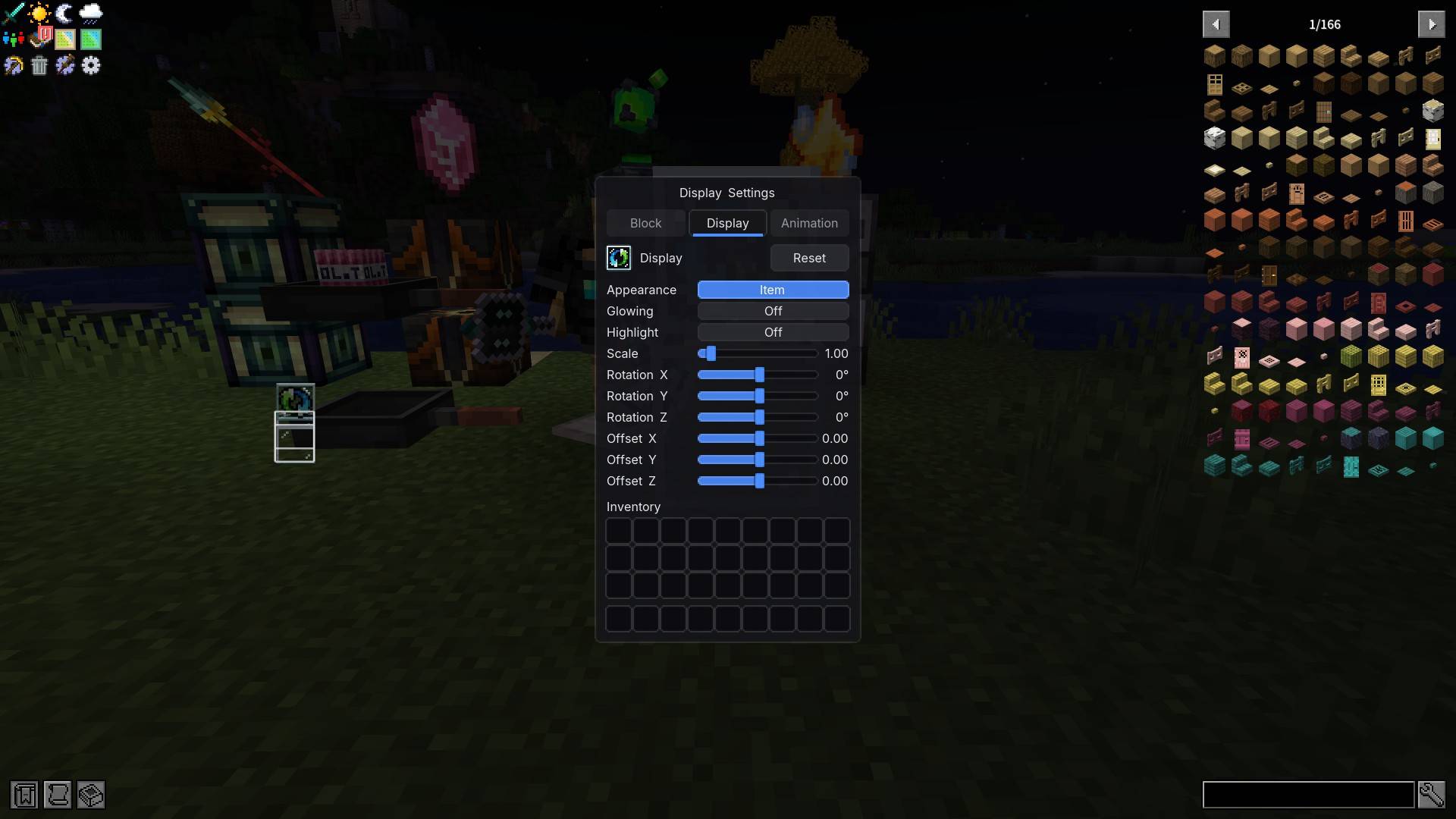
| Parameter | Type | Range | Default | Effect |
|---|---|---|---|---|
| Appearance | cycle | Item / 3D (Block Model) | 3D (Block Model) | Flat icon or solid model |
| Glowing | toggle | On / Off | Off | Glowing outline on the exhibit |
| Highlight | toggle | On / Off | Off | Ignores ambient light (stays lit in a dark room) |
| Scale | slider | 0.1 – 10 | 1.00 | Exhibit size |
| Rotation X / Y / Z | slider | -180° – 180° | 0° | Exhibit rotation on each axis |
| Offset X / Y / Z | slider | -1.00 – 1.00 (blocks) | 0.00 | Exhibit position; by default it sits on the top face |
Tab · Animation — make it move

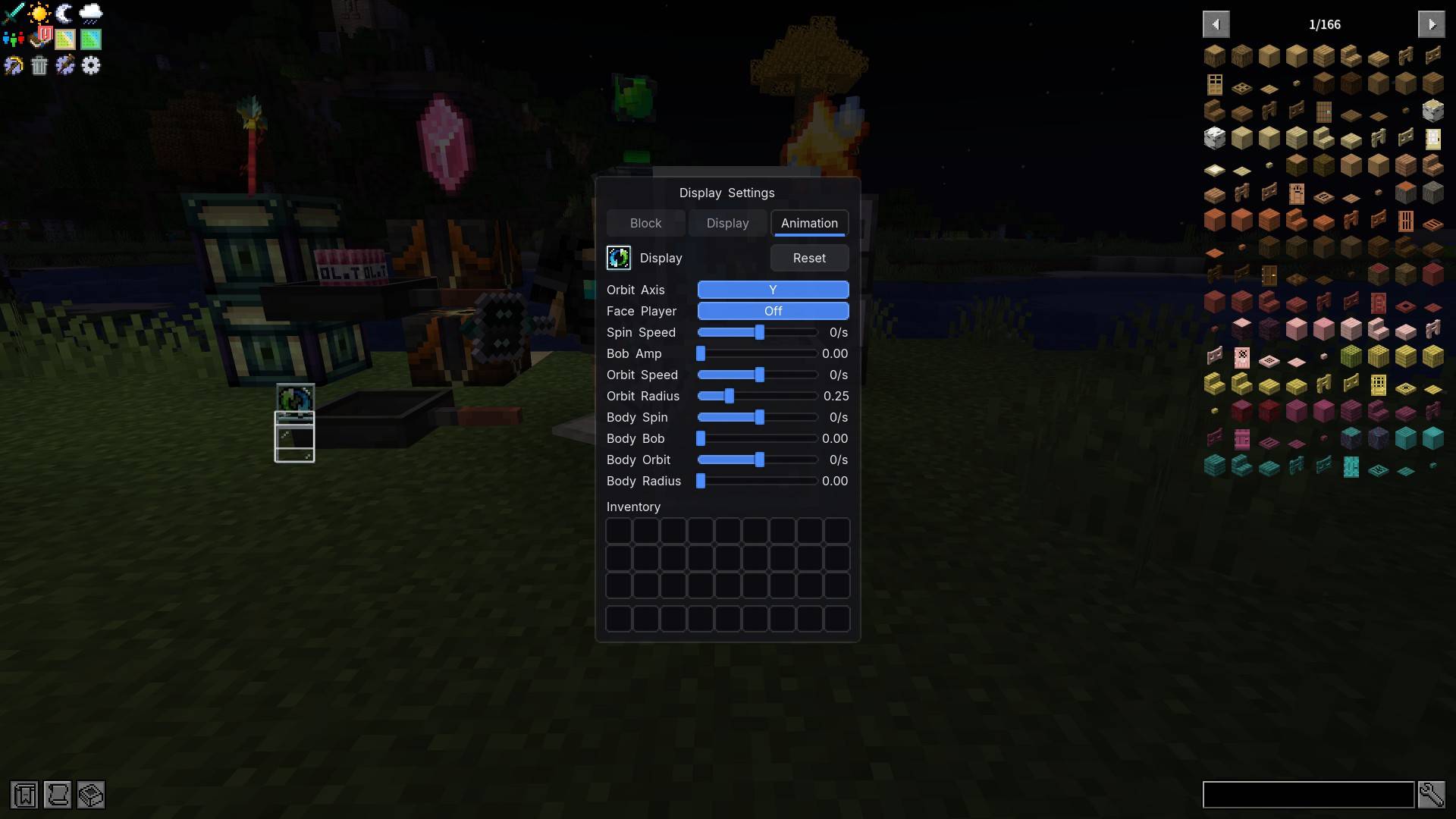
| Parameter | Type | Range | Default | Effect |
|---|---|---|---|---|
| Orbit Axis | cycle | X / Y / Z | Y | Axis the orbit turns around |
| Face Player | cycle | Off / Yaw Only / Full | Off | Whether the exhibit turns toward you |
| Spin Speed | slider | -720 – 720 (deg/s) | 0 | Exhibit spin, negative reverses |
| Bob Amp | slider | 0 – 1 | 0.00 | Exhibit up/down bobbing |
| Orbit Speed | slider | -720 – 720 (deg/s) | 0 | Exhibit orbits around the axis |
| Orbit Radius | slider | 0 – 1 | 0.25 | Orbit radius |
| Body Spin | slider | -720 – 720 (deg/s) | 0 | The body itself spins |
| Body Bob | slider | 0 – 1 | 0.00 | The body itself bobs |
| Body Orbit | slider | -720 – 720 (deg/s) | 0 | The body itself orbits |
| Body Radius | slider | 0 – 0.5 | 0.00 | Body orbit radius |
- The first six affect the exhibit; the four named Body affect the block itself.
- Animation is driven by game time, so every player sees the same phase — nobody sees it spinning at a different angle.
- Speed 0 means stopped.
Works with items and blocks from any mod
- Any item can be displayed — set the Display tab's Appearance to "Item" and the vanilla item model renderer takes over. Any item from any mod shows up as long as it has a model.
- Turn a block item into a real 3D block — set Appearance to "3D (Block Model)" and you get the actual block model that item would place. It requires a static block model; when no model is available it falls back to the flat item rather than rendering nothing.
- Make the body mimic the block below — set the Block tab's Appearance to "Mimic Block" and the body becomes whatever block sits directly underneath. If that is a machine from another mod, it mimics that machine — this mod does not need to know that mod at all.
- ✅ Normal blocks (stone, wood, flowers, most building blocks) mimic fully
- ⚠️ Furnaces / hoppers / spawners: static model only, animations do not follow
- ❌ Chests, shulker boxes, beds, signs and banners are out of reach — they fall back to the normal block automatically
- ❌ Air, fluids or a missing model also fall back — it never renders as empty space
[LDS] Lazy Display Stand Team


Owner

![[LEI] Lazy Enough Items project image](https://media.forgecdn.net/avatars/thumbnails/2033/98/256/256/639243924727193833.png)