Laser Toys
- By
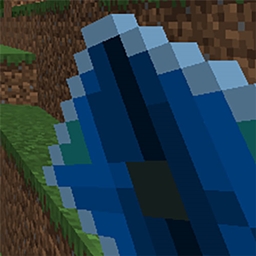
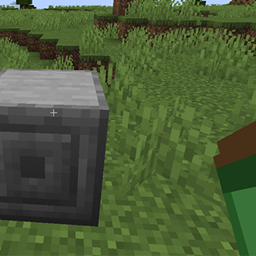
Laser Toys adds customizable laser weapons and utility modules to NeoForge Minecraft.
Laser Toys
Laser Toys adds customizable laser weapons and utility modules to NeoForge Minecraft.
Version Requirements
- Minecraft: 1.21.1+
- NeoForge: 26.1.2.76+
- Java: 21
Install (Players)
- Install a NeoForge profile for your Minecraft version.
- Place the Laser Toys
.jarin yourmodsfolder. - Launch the game and open the
Laser Toyscreative tab to view all items.
Weapons And Toys
| Item | Role |
|---|---|
| Laser Gun | Balanced combat beam weapon. |
| Laser Blaster | Fast, short-range, lower damage sidearm. |
| Heavy Laser Cannon | Slow, long-range, high-damage weapon. |
| Mining Laser | Breaks blocks at range with heat/energy mechanics. |
| Laser Pointer | Harmless utility pointer. |
| Disco Laser | Pointer variant with shifting colors. |
| Laser Sword | Melee weapon with fire damage flavor. |
Crafting Recipes
All Laser Toys items and modules are craftable in a crafting table.
Laser Gun
Pattern:
I I G
I R B
I
Key: I Iron Ingot, G Glass Pane, R Redstone, B Blaze Powder
Laser Blaster
Pattern:
C C G
C R B
C
Key: C Copper Ingot, G Glass Pane, R Redstone, B Glowstone Dust
Heavy Laser Cannon
Pattern:
D D G
R B R
I I I
Key: D Diamond, G Glass Pane, R Redstone Block, B Blaze Powder, I Iron Block
Mining Laser
Pattern:
D I G
R B L
I
Key: D Diamond, I Iron Ingot, G Glass Pane, R Redstone, B Blaze Powder, L Lapis Lazuli
Laser Pointer
Pattern:
I R G
Key: I Iron Ingot, R Redstone, G Glass Pane
Disco Laser
Shapeless:
- Laser Pointer
- Glowstone Dust
Laser Sword
Pattern:
A
A
B
Key: A Amethyst Shard, B Blaze Rod
Battery Module
Pattern:
R I R
R C R
R I R
Key: R Redstone, I Iron Ingot, C Copper Ingot
Silk Touch Module
Pattern:
S G S
G E G
S G S
Key: S String, G Gold Ingot, E Echo Shard
Fortune Module
Pattern:
L G L
G E G
L G L
Key: L Lapis Lazuli, G Gold Ingot, E Emerald
Routing Module
Pattern:
E H E
H C H
E H E
Key: E Ender Pearl, H Hopper, C Ender Chest
Controls
Right Clickwith a laser: fire/use.Shift + Right Clickwith a laser: open the Laser Modifier screen.
Laser Modifier Screen
You can install, enable, disable, and switch modifiers on each laser.
Interactions
Left Clickon a modifier button: apply/install levels (uses materials).Shift + Left Clickon a modifier button: toggle that installed modifier ON/OFF.
Modifier Materials
| Modifier | Material |
|---|---|
| Damage | Redstone |
| Range | Quartz |
| Burn | Glowstone Dust |
| Looting | Lapis Lazuli |
| Auto Pickup | Hopper |
| Silk Touch | Silk Touch Module |
| Fortune | Fortune Module |
| Battery Tier | Battery Module |
| Smart Routing | Routing Module |
Silk Touch vs Fortune
- Both can be installed.
- Only one can be active at a time.
- Applying one can automatically switch active mode from the other.
Mining Laser Notes
- Uses internal energy and heat.
- Can auto-refill from redstone depending on config.
- Auto Pickup and Smart Routing are modifier-driven.
- Beam visuals now support configurable start distance for reduced visual clutter.
Config (Server/Pack Friendly)
Main config file: config/lasertoys-common.toml
Useful options include:
- Mining heat/energy tuning
- Upgrade enable/disable and max levels
- Loot duplication and auto-pickup behavior
- Mining beam visual start distance (
beamStartDistance)
Troubleshooting
- Modifier click does nothing: check chat feedback for missing material, max level, or disabled upgrade.
- Drops seem missing while mining: check inventory first, then Ender Chest if Smart Routing is enabled.
- Beam too noisy: increase
beamStartDistancein config.
Credits
Made for players who want configurable laser gameplay without heavy setup.
Laser Toys Team