
KoHs Anchor's
- By
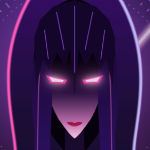
Respawn anchor and glowstone clicks land in the order you pressed them, on the block you are looking at, in Vanilla's own tick shape. Plus anchor skins, glow, enemy anchor colours and sounds.
Curse Maven Snippet
What's new
KoHs Anchor's 0.6.0
- Glow per light, the new glow: every light of the anchor (the top, the veins, the charge lights) shines where it is, in its own colour, with a soft glow that follows its shape. It reads Vanilla's textures, a resource pack's or your custom skin. The glow there was before is still there as the Round style: Glow > Glow style.
- Super glowing (new, off by default): a soft aura of light round the anchor, as under ray tracing. It can lower FPS with several charged anchors close by.
- With the power and the bloom turned up the glow no longer fills up into bright square plates, and the bright line where a lit floor met a lit wall is gone.
- The anchor preview is a room now: an obsidian floor and ceiling, seen in perspective, lit by the mod's own glow exactly as the world draws it (lit pixels, bloom, light on the floor and the ceiling).
- It answers like an anchor: right click charges it, left click detonates it, with the fade you chose and the game's explosion smoke. Drag to walk the camera around it, wheel to come closer.
- Enemy anchors: in their window and in the switch, "Yours" shows your own skin and glow and "Enemy" theirs (they were mixed up).
- The enemy page (background, switch animation, tabs, accents) follows the colour you picked for the enemy's anchors instead of a fixed red.
Full changelog: https://github.com/kerlycanelita/KoHs-Anchors/blob/main/CHANGELOG.md
This mod has no additional files