Keyboard mouse overlay
- By
A keystrokes display for your screen — the same idea as the overlay streamers use, but built for everyday play
292614.jpg
292612.jpg
Description
# Keyboard Mouse Overlay
A keystrokes display for your screen — the same idea as the overlay streamers use, but built for everyday play.
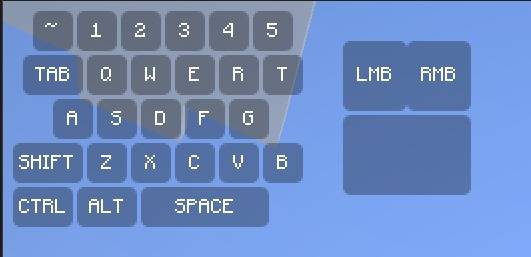
It draws a compact keyboard and mouse in the corner of your HUD, and each key lights up the instant you press it. You can see at a glance whether your SHIFT is actually held, whether your W registered, or whether that click landed — useful for PvP, parkour, bridging, recording, or just checking your own habits.
**What's on screen**
- Number row (`~ 1 2 3 4 5`), TAB, `Q W E R T`, `A S D F G`, SHIFT, `Z X C V B`, CTRL, ALT and a wide SPACE bar
- Left and right mouse buttons with a mouse body beside the keyboard
- Pressed keys change color and text color so input is unmistakable
- Labels can be hidden if you prefer a clean, minimal look
**Making it yours**
- Toggle it instantly with **O** (rebindable in Controls), with an on-screen ON/OFF confirmation
- `/keyboard-mouse-overlay scale 0.1–2.0` resizes it; `/kamo` works as a short alias
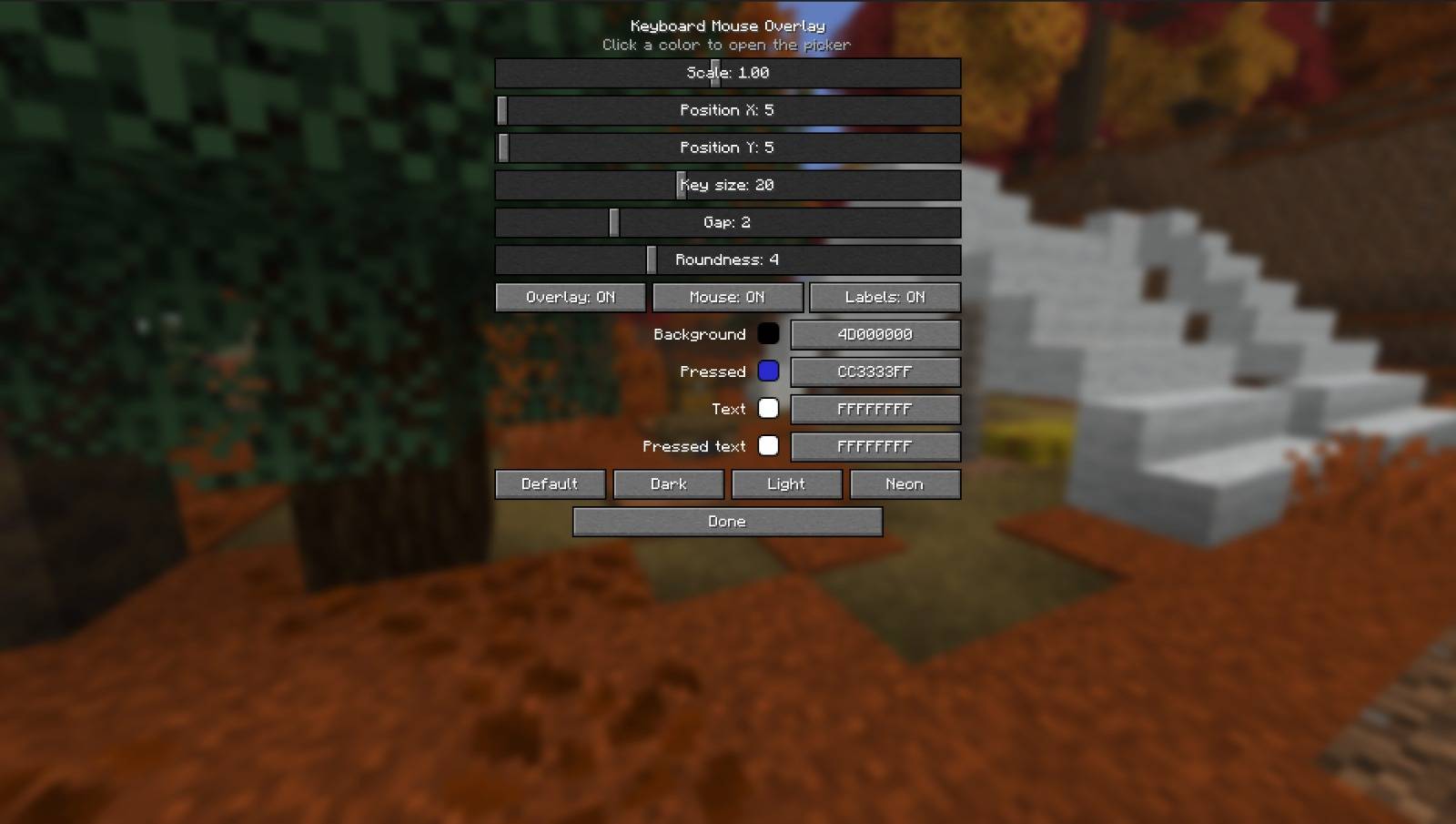
- A full config screen in Mod Menu: size, position, key size, spacing, and corner roundness — from sharp square keys all the way to fully rounded
- Pick any color by dragging on a live color wheel/square, with alpha for transparency
- One-click themes: Default, Dark, Light, Neon
- Everything saves automatically and comes back exactly as you left it
**Good to know**
- Client-side only — works on any server, including ones you don't own, and nobody else needs it installed
- Hides together with the rest of the HUD when you press F1
- Lightweight: it doesn't touch gameplay, rendering of the world, or networking
- Free and open source under the MIT license
Built by **mayank** / **AFKZ Studios** for Fabric, available for 1.21.11, 26.1, 26.1.1, 26.1.2, 26.2 and 26.3.
Keyboard mouse overlay Team