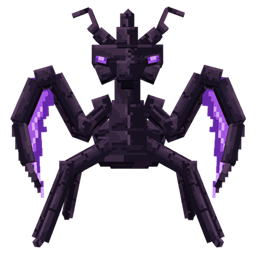
JEI Biome(EMI/JEI)
- By
Browse biome mob spawns, ore distribution, and related biome block information directly in JEI.
hp12138 | JEI Biome
Create your game server with 

JEI Biome Feature Overview
JEI Biome is a JEI information addon that collects biome generation data from datapacks and displays it in JEI pages.
It helps players check which mobs, mob drops, blocks, ores, and terrain-related features can appear in each biome.
Core Features
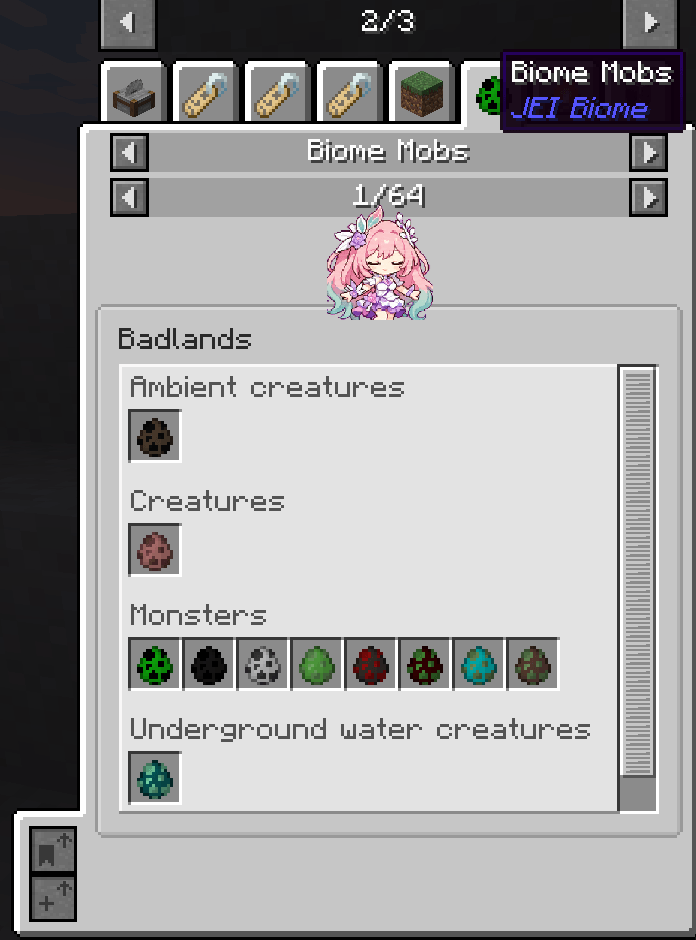
Biome Mobs JEI Page
Displays mobs that can naturally spawn in the current biome, grouped by mob category:
- Ambient mobs
- Monsters
- Creatures
- Underground water creatures
- Water creatures
- And more
Mob Tooltips With Spawn Information
When hovering over a mob spawn egg, the tooltip shows:
- Mob category
- Spawn weight
- Spawn count per attempt
- Spawn position, such as on ground, in water, or in lava
- Spawn search position, such as surface, ocean floor, or walkable surface
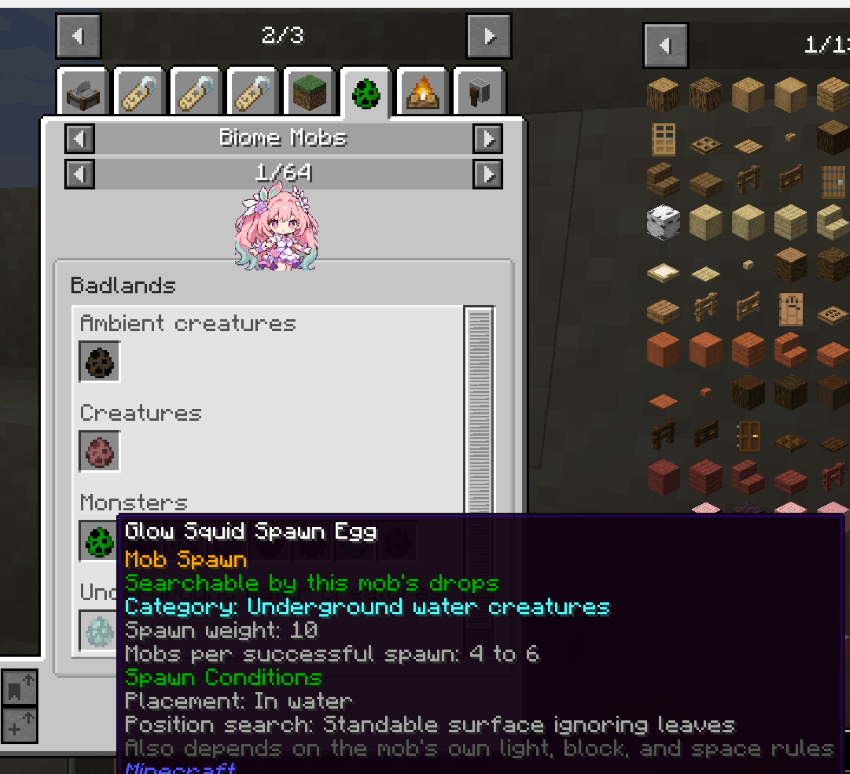
Note: actual spawning may still be affected by the mob’s own rules, such as light level, blocks, space, and other conditions.
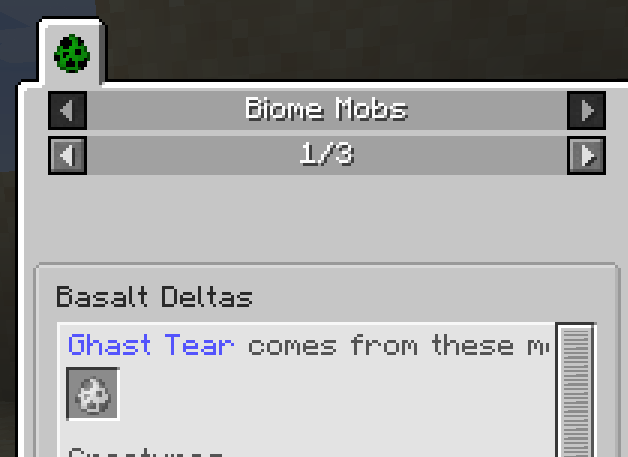
Drop Source Hint
When entering a biome mob page through a mob drop, the top of the page will display:
“Rotten Flesh comes from the following mobs”
The next line will show the corresponding mob spawn eggs, followed by the normal mob list for that biome.
Biome Blocks JEI Page
Displays block information related to each biome, including:
- Biome terrain / surface candidate blocks
- Surface feature blocks
- Underground feature blocks
- Ore blocks
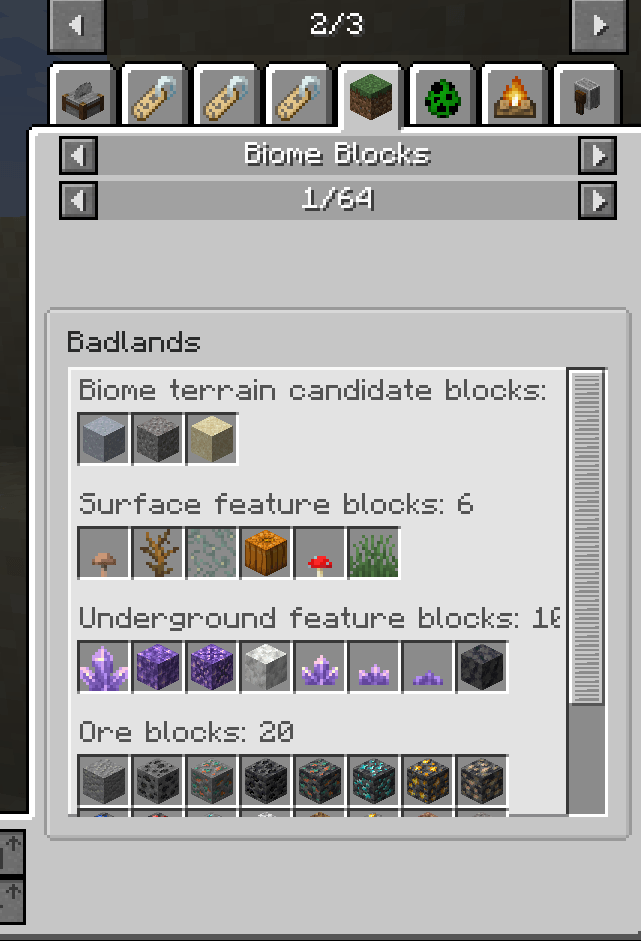
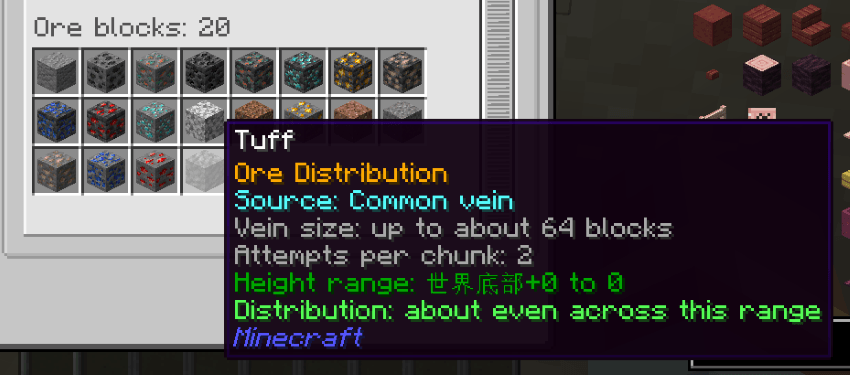
Ore Tooltips With Distribution Information
When hovering over an ore block, the tooltip shows player-friendly ore generation information, such as:
- Source: common vein, large vein, buried vein, or extra vein
- Vein size
- Attempts per chunk
- Height range
- Distribution tendency, such as “more common in the middle of the range, rarer near both ends”
Block Blacklist Tag Support
Blocks can be hidden from the JEI biome block pages by adding them to this block tag:
jei_biome:biome_block_blacklist
JEI Biome(EMI/JEI) Team


Owner