
AlliumControl | Admin Tools & More
All-in-One Admin Tool | STILL WIP MORE FEATURES ADDED FREQUENTLY
- 46
- September 6, 2025


AlliumControl | Admin Tools & More
All-in-One Admin Tool | STILL WIP MORE FEATURES ADDED FREQUENTLY
- 46
- September 6, 2025



2026-10-29_06.24.13.png
2026-10-29_06.22.47.png
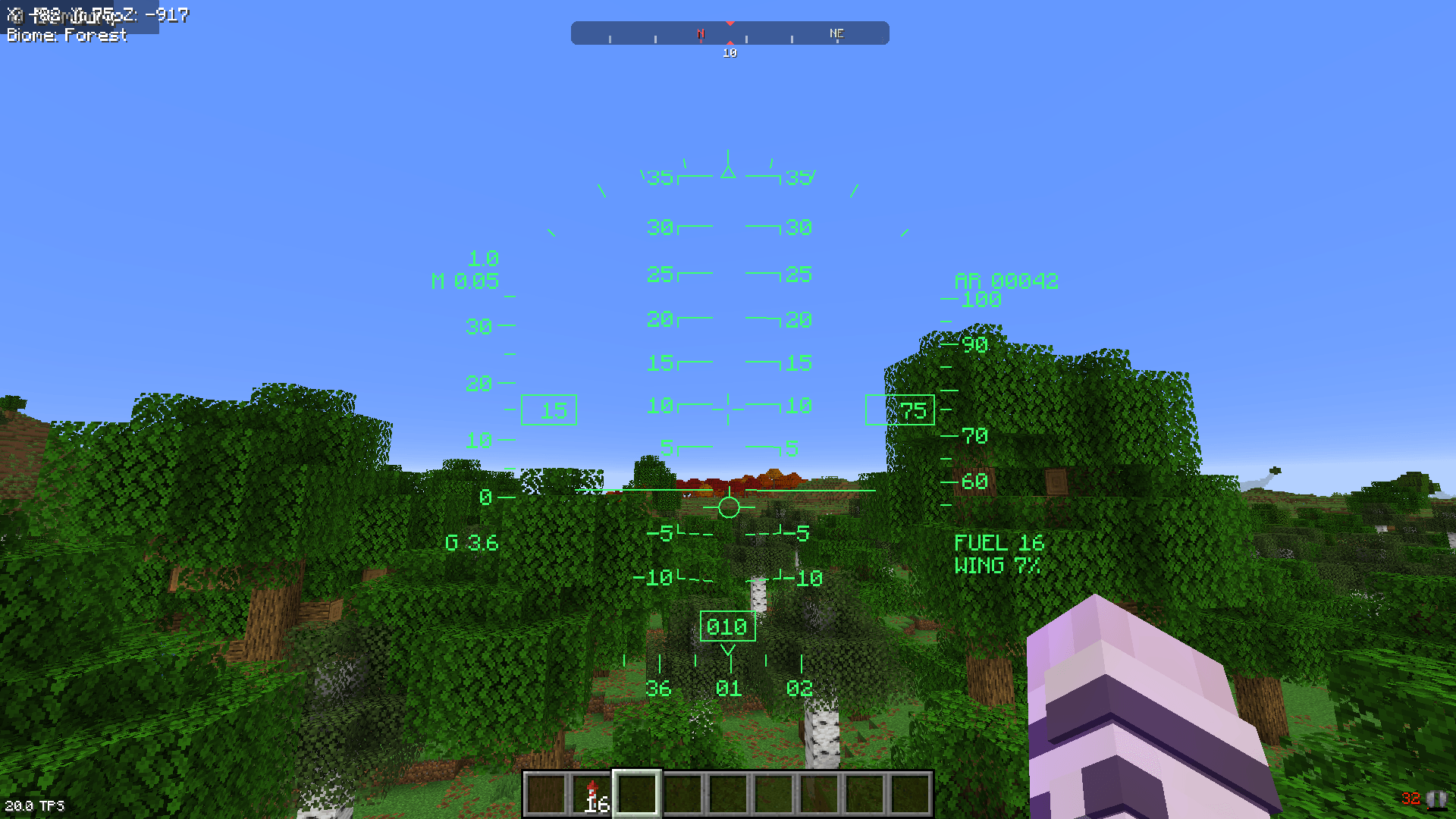
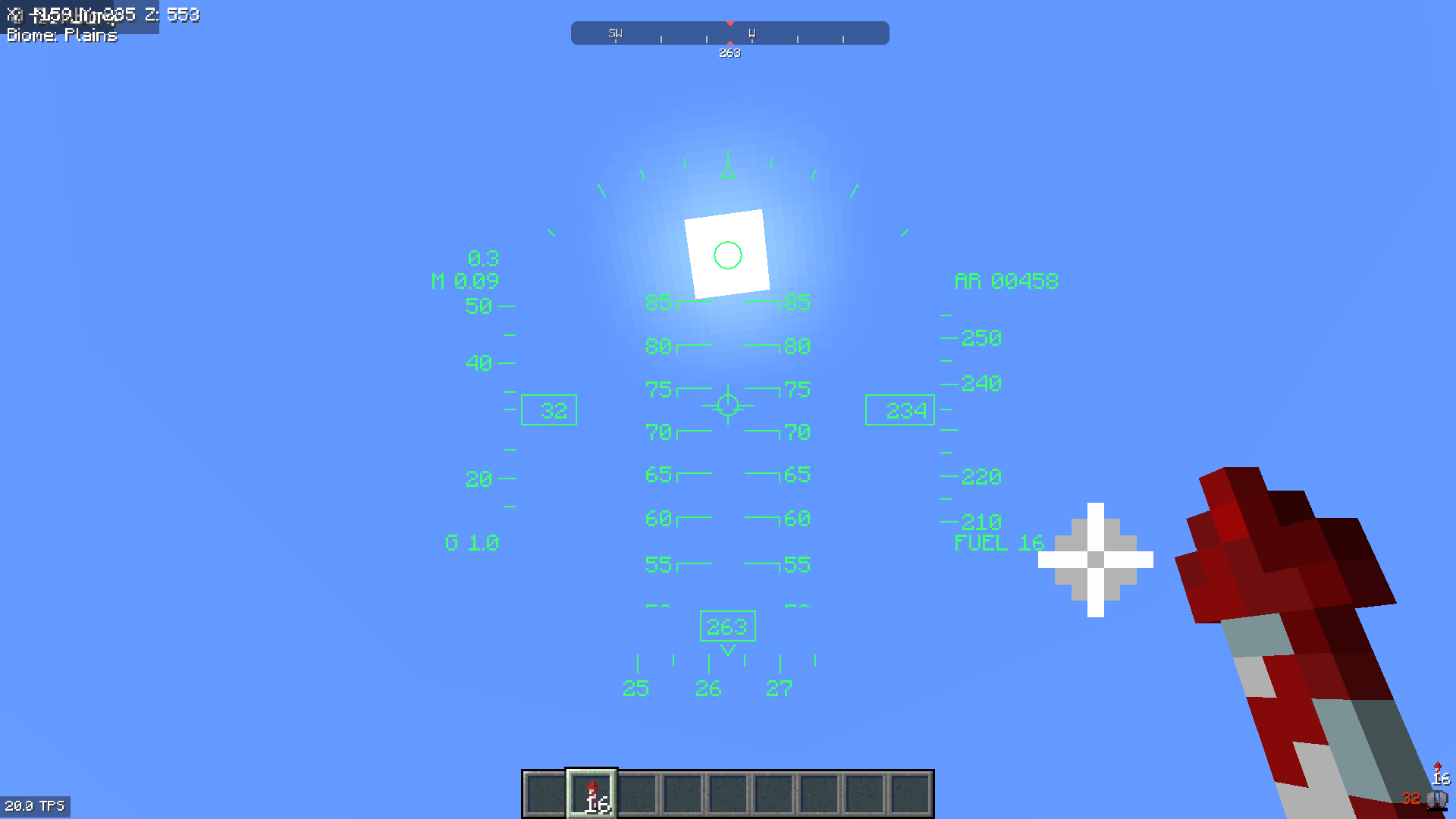
Fly your elytra like a fighter jet. F-16 HUD adds a working head-up display, modelled on the F-16, that appears whenever you glide with an elytra in first person.
The HUD isn't just decoration. The flight path marker and pitch ladder line up with the world, so the marker shows exactly where you're actually flying. Keep it above that mountain and you'll clear it.
FUEL: firework rockets left in your inventory (flashes when you're down to 2 or fewer)WING: elytra durability (flashes below 10%)WARN flashes when you're sinking too fast for your height or your flight path hits terrain within the next 3 seconds.Fully compatible with Do a Barrel Roll. The HUD reads the camera's real orientation, so the pitch ladder and flight path marker follow every roll, loop and knife-edge pass. DABR is optional: without it, the built-in bank assist provides the leaning.
The HUD scales to your window size and GUI scale. Windowed, fullscreen, 4K and ultrawide all work. Lines stay sharp, text stays crisp, and everything sits above your hotbar. Switching to fullscreen with F11 mid-flight just works.
| Key | Action |
|---|---|
H |
Toggle HUD |
J |
Cycle HUD brightness (4 levels) |
Both keys can be rebound under Options → Controls → F-16 HUD.
Client-side only. Works on any server, vanilla included. Nothing is needed on the server.
HUD layout based on the Simscape F-16 HUD documentation.

All-in-One Admin Tool | STILL WIP MORE FEATURES ADDED FREQUENTLY
All-in-One Admin Tool | STILL WIP MORE FEATURES ADDED FREQUENTLY