Itemwise
- By
Every item and how to make it: recipes and uses for every mod, a craft-tree planner, a Fill button that takes from your chests, smart search and bookmarks.
1-item-list.png
2-recipes.png
3-fill.png
5-bookmarks.png
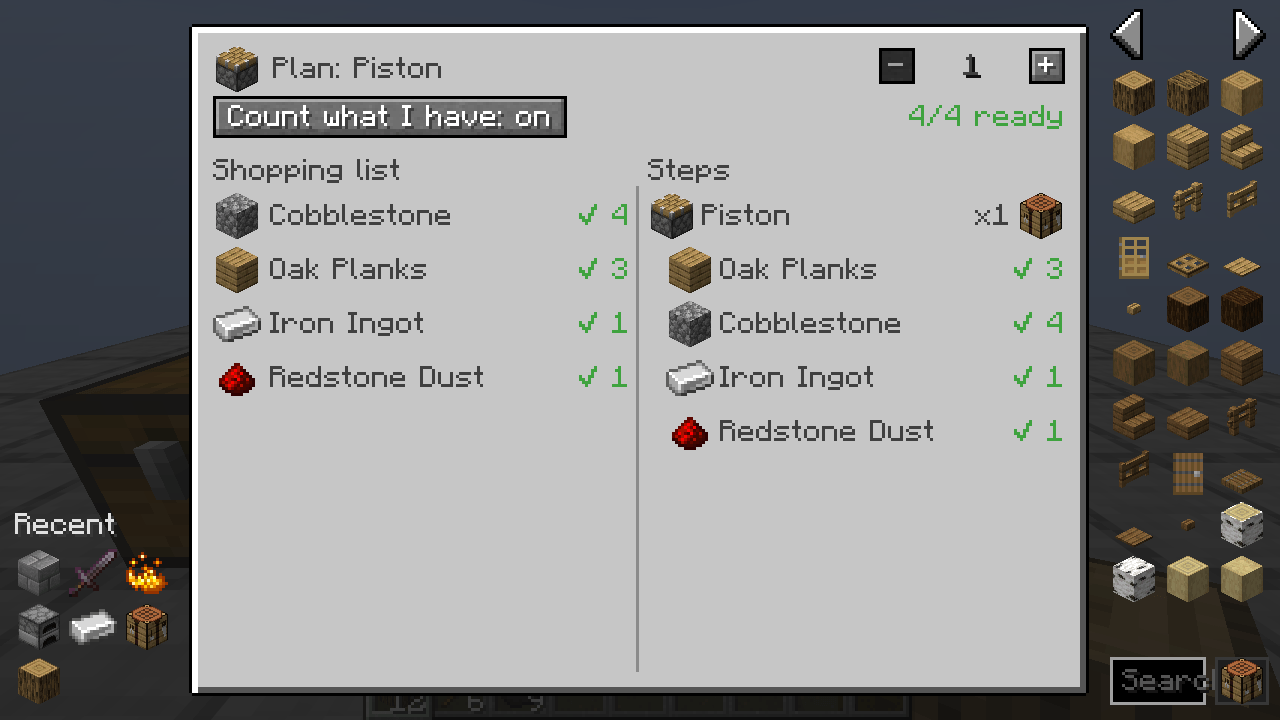
4-planner.png
Description
See every item in the game and how to make it. Itemwise is an item and recipe viewer, plus a planner that works out a whole craft tree for you and a Fill button that takes the ingredients from your chests.
What it does
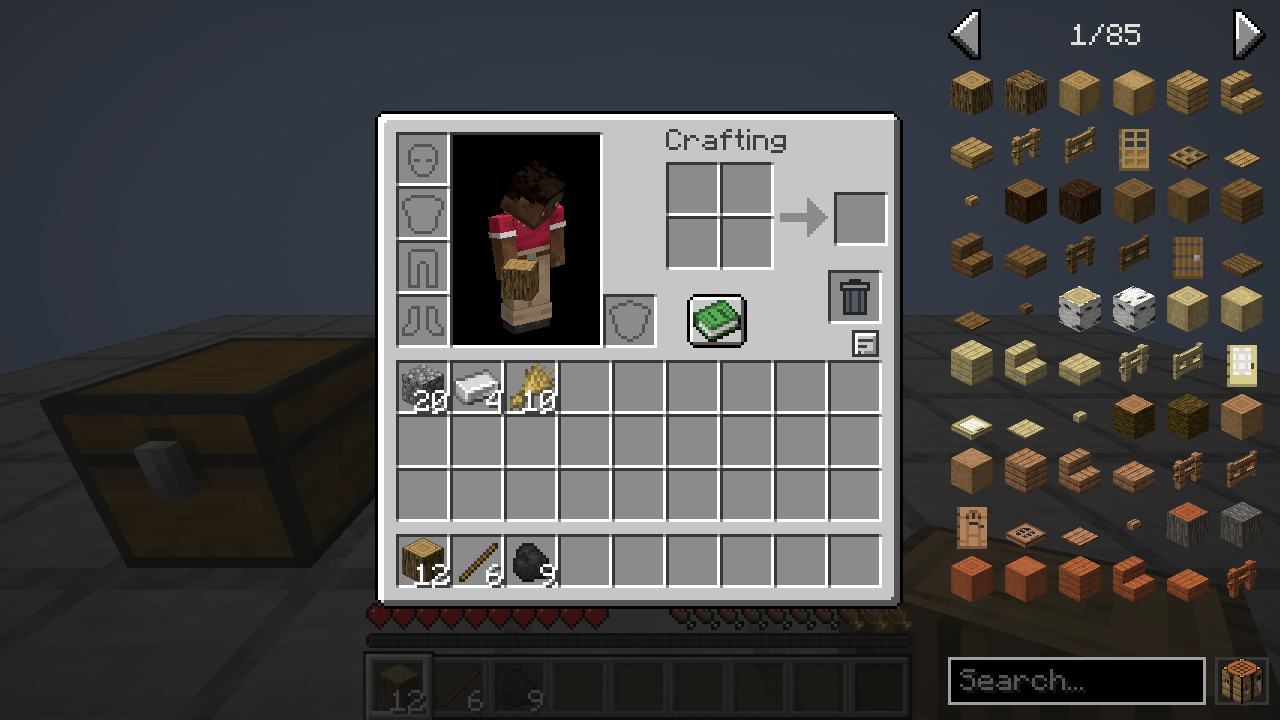
- Item list beside every inventory screen: every item in the game, in creative order, page by page.
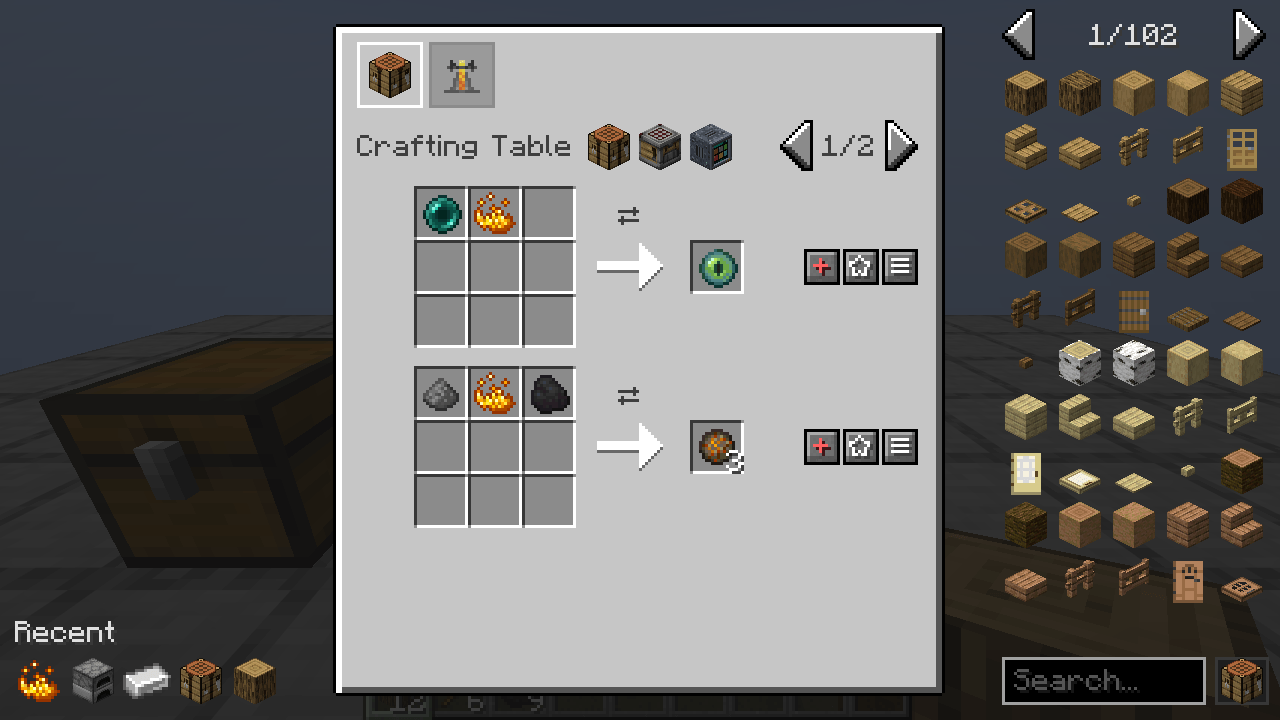
- Recipes and uses: click an item (or press R) to see how to make it, right-click (or U) to see what it is used for. A workstation shows everything made at it, and every recipe tab shows where its recipes are made. Recipes come in tabs: crafting, smelting, blasting, smoking, campfire, stonecutting, smithing, brewing, anvil repair, fuel (how long it burns) and composting (the chance of a layer), plus every modded recipe type.
- Backspace goes back to the item you looked at before. Hold Shift to stop the ingredients cycling.
Works with other mods, with no add-on needed
- Modded recipes: recipes that come with a recipe display show as they are. Any other recipe type is read straight from the recipe data: its ingredients, its outputs (byproducts and chances too, like a cutting board's tree bark) and the block it is made at. Tested with Farmer's Delight (cooking pot and cutting board) and Naturalist.
- Modded crafting grids: the + works on any screen with a crafting grid, of any size.
- Modded storage: Fill from chests also takes from modded chests, barrels, crates and drawers.
- Information pages that mods wrote for JEI in their language files show up under an Information tab.
- Item list keeps clear of the buttons other mods put beside the inventory.
- For mod authors: a small plugin API (the
itemwiseentrypoint) adds information pages, workstations, screen areas, items under the cursor and a custom + for your own menus.
The extras
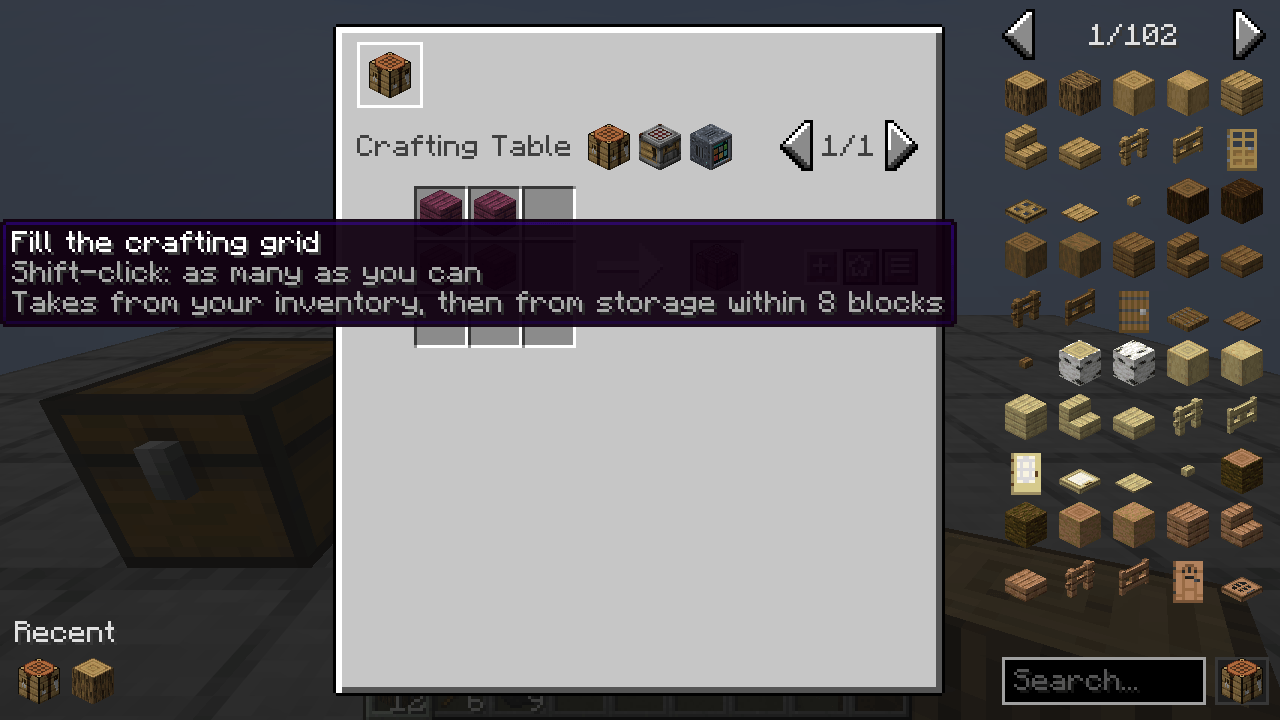
- Fill from chests: the + button on a recipe puts it in your crafting grid. It takes the ingredients from your inventory first, then from the chests, barrels and shulker boxes within 8 blocks, and your ender chest when one stands nearby. Click again for one more, Shift-click for as many as you can. A red + tells you what is missing.
- Craft-tree planner: the ≡ button on a recipe (or K, or Shift-click an item) plans it. You get a shopping list of raw materials for the whole tree and every step to get there, with what you already carry (and what the chests nearby hold) ticked off. Click a step for another recipe, Shift-click for another ingredient (birch planks instead of oak), right-click to gather it instead of crafting it.
- Smart search: plain words match names, @mod a mod, #tag a tag, $word the tooltip, %tab a creative tab, &id the item id, -word leaves out, a | b shows either. The crafting table button next to the box shows only what you can craft right now from what you carry.
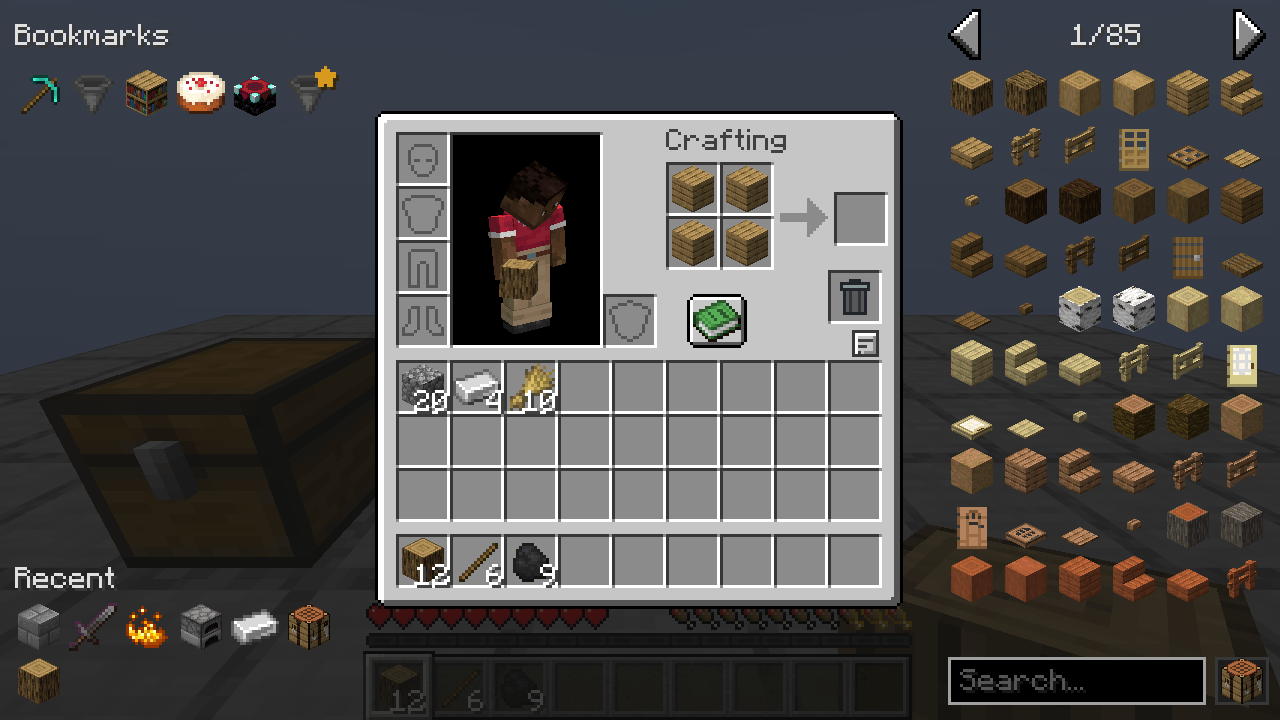
- Bookmarks, stars and history: Ctrl-click an item (or A) to bookmark it. The star on a recipe keeps that exact recipe at the front of its list and among your bookmarks. The items you looked up last sit under Recent. All of it is saved for each world and server.
- Cheat mode for creative players and operators: click an item to take a stack, right-click for one, drop an item on the list to delete it.
Keys
R recipes, U uses, A bookmark, K plan, O hide or show the list, Ctrl-F search. All of them can be changed in Controls.
Servers
Install it on the server too and every recipe reaches the players, and the Fill button can use chests. On a server without Itemwise you still get the item list, the search and the recipes you have unlocked in the recipe book, filled the way the recipe book does it.
config/itemwise.json (server): chestRange (0 = inventory only), enderChest, cheats.
Needs
- Minecraft 26.3, Fabric Loader, Fabric API
MIT licensed. Found a bug? Include logs/latest.log.
Itemwise Team