InvSearch
- By
invsearch-curseforge-banner.png
invsearch-webui-dashboard.png
invsearch-webui-locations.png
2026-05-18_17.38.13.png
2026-05-18_17.38.54.png
Description
InvSearch
Find any item in your base before your patience despawns.
InvSearch is a fully client-sided Minecraft storage search mod for Fabric and NeoForge that indexes your chests, groups stored items, shows where every result is located, and helps you walk straight to the right container. It works in singleplayer and on multiplayer servers without needing the server to install anything. It includes an in-game storage GUI and an embedded web dashboard hosted directly by Minecraft, so you can search your storage without running a separate web app.
What It Does
Large bases are fun until every chest becomes a mystery box. InvSearch turns your storage room into a searchable inventory network. Open storage around your base, let the mod build its local client-side index, then search by item name to see where everything is stored.
Storage Dashboard
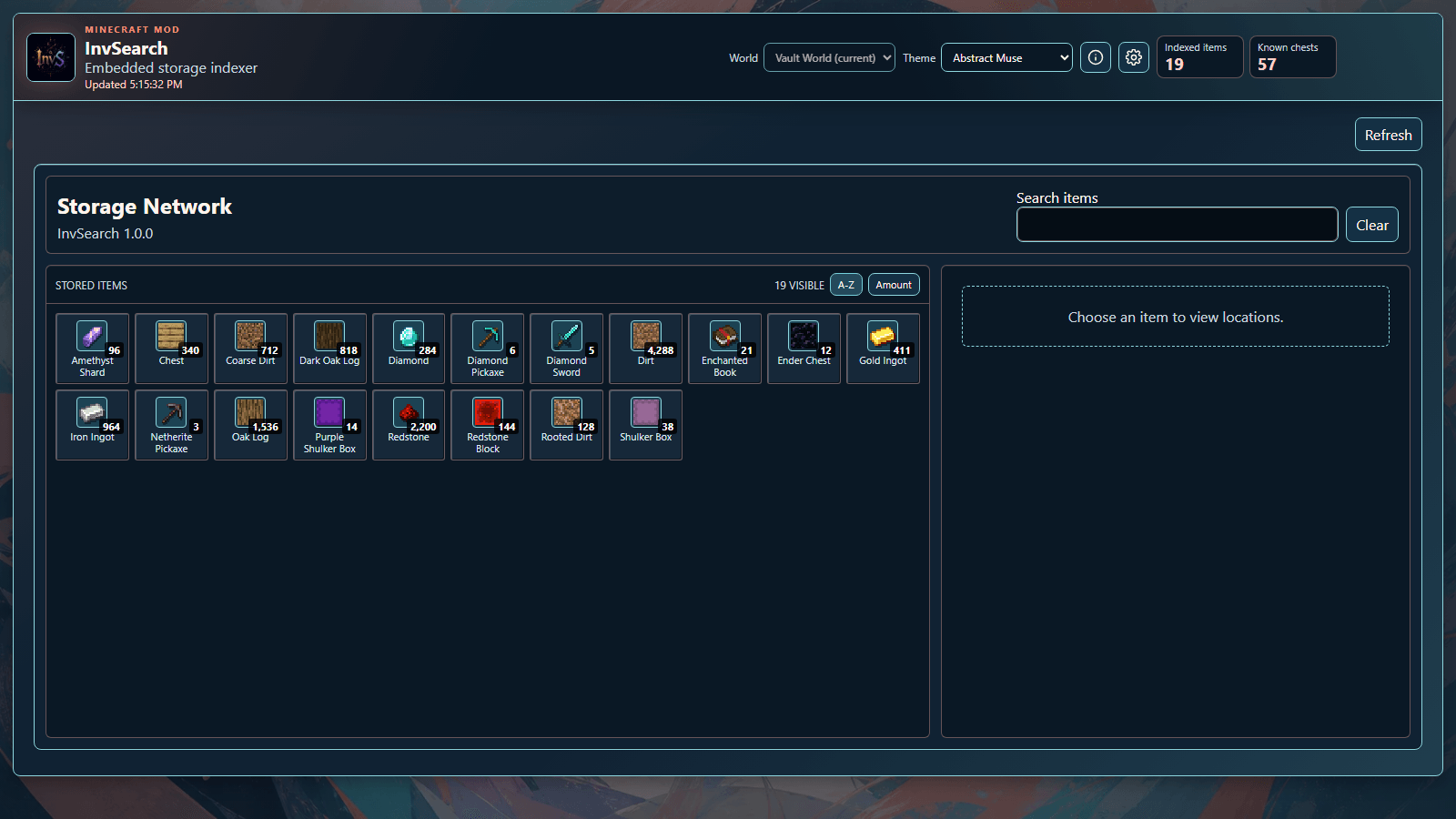
The embedded dashboard shows grouped stored items, item counts, sorting controls, and the current indexed chest total. You can sort stored items alphabetically or by amount, then choose an item to inspect its locations.
In-Game Storage GUI
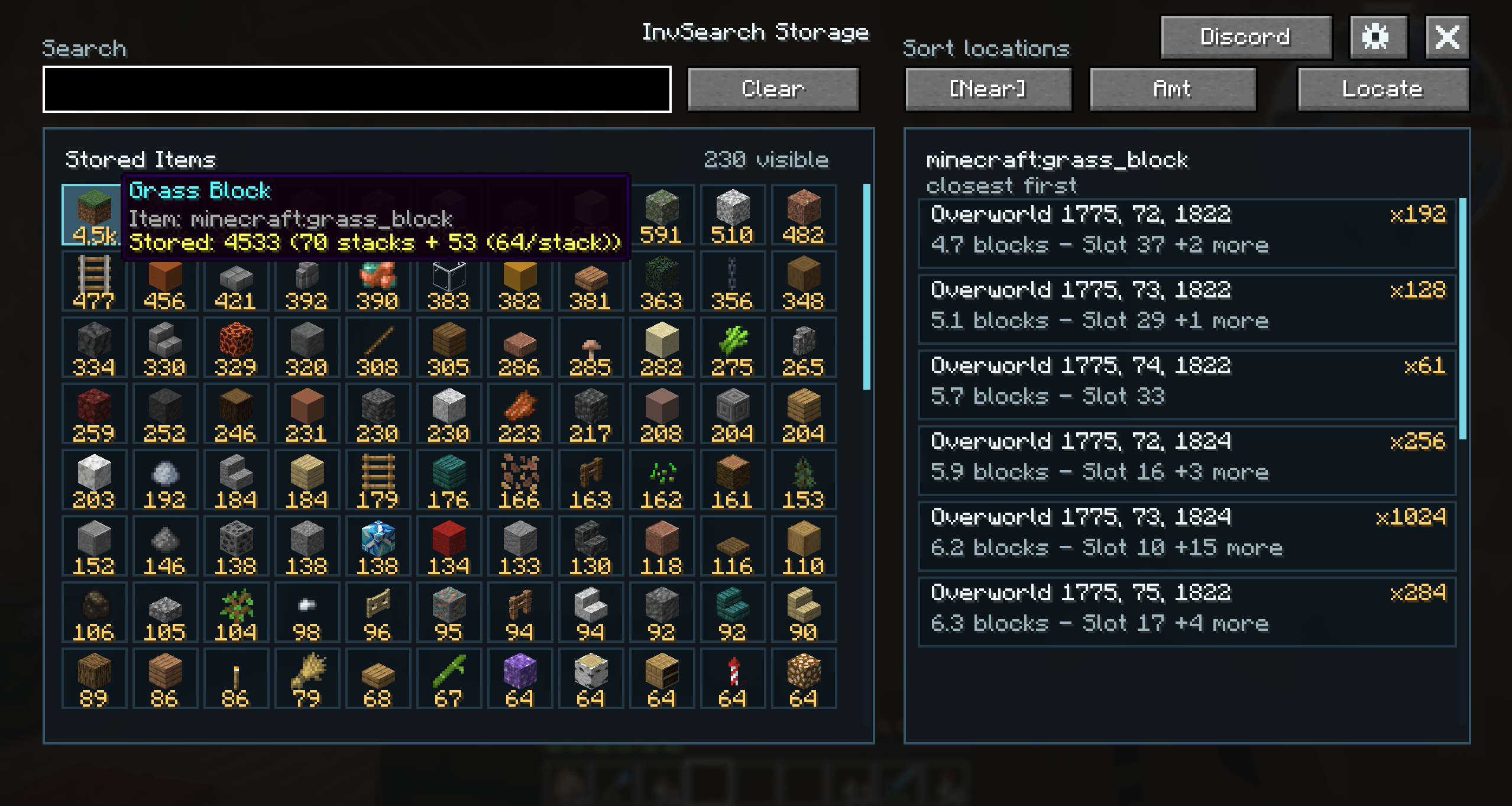
InvSearch also includes a Minecraft client GUI, so you can browse your storage without leaving the game. Open it with the default I hotkey or /InvS gui, then search items, click results, inspect chest locations, use Locate, adjust settings, and open the community Discord directly from the mod UI. The GUI remembers the active search or selected item when you reopen it.
Typing in the search box still works as a broad search. Clicking a stored item switches to exact item highlighting, so searching for stone can show every matching stored item, then clicking Stone highlights only chests that actually contain Stone. Enchanted and component-based variants stay separated when relevant.
The settings menu includes a Stored Items range slider, so the stored item grid can show only items from indexed chests near the player when you want a local view of your storage.
Exact Chest Locations
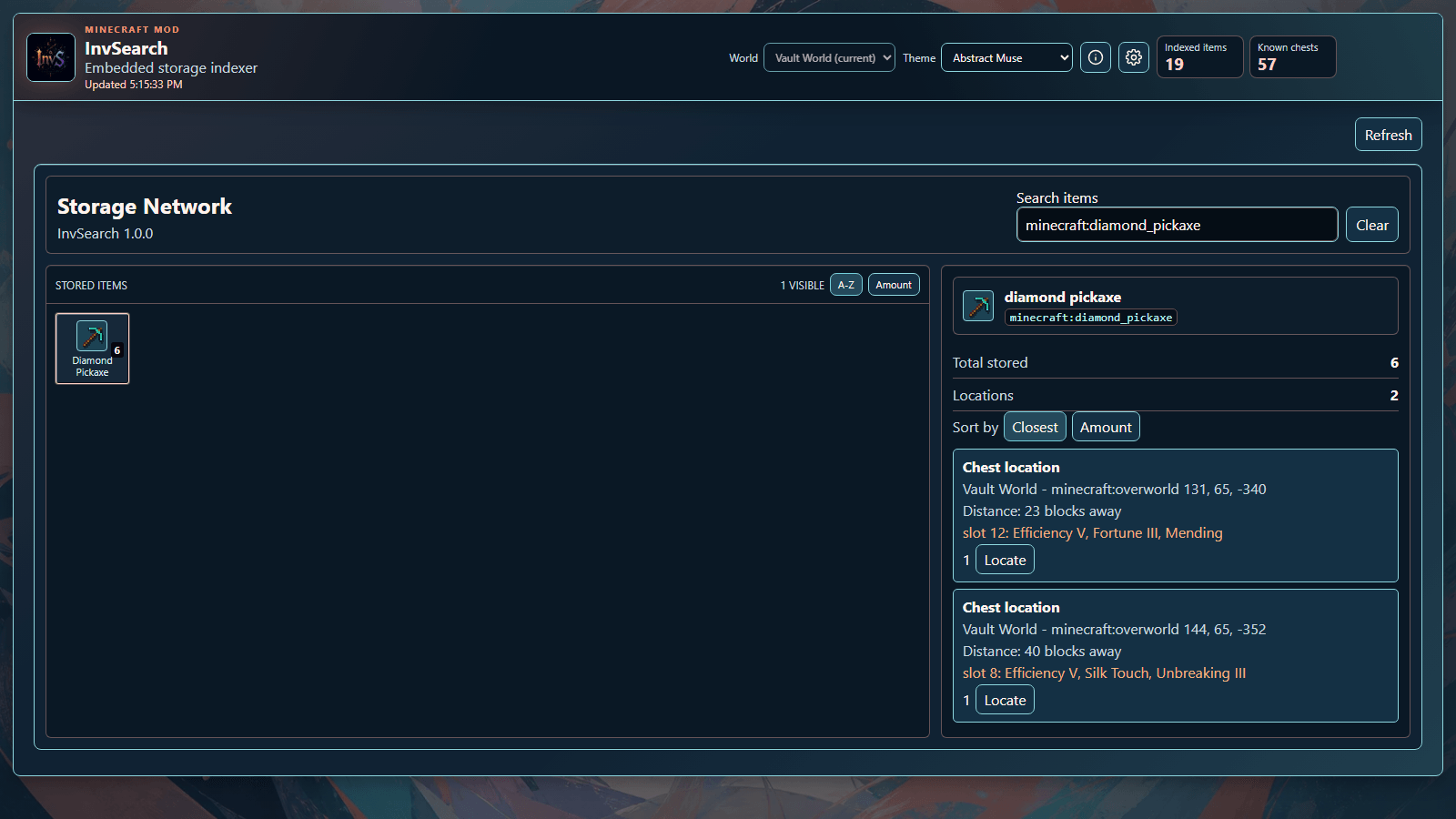
Selecting an item opens its location list. InvSearch shows the chest location, distance from the player, amount stored, enchantment details when relevant, and a Locate button for the exact chest.
Highlights And Locator Bar
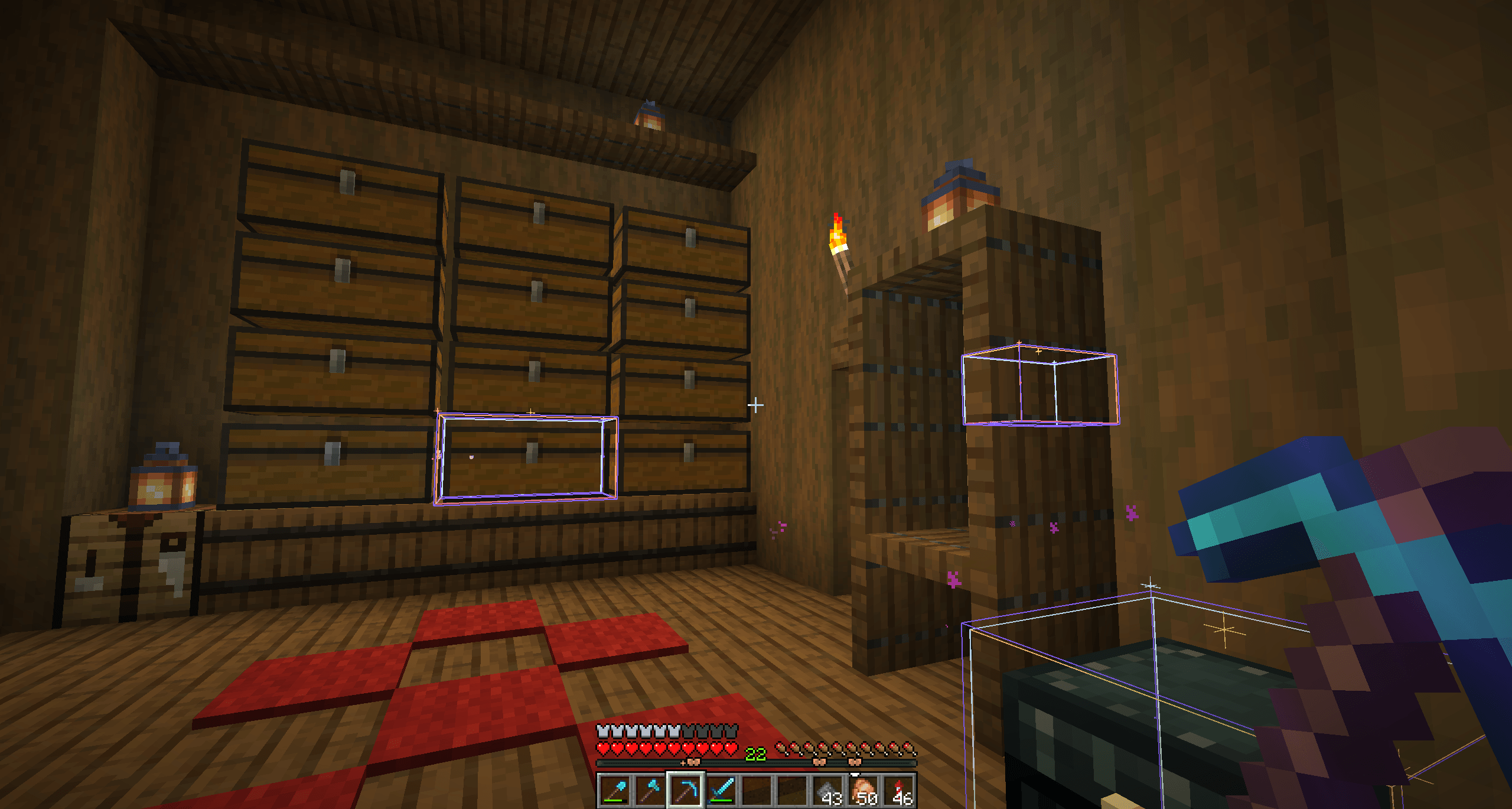
Search results can highlight matching chests in-world. The location panel includes a range slider for limiting visible locations, in-world highlights, and locator-bar markers by distance. Matching chests can also appear on Minecraft's locator bar, helping you find storage even from far away. The Locate action focuses the chest you selected, and the Look button turns your player toward the selected target so it is easier to spot.
Key Features
- Fully client-sided, no server install required
- Works in singleplayer and on multiplayer servers
- Fabric and NeoForge support
- In-game storage GUI
- Embedded web dashboard hosted by Minecraft
- Grouped stored item list with item counts
- Stored Items nearby-range filter
- Exact chest location lists
- Exact item and variant chest highlights from clicked stored items
- In-world chest highlights
- Minecraft locator bar markers
- Location range slider for highlights and markers
- Look at target button for selected chest locations
- Distance and amount sorting
- Enchantment-aware tool variants
- Persistent in-game GUI search state
- Discord community embeds and links
/InvScommand alias- I hotkey to open the storage GUI
- Backspace clear-search hotkey
- InvSearch keybind group in Minecraft controls
How It Works
- Open storage around your base so InvSearch can build its local client-side index.
- Search from the in-game GUI, dashboard, commands, or hotkeys.
- Click an item for exact-item chest highlights, then narrow results with range controls when needed.
- Follow the highlight, locator bar marker, distance readout, Locate action, or Look button to the right chest.
Commands
/InvS guiopens the in-game storage GUI./InvS search dirtsearches for matching stored items./InvS search dirt!fills the search bar and uses the exact/closest-result suffix behavior./InvS search clearclears the current search./InvS materials highlighthighlights chests that contain materials still needed for the current StrutrAape build./InvS materials clearclears the needed-material chest highlight.
Hotkeys
I opens the in-game storage GUI by default. Backspace clears the search by default. Both are grouped under InvSearch in Minecraft's keybind settings.
Community
InvSearch includes community links for Discord in the mod metadata, dashboard, and in-game GUI.
Credits
InvSearch is made by masteraapjes (AapeWorks).
InvSearch Team