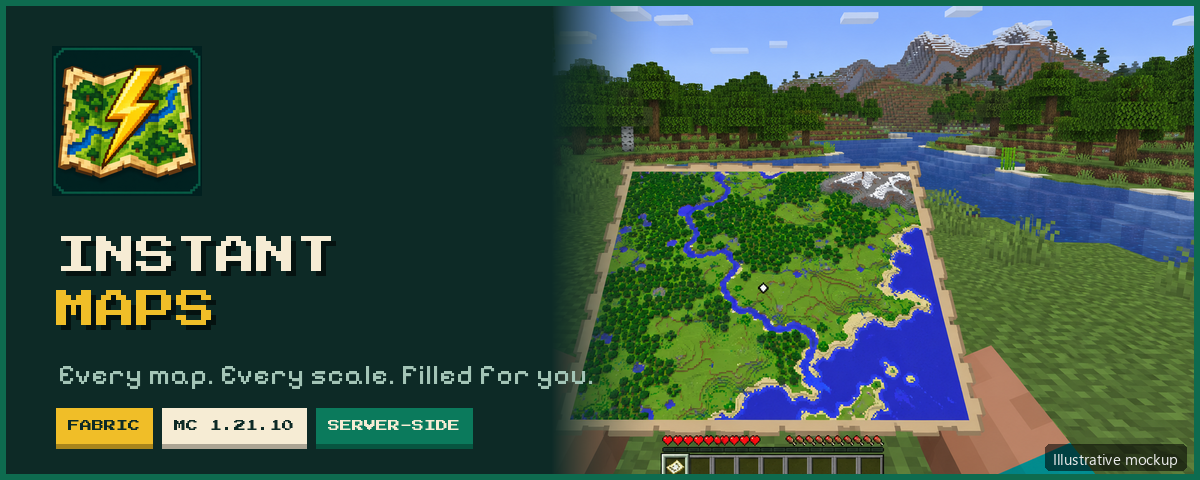
Hold a map, and the whole map fills itself in.
No walking over every corner, no special items. These are normal vanilla maps, at every scale.

- 🗺️ Fills the entire map area: all 16,384 pixels, not only the area you have walked through.
- 🔍 All five zoom levels: from 0/4 (128 × 128 blocks) up to 4/4 (2,048 × 2,048 blocks).
- 🧱 100% vanilla maps: colors use the vanilla palette, surface height and water depth. They are saved to the world, survive restarts and look the same in item frames.
- ✋ Nothing to learn: no new items, recipes or GUI. Hold a map and the mod does the rest.
- 📋 Smart queue: one map renders at a time and the others wait in line. Copies of the same map share a single job.
- ⚙️ Tick-budgeted: work is spread across server ticks, and you can tune it per world.
- 🖥️ Server-side: on a dedicated server, players don't need to install anything.

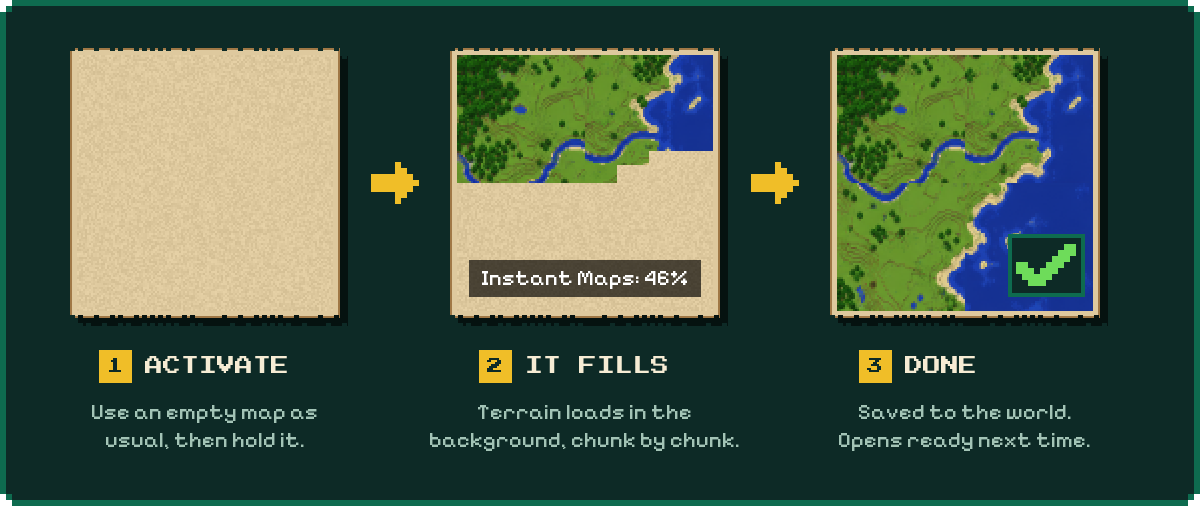
The mod checks both hands every 5 server ticks. When it finds an unfinished map, it adds that map to the queue:
- New empty map: activate it as usual (right-click), then keep it in your hand.
- Old, partly explored map: just hold it in your main hand or off-hand.
- Zoomed-out map: after using the Cartography Table, hold the new map and the mod fills the larger area too.
Once a map is queued, you can put it away and it keeps rendering. Placing a map in an item frame does not start a render.
⏳ "Instant" doesn't mean the terrain appears instantly. The first fill is gradual, because chunks have to be loaded or generated. When it finishes, the map is saved and opens complete from then on.

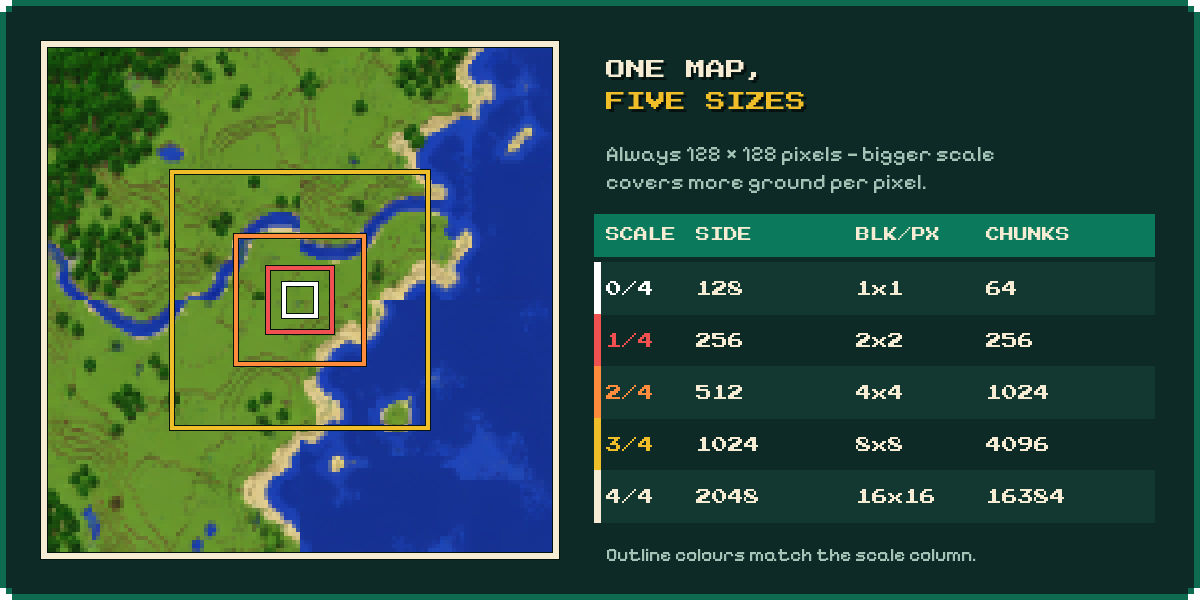
| Scale | Area (blocks) | Blocks per pixel | Chunks |
|---|---|---|---|
| 0/4 | 128 × 128 | 1 × 1 | 64 |
| 1/4 | 256 × 256 | 2 × 2 | 256 |
| 2/4 | 512 × 512 | 4 × 4 | 1,024 |
| 3/4 | 1,024 × 1,024 | 8 × 8 | 4,096 |
| 4/4 | 2,048 × 2,048 | 16 × 16 | 16,384 |
A map is always 128 × 128 pixels. A larger scale covers more ground with the same number of pixels.

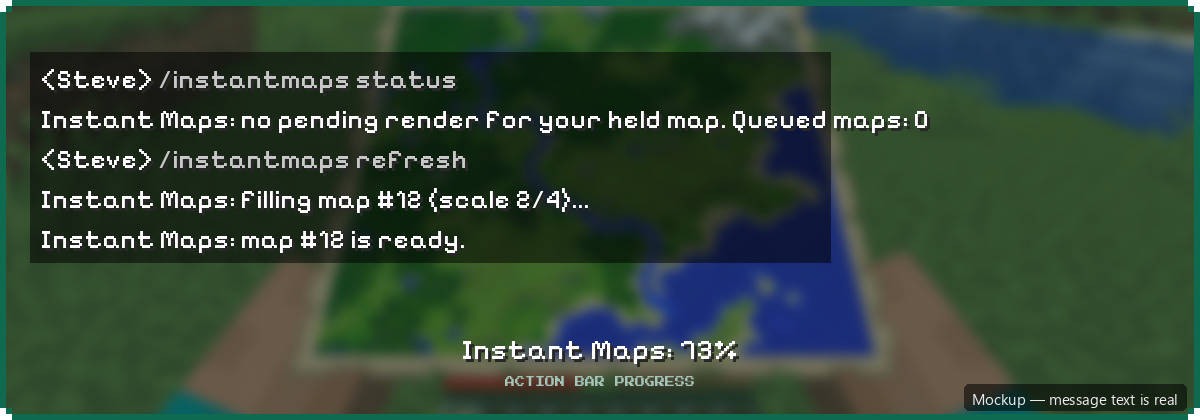
Hold a map when you use these commands. If both hands hold a map, the main-hand map is used. No OP required: any player can use them.
| Command | What it does |
|---|---|
/instantmaps or /instantmaps status |
Shows progress for the held map, plus the number of active and queued jobs. |
/instantmaps refresh |
Queues a full re-render, even if the map is finished. Use it after the terrain changes. It also re-enables a cancelled map and never creates duplicate jobs. |
/instantmaps cancel |
Stops the job for that map ID and pauses auto-requeue until the world or server restarts. refresh turns it back on right away. |
You get a start message, a finish message and a live percentage in the action bar.

The config file config/instant-maps.json is created on first launch. Restart the game or server after you edit it.
| Setting | Default | Range | What it does |
|---|---|---|---|
maxMillisPerTick |
6 | 1–20 | Time budget (ms) for pixel work per tick |
maxPixelsPerTick |
512 | 1–16384 | Max pixels processed per tick |
maxChunksPerTick |
128 | 1–256 | Max chunks finished per tick |
maxChunksInFlight |
32 | 1–128 | Chunks requested at the same time for the current map |
maxQueuedMaps |
32 | 1–256 | Total limit of active and waiting maps |
chunkTimeoutSeconds |
120 | 10–600 | How long to wait for a requested chunk (measured in server ticks) |
showProgress |
true | true / false | Start messages and the action-bar percentage. status always works. |
Values outside the range are clamped automatically. If the file can't be read, the mod uses the defaults and logs an error.
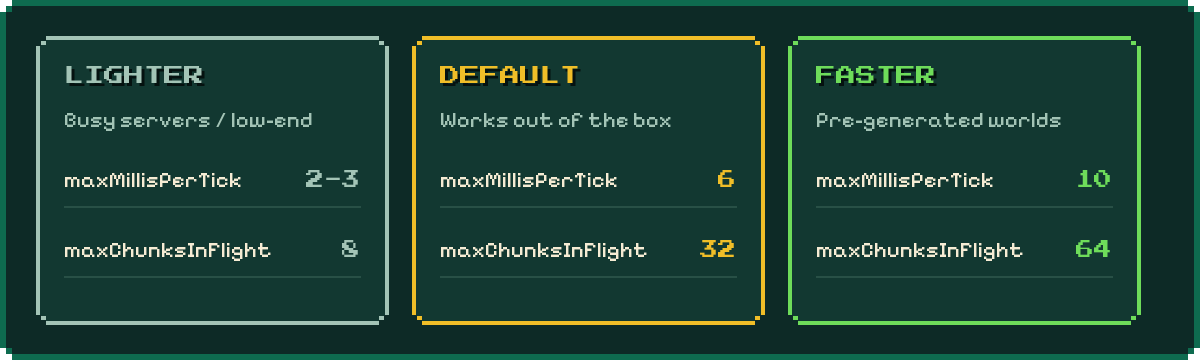
The budget doesn't guarantee zero lag. A pixel that has started always finishes before the timer is checked again, and Minecraft's own chunk loading and generation also use CPU, RAM and disk.


- Install Fabric Loader 0.17.3 or newer for Minecraft 1.21.10.
- Download Fabric API for 1.21.10.
- Put
instant-maps-1.0.0.jarand Fabric API into yourmodsfolder.
| Where | Install on |
|---|---|
| Singleplayer | Your game client (mod + Fabric API) |
| Dedicated server | The server only. Clients don't need Instant Maps. |
A client-only install will not reveal distant terrain on an unmodded server.

| Situation | Behaviour |
|---|---|
| 🔒 Locked map (Glass Pane) | Never changed. |
| 🌍 Different dimension | Auto-queue waits until you hold the map in its own dimension. |
| 🔥 Nether | Shows the typical vanilla Nether noise pattern, not a normal surface map. |
| ⛏️ Terrain changed | Run /instantmaps refresh for a full re-render. |
| 💾 Closed mid-render | Pixels already colored are kept. After reloading, the unfinished map starts a new pass (the queue itself is not saved). |
| 🐢 Slow or failed chunk load | The job stops, releases its chunk requests and reports the error (details are in the server log). Auto-retry waits 1,200 ticks (about 1 minute at 20 TPS). refresh retries sooner. |
World size: The first pass loads existing terrain and generates missing chunks, so your world folder can grow. Bigger scales take longer. Pre-generating the world (for example with Chunky) reduces the work, but the mod still has to read chunks from disk. Chunky is not required.
Accuracy: There may be small differences from vanilla when coloring ties between equal block counts, and in shading along the northern edge.
Instant Maps Team

Owner