InGame Messenger
- By
1-chat.png
2-poll.png
3-stickers.png
4-private.png
5-talk.png
Description

English · Українська · Русский




Overview
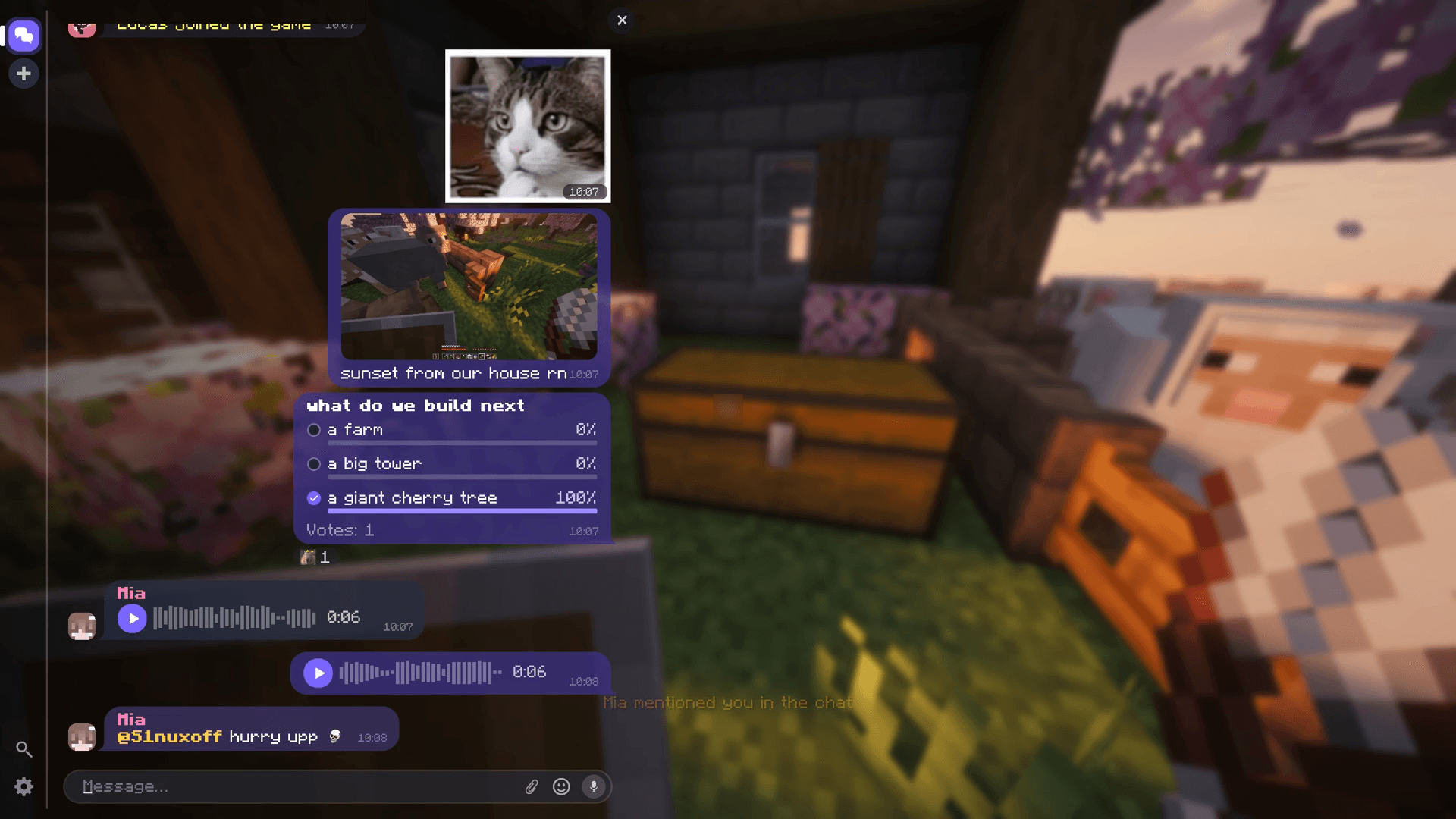
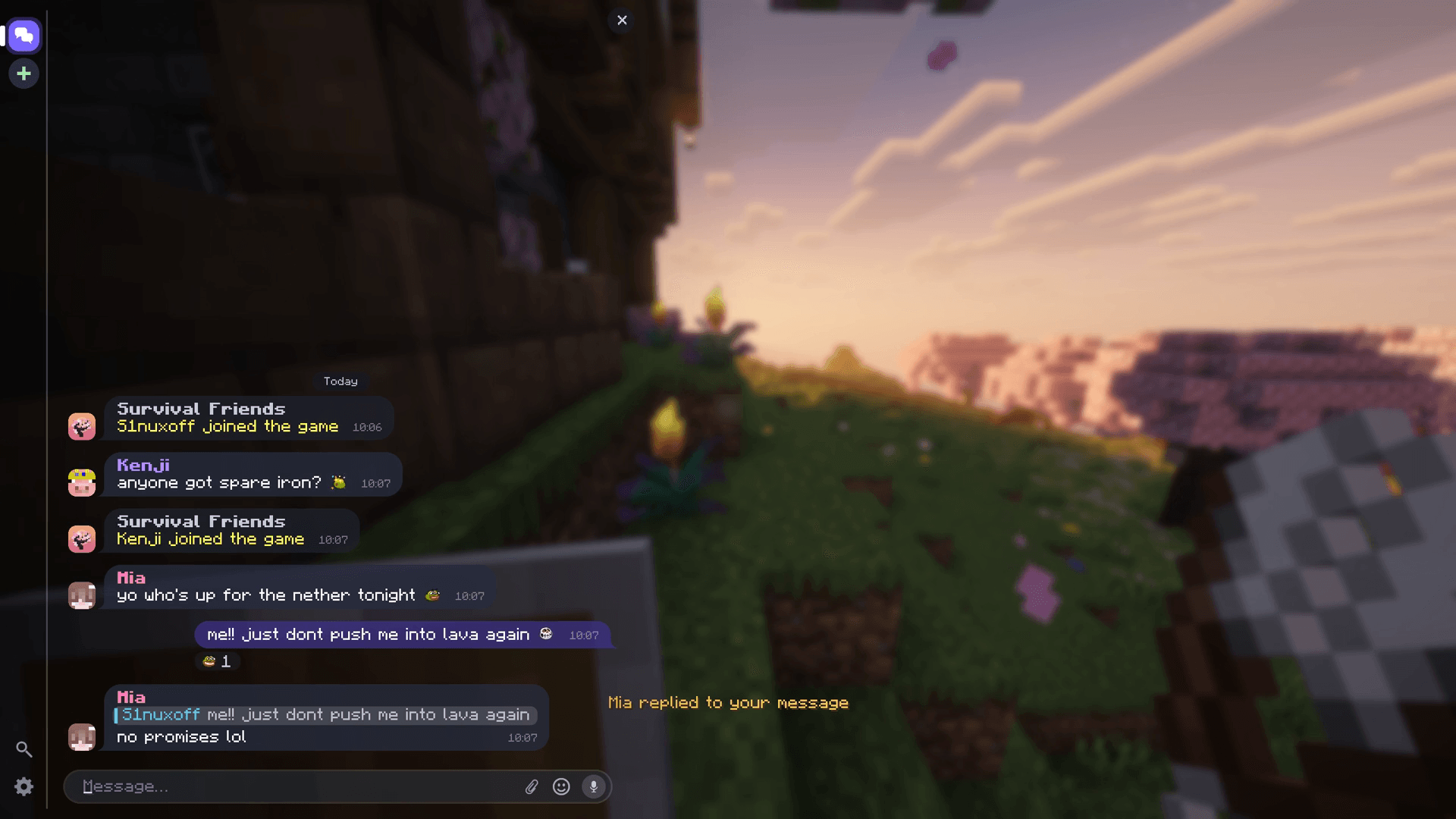
InGame Messenger turns the Minecraft chat into a messenger, right where the chat is. The server's chat stays the place where everyone talks and where commands are typed; it just gets bubbles with faces, stickers, voice, pictures, reactions and replies, with private chats next to it. No accounts, no cloud: everything lives on your server.
• Players install the mod. On a server without it nothing changes: the chat stays the normal Minecraft chat.
• Servers run the mod (NeoForge, Fabric, Forge) or the plugin (Paper, Spigot, Purpur, Folia). The client's and the server's loader don't have to match.
• Players without the mod can still join and chat. Stickers, voice messages, pictures and polls reach them as short text lines.
Features
 A chat that feels like a messenger
• Bubbles with the sender's face, name and time; a player's messages are grouped, with a tail on the last one.
• The server's own lines (joins, deaths, announcements, command answers) come with its name and icon.
• Names as the server shows them: ranks and colors from the server or LuckPerms/Vault.
• "Is typing...", date separators, smooth scrolling.

 Replies and reactions
• Reply with a quote; click it to jump to the original, however far back.
• React with built-in reactions or the server's emoji. Double-click a message for a heart.
• Edit and delete your own messages.


 Mentions
• @mentions with autocompletion.
• Mentions of you are highlighted and announced above the hotbar, even with the chat closed.

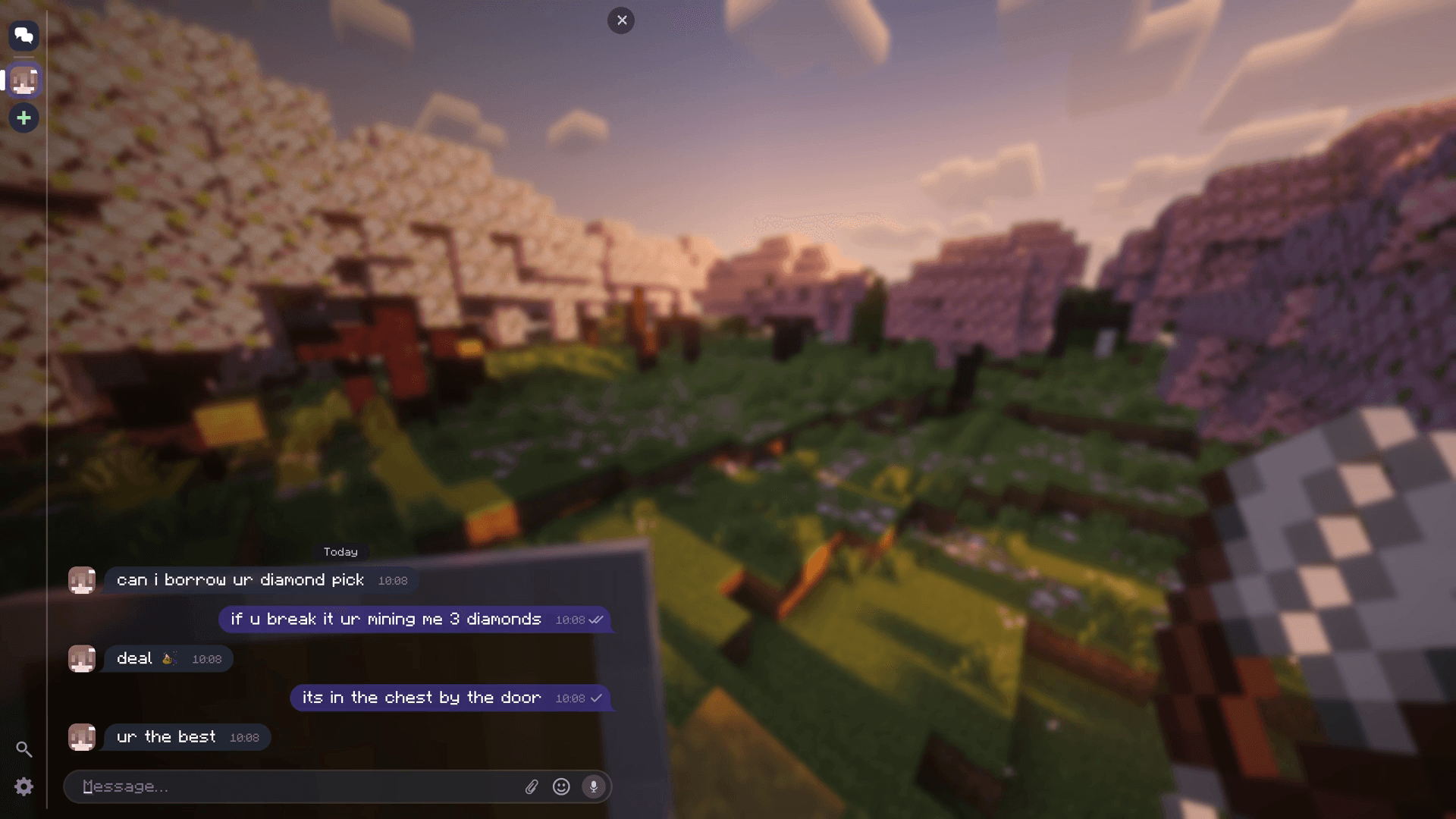
 Private chats
• One-to-one chats in a list next to the server's chat, with unread counters and notifications.
• Read receipts: one check when sent, two when read.
• Commands from anywhere: typed in a private chat, the answer appears right there, visible only to you.

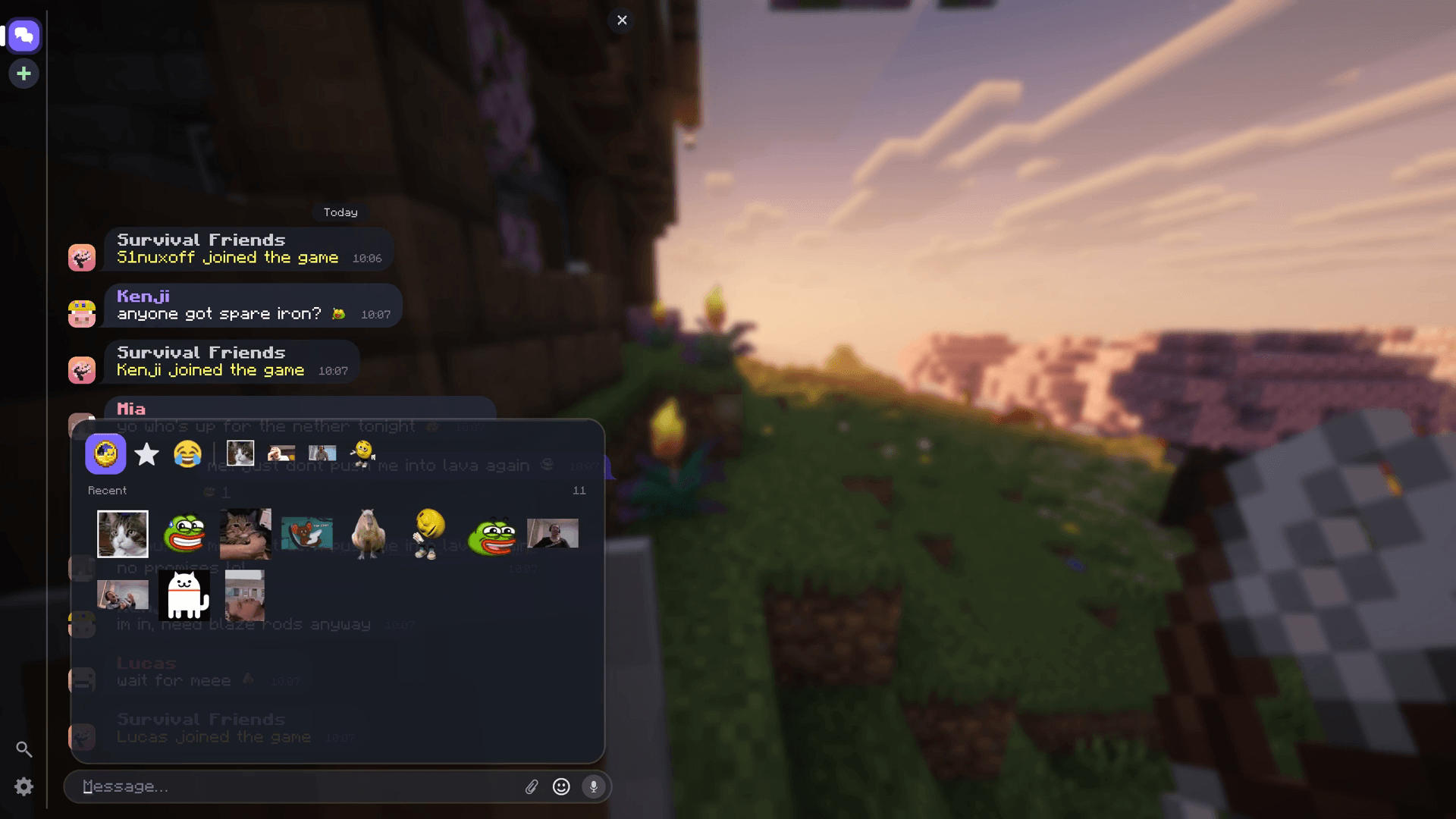
 Stickers and emoji
• Packs from the server: PNG, JPG, animated GIF.
• A panel with recent, favourites and every pack; hold the chat key for a quick picker.
• The server's emoji right in the text and in reactions.

 Pictures
• Up to four per message, with a caption.
• From a file, an in-game screenshot or the clipboard (Ctrl+V).
• Shared coordinates become a card; with JourneyMap a click makes a waypoint.

 Voice messages
• Hold the microphone button to record, release to send.
• Waveform, 1x/1.5x/2x speed, and a mini player that keeps playing while you move.
• Opus, no other mod needed.


 Polls
Polls
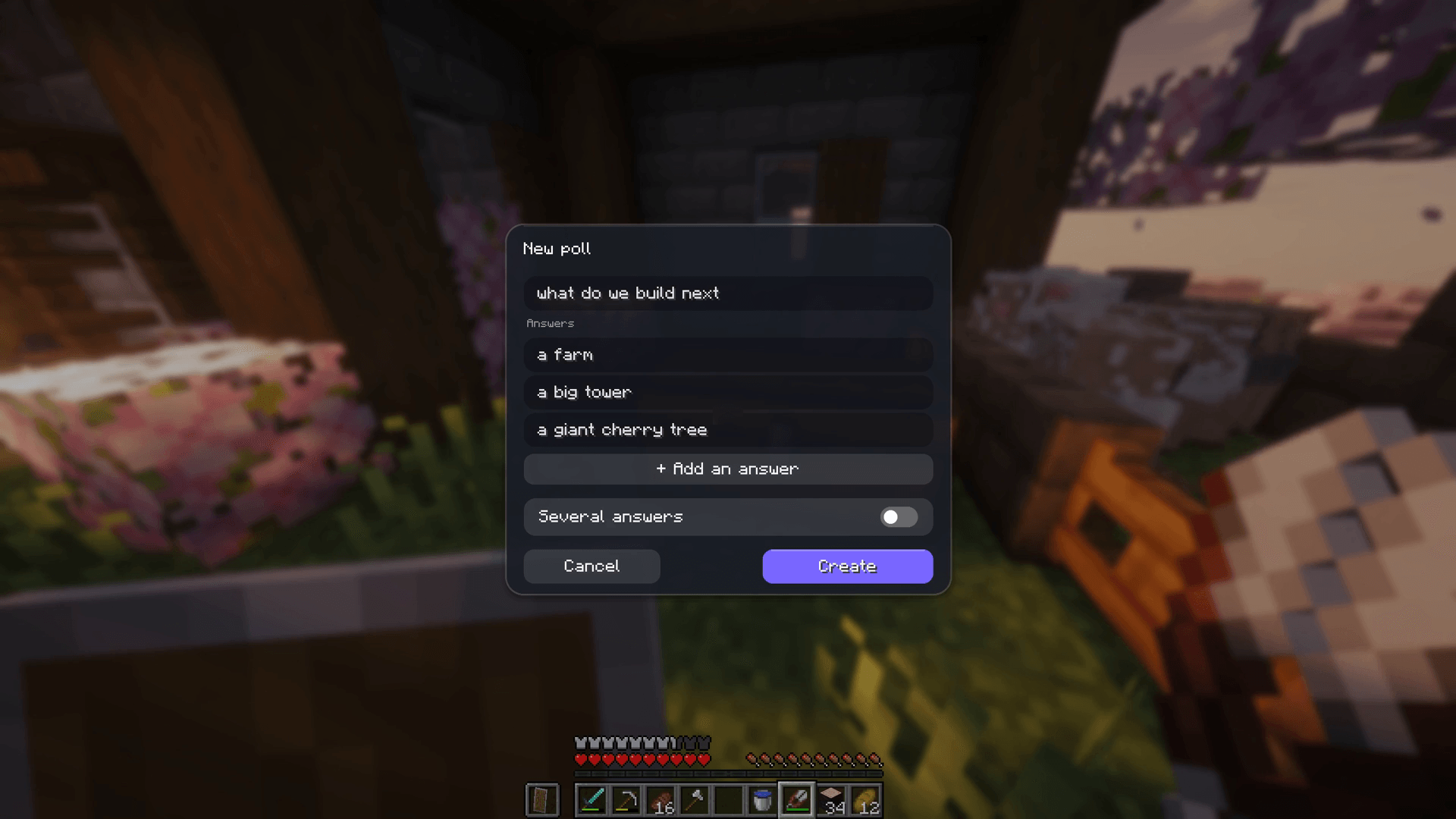
• One or several answers, results live.
• Written in a window right from the chat.


 Search, settings, languages
• Search through every chat you can see (Ctrl+F); a result opens its chat at the message.
• Size and scale, sticker size, microphone, output device, gain, noise gate.
• 40 languages.
 For server owners
• Mutes in the server's chat, in private chats or both, for a time or for good. They also stop /msg and /me; mutes from EssentialsX, LiteBans and AdvancedBan count too (plugin).
• Chat plugins such as EssentialsX Chat: each line shows once, with the rank and colors the server gives it.
• Storage: history in H2 by default (nothing to set up), or MySQL, MariaDB, PostgreSQL. Voice messages and pictures in the world folder or any S3-compatible storage; old files are cleaned up automatically.
• Your server's name and icon in the messenger (the MOTD and the server list icon by default).
• One config file, reloadable in game.
Installation
Players
1. Download the file for your Minecraft version and loader from the Files tab.
2. Put it in your mods folder. On Fabric and Quilt, also install Fabric API.
3. Join a server that has the mod or the plugin.
Servers
1. Modded server: the mod's jar in mods (plus Fabric API on Fabric and Quilt). Paper, Spigot, Purpur, Folia: the plugin from GitHub or Modrinth in plugins.
2. Start the server once. It creates config/ingamemessenger/ (plugin: plugins/InGameMessenger/) with the config and the folders for sticker and emoji packs.
3. Add sticker packs if you like, then run /messenger reload.
The defaults need no changes. The server guide covers every option, external databases, S3, sticker packs, commands and permissions.
Supported versions
22 Minecraft versions, from 1.19.2 to 26.3.
• Fabric, Quilt: 1.19.2 · 1.20 · 1.20.1 · 1.20.3 · 1.20.4 · 1.20.5 · 1.20.6 · 1.21 · 1.21.1 · 1.21.4 – 1.21.11 · 26.1 – 26.3
• NeoForge: 1.20.6 · 1.21 · 1.21.1 · 1.21.4 – 1.21.11 · 26.1 – 26.3
• Forge: 1.19.2 · 1.20.1 · 1.20.4 · 1.20.6 · 1.21.1 · 1.21.4 · 1.21.5 · 1.21.8 · 1.21.10 · 1.21.11 · 26.1.2 · 26.2 · 26.3
• Paper, Spigot, Purpur: the plugin, 1.20.1 and newer. Folia: every Folia release from 1.21.4.
Every version is tested in the game: the mod plays a scenario by itself against a test server and every step is screenshotted. See the latest test runs.
FAQ
Does every player need the mod?
No. Players without it join and chat as usual; stickers, voice messages, pictures and polls reach them as short text lines. Only players with the mod see the messenger.
Do I need it on the server?
Yes: the mod on a modded server, or the plugin on Paper, Spigot, Purpur or Folia. On a server without it, the mod leaves the chat alone.
Does it work with chat plugins, ranks and mutes?
Yes. Lines from chat plugins such as EssentialsX Chat show once, with the rank and colors the server gives them; ranks come from the server or LuckPerms/Vault, and mutes from EssentialsX, LiteBans and AdvancedBan count too.
Velocity or BungeeCord?
Install it on the servers behind the proxy, nothing on the proxy. Each server keeps its own chat.
Who can read the messages?
Messages, private chats included, are stored on the server in plain form, so the server's operators can read them, as on any chat platform. Voice messages and pictures are kept for a set number of days, then deleted.
Links
Source code · Issues · Server guide · Modrinth
Free software under the GNU General Public License v3.0.
InGame Messenger Team