Infinity Nexus Cables
- By
Item, fluid, energy, redstone and gas cables with per-face configuration, filters, four tiers and cosmetic facades.
Infinity Nexus Cables adds 24 configurable cables for moving items, fluids, energy, redstone signals and gases through your base. Every connection can be configured independently, so one cable network can feed machines, tanks, storage and redstone contraptions without mixing their behavior.
Features
- 5 channel types plus Universal: Item, Fluid, Energy, Redstone, Gas and Universal cables.
- 4 tiers (T1-T4): each tier improves transfer rate, transfer interval, operations per cycle and network range. Values are configurable.
- Per-face configuration: set INSERT or EXTRACT mode, filters, limits, redstone behavior and target distribution for each connected face.
- Flexible filters: filter items, fluids and gases by specific entry or tag. Item filters also support NBT matching and durability handling.
- Distribution modes: NEAREST, RANDOM and ROUND_ROBIN for extract faces.
- Redstone support: use redstone signals to control transfer, or use the Redstone cable as a network signal source with comparators and DIRECT, NEGATE, PULSE and FLIP transforms.
- Universal cable: combines item, fluid, energy, redstone and gas channels in a single cable, with independent settings per channel.
- Cauldrons and beehives: fluid cables can interact with cauldrons, and item cables can extract honeycomb from bee nests and beehives.
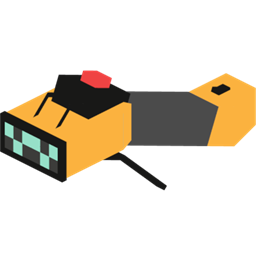
- Cable Wrench: shift-click to disconnect or reconnect a face; regular click to switch a face between INSERT and EXTRACT.
- Compact configuration GUI: per-face controls, tag and amount fields, filter slot, face cycling and player inventory in one screen.
- Jade integration: optional tooltip showing tier, active face and channel configuration. Hold Shift for filters, limits, signal details and redstone settings.
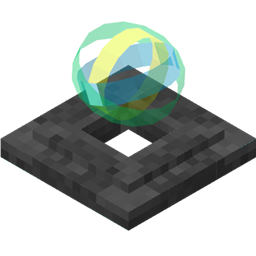
- Facades (covers): copy almost any block appearance into a reusable facade, apply it to the whole cable or a single face, clone an existing cable facade and remove it with shift + empty hand. Facades are visual only and a cable drops at most one facade.
- Client render control:
renderCableUnderFacade(defaulttrue) controls whether the cable model is drawn underneath facades, useful for glass covers. - Performance-minded: event-driven connection updates, cached network snapshots, smart sleep for idle faces and transactional transfer batching.
What's new in 1.0.2
- Facades/covers: copy a block appearance, apply it to the entire cable or one face, clone the facade stored on a covered cable, and remove facades with shift + empty hand.
- Facade economy: applying a full facade to a bare cable consumes one facade (creative exempt); applying a single face with shift and cloning are free.
- Safer removal: breaking a covered cable without shift strips its facades and keeps the cable. Shift-breaking drops the cable and one facade normally.
- Client render option:
renderCableUnderFacade(defaulttrue) inconfig/infinity_nexus_cables-client.tomlcontrols whether the cable renders underneath facades; disable it to show only the cover. - Fixes: facade models now render correctly in inventories and update immediately after being applied, covered cables drop at most one facade, and the wrench overlay shows the extract flange under full facades.
Requirements
- Minecraft 26.1.2
- NeoForge 26.1.2.120+
- Java 25
- Mekanism is optional: required only for Gas cables. Without Mekanism, Gas cables remain registered for world compatibility but are hidden from the creative tab and do not transfer gas.
- Jade is optional: enables the detailed cable tooltip.
Getting started
Craft a T1 cable, place it next to the block you want to connect, and right-click the cable face to open its configuration. Use the Cable Wrench to manage connections and quickly switch between INSERT and EXTRACT. Upgrade cables through the progressive T1-T4 recipes.
To decorate cables, craft an empty facade (4 iron nuggets + 1 glass yields 4), right-click a block to copy its appearance, then apply it to a cable. Shift applies it to a single face; shift + empty hand removes one face.
Credits
Inspired by the concepts and observable behavior of: Pipez by Max Henkel. Pipez Optimizer by Sakurain (Saku_rain). Mekanism by bradyaidanc. X-Net by McJty. Cable Facades by thepigcat76.
No source code from those projects is included. All credits belong to their respective authors.
License
All Rights Reserved.
Infinity Nexus Cables Team

Owner