iMoung Flat Controller
- By
Tired of typing giant commands just to make a Villager shop? Spawn and customize NPCs with XP trades, daily limits, and presets right in game.
Untitled-1.png
Untitled-1à¸à¹.png
Untitled-à¸1.png
Untitledà¸à¹-1.png
Description
🪄iMoung Flat Controller
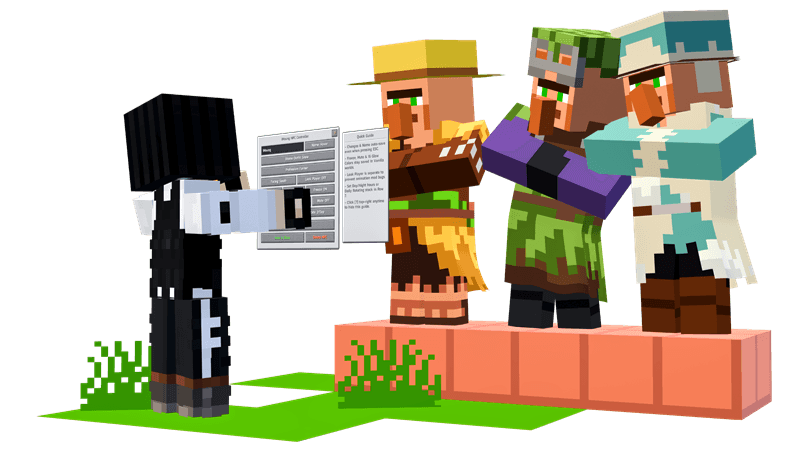
Welcome to iMoung Flat Controller. If you have ever spent hours typing massive commands just to build one custom Villager shop for your map or survival series, this mod was built to save your time and your sanity.
I designed this mod for mapmakers, modpack creators, and Minecraft 100 Day survival players who want total control over Villager NPCs right inside the game. Every screen uses a clean, authentic Vanilla Minecraft look so what you see here is exactly what you get in your world.

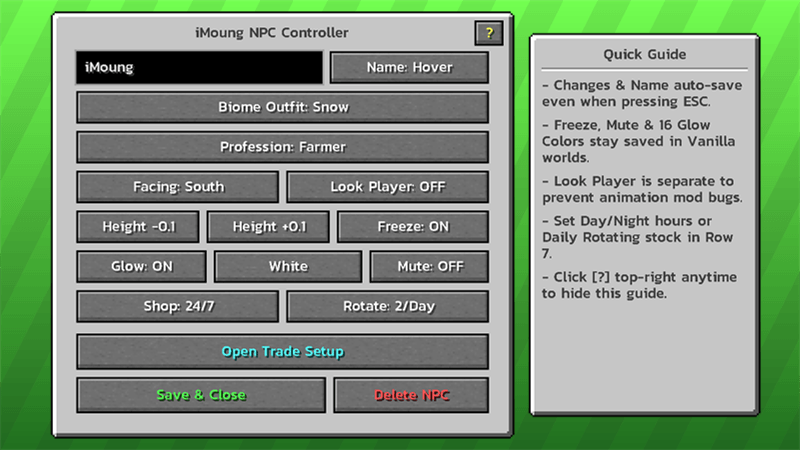
Step 1. Point and Press J to Control Any Villager
The very first thing to remember after installing this mod is simple. Switch to Creative Mode, look at any block or existing Villager, and press J.
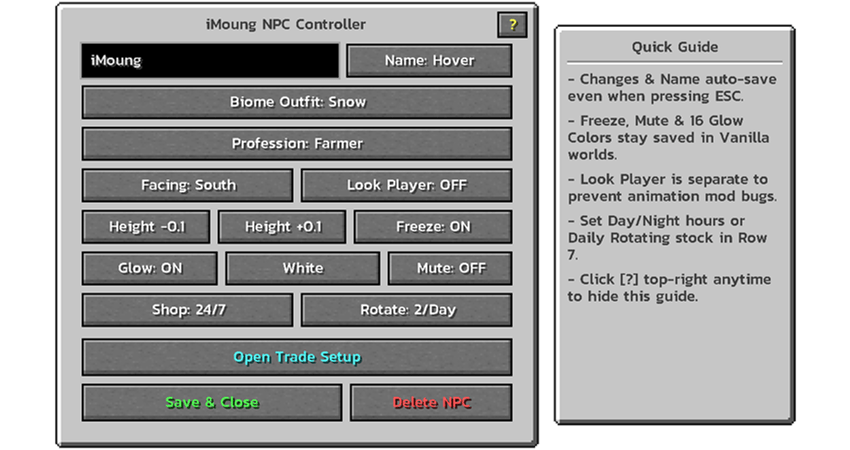
This main controller screen lets you spawn a brand new Villager or edit an existing one in real time. The mod automatically checks slab and stair heights so your NPCs stand cleanly on the floor without floating or sinking.
- Customize the NPC name and choose if it always shows or only appears when you look at them.
- Pick from 7 Biome outfits, 15 Professions, and 4 facing directions with instant previews.
- Adjust exact height up or down, freeze the NPC in place, make them invulnerable, and mute their idle sounds.
- Choose from 16 Vanilla glowing outline colors using Scoreboard Teams. Core traits like Freeze, Mute, 16 Glow Colors, and normal item trades stay saved in your world even if you remove this mod later.
- Set Shop Operating Hours to 24/7, Day Only, or Night Only for black market merchants, and turn on Daily Rotating Stock to randomly pick between 1 and 10 unlocked trades every morning.
- Everything saves automatically even when you close the screen with ESC.
Step 2. Click Open Trade Setup to Build Your Custom Shop
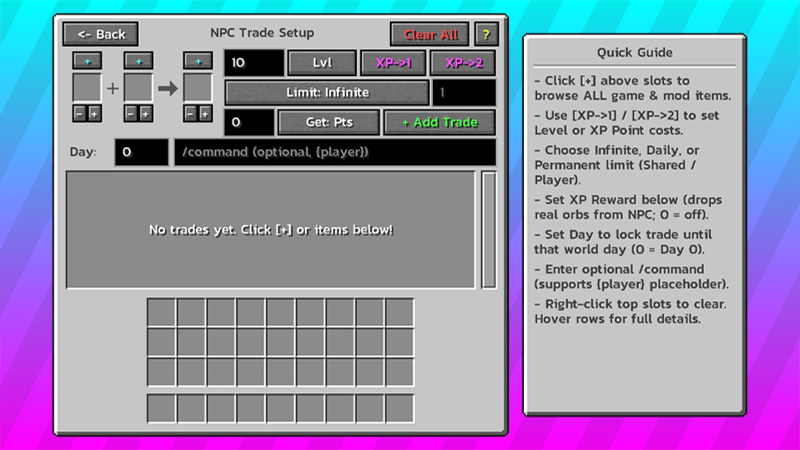
Once your Villager looks the way you want, click Open Trade Setup at the bottom of the menu to open the custom shop editor.
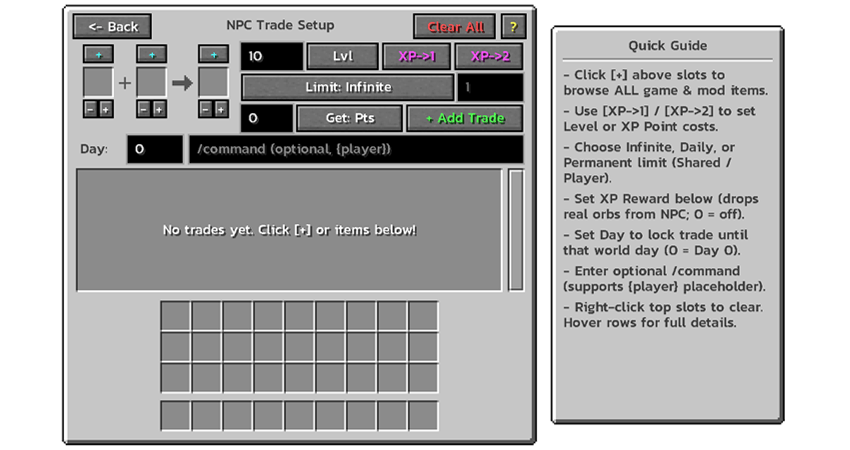
This screen shows your complete trade list and lets you build custom 3 slot trades with full control over your world economy.
- Pick items directly from your own inventory to keep custom enchantments, colored names, and modded NBT data intact.
- Charge players XP Levels or XP Points using safe virtual XP tokens that deduct XP directly without dropping stealable orbs on the floor.
- Set exact custom XP Points or Levels as a trade reward dropped as real orbs from the NPC, or set it to 0 to stop Vanilla's random XP drops completely.
- Choose from 5 quota limit modes including Infinite, Daily Shared, Daily Per Player, Permanent Shared, and Permanent Per Player, with smooth Shift click bulk trading and simultaneous multiplayer support.
- Lock late game items behind a specific world day so players have to survive longer before unlocking better gear.
- Attach optional server commands to any trade using {player} for the buyer's name to trigger buffs, events, or custom drops silently.
Step 3. Click the Plus Button to Pick Any Item Without Leaving the Menu
If you have ever set up custom NPC shops before, you know how frustrating it is to close your menu over and over just to dig through the Creative inventory and fill your pockets with items. I have been through that exact pain myself, so I built this feature specifically to keep your workflow smooth and save time for fellow creators.
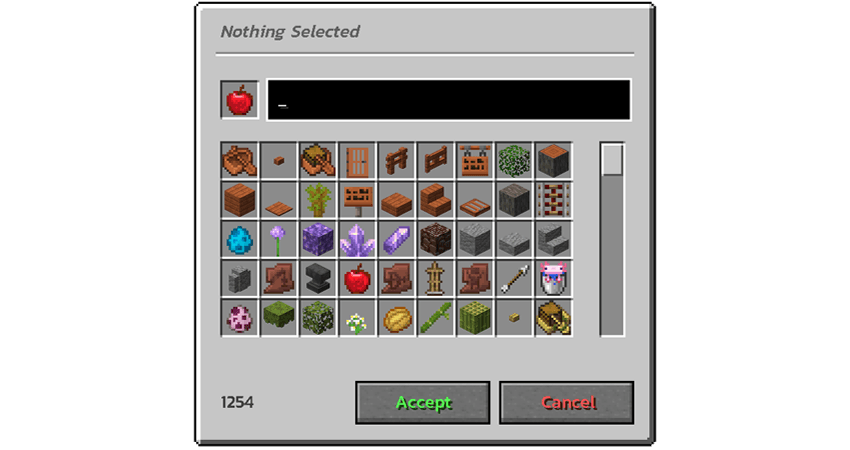
Just click the [+] button above any of the 3 trade slots inside the Trade Setup screen.
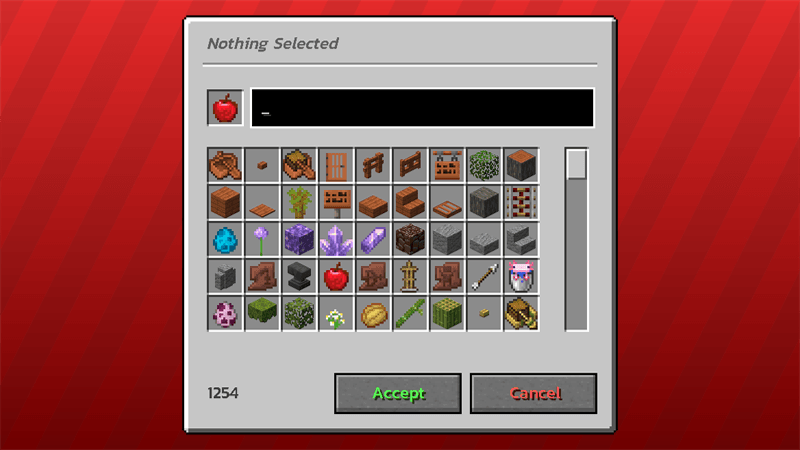
- Instantly search and pick any Vanilla or modded item by display name or item ID right inside the menu.
- Scroll smoothly through every registered item in your modpack and double click to select it immediately.
- No need to interrupt your work or clutter your player inventory while setting up large shops.
Step 4. Press G to Save Presets and Carry Your NPCs to Any World
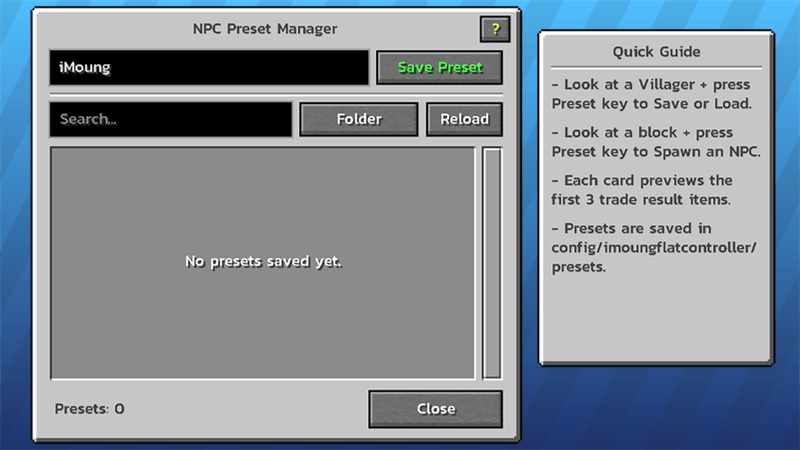
Finished spending an hour designing the perfect boss merchant, and then realized you have not even built your final map yet? Do not worry at all. Just look at your configured Villager and press G.
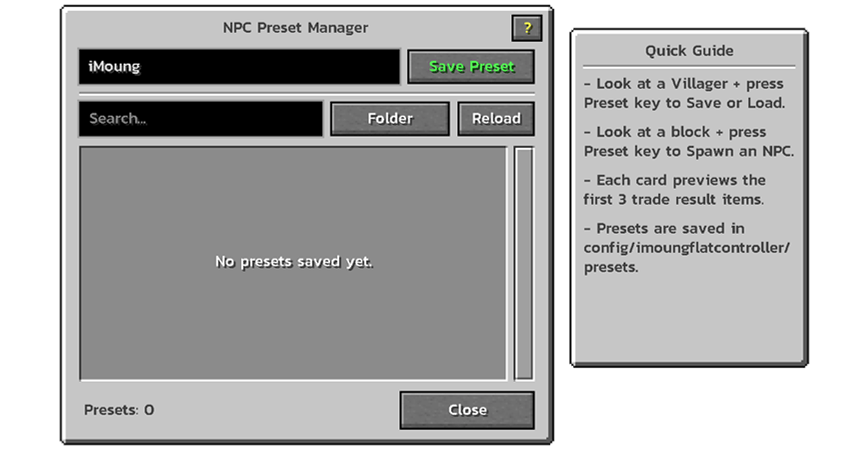
The NPC Preset Manager lets you back up your entire NPC setup into a portable .nbt file stored inside your config/imoungflatcontroller/presets folder.
- Saves everything about your NPC including outfit, profession, trades, XP rules, quotas, shop hours, daily rotation, and custom commands.
- Each preset card previews the first 3 trade result items and supports live search so you can find your merchants fast.
- As long as iMoung Flat Controller is installed, you can load your saved presets onto existing Villagers or spawn brand new copies in completely different worlds with a single click.
⚙️Extra Tools and Tips for Modpack Creators
🔒3 Layer Edit Mode Lock
Before shipping your survival modpack, you can lock all editing tools so survival players never accidentally trigger edit menus or Creative warnings, while all gameplay alerts like shop hours, insufficient XP, day unlocks, and morning restock bells keep working normally.
- 1️⃣Edit config/imoungflatcontroller-common.toml and set enableEditMode to false.
- 2️⃣Use /imoung editmode on, off, toggle, or status in game with OP level 2.
- 3️⃣Optionally bind the Toggle NPC Edit Mode key, which stays unbound by default and requires both Creative Mode and OP level 2.
Vanilla Style Alerts and Bilingual Support
- Every player notification and morning shop restock appears inside a clean Vanilla style HUD banner that stays readable both while exploring and while menus are open.
- The interface runs in English by default and switches automatically to Thai whenever the client language is set to Thai, complete with collapsible Quick Guides inside the menus.
🗨️Compatibility With Other Mods
iMoung Flat Controller works 100% standalone on Minecraft Forge 1.20.1 with zero required dependencies, and plays nicely alongside other mods.
- Animation mods and resource packs like Fresh Animations are protected by a separate Look At Player toggle that starts turned off by default so head rotation never conflicts.
- All modded items automatically appear inside the built in Item Browser, and the player trade screen keeps standard Vanilla compatibility with JEI and GUI resource packs.
- Custom commands from other mods work directly inside Command Trades through the server command dispatcher.
📢Note From the Author
Built and tested by iMoung (Pound). For full transparency, AI assistance was used as a coding partner during Java development, while all mod design, gameplay ideas, in game testing, bug hunting, and all visual assets were designed and created manually by me. If you run into any issues or have ideas for future updates, feel free to leave a comment below!
iMoung Flat Controller Team