HUD Layout
- By
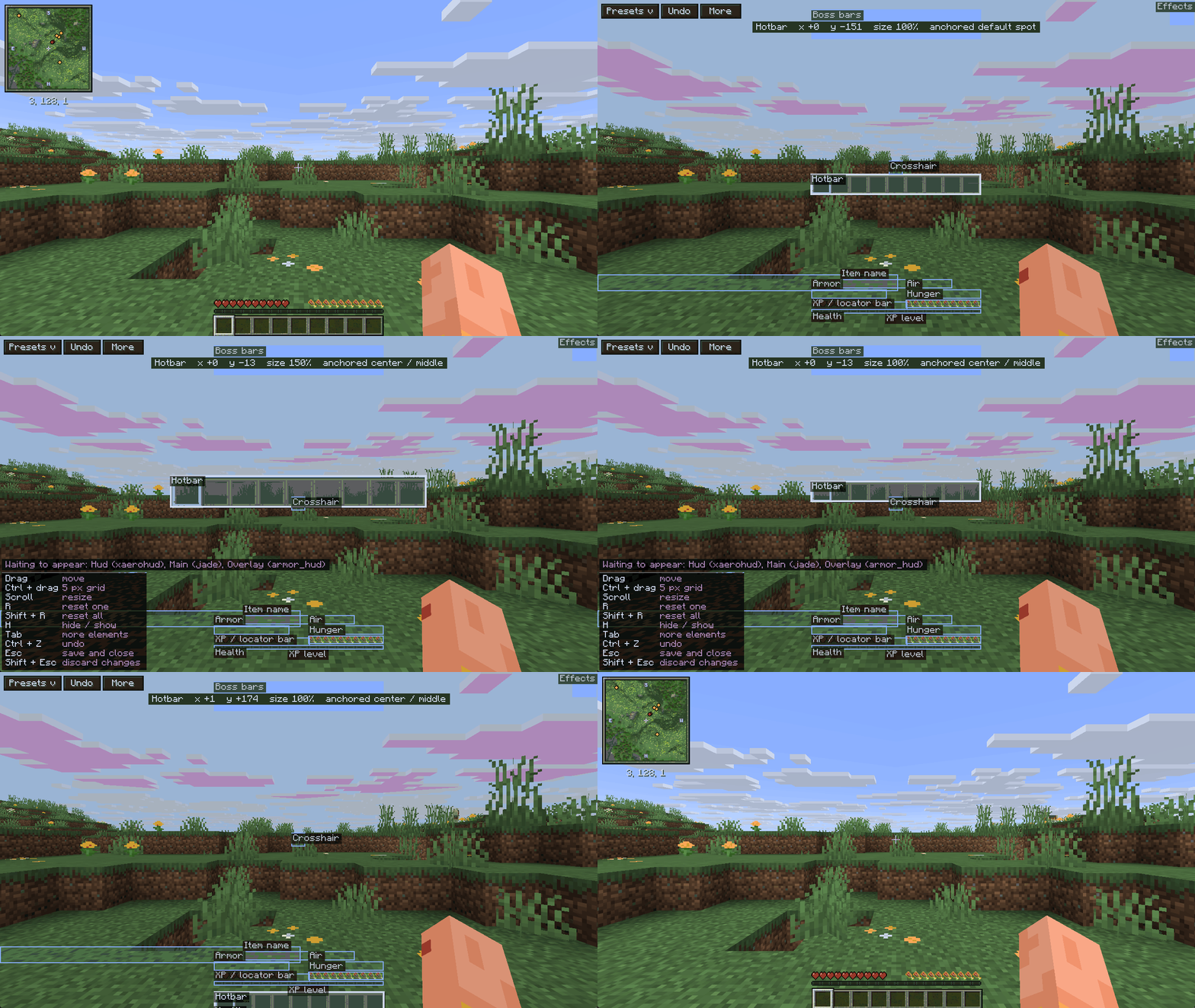
Drag and drop every part of your HUD: move, scale and hide the hotbar, health, hunger, chat and more, in game with one key.
00-editor.gif
01-presets.gif
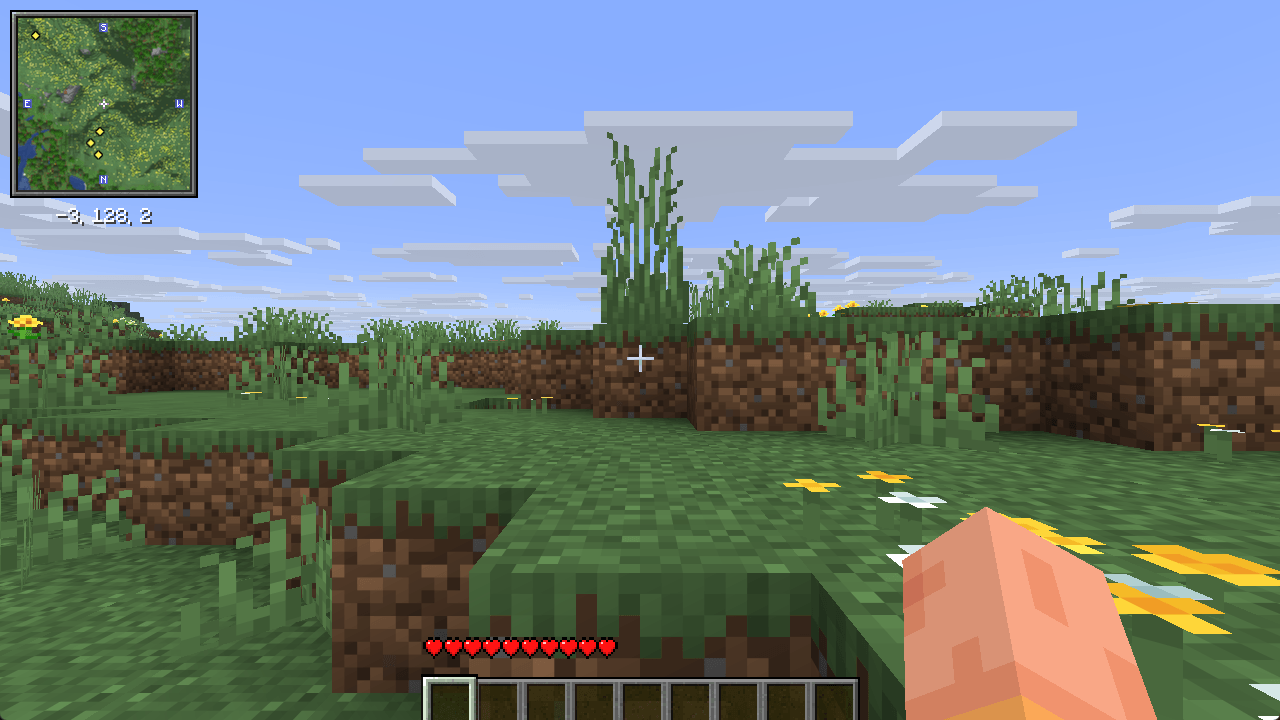
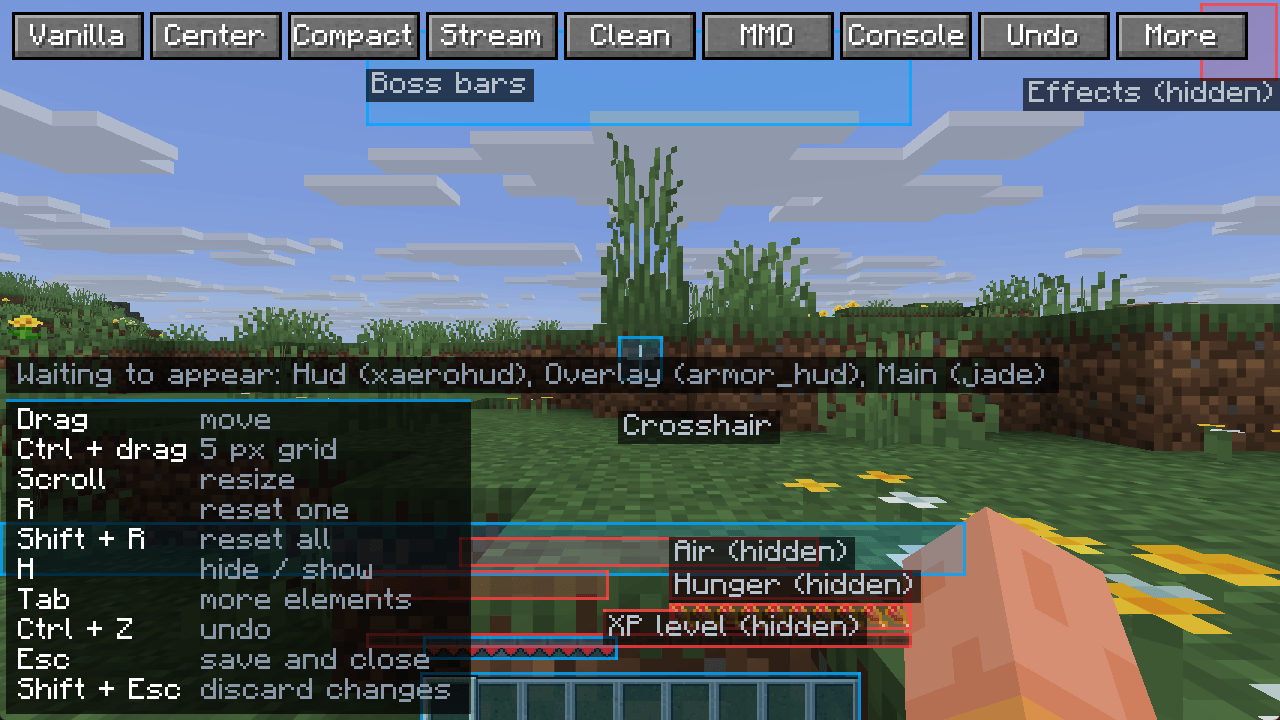
12-editor-legend.png
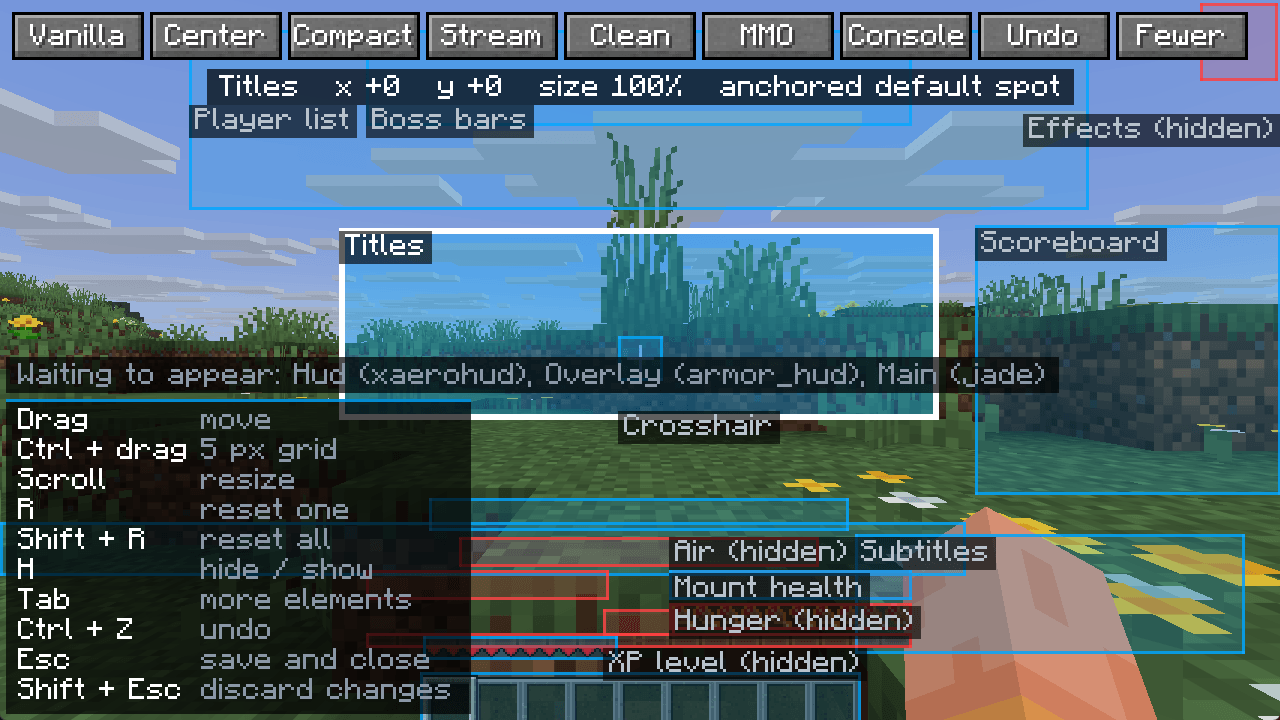
14-editor-with-mods.png
Description
Every mod you install adds something to your screen, and none of them ask where you want it. Minecraft gives you a slider for scale and nothing else.
HUD Layout lets you rearrange the game's HUD without editing a single file. Press H, drag things where you want them, scroll to scale, press Esc. Done.
I made this because I wanted to move a few things around on my HUD and the game gives you no way to do it.
WHAT YOU CAN MOVE
Hotbar, health, hunger, armor, air, XP bar and level, held item name, potion effects, boss bars, crosshair, chat, scoreboard, action bar, titles, player list, subtitles and mount health.
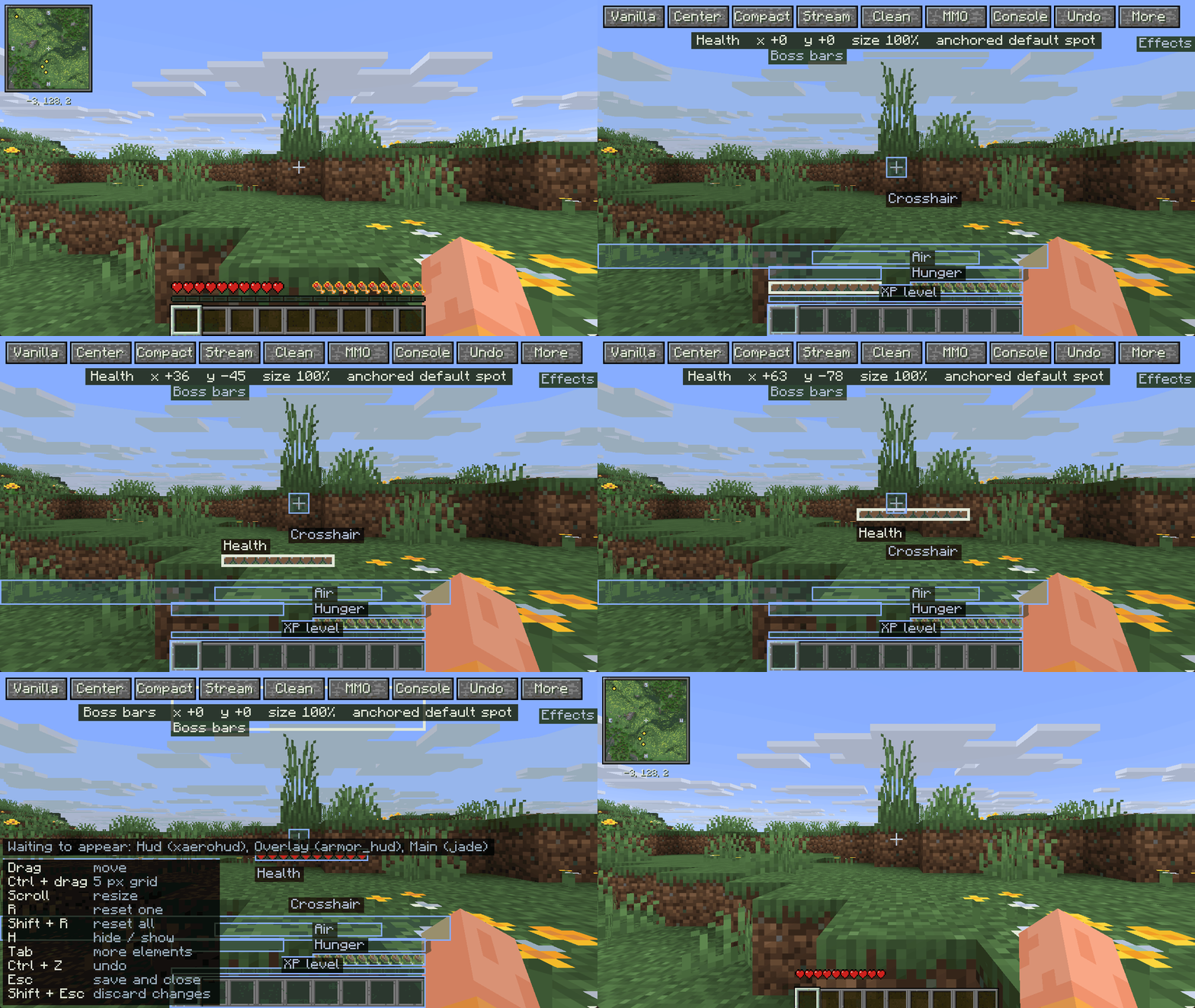
SEVEN PRESETS, IF YOU DO NOT WANT TO ARRANGE ANYTHING
Clean stops drawing everything you do not need to survive and shrinks what is left, which is the one to use with shaders. MMO stacks your vitals in the bottom left corner. Console makes everything bigger and pulls it away from the edges, for a television across the room. Streamer clears the bottom of the screen for an overlay. Centered, Compact and Vanilla are there too.
A preset arranges the game's own HUD and leaves anything a mod contributed exactly where you put it, so trying one never costs you a carefully placed minimap.
MODS TOO, WHEN THEY PLAY BY THE RULES
On Fabric, any mod that registers its HUD through the HUD element API shows up in the editor like a vanilla one. Verified working with Jade, Xaero's Minimap and Armor HUD. Mods that paint straight onto the screen instead of registering an element cannot be moved, and the editor simply does not list them rather than pretending. The game log names every mod element it found, so you can check for yourself.
On NeoForge the vanilla elements are all movable, but elements added by other mods are not yet: NeoForge keeps that list private, so there is nothing to read. This is stated here rather than discovered after installing.
Dropped elements get pinned to the nearest screen edge or centre, so the layout holds at any resolution.
CONTROLS
H (rebindable) or /hudlayout - open the editor
Drag, hold Ctrl for a 5 px grid - move an element
Scroll - scale an element, 50% to 300%
Toolbar - a Presets button that opens a list of seven, plus Undo and Show all
Ctrl+Z - undo
R - reset one element. Shift+R - reset everything
H inside the editor - hide or show the element under the cursor
Tab - show rarely visible elements
Esc - save and close. Shift+Esc - close without saving
YOU DO NOT NEED TO MEMORISE ANY OF THAT
The first time you load a world, the mod tells you which key opens the editor. Inside the editor every control is listed in the corner, and the element under your cursor shows its exact position, size and anchor.
INSTALLING
Pick the file that matches your setup and drop it in your mods folder. Nothing goes on the server.
Fabric, Minecraft 26.3 - needs Fabric Loader and Fabric API
Fabric, Minecraft 26.2 - needs Fabric Loader and Fabric API
NeoForge, Minecraft 26.2 - no extra dependency
FOR MODPACK AUTHORS
Include it in any modpack, public or private, without asking. It is MIT licensed. A link back is appreciated and
not required.
NOTES
Client-side only. Works on vanilla and on modded servers.
Positions are saved in config/hudlayout.json. Share that file to share a layout.
The same layout file works on Fabric and on NeoForge: a layout arranged on one opens unchanged on the other.
A layout saved by an older build is carried over on first load, keeping every position, size and anchor.
TRANSPARENCY
This mod's code was written with AI assistance under human product direction, testing and review. All screenshots are unedited in-game captures.
The HUD Layout Team