Helix UI
- By
HTML Powered UI system with CSS transitions and @keyframes, not chrome, not WebView nor Swing.
Screenshot_4.png
Screenshot_1.png
Screenshot_1.png
Description
Helix UI
Helix UI is a Minecraft-native UI library built for Forge 1.21.1 (Now supporting latest versions)
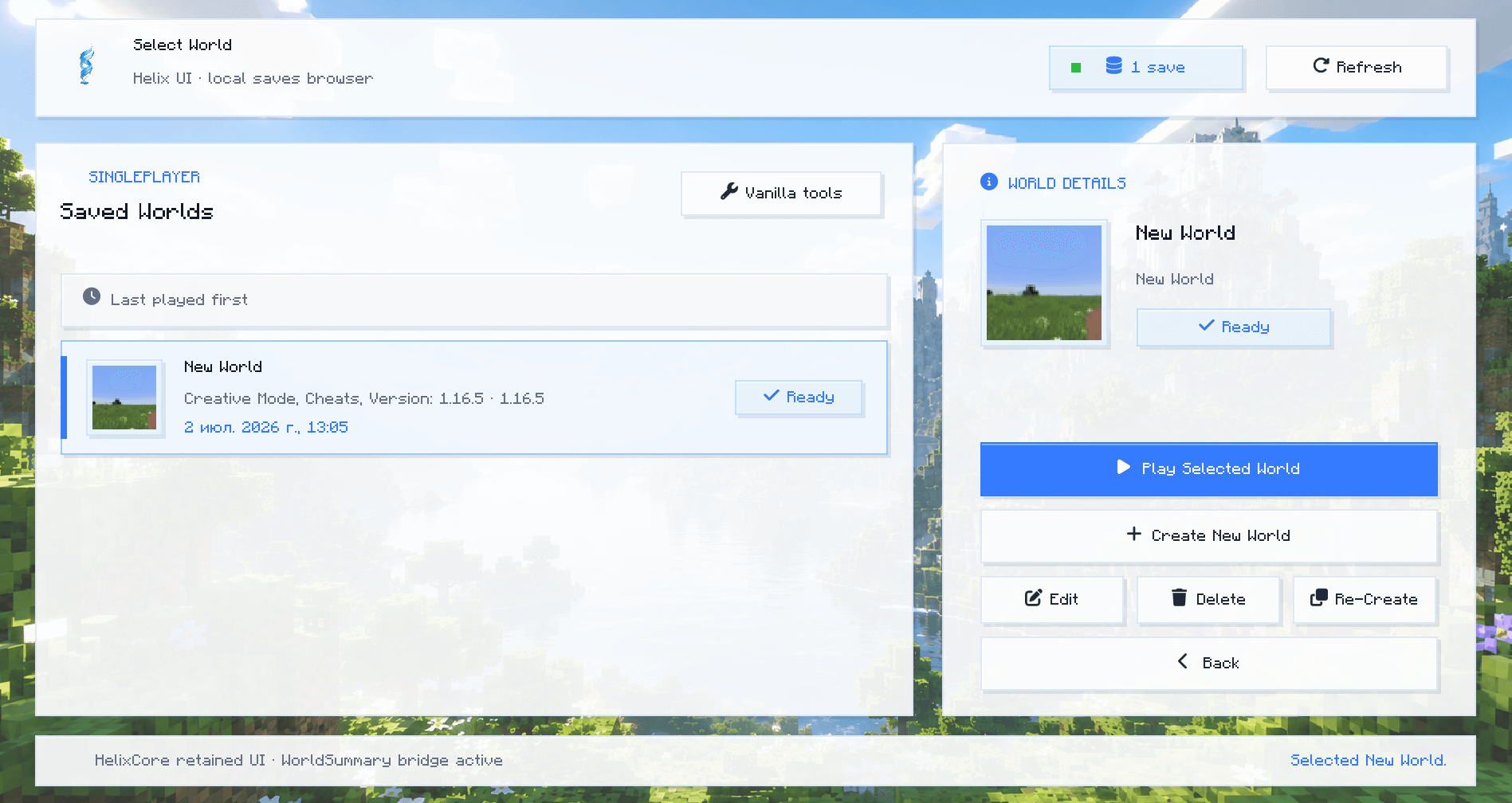
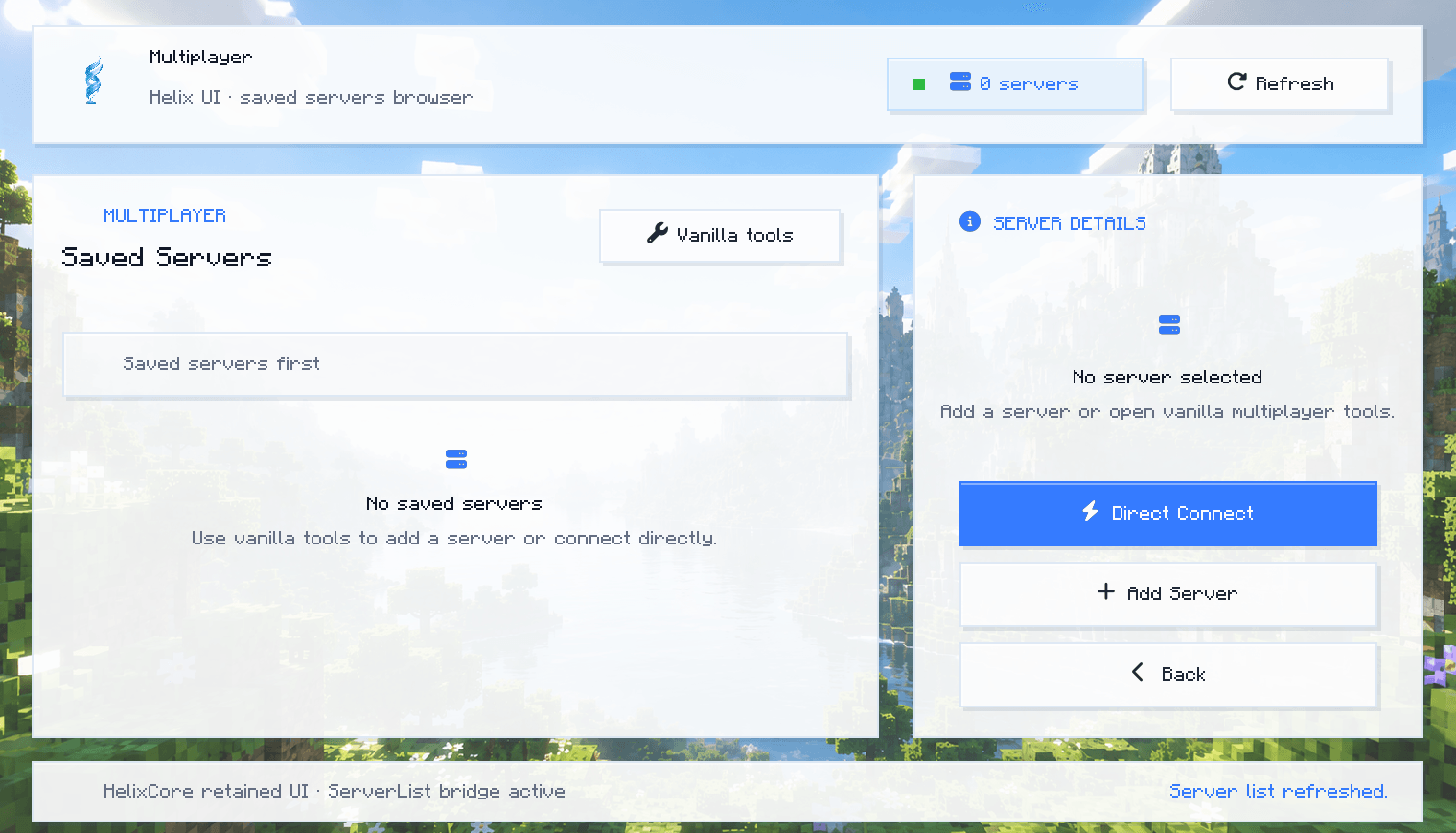
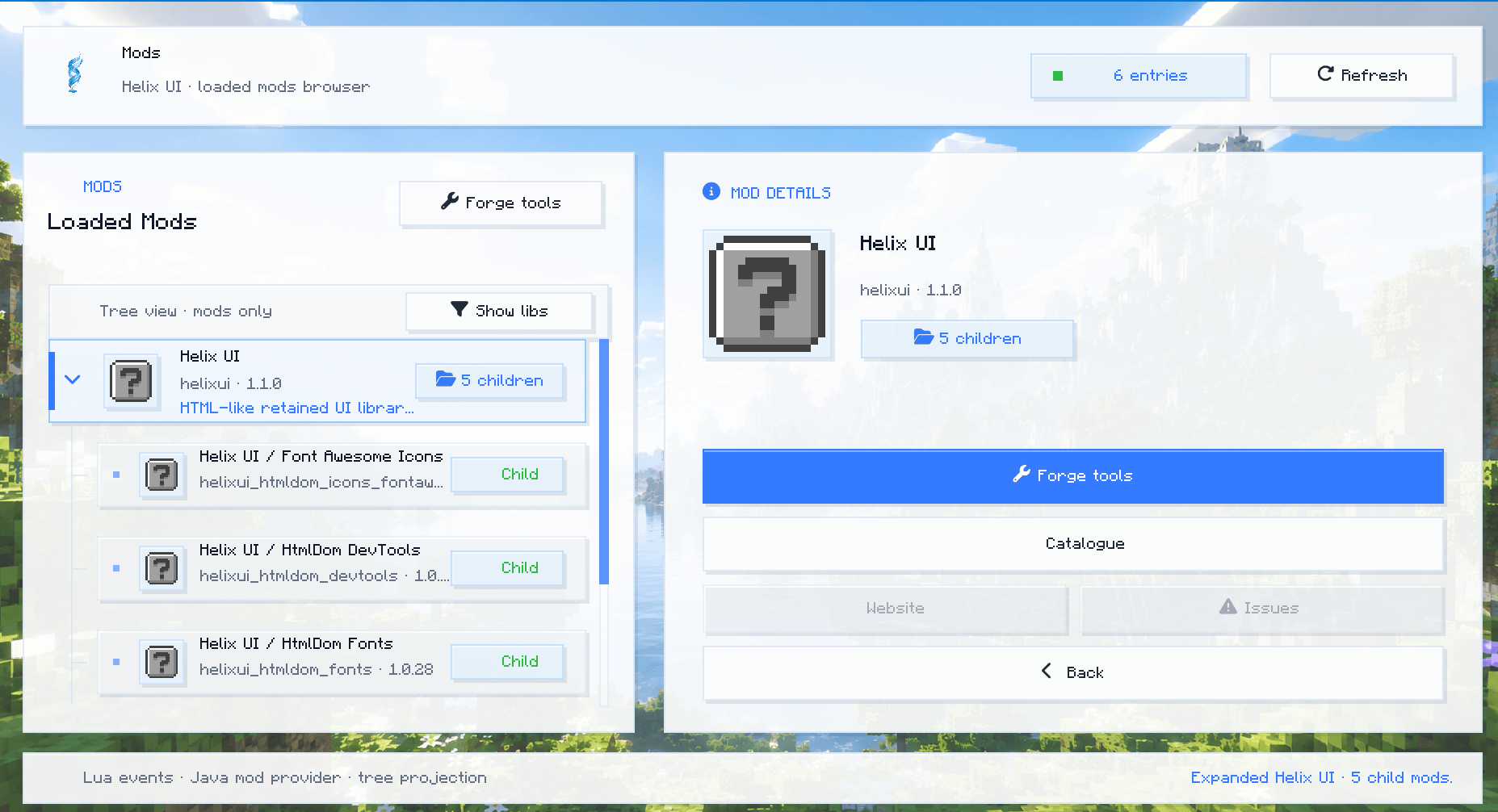
It's just a library for UI, on the screenshots are examples of it's usage
It brings an HTML-like retained UI model, CSS-driven styling, Font Awesome icons, DevTools, and modern animated interfaces into Minecraft without using Swing, JavaFX, WebView, or browser technology.
HTML declares.
CSS computes.
Java executes.
What is Helix UI?
Helix UI is a standalone UI library mod for Minecraft.
It is designed to let mod developers build modern interfaces using resource-based markup and styling instead of hardcoding every button, panel, color, and layout rule directly in Java.
Helix UI is not a content mod.
It does not own gameplay systems, mod catalogues, menus, or product-specific screens.
It provides the runtime layer that other mods can use to build them.
Core Idea
Minecraft GUI code often becomes a mess of manually positioned widgets:
new Button(x, y, width, height, title, callback);Helix UI moves the visual structure into resources:
assets/<modid>/gui/*.html
assets/<modid>/gui/styles/*.css
The Java side stays responsible for typed actions, bindings, and game logic.
Features
HTML-like Markup
Helix UI can load UI documents from Minecraft resources:
assets/examplemod/gui/settings.html
assets/examplemod/gui/main_menu.html
The markup is parsed into a retained document tree.
This allows mods to describe UI structure in a readable, editable format instead of scattering layout logic across Java classes.
CSS-driven Styling
Styles are loaded from resource files:
assets/examplemod/gui/styles/settings.css
assets/examplemod/gui/styles/main_menu.css
CSS controls visual tokens such as:
- background colors;
- overlay colors;
- border colors;
- text colors;
- hover states;
- spacing;
- panel styling;
- transition hints;
- animation declarations.
This keeps UI appearance separate from gameplay and screen logic.
HtmlDom Backend
Helix UI integrates with the HtmlDom project.
The intended pipeline is:
HTML resource
  -> HtmlDom markup parser
  -> retained DOM
  -> CSS parser
  -> CSS cascade
  -> Helix Minecraft renderer
Helix UI acts as the Minecraft adapter layer for HtmlDom.
HtmlDom owns the document and style model.
Helix UI owns the Minecraft rendering and input bridge.
Minecraft-native Renderer
Helix UI renders through Minecraft GUI primitives:
Screen;MatrixStack;AbstractGui;FontRenderer;ResourceLocation;- Minecraft resource manager;
- Forge config integration.
It does not use browser rendering, Swing, JavaFX, or external UI windows.
Font Awesome Integration
Helix UI includes a simple Font Awesome API backed by HtmlDom’s bundled Font Awesome icon registry.
Example:
HelixFontAwesome.draw(matrixStack, "gear", x, y, 0xFFFFFFFF);
HelixFontAwesome.drawCss(matrixStack, "fa-solid fa-triangle-exclamation", x, y, 0xFFFFCC66);
HelixFontAwesome.drawCss(matrixStack, "fa-brands fa-github", x, y, 0xFFFFFFFF);
You can also create Minecraft text components:
ITextComponent icon = HelixFontAwesome.component("gear");
ITextComponent github = HelixFontAwesome.component("fontawesome:brands:github");
Helix UI provides the font resources and Minecraft font providers:
assets/helixui/font/fa-solid-900.ttf
assets/helixui/font/fa-regular-400.ttf
assets/helixui/font/fa-brands-400.ttf

assets/helixui/font/fa_solid.json
assets/helixui/font/fa_regular.json
assets/helixui/font/fa_brands.json
DevTools
Helix UI includes a client-side DevTools screen.
Default key:
F10DevTools can expose runtime and authoring diagnostics such as:
- resource loading diagnostics;
- markup validation;
- CSS validation;
- layout bounds overlay;
- hit-test overlay;
- paint-tree diagnostics;
- animation and transition toggles.
Helix UI also provides a config screen through Forge’s mod config GUI system.
Client Configuration
Helix UI creates a client config file:
config/helixui-client.tomlAvailable options include:
[devtools]
enabled = true
keybindEnabled = true
diagnosticsEnabled = true
hotReloadResources = true
strictMarkupValidation = false

[overlays]
showLayoutBounds = false
showHitTest = false
showPaintTree = false

[runtime]
transitionsEnabled = true
animationsEnabled = true
logResourceLoads = false
What Helix UI Is Not
Helix UI is not:
- a gameplay mod;
- a mod catalogue implementation;
- a main menu replacement by itself;
- a browser;
- a WebView wrapper;
- a Swing or JavaFX UI;
- a JavaScript runtime;
- a full CSSOM/browser engine.
Helix UI is a UI runtime library.
Product-specific interfaces should live in the product mod that owns them.
For example:
Smart Hostiles owns its main menu.
Smart Hostiles owns its mod catalogue.
Smart Hostiles owns its settings screen.

Helix UI provides the renderer, parser bridge, icons, config, DevTools, and UI runtime helpers.
Usage
Add Helix UI as a dependency:
repositories {
    maven {
        name = "HelixUILocal"
        url = uri("../../HelixUI/build/repo")
    }
}

dependencies {
    implementation fg.deobf("dev.takesome:helixui:1.0.0")
}
For a normal Minecraft instance, install:
helixui-1.0.0.jar
your-mod.jar
For a ForgeGradle development run, only external dependency JARs should be placed in run/mods.
Your active mod should usually be loaded from:
source sourceSets.mainExample: Loading an HTML/CSS UI
private static final ResourceLocation HTML =
        new ResourceLocation("examplemod", "gui/settings.html");

private static final ResourceLocation CSS =
        new ResourceLocation("examplemod", "gui/styles/settings.css");

HelixDocument document = HelixMarkup.document(HTML, CSS);
Then bind runtime values:
document.bind("enabled", HelixBindings.forgeBoolean(Config.ENABLED, Config.SPEC));
document.action("save", (doc, screen) -> screen.closeToParent());
Example Resource Layout
src/main/resources/
└── assets/
    └── examplemod/
        └── gui/
            ├── settings.html
            ├── main_menu.html
            └── styles/
                ├── settings.css
                └── main_menu.css
Design Philosophy
Helix UI follows a strict separation of responsibilities:
HTML describes structure.
CSS describes appearance.
Java describes behavior.
Minecraft renders the final result.
This makes UI easier to iterate on, easier to theme, and easier to debug.
Instead of hardcoding every pixel in Java, mod authors can build interfaces as actual UI documents.
Requirements
Minecraft: 1.16.5
Forge:     36.2.42
Java:      17
Status
Helix UI is currently an experimental Minecraft UI runtime.
It already supports:
- resource-loaded UI documents;
- CSS-like style tokens;
- retained DOM integration;
- Minecraft-native rendering;
- Font Awesome icons;
- config screen;
- DevTools screen;
- keybind-based DevTools access;
- Forge config bindings;
- animated glass-style UI surfaces.
Future development targets:
- deeper HtmlDom layout integration;
- stronger CSS cascade support;
- hot reload workflow;
- richer DevTools inspection;
- reusable component primitives;
- better transition runtime;
- improved animation model;
- more Minecraft-native widgets.
Summary
Helix UI is a bridge between modern document-driven UI design and Minecraft’s native GUI system.
It lets mod developers build interfaces that feel structured, animated, themed, and maintainable — without embedding a browser and without turning Java screen classes into visual garbage dumps.
Helix UI is the engine.
Your mod owns the experience.
Helix UI Team