2026-11-16_05.24.36.png
2026-11-16_05.23.52.png
2026-11-16_05.09.03.jpg
2026-11-16_05.09.38.jpg
2026-11-16_05.09.05.jpg
Description
Hypixel SkyBlock, tidied up. Item tooltips laid out cleanly, menus in a smooth dark style, health and mana as bars, and command buttons around your inventory that you choose yourself. Everything is client-side and only changes how things look.
🏷️ Tooltips
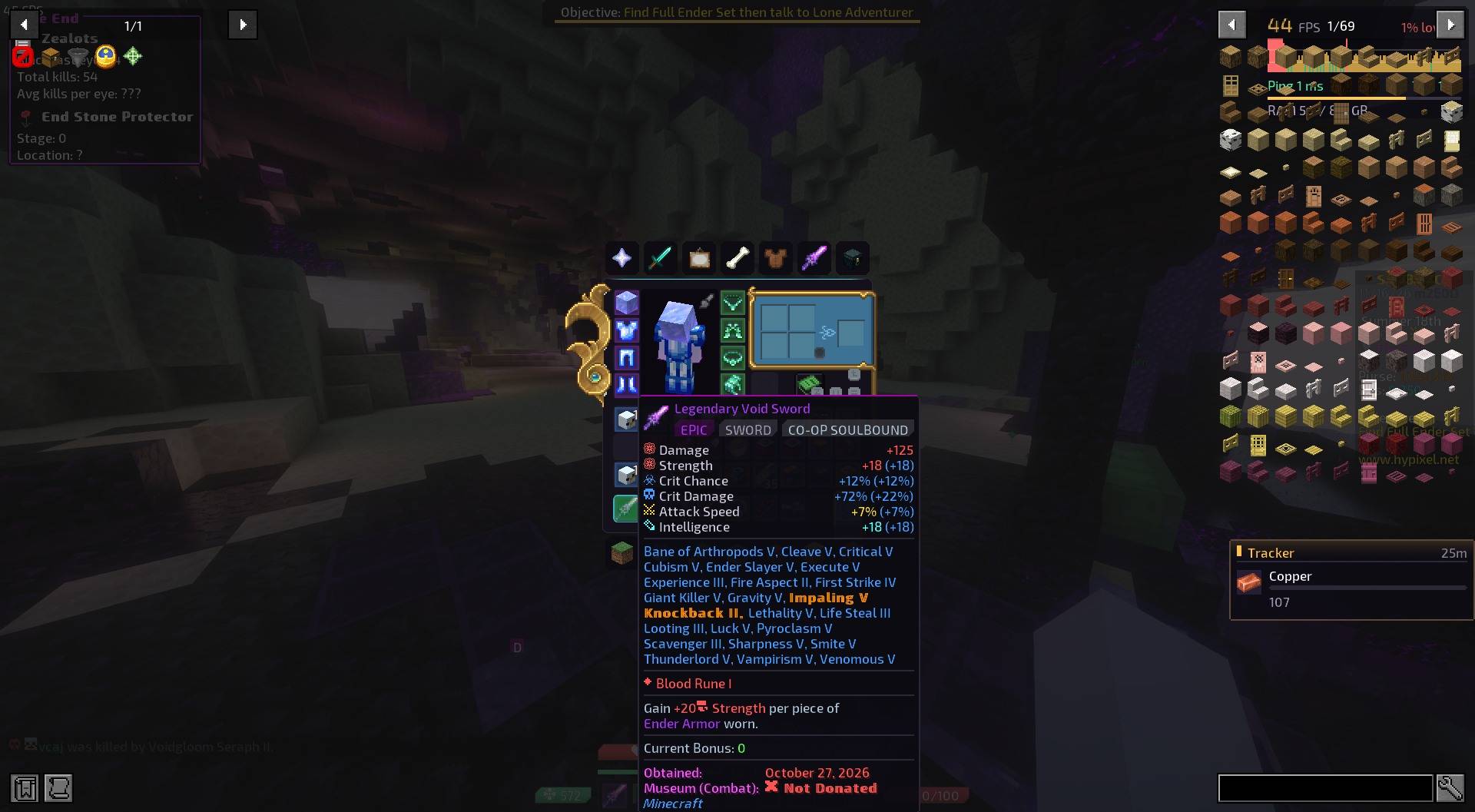
- Rarity, type and more as tags under the item's name: rarity, item type, Dungeon, Recombobulated, dungeon stars, Soulbound and pet level
- The item itself at the top of its tooltip (optionally slowly turning)
- Stats lined up: each stat with its SkyBlock icon on the left and its value on the right
- Level and progress bars for pets, skills, collections and drill fuel: a rounded bar with the numbers inside and a small label on top
- Gemstone slots as gems: each slot a small tile in its tier's colour; empty slots show hollow
- Abilities with a tag for how they're used (Right Click, Sneak...)
- Drill and rod parts lined up like stats
- Blank lines become thin dividers; every tooltip sits on the same dark panel
- Lines other mods add (prices from Skyblocker, for example) stay as they are
🧭 Inventory buttons
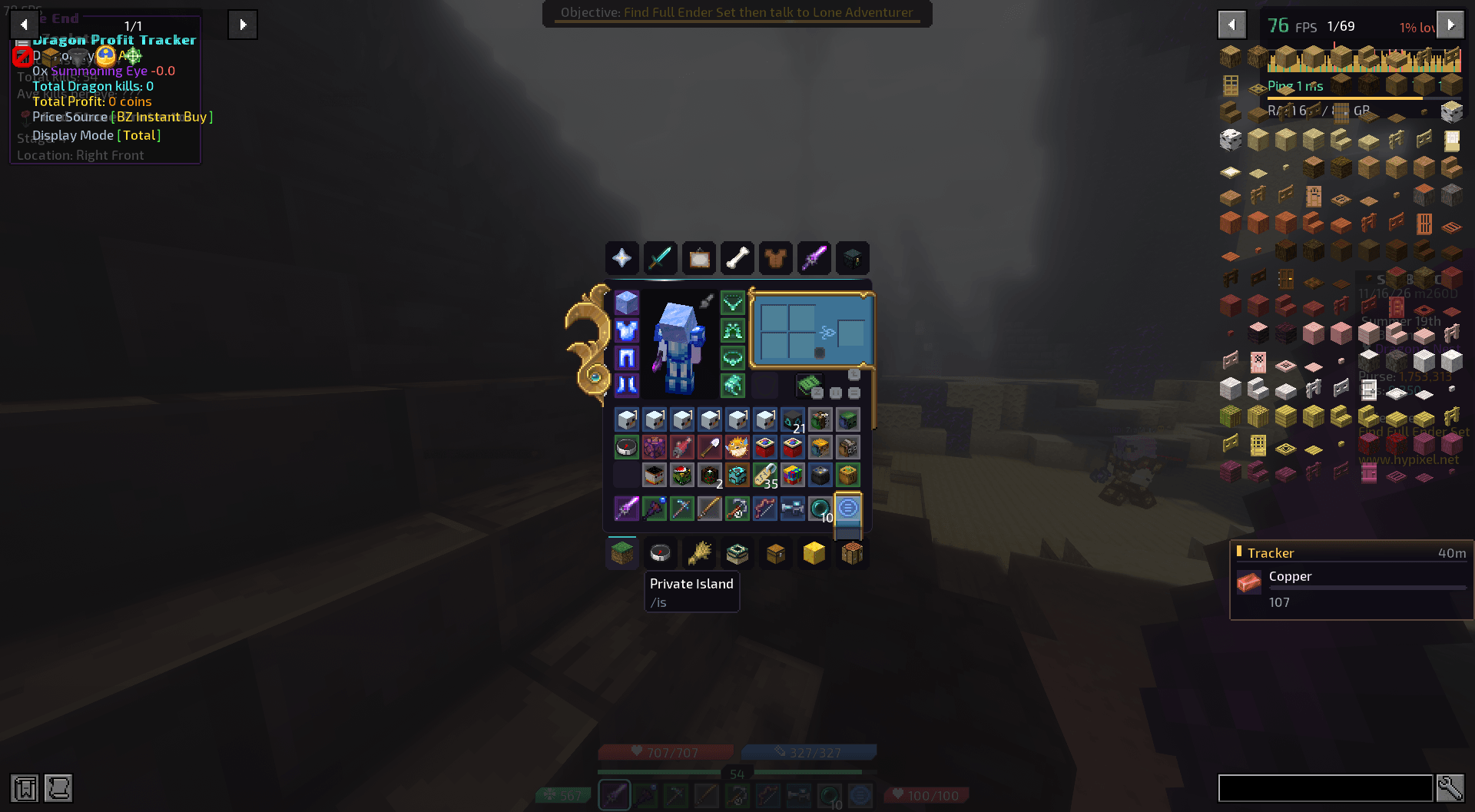
Seven buttons above and seven below every SkyBlock menu: SkyBlock Menu, Skills, Pets, Storage, Private Island, Garden, Bazaar and more by default.
- Right-click any button to change it: its name, its command and its icon
- The command box suggests commands as you type, like chat
- Icons can be any item, or any SkyBlock item from the menu you're in, with its SkyBlock look
🪟 Menus
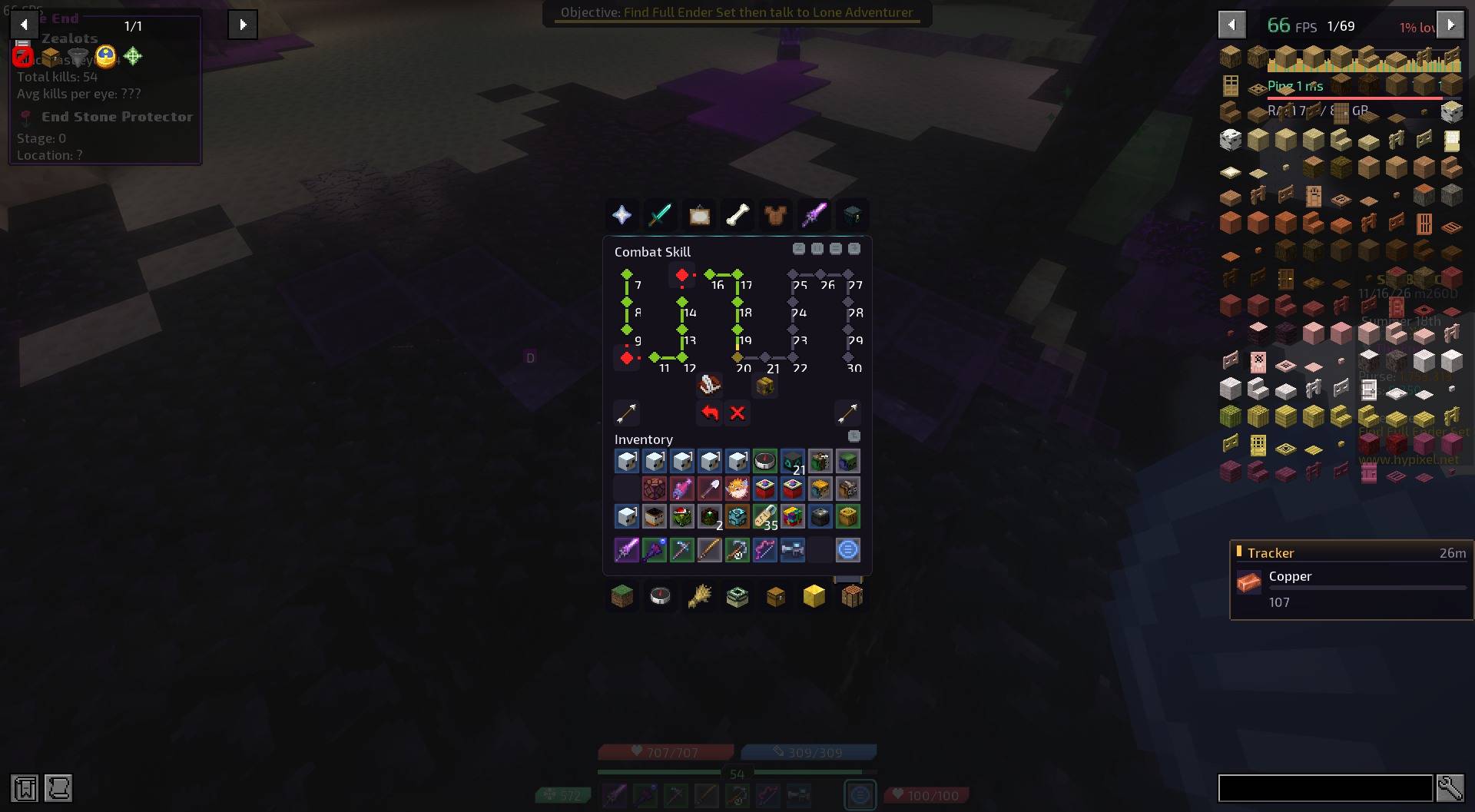
- Every menu redrawn smooth and dark: rounded panels and slots, a fine cyan line along the top, no pixelated bevels. Comes as a built-in resource pack you can switch off.
- SkyBlock menus tidied: filler glass panes disappear; skill and collection paths become one joined line with a diamond for each step
- Menus other packs have restyled get Headline's look too (can be switched off)
- Smooth hotbar, slot highlight and buttons, with gentle animations
- A clean modern font (Exo 2) and no dark shadow on menu text
❤️ Health, mana and skills
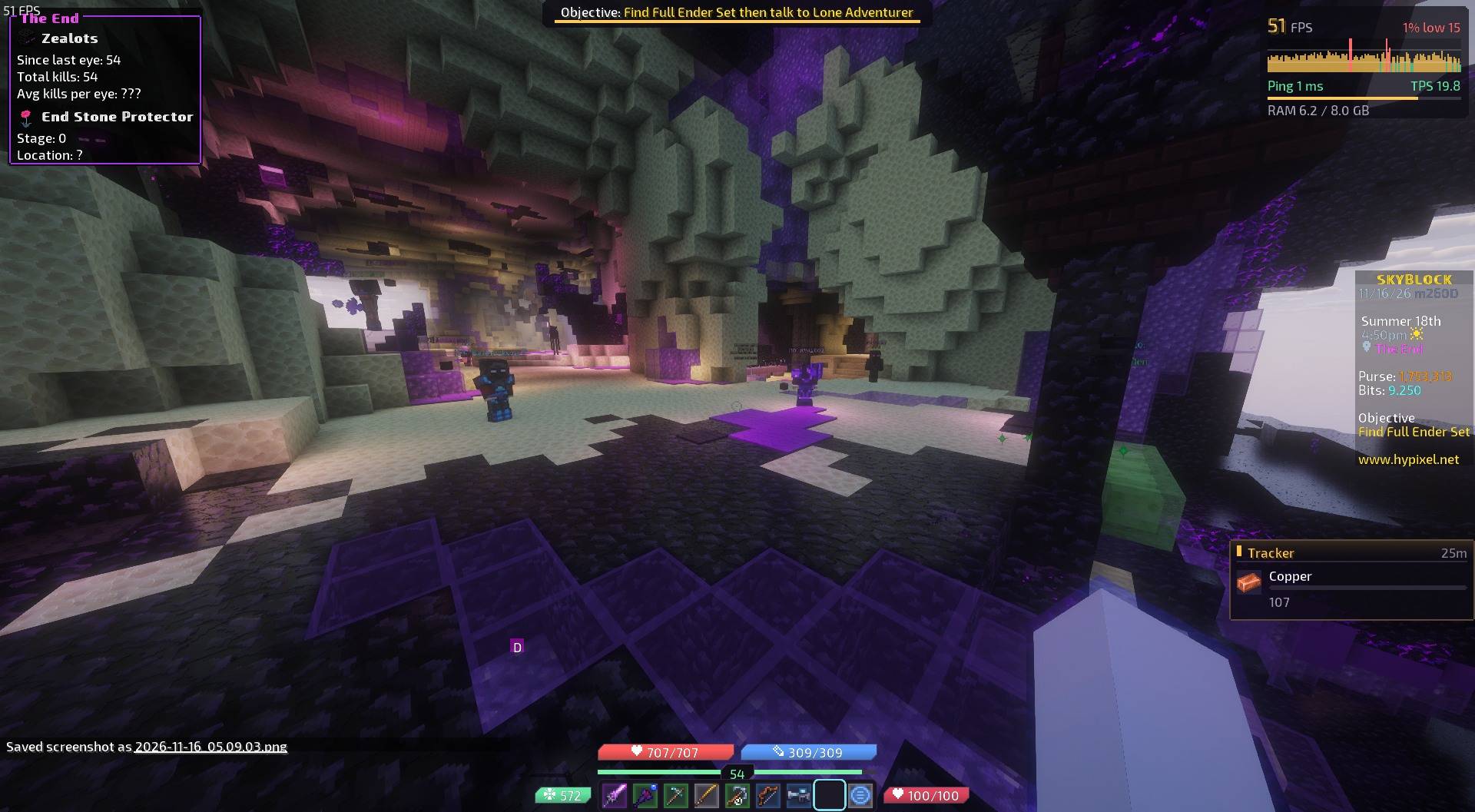
- Health, mana and defense as rounded bars with the numbers inside, above your hotbar; gold when you're over max health
- Skill XP as you earn it: a bar in the skill's colour filling toward the next level, which fades after a few seconds
- A slim XP bar with your level
- These replace Minecraft's hearts, armour and food in SkyBlock, and come out of the action bar so it stays clear
📢 Boss bars
Objectives and boss bars on a dark card with a thin bar in their colour. Notches and a subtle shimmer can be turned on or off.
⚙️ Settings
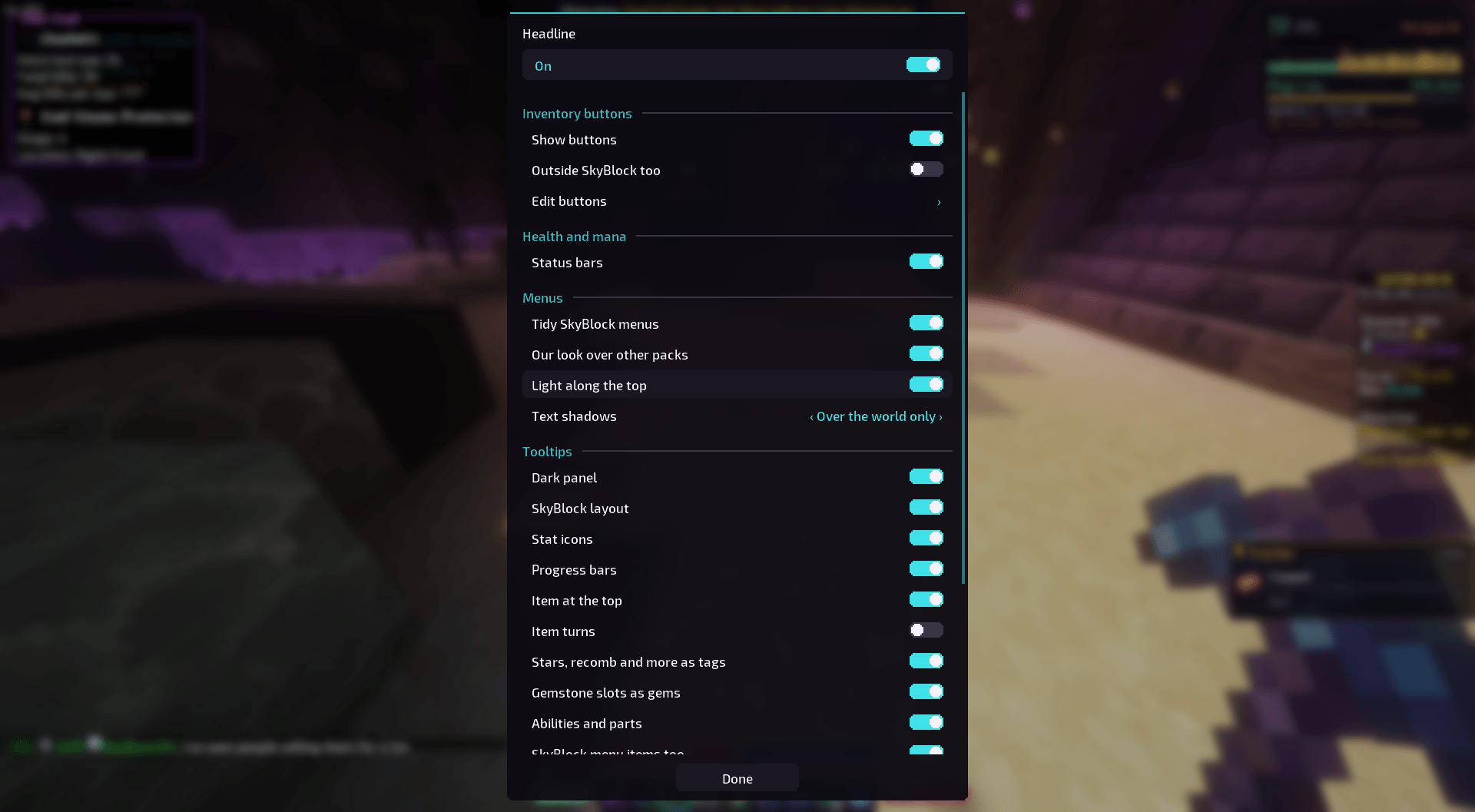
Everything has its own switch in Mod Menu → Headline, with one switch at the top to turn the whole mod off.
Requirements
- Fabric Loader and Fabric API
- Mod Menu (optional) for the settings screen
- Client-side only. Made for Hypixel SkyBlock; the menus, tooltips and boss bars also work anywhere else.
Works alongside
Skyblocker, SkyHanni, Jade, Xaero's Minimap and FurSky Reborn. Headline turns its own features off where they'd overlap, and you can switch any part off if you prefer another mod's version.
Good to know
- Headline only reads what's already on your screen (tooltips, menus, the action bar). It never sends anything to the server except the commands you click on your own buttons.
- No accounts, no tracking, no analytics.
- Credits: the font is Exo 2 by The Exo 2 Project Authors, under the SIL Open Font License (licence included in the mod). Menu textures are redrawn from Minecraft's own layouts.
- Made by RdotA,
Headline isn't affiliated with or endorsed by Hypixel or Mojang.
Headline Team