
Harmonize – UI Overhaul
- By
Transform your interfaces into a work of art! Harmonize unifies all container menus, introduces a universal offhand slot, and polishes HUD elements for a seamless, visually stunning Minecraft experience.
✨ Harmonize
"A mod that unifies and enhances all Minecraft interfaces, making them consistent, polished, and pleasant to use."
Harmonize transforms your Minecraft GUI experience with a sleek, unified visual design. Every container interface—from crafting tables to enchanting stations—now features a consistent layout that perfectly aligns with your hotbar. No more jarring visual jumps between different workstations!
🧩 The heart of the Harmonize Collection. Harmonize is the main mod of a family built to share one look. Explore the mods made to plug right into this interface: Bridle, Ghastlings and Bannerstone. Each of them is optional and works on its own.
🎯 What does this mod do?
Ever noticed that Minecraft's menus feel… inconsistent? Different spacing, misaligned elements, and behaviors that vary from one menu to another. Harmonize fixes all of that.
Simple. Clean. Harmonized.
✨ Key Features
| Icon | Feature Description |
|---|---|
| ✨ | Standardized GUIs: Premium container interfaces with pixel-perfect alignment. |
| 🎯 | Unified Positioning: Consistent hotbar and inventory slot placement across ALL workstations. |
| 🎨 | Refined HUD: Custom hotbar sprites and XP bars with a modern, sleek aesthetic. |
| 🖐️ | Universal Offhand & Trash: Offhand slot and convenient item trash bin accessible directly from every single container menu. |
| 🎭 | Polished Interactions: Consistent hover feedback, tooltips, and button hitboxes. |
| 💬 | Chat Inside Any Window: Type messages and commands without closing your inventory or container. |
| 🧪 | Effect Bar: Active effects in a compact bar: white for helpful, red for harmful, blinking when about to end. |
| 🔎 | Filters: Buy/Sell filters for villager trades and labeled filter buttons in the creative inventory. |
🖐️ Core Elements & QoL Features
Experience the core quality-of-life additions, designed to streamline your gameplay and inventory actions:
| Feature & Spacing Details | Comparison |
|---|---|
| Hotbar & Trash Slot: Adds the universal offhand slot and the creative/survival trash slot directly to your active inventory interface. |  |
| XP & Exhaustion Bar: Custom-styled experience bar that integrates cleanly with the new visual layout. | 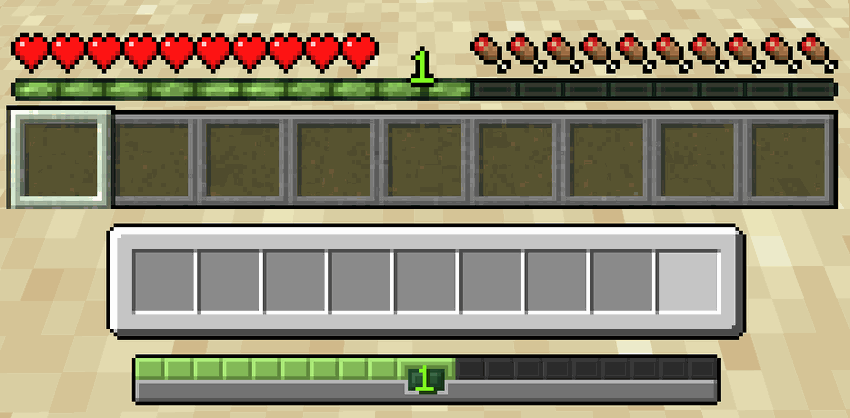 |
| Search & Locator Bar: Aligns and matches the styling of text boxes and search bars across all GUI menus. |  |
| Chat Input Bar: Sleek, centered chat input bar matching the visual identity of the hotbar. |  |
🎒 Player Inventory Overhaul
Harmonize unifies the survival inventory, recipe books, and creative mode into a seamless, single-screen experience. No more switching screens to navigate your creative blocks or recipes:
| Survival Inventory | Creative Inventory |
|---|---|
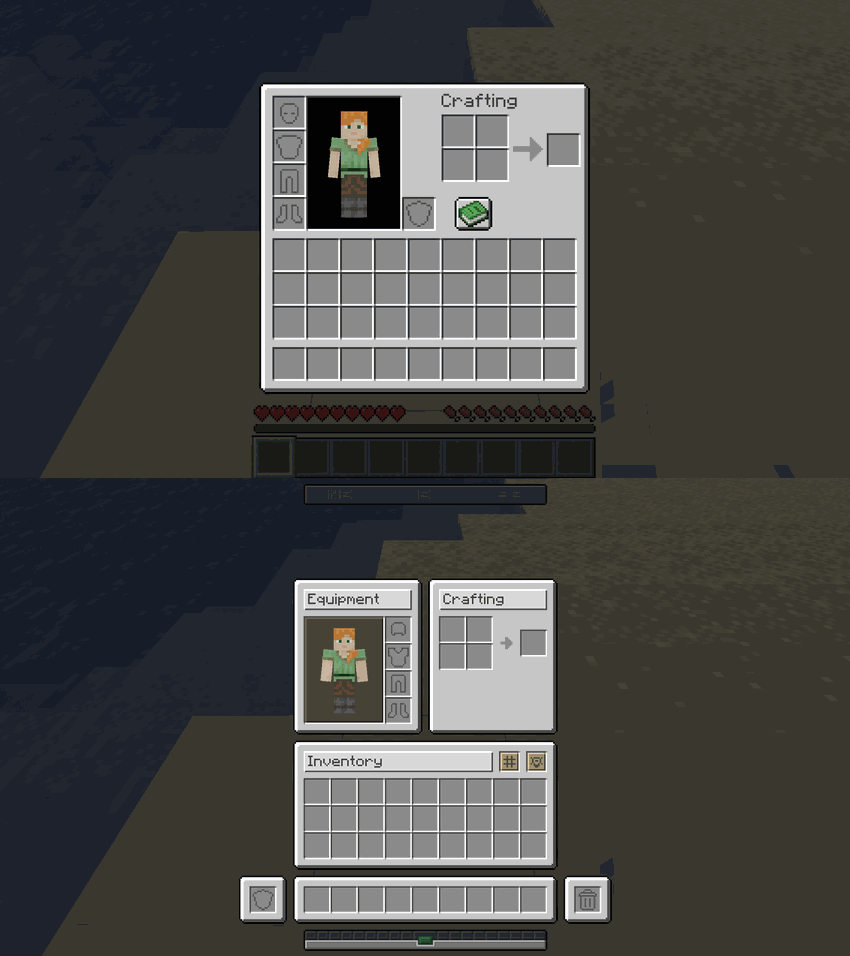 |
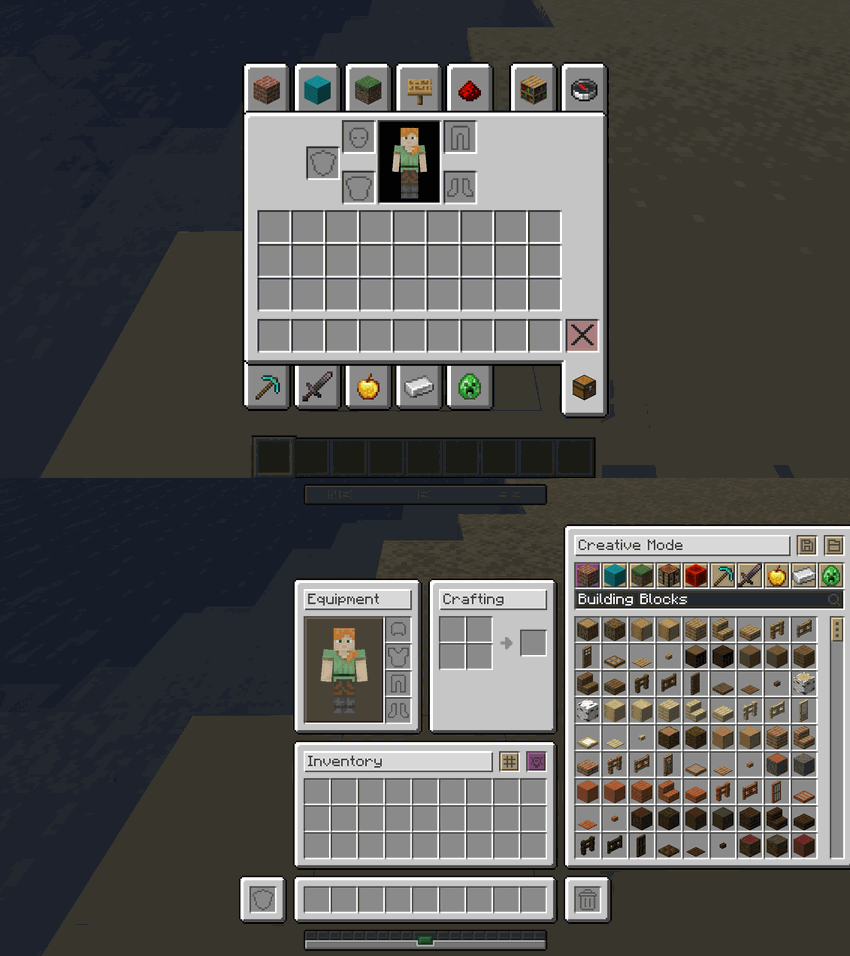 |
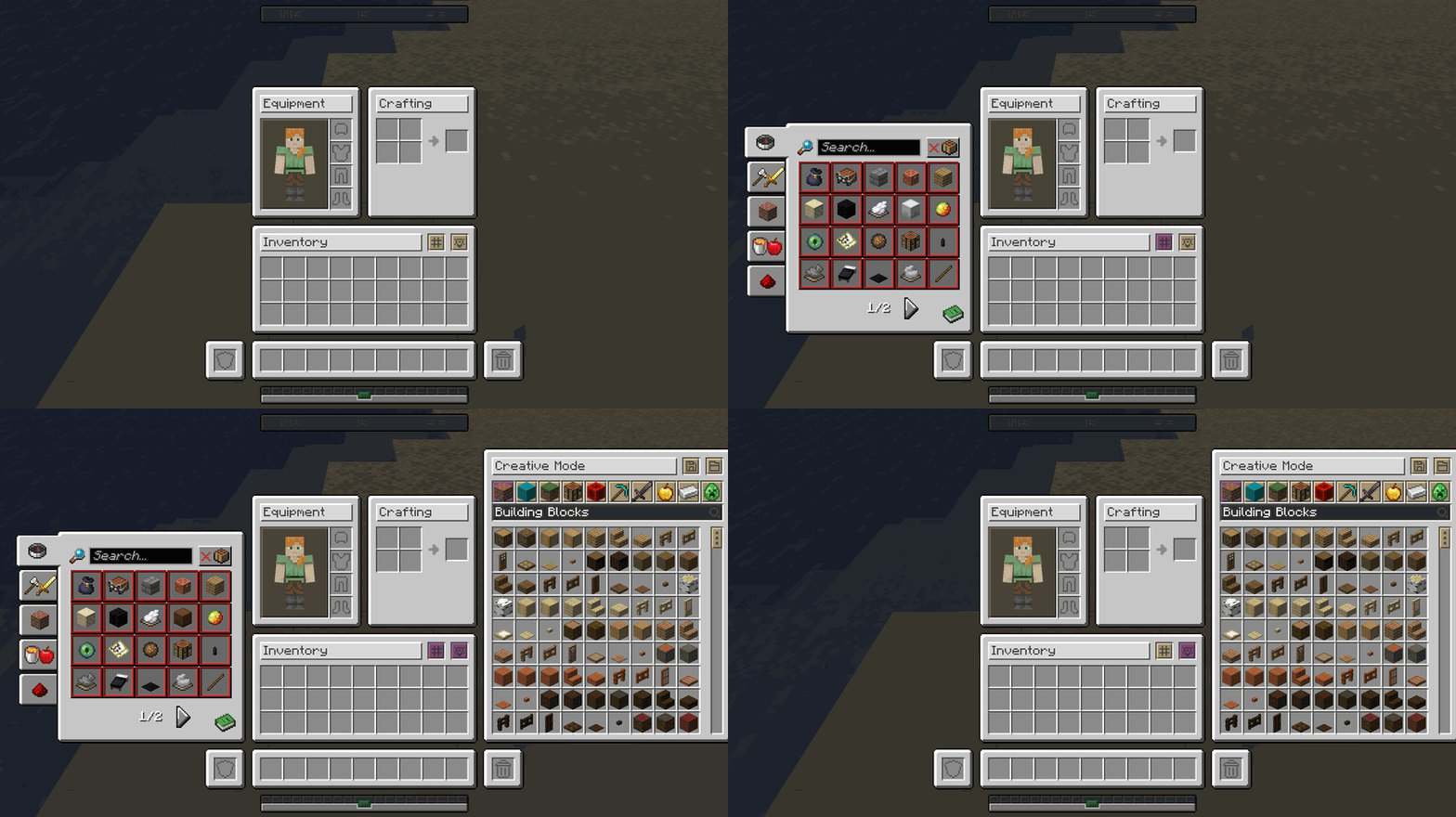
🔄 Interactive Mod Interface States
Watch how the survival inventory, recipe books, and creative tabs adapt dynamically on the fly within the same window:
📦 Container & Workstation Overhauls
Below are the visual transitions showing exactly how every single container in the game has been updated to fit the new design:
📦 Storage Containers
| Container | Comparison |
|---|---|
| Chest | 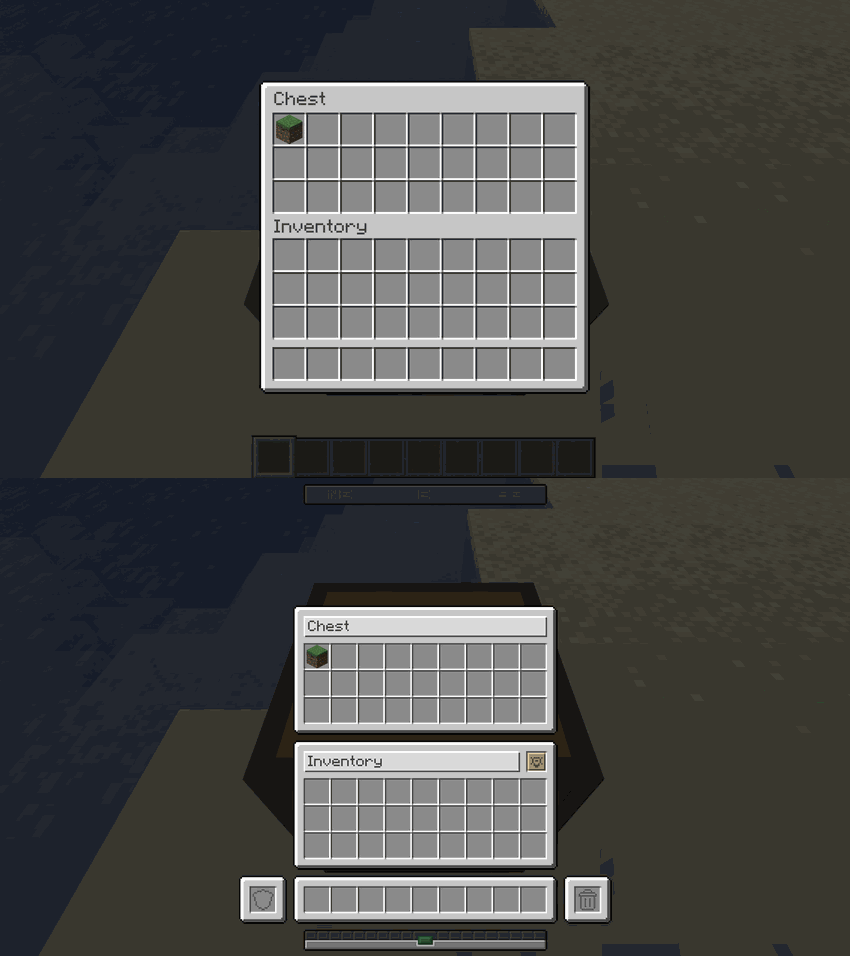 |
| Barrel | 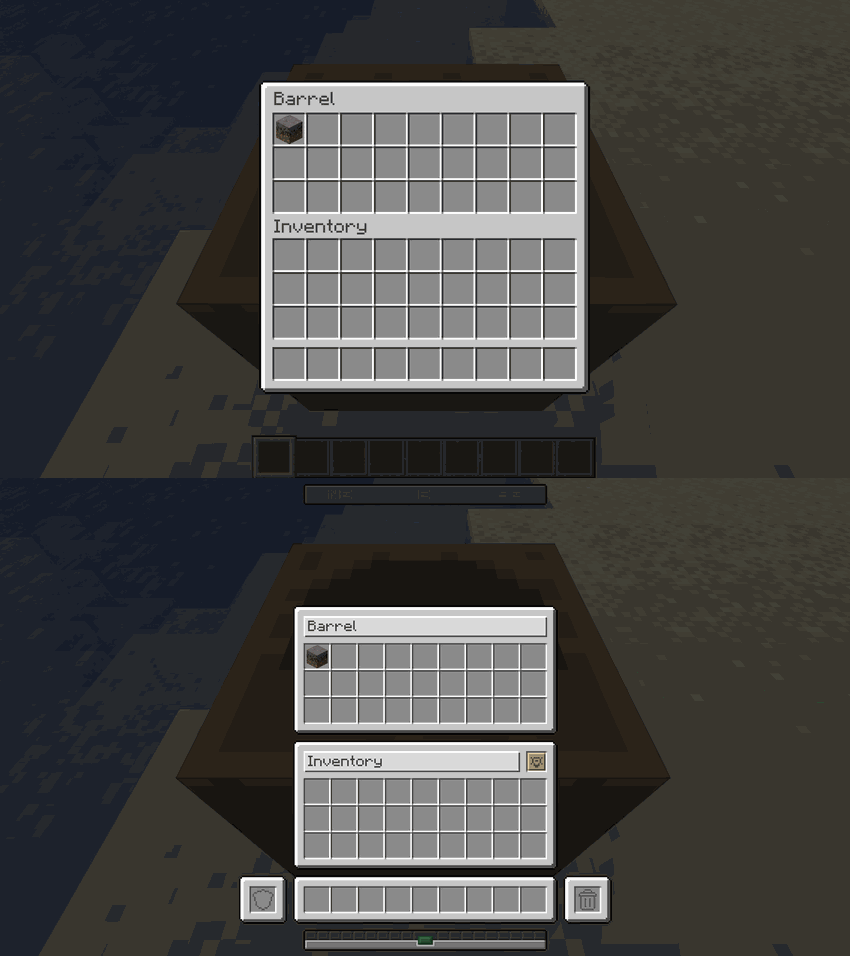 |
| Ender Chest | 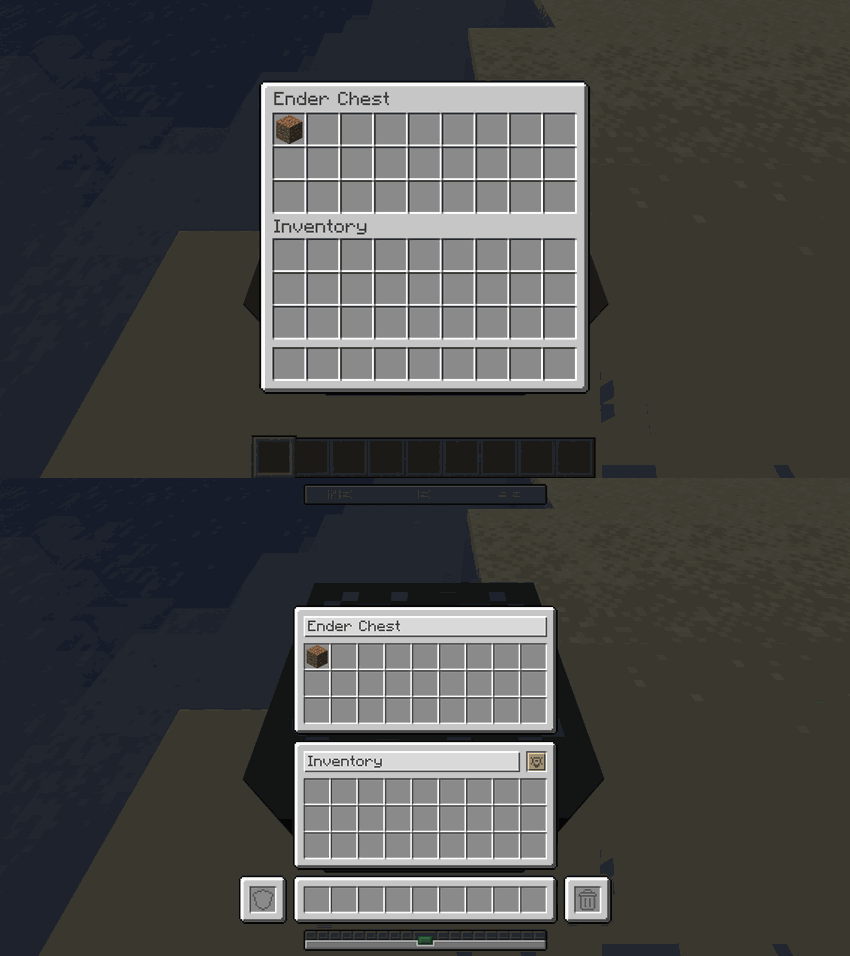 |
| Shulker Box | 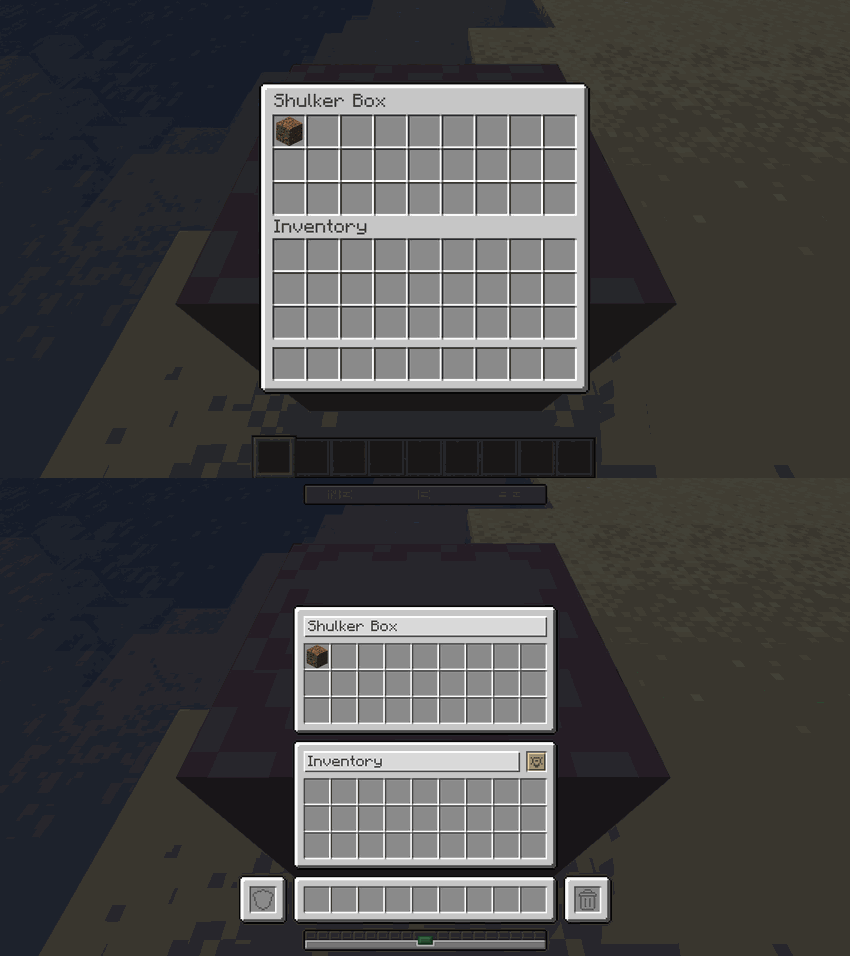 |
| Dispenser | 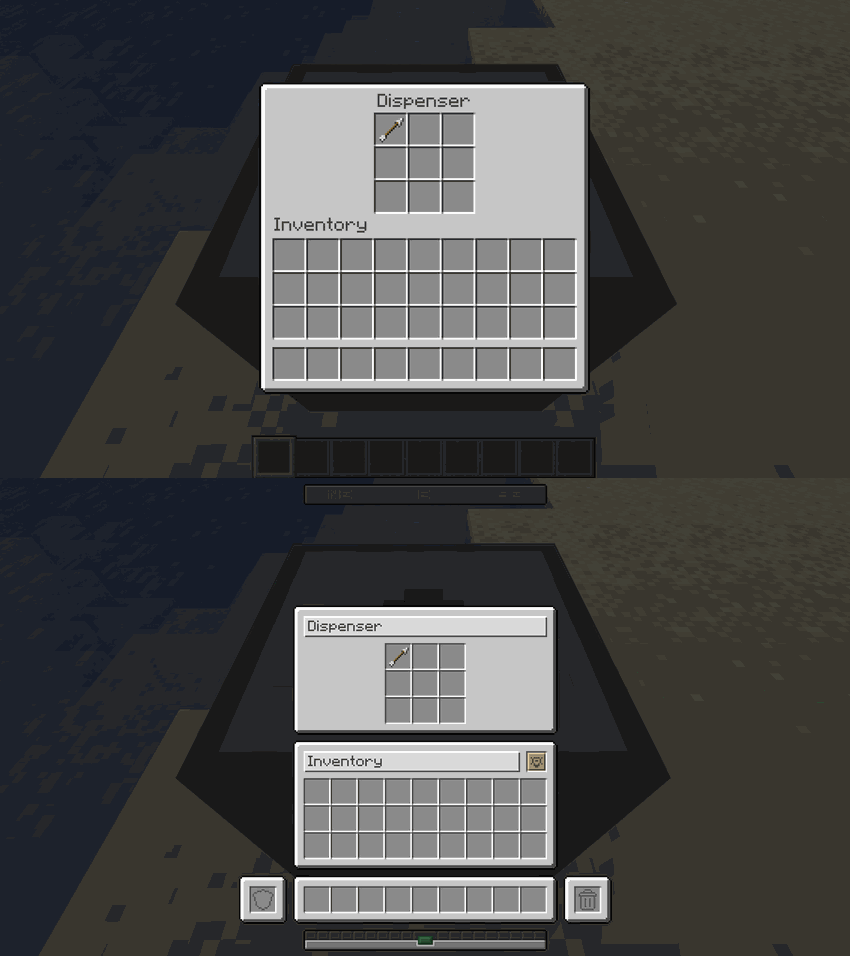 |
| Dropper | 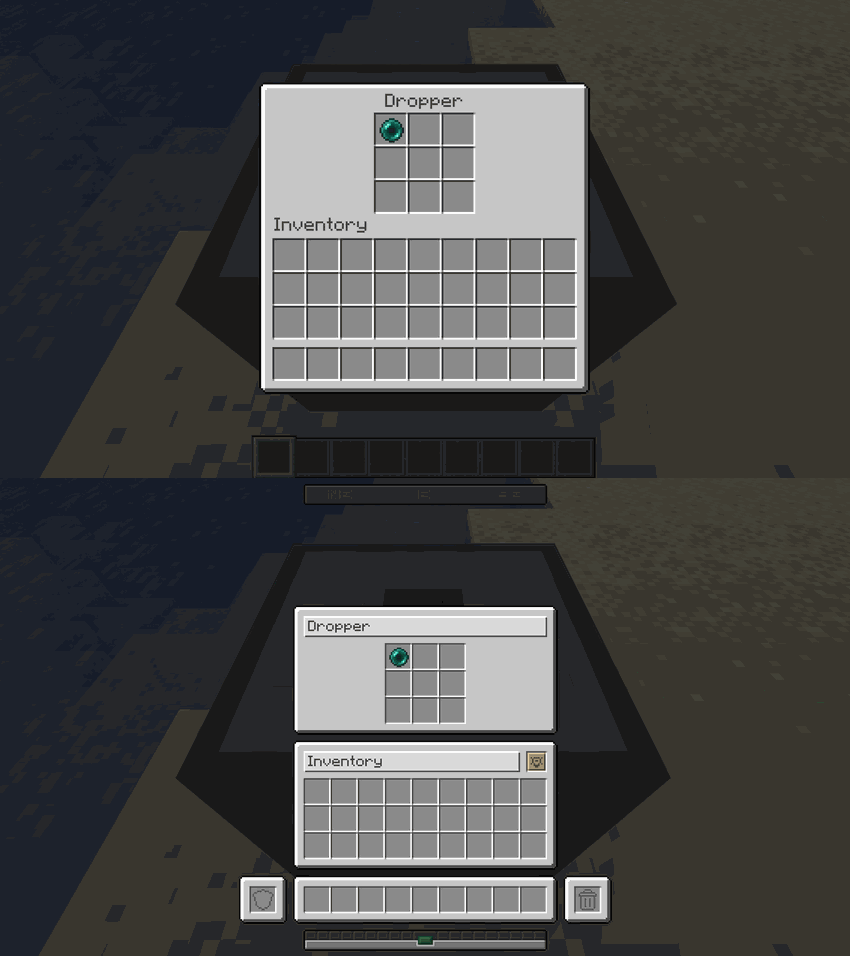 |
| Hopper | 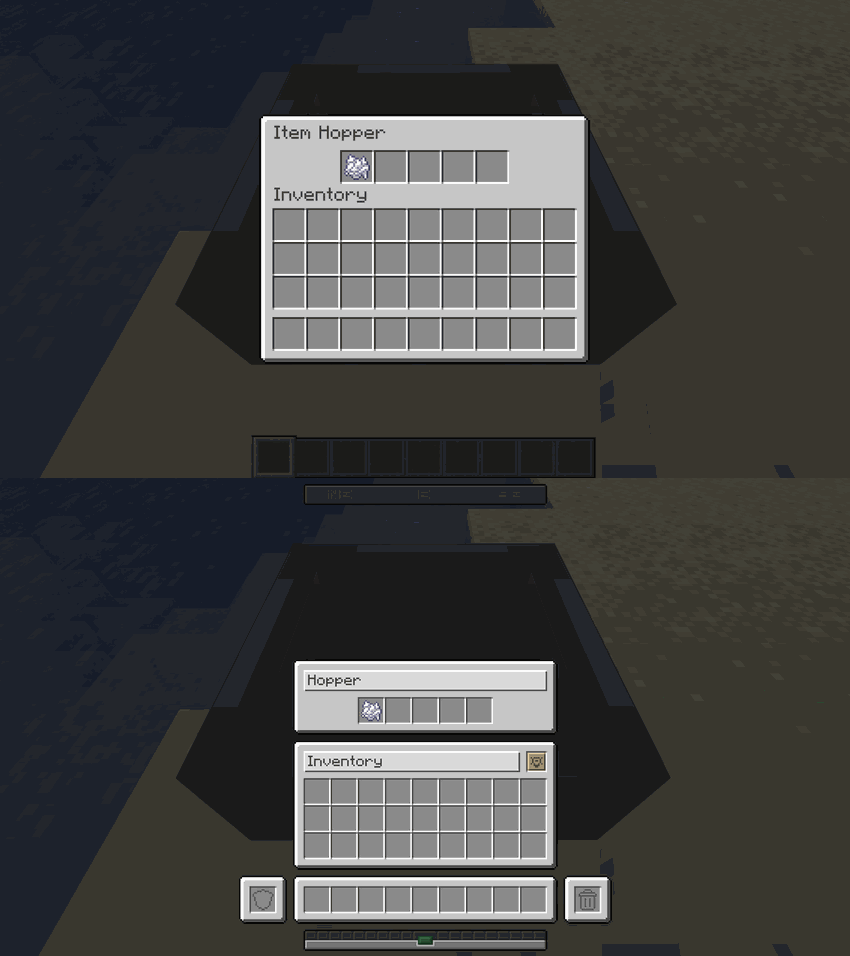 |
🛠️ Crafting & Decorative Workstations
| Workstation | Comparison |
|---|---|
| Crafting Table | 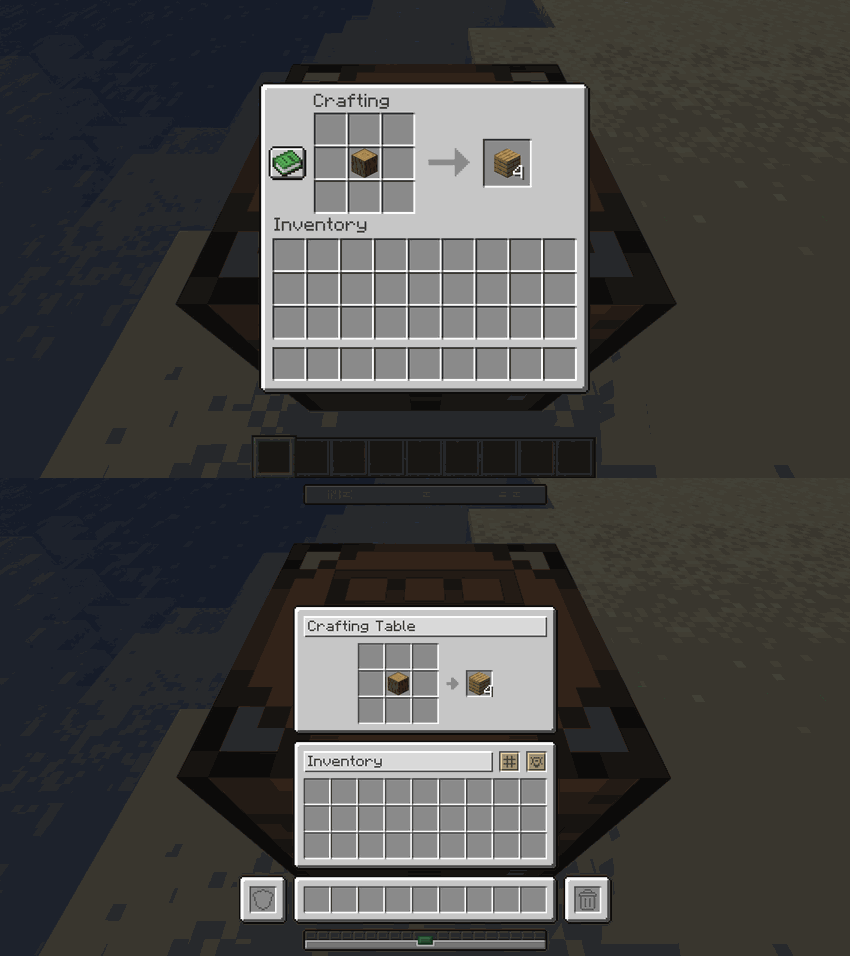 |
| Crafter | 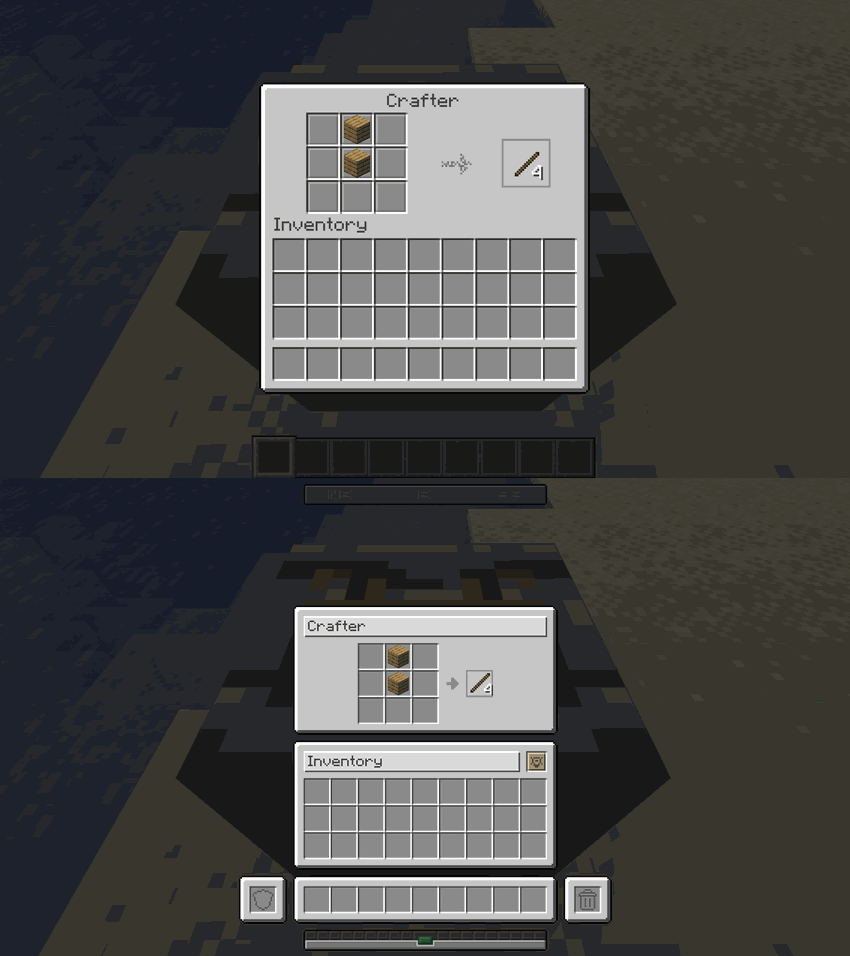 |
| Stonecutter | 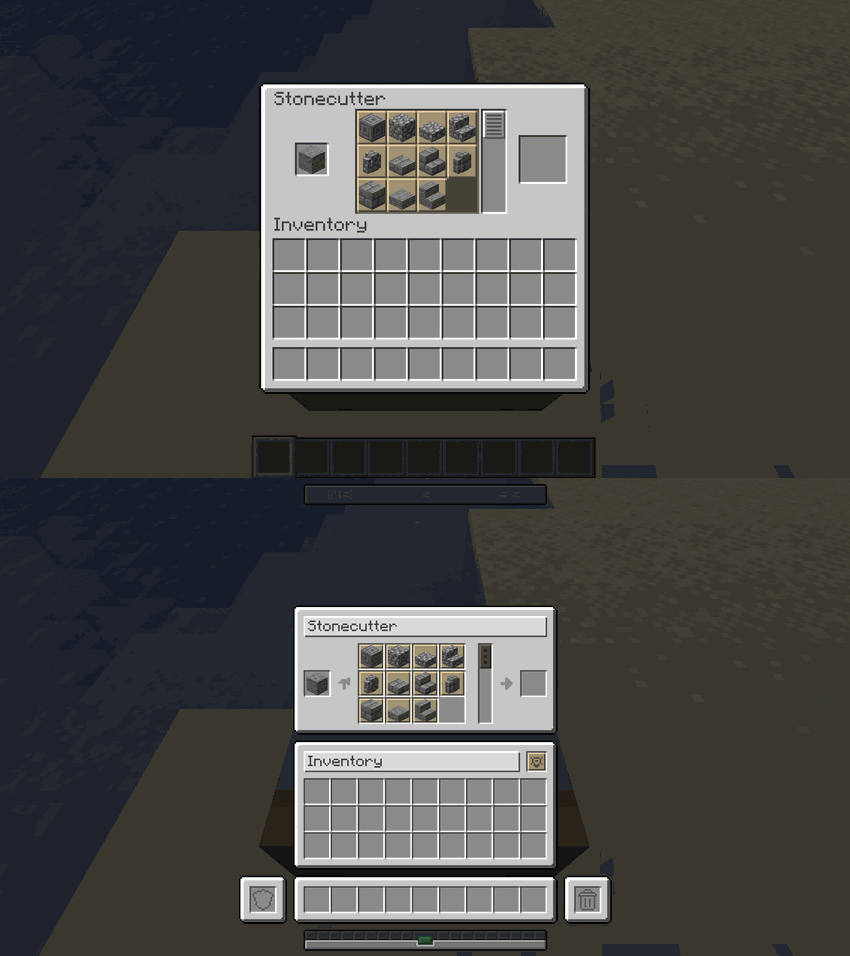 |
| Loom | 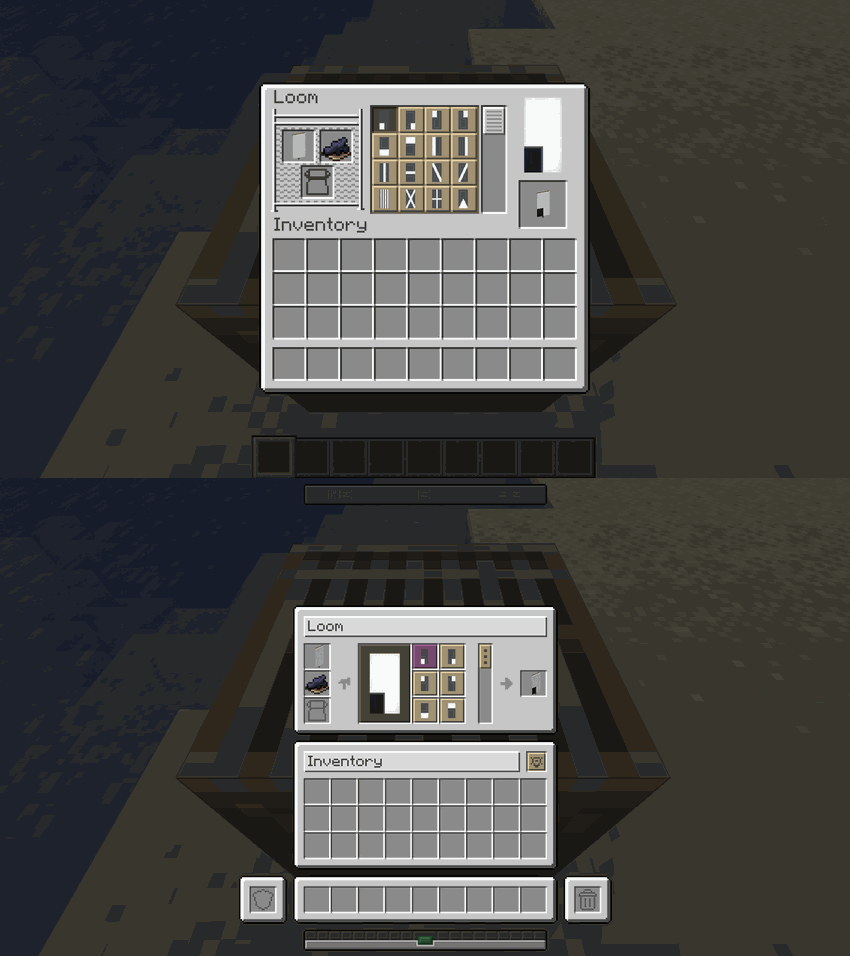 |
| Cartography Table | 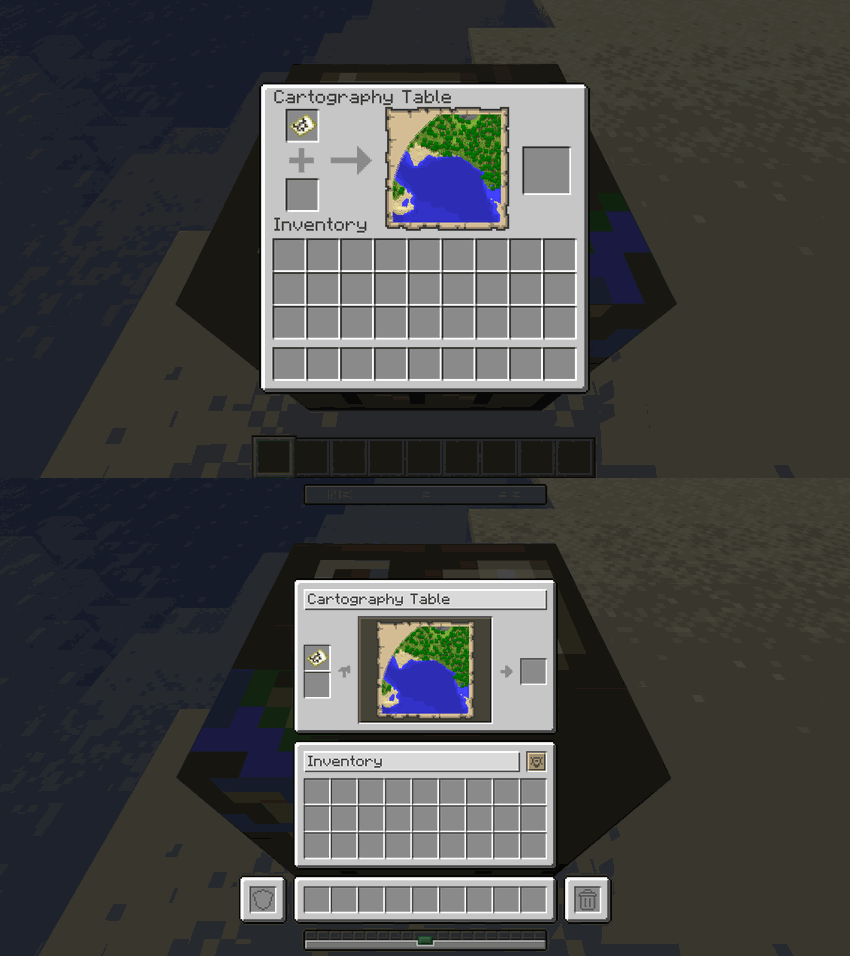 |
⚔️ Equipment Upgrade Screens
| Screen | Comparison |
|---|---|
| Anvil | 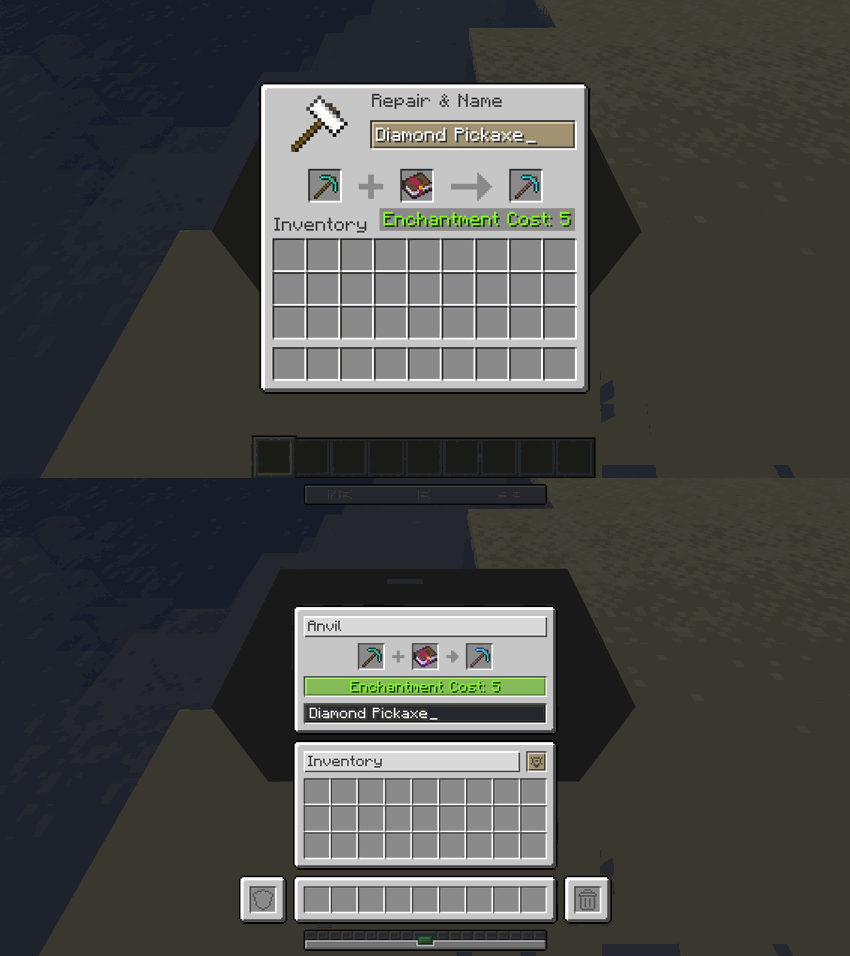 |
| Smithing Table | 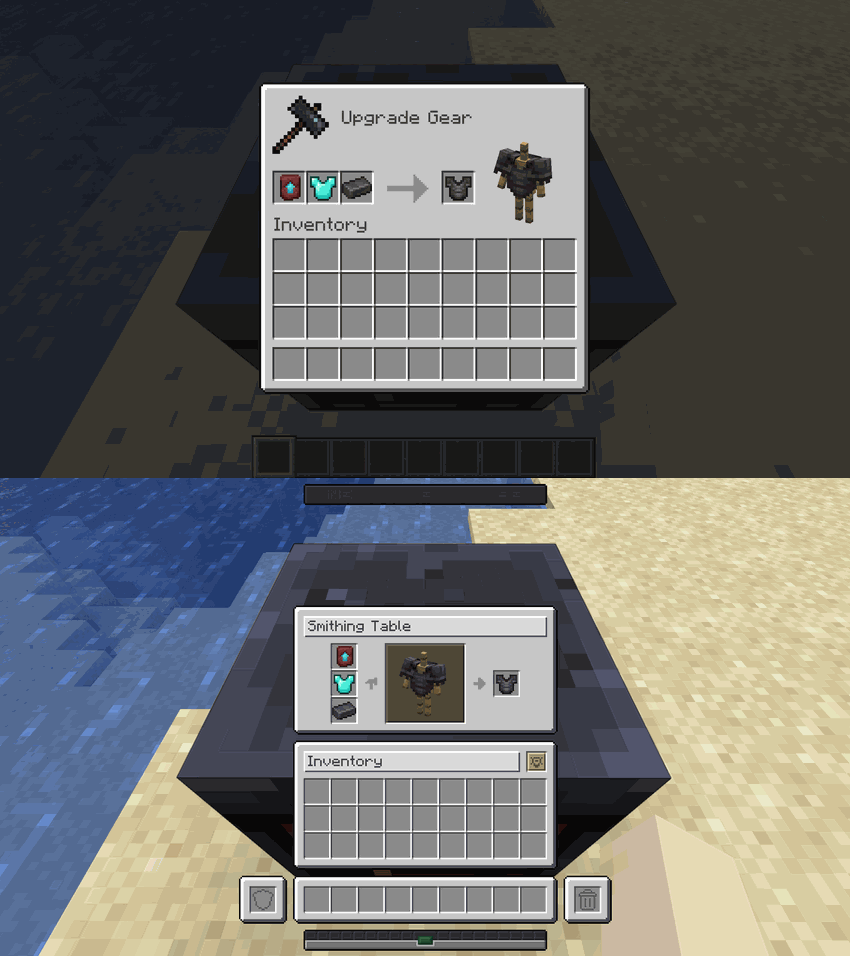 |
| Grindstone | 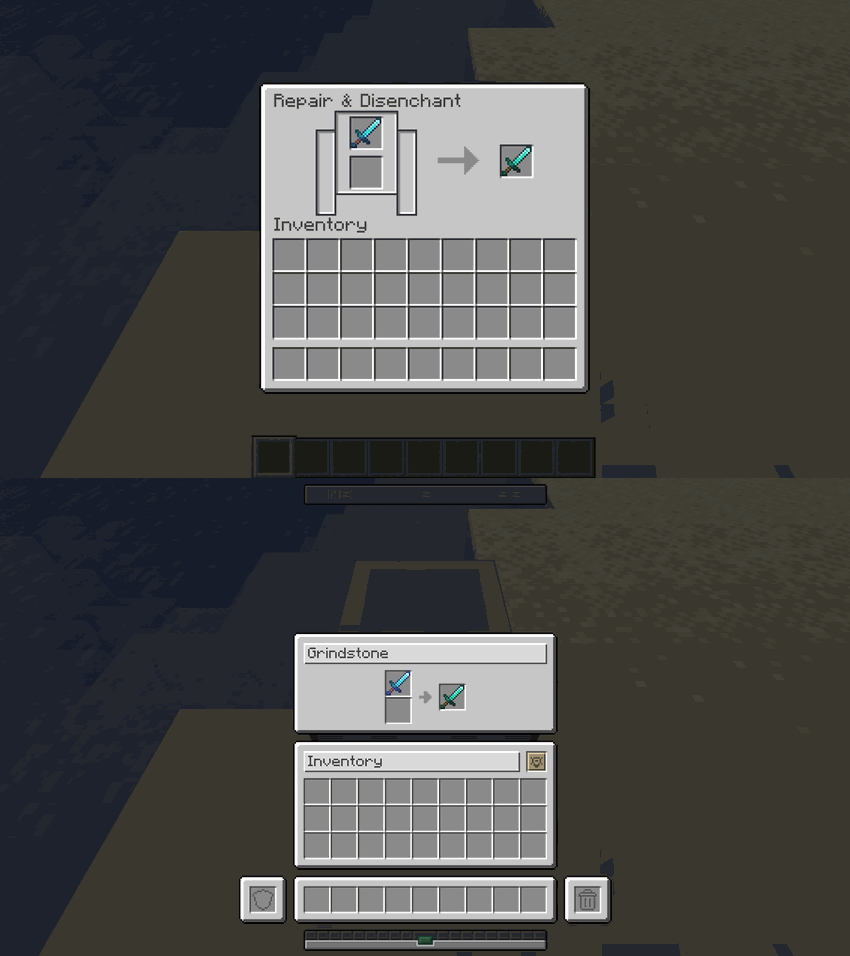 |
| Enchanting Table | 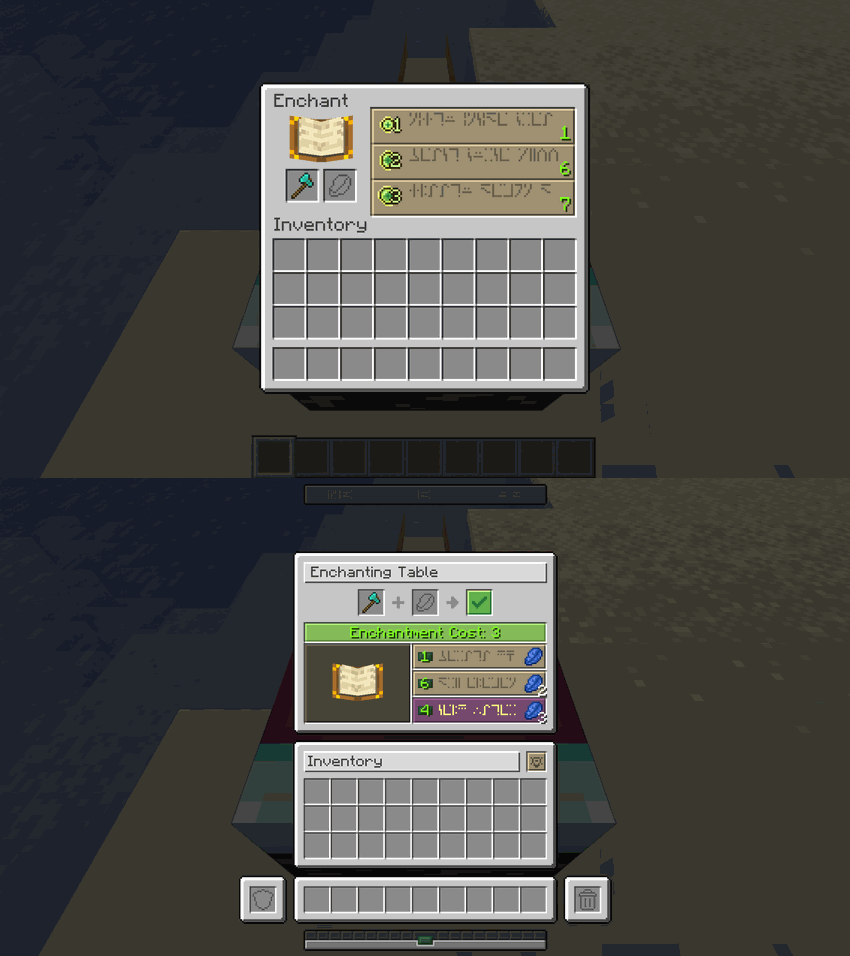 |
| Beacon | 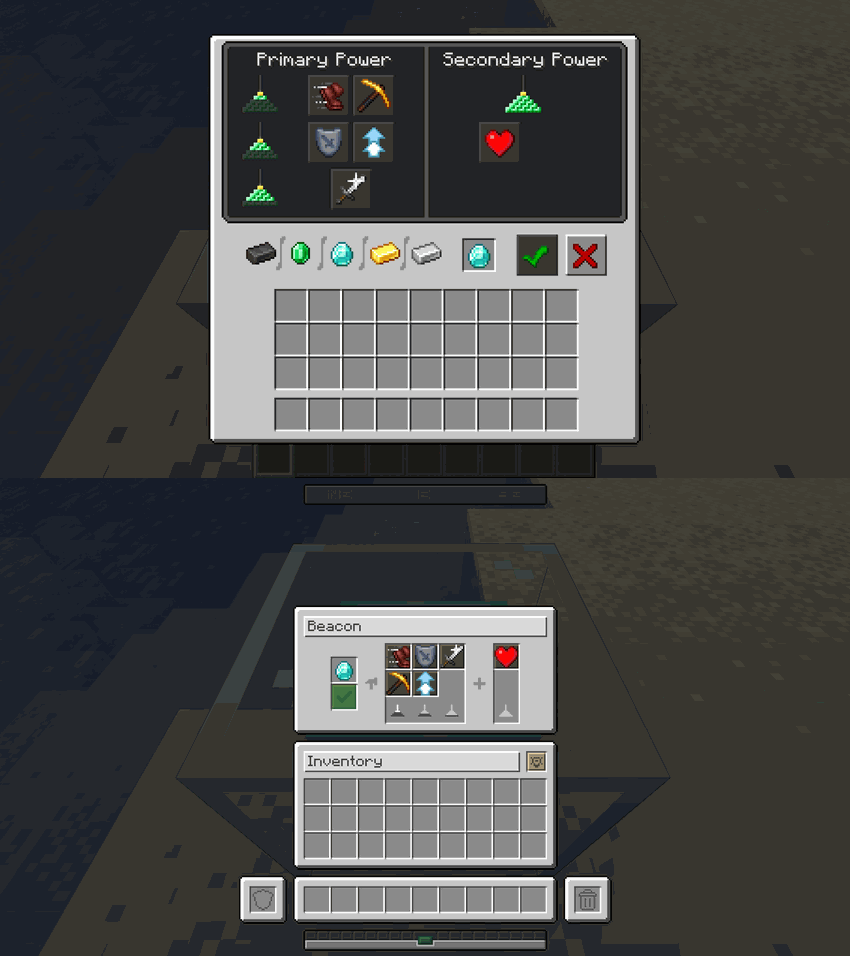 |
| Brewing Stand | 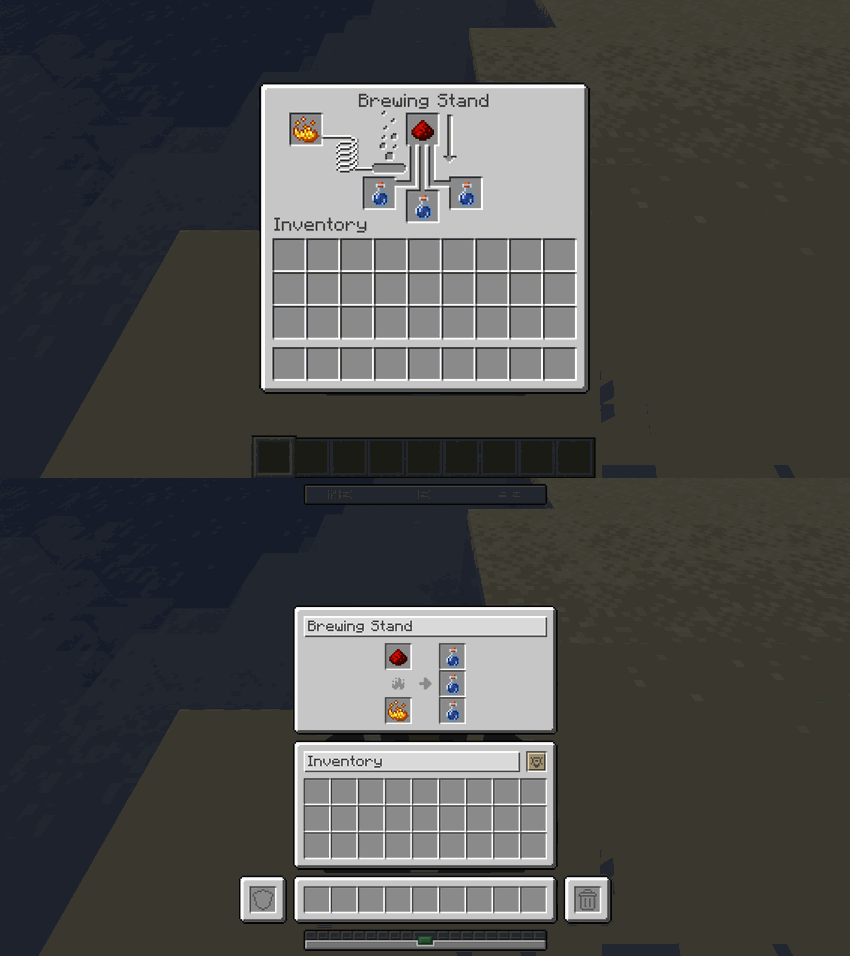 |
Smelting, Trading & HUD
| Screen | Comparison |
|---|---|
| Furnace | 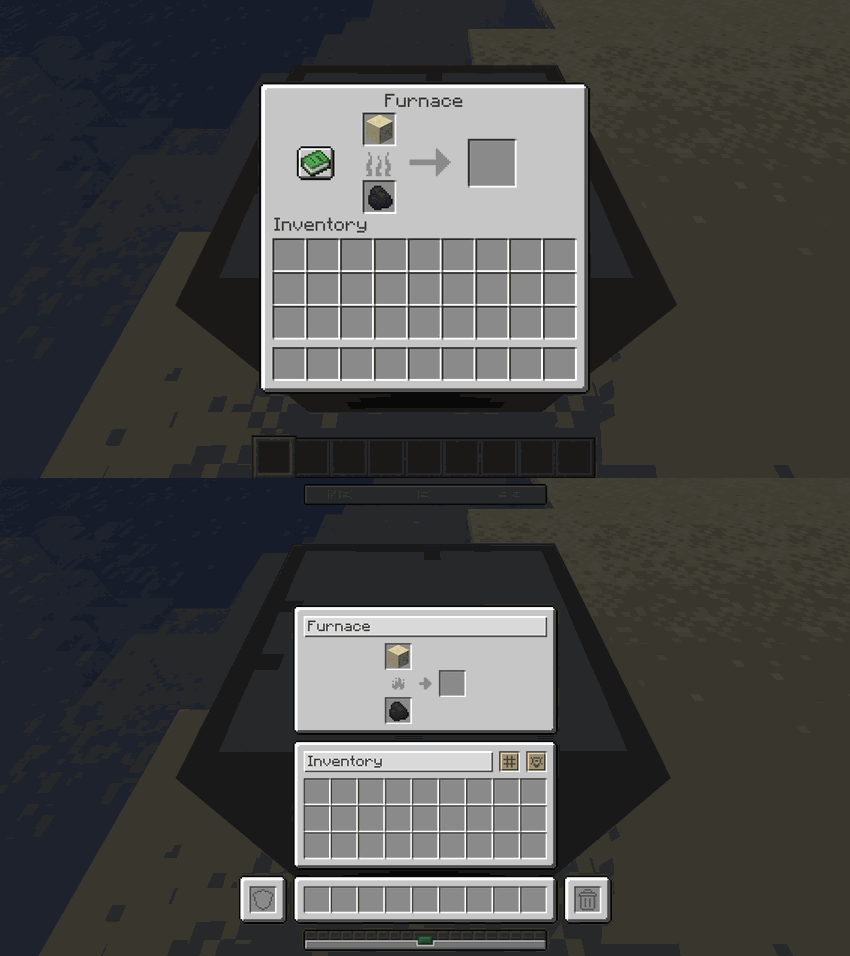 |
| Blast Furnace | 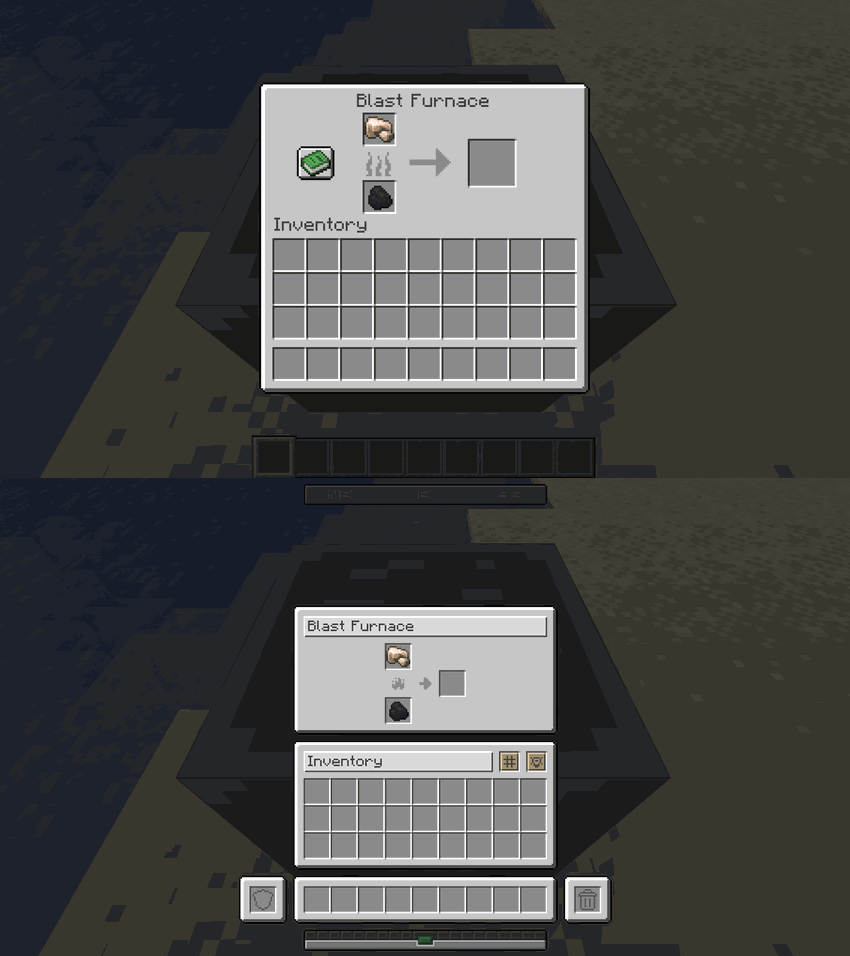 |
| Smoker | 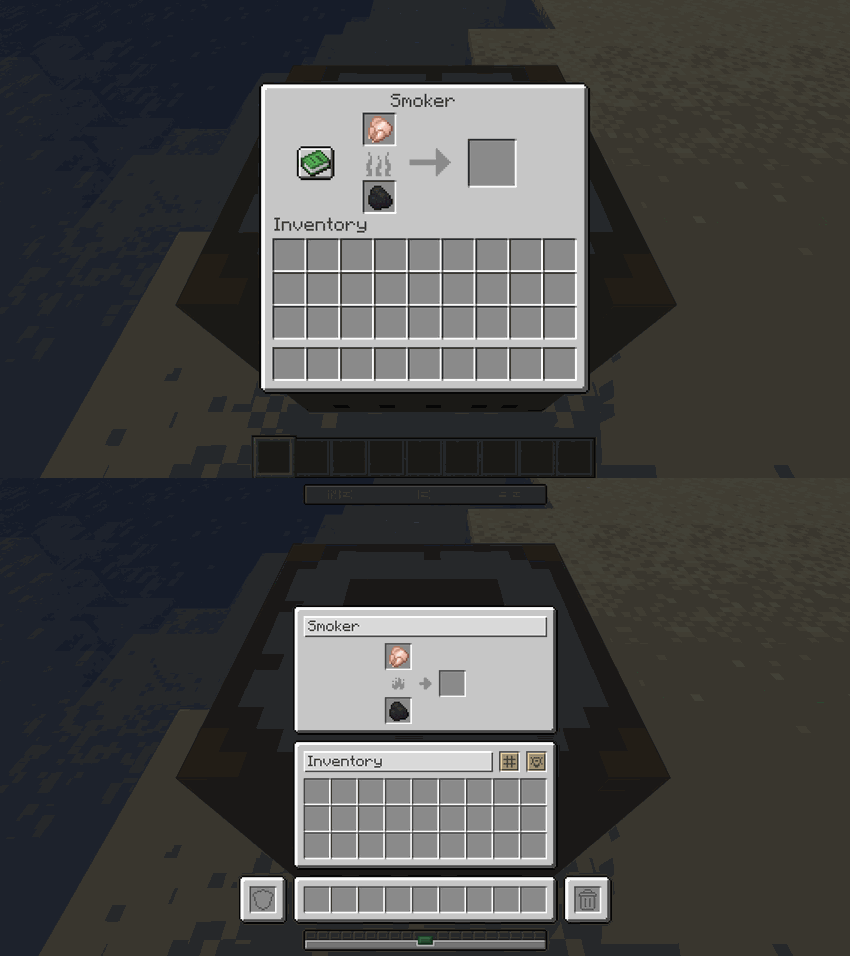 |
| Villager Trading | 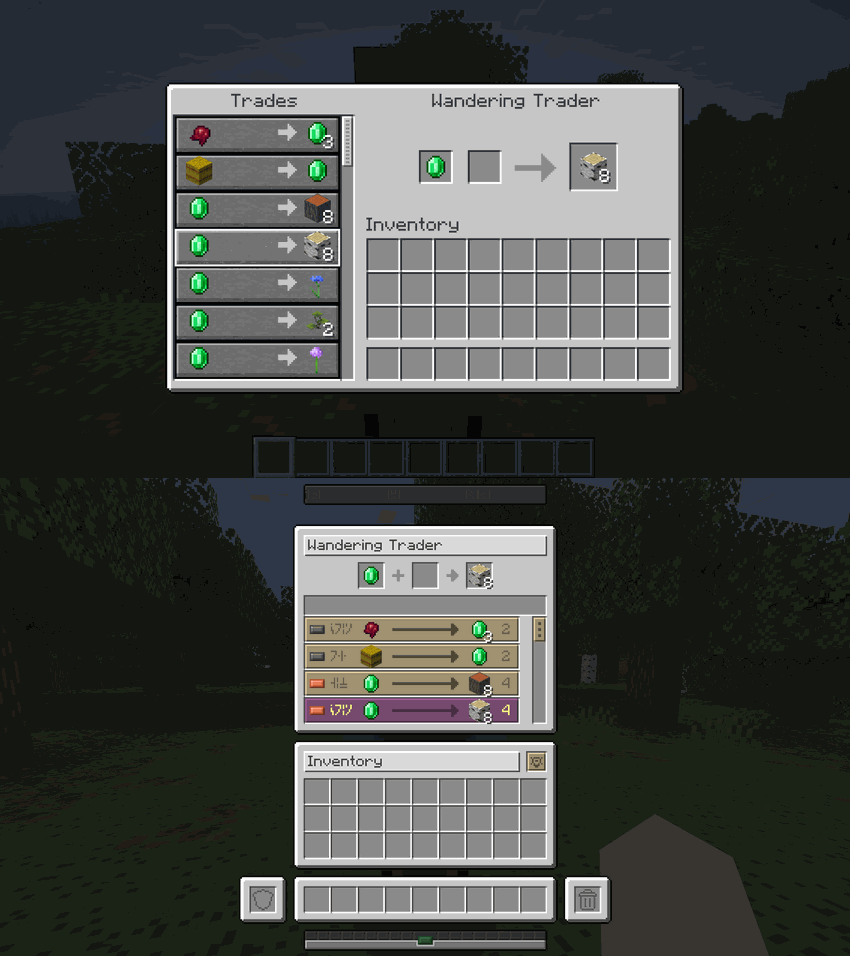 |
| Survival HUD | 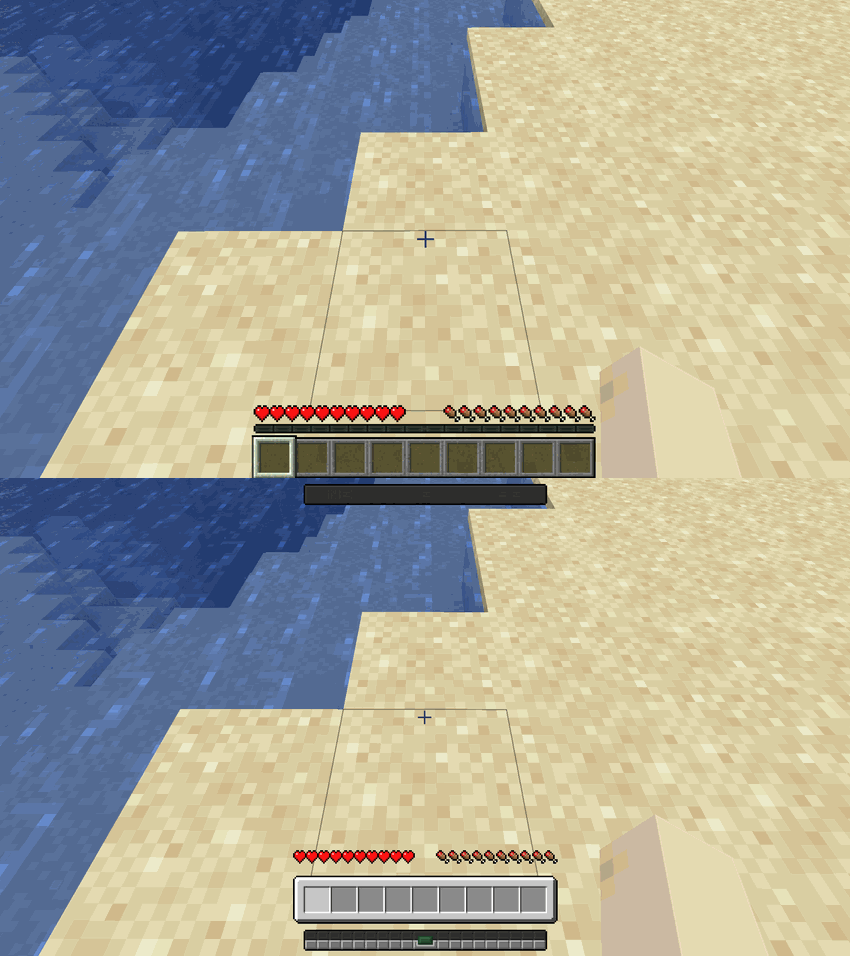 |
| Creative HUD | 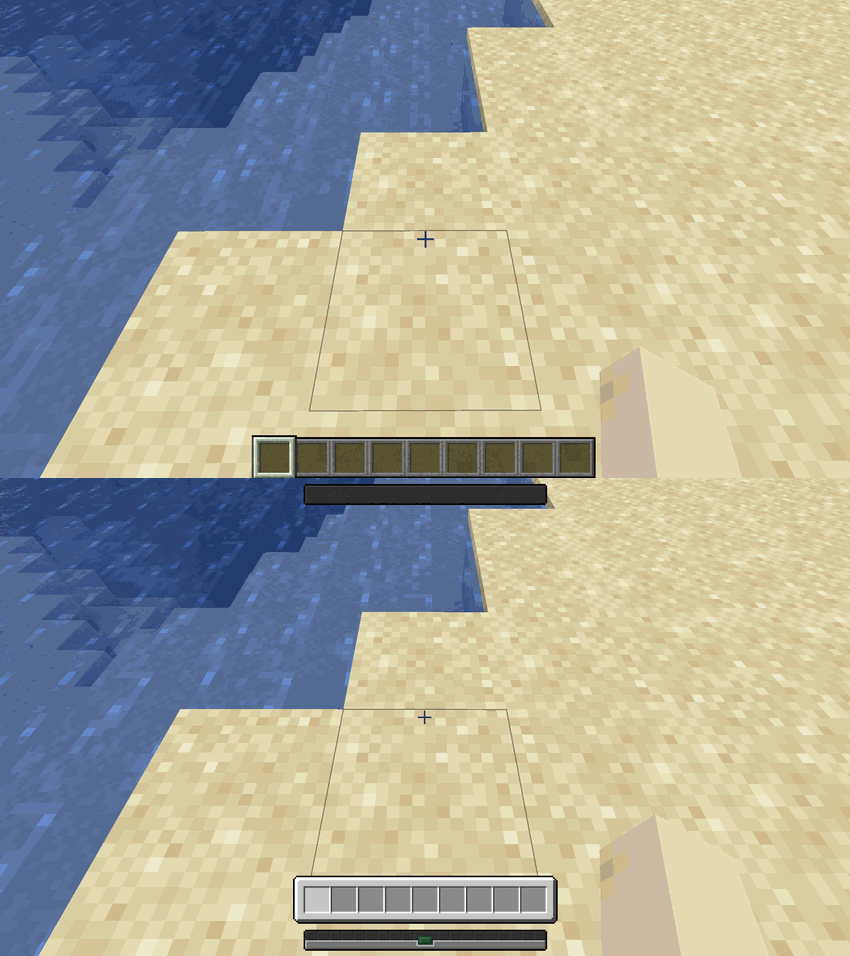 |
🐴 Mounts & Rideable Entities
Harmonize unifies horse-style screens and mounts. Whether you are mounted or inspecting the entity from the ground, the GUI shifts into a clean, structured inventory tailored specifically for that rideable entity:
| Mount | Comparison |
|---|---|
| Donkey | 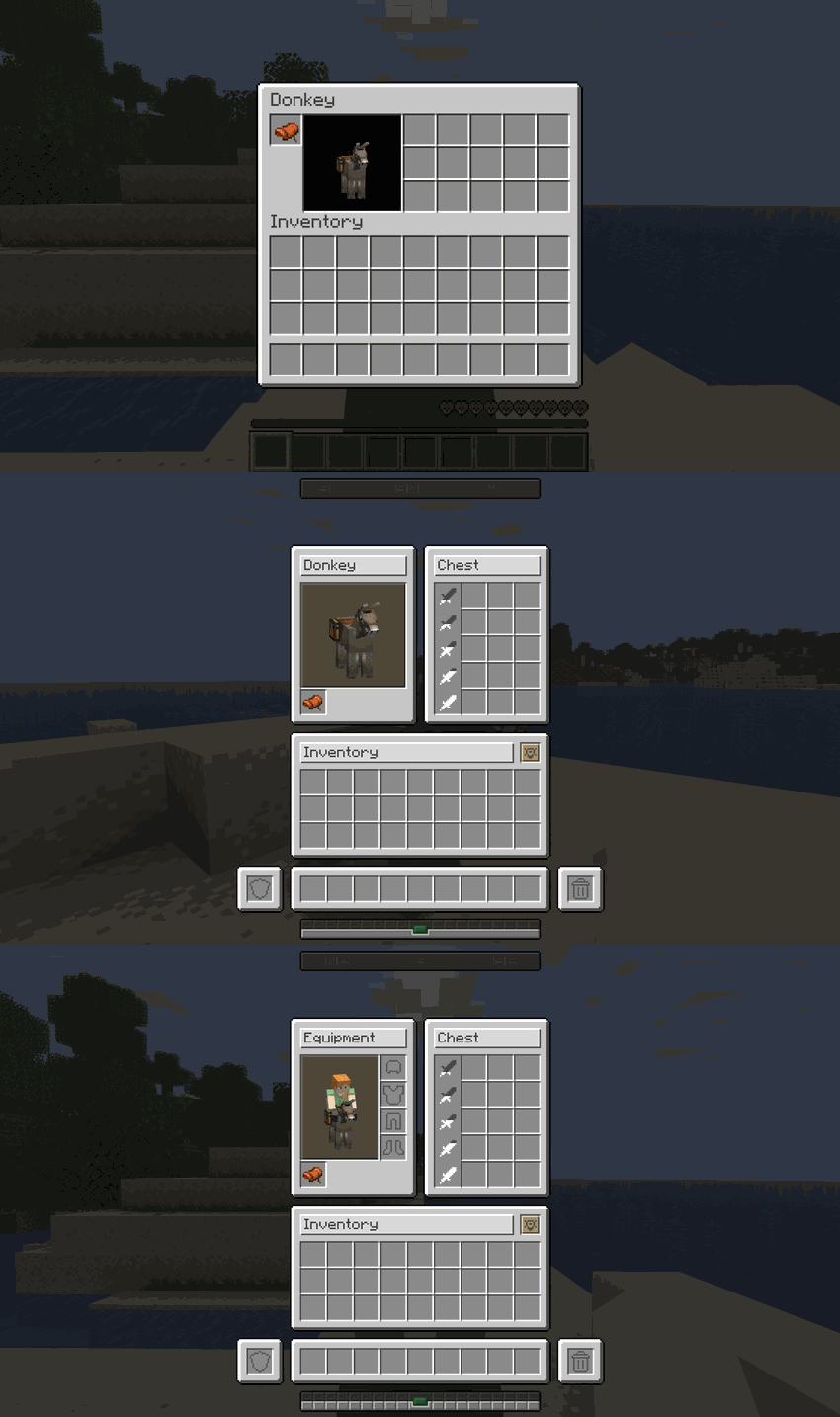 |
| Camel | 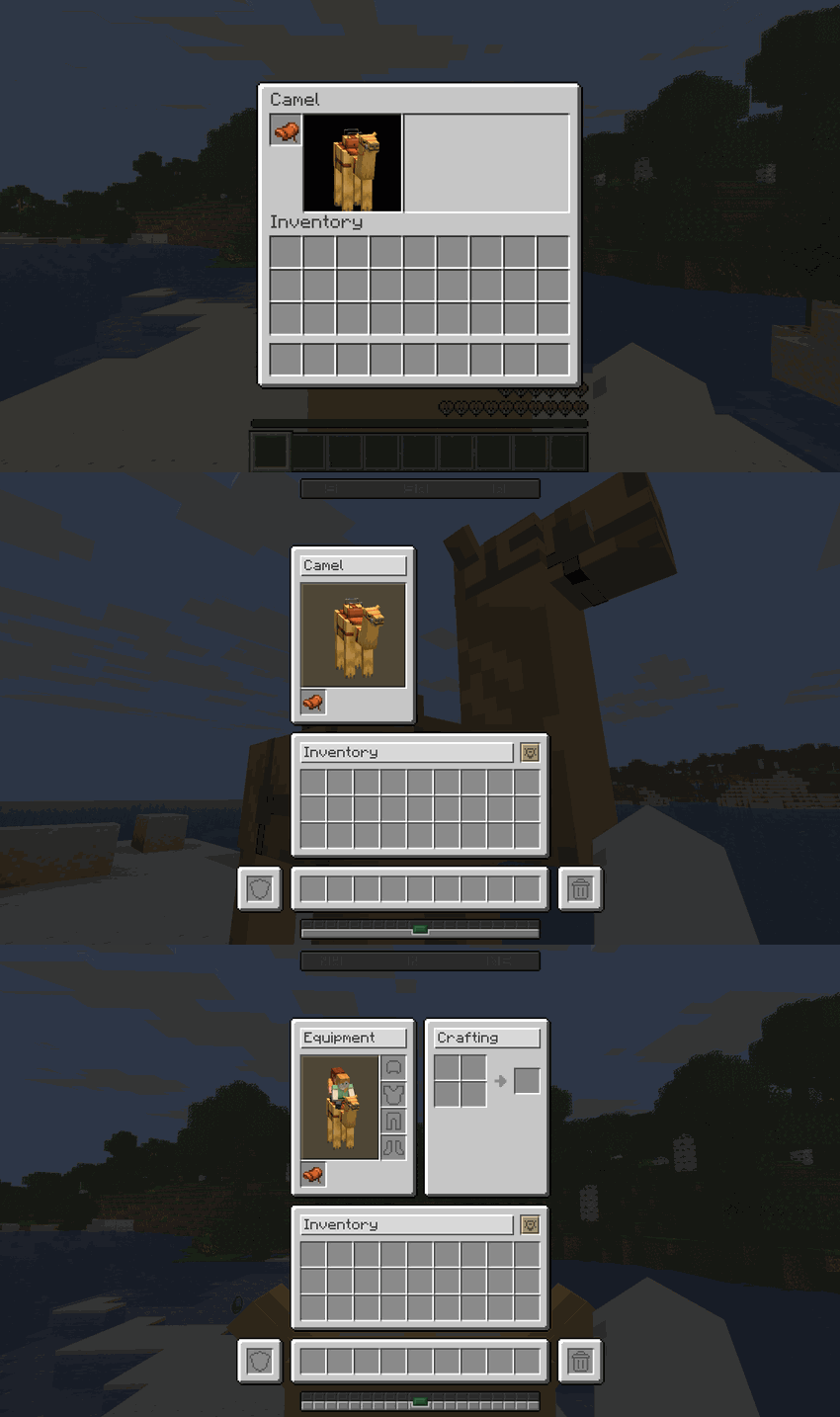 |
| Happy Ghast | 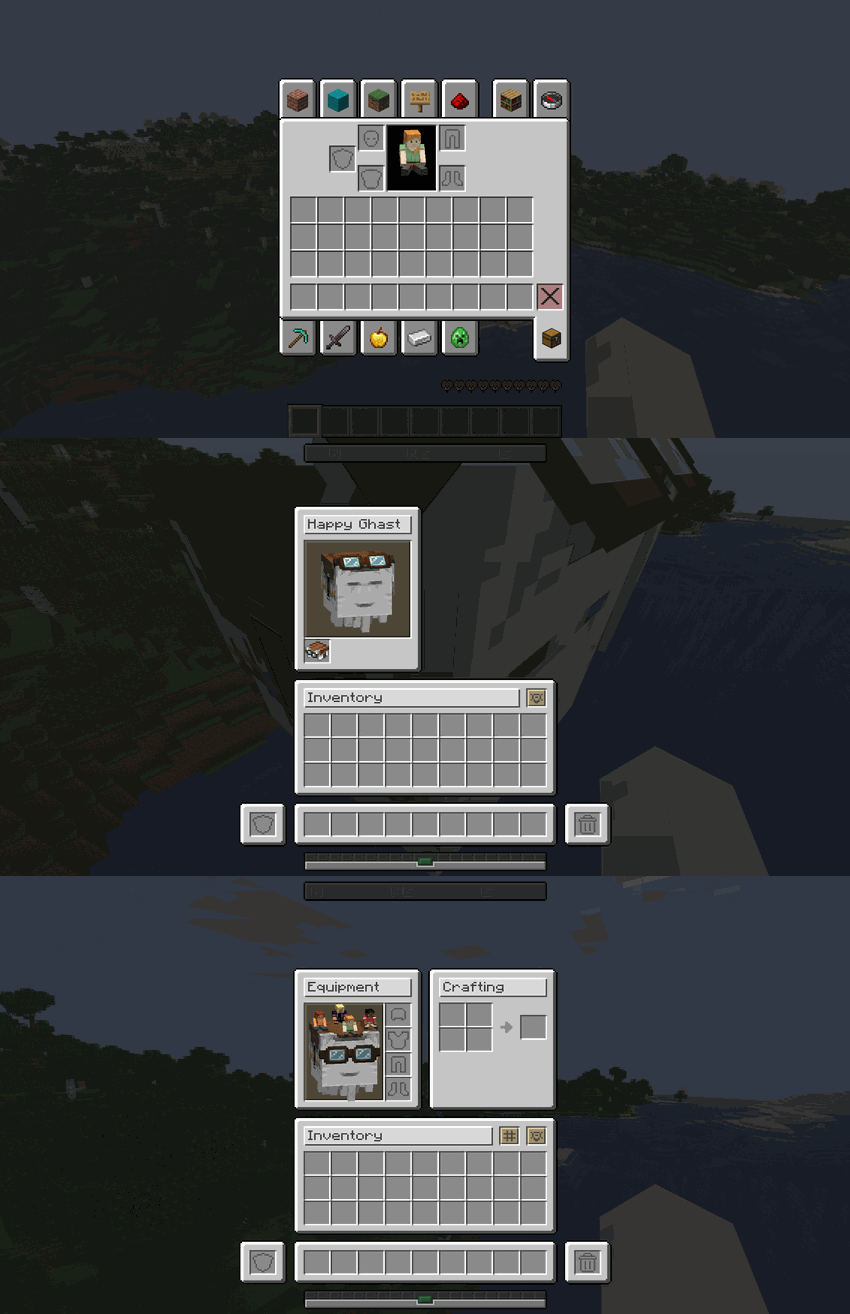 |
| Nautilus | 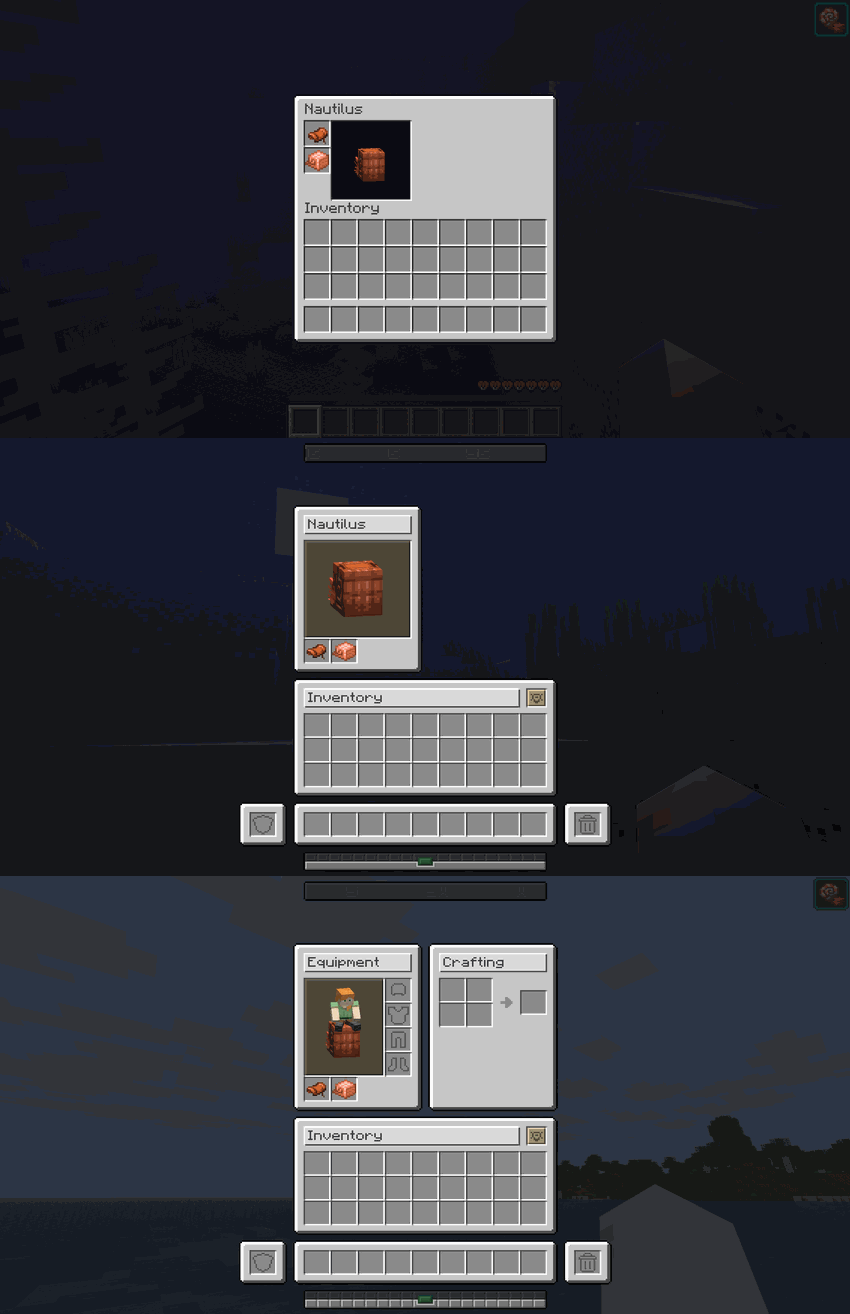 |
| Pig | 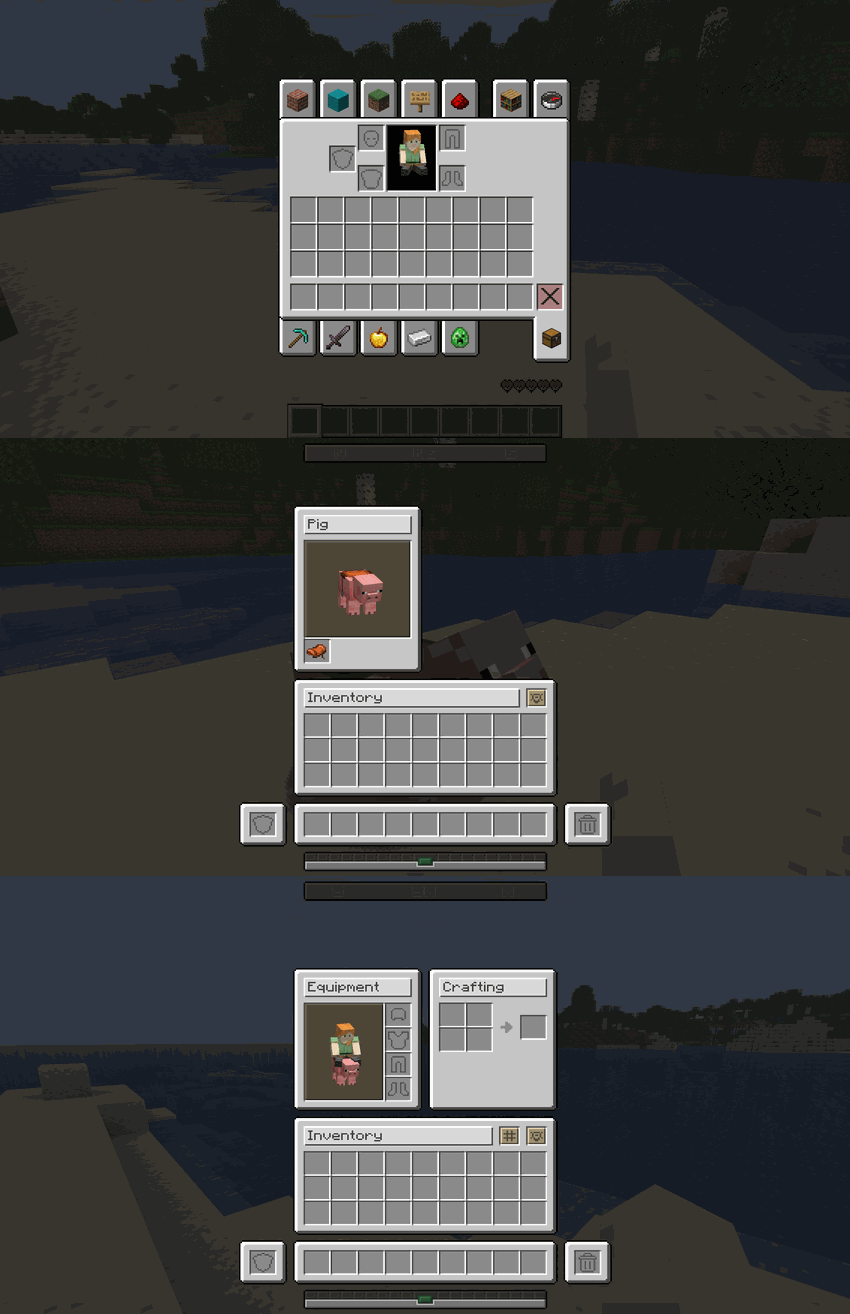 |
🤝 Native Mod Integrations
Harmonize is built to play nicely with others. It features out-of-the-box, native support for the following mods:
| Mod Name | Integration Details |
|---|---|
| [Bannerstone – Lodestone Waypoints] | Bannerstone markers and waypoints are fully supported and seamlessly displayed on Harmonize's custom Locator Bar HUD element. |
| [Bridle – Unified Riding] | Full interface and mechanical compatibility. Harmonize completely overrides Bridle's custom mount inventories, integrating them flawlessly into our unified grid system with full support for player armor slots and dynamic shift-click functionality while riding. |
🎮 Technical Requirements
| Spec | Detail |
|---|---|
| Minecraft Version | 26.1 · 26.2 · 26.3 |
| Mod Loader | Fabric |
| Dependencies | Requires Fabric API |
📥 Installation
- Download and install Fabric Loader.
- Download and install Fabric API.
- Download the latest release of Harmonize.
- Place the downloaded
.jarfile into your Minecraftmodsfolder. - Launch the game and enjoy!
❓ Frequently Asked Questions
Q: Does Harmonize affect client performance or FPS?
A: No! It strictly modifies interface layout coordinates and texture rendering, introducing zero performance overhead.
Q: Is it compatible with other GUI or inventory mods?
A: Yes, in most cases. Minor visual overlaps may occur if another mod aggressively overrides core vanilla container screens.
Q: Does it work on multiplayer servers?
A: Yes! While it is primarily a client-side visual enhancement, installing it on the server ensures full container synchronization.
"Consistency is the foundation of trust, in relationships and in interface design."
🧩 The Harmonize Collection
Harmonize is the main mod of the collection. These mods are built to blend into its interface, and each one also works on its own:
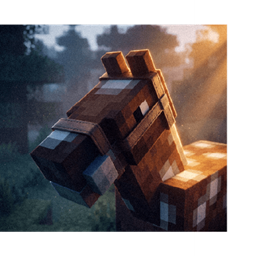 |
🐴 Bridle Mounts that make sense: a saddle to ride, the right gear to steer, blankets to dress them up. |
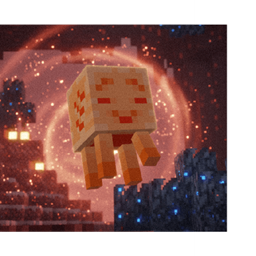 |
👻 Ghastlings Elemental Ghast Soul companions that float beside you, level up and fight for you. |
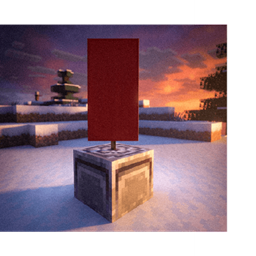 |
🧭 Bannerstone Craftable, color-coded lodestone waypoints for your locator bar and maps. |
Developer: Shamy]® Creative Studio
License: LicenseRef-All-Rights-Reserved
Version: 0.5.1
Harmonize – UI Overhaul Team
