Handy Backpacks
- By
Handy Backpacks gives you simple, upgradeable backpacks. Wear one in its own slot, pull items in with a magnet, filter out junk, and craft, smelt, repair, enchant and much much!
0-backpack-on-back.png
1-netherite-backpack-upgrades.png
2-crafting-panel.png
3-smelting-panel.png
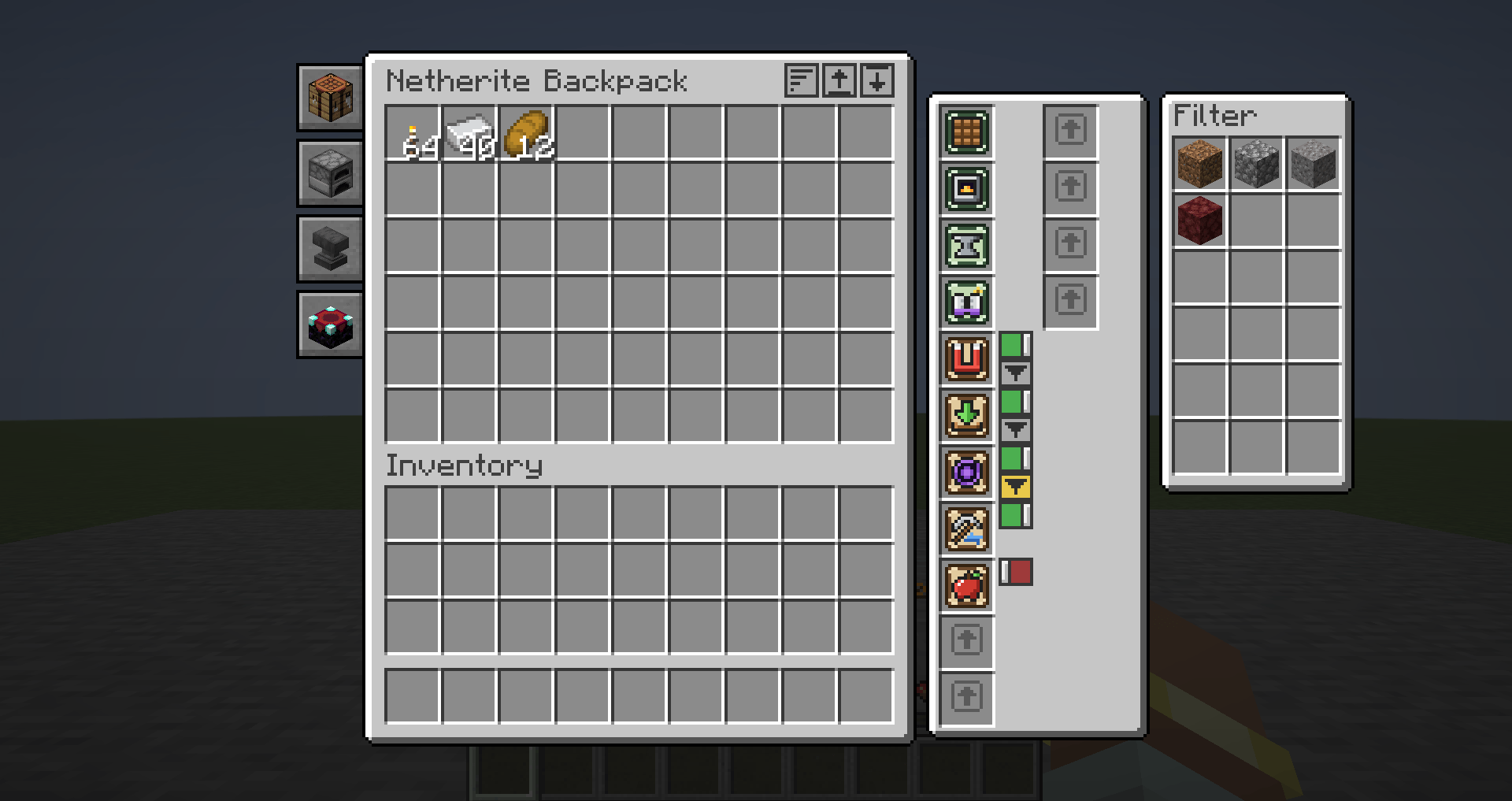
4-void-filter.png
Description
Handy Backpacks
Built for players who never settle down. No base, no chest room, just what you carry.
Handy Backpacks started from a simple way of playing: always moving, always exploring, never going home. When your whole life is in your pack, the pack has to do the work a base normally would. So these backpacks pull in what you walk past, throw away what you don't want, keep you fed, light the way, and give you a crafting table, furnaces, an anvil and an enchanting table without ever taking them off your back.
It's deliberately small and focused. You get the backpack features people actually use, without a wall of settings, and it's built to be updated quickly when new Minecraft versions land.
Four backpacks
Every backpack is the same trusty bag, upgraded as you progress. Upgrading keeps everything: the items inside, the installed upgrades, their filters and switches, and anything cooking in the furnaces.
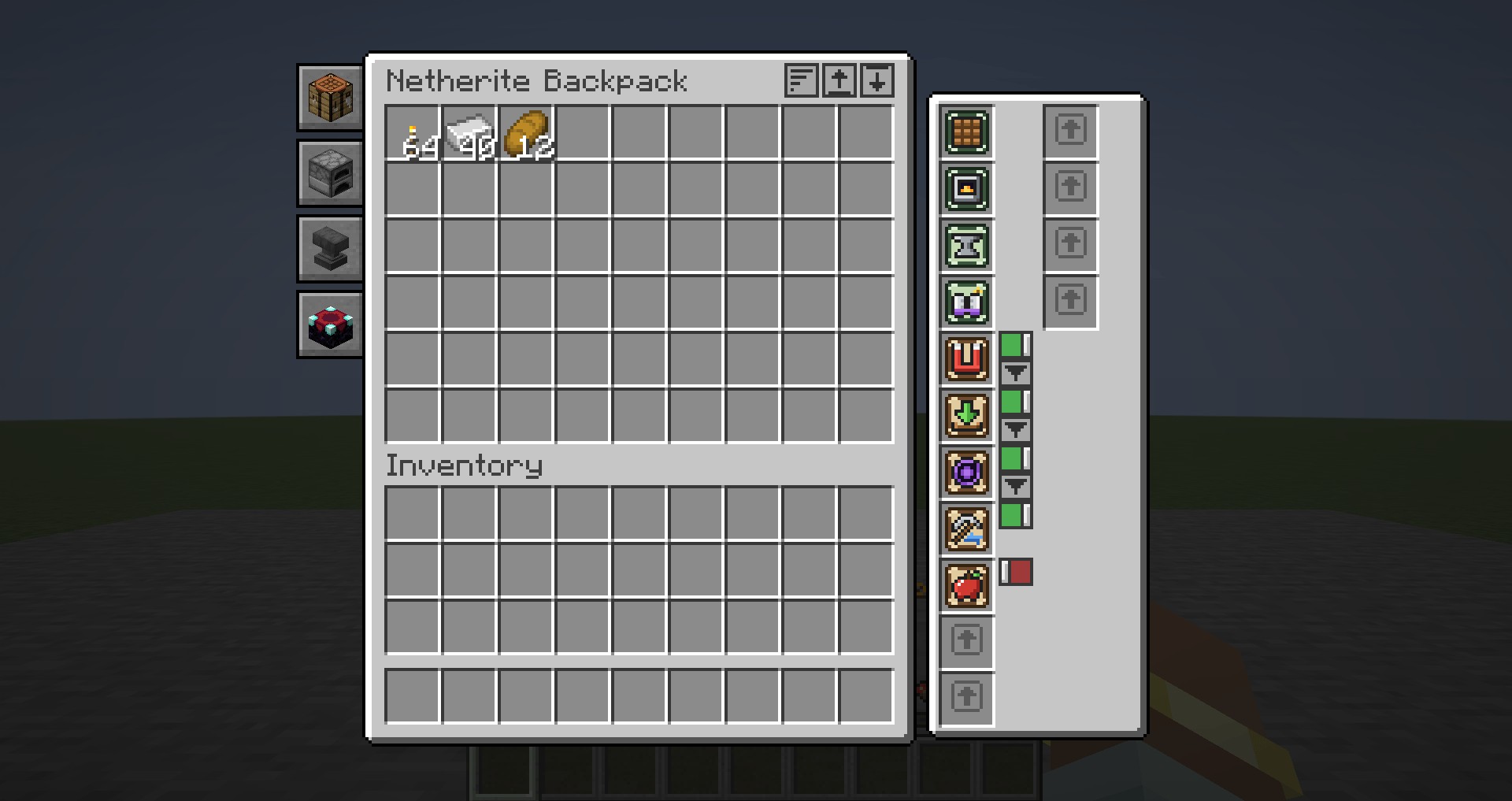
Backpack Slots Upgrade slots Magnet reach Notes Leather 27 12 4 blocks Your first bag Iron 36 13 5 blocks Reinforced Diamond 45 14 6 blocks Premium Netherite 54 15 8 blocks Holds every upgrade at once, and doesn't burn Wear it, carry it, or set it down
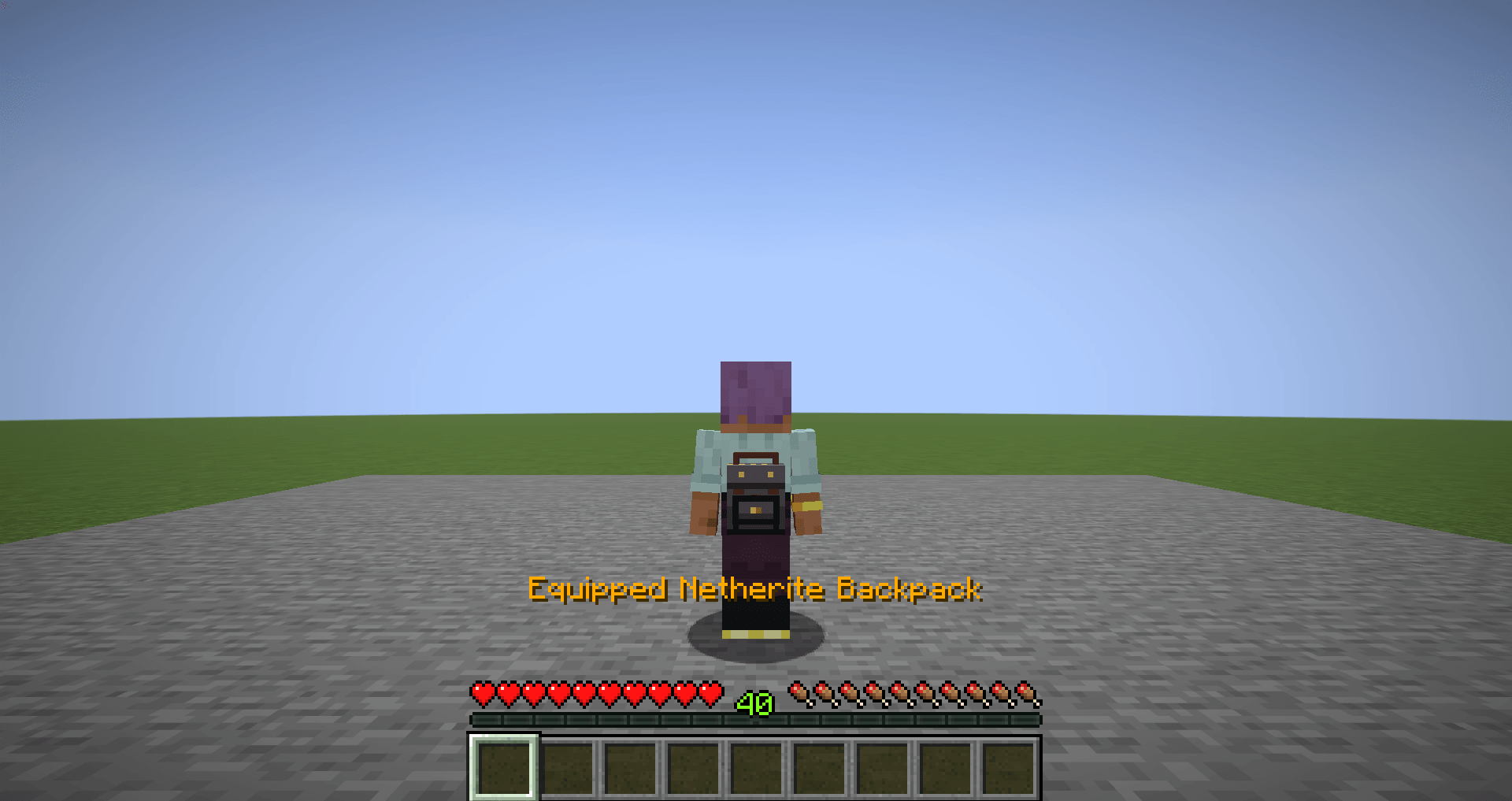
Wear it on your back. Hold a backpack and press G to strap it on. It goes into its own hidden slot, so it takes up no inventory space, and it shows on your back for you and every other player. It leans with you when you sneak. Press G with an empty hand to take it off again.
Open it anywhere. Press B to open the backpack you're wearing (or the first one you're carrying), right-click one in your hand, or click the little backpack button that sits beside your normal inventory screen.
Carry more than one. Backpacks in your inventory work too, and every backpack runs its own upgrades, so you can have a mining bag and a farming bag doing different jobs at the same time.
Set up camp. Sneak and right-click the ground to set your backpack down. Right-click it to open it like a chest, or sneak and right-click with an empty hand to swing it back onto your shoulder. If it gets broken, it drops with everything still inside. A placed backpack keeps its furnaces running while you work nearby.
Tidy up in one click. Buttons at the top of the backpack screen sort the contents, move your inventory in (your hotbar stays put), or empty everything out into your inventory.
Upgrades
Upgrades are small patches you craft and drop into a backpack's upgrade slots. Take one out to remove it. Most upgrades have an on/off switch right next to their slot, so you can turn the magnet off before tossing something away without uninstalling anything. Upgrades remember their switch and filter settings, even when you move them to a different backpack.
Gathering
Magnet. Pulls nearby items and experience orbs to you. Its reach grows with the backpack tier, from 4 blocks on leather to 8 on netherite. Give it a filter and it only pulls the items you've listed. Items you drop yourself wait a couple of seconds before it pulls them back, so you can still throw things away.
Auto-Pickup. Whatever you pick up goes straight into the backpack while there's room, instead of filling your inventory. Add items to its filter to only collect those, like ores on a mining trip.
Void. Deletes junk the moment you pick it up. Put cobblestone, dirt, gravel or rotten flesh in its filter and you'll never see them again. It only ever deletes what's on the list; an empty filter deletes nothing.
How filters work: click the funnel button next to the upgrade, then click a filter slot while holding an item. The item isn't used up, it's just added to the list. Click the slot empty-handed to remove it. Filters match by item type, so damaged tools and renamed items still count.
Survival
Auto-Feed. Eats food from the backpack when you get hungry, choosing whatever fills you up best without wasting it. It skips anything with side effects, like rotten flesh, pufferfish or golden apples.
Hotbar Refill. When you place, eat or throw the last item in a hotbar slot, it's topped up from the backpack. Break a tool and the next one of the same kind slides into place.
Lantern. Lights your way as you walk, as bright as a torch, a bit like a miner's helmet. Everyone can see your light, and it keeps mobs from spawning right beside you. Switch it off and the light goes out instantly, with nothing left behind.
Soulbound. The backpack stays with you when you die. Without it, a worn backpack drops like the rest of your gear (unless keepInventory is on).
Organizing
Compacting. Automatically crafts nuggets into ingots, ingots into blocks, and anything else that packs nine-into-one and unpacks back again, saving loads of space. Things that can't be undone, like melon slices into melons, are left alone.
Stack. Anything that normally stacks (to 64, or to 16 like ender pearls and eggs) stacks up to 99 per slot inside the backpack. You can't remove it while a slot is holding more than it normally could, so nothing is ever lost.
Tool Swap. When you start mining, the best tool in your backpack for that block swaps into your hand: a pickaxe for stone, a shovel for dirt, an axe for wood. It only swaps when your hand is empty or holding a tool or weapon, never a block, and it skips tools that are about to break.
Quick Deposit. Adds two buttons to chests, barrels, ender chests and shulker boxes. Deposit Matching moves over only the items that container already has, perfect for a quick sort into storage. Deposit All empties everything in. It works from the backpack you're wearing, too.
A workshop on your back
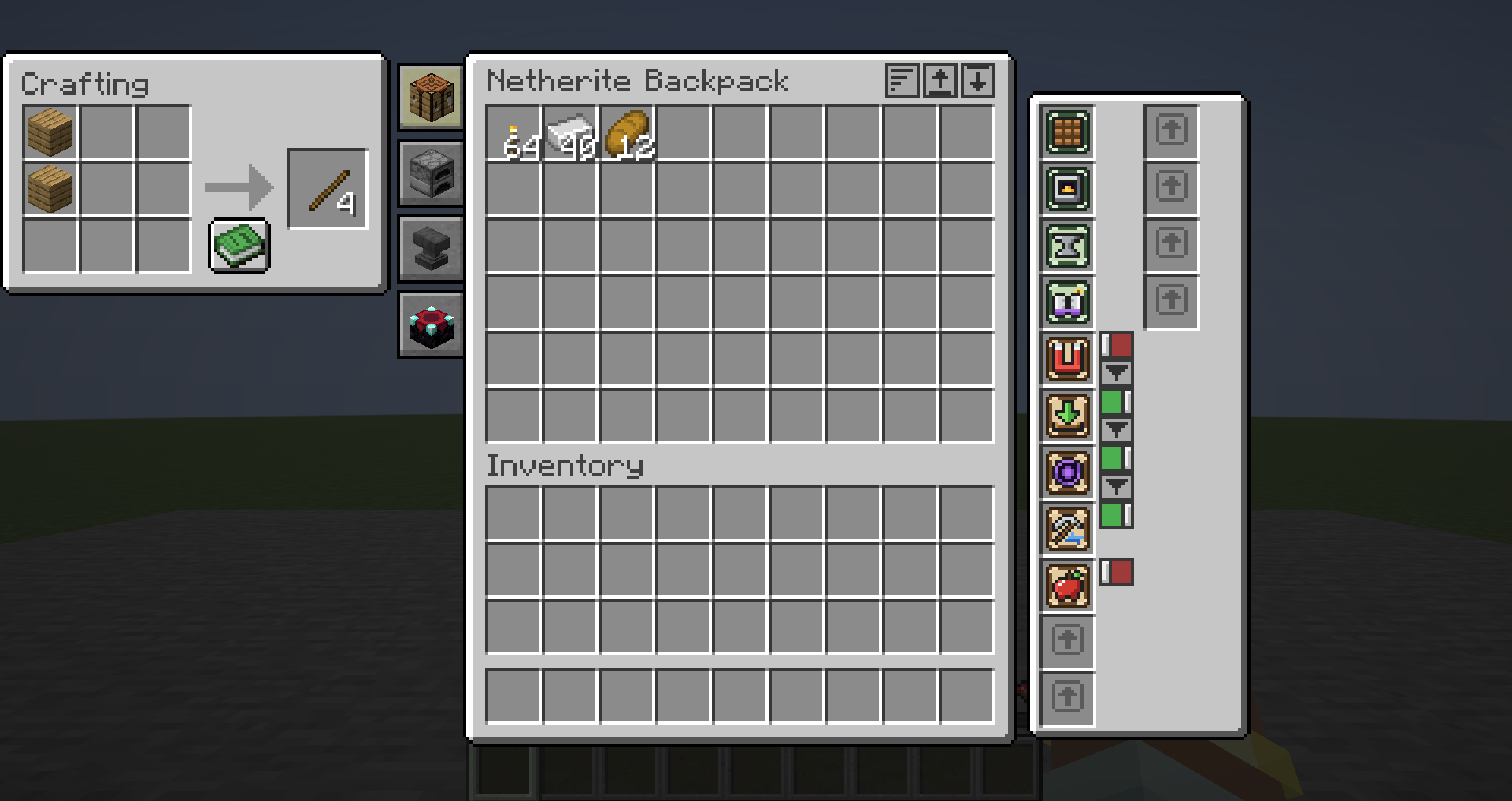
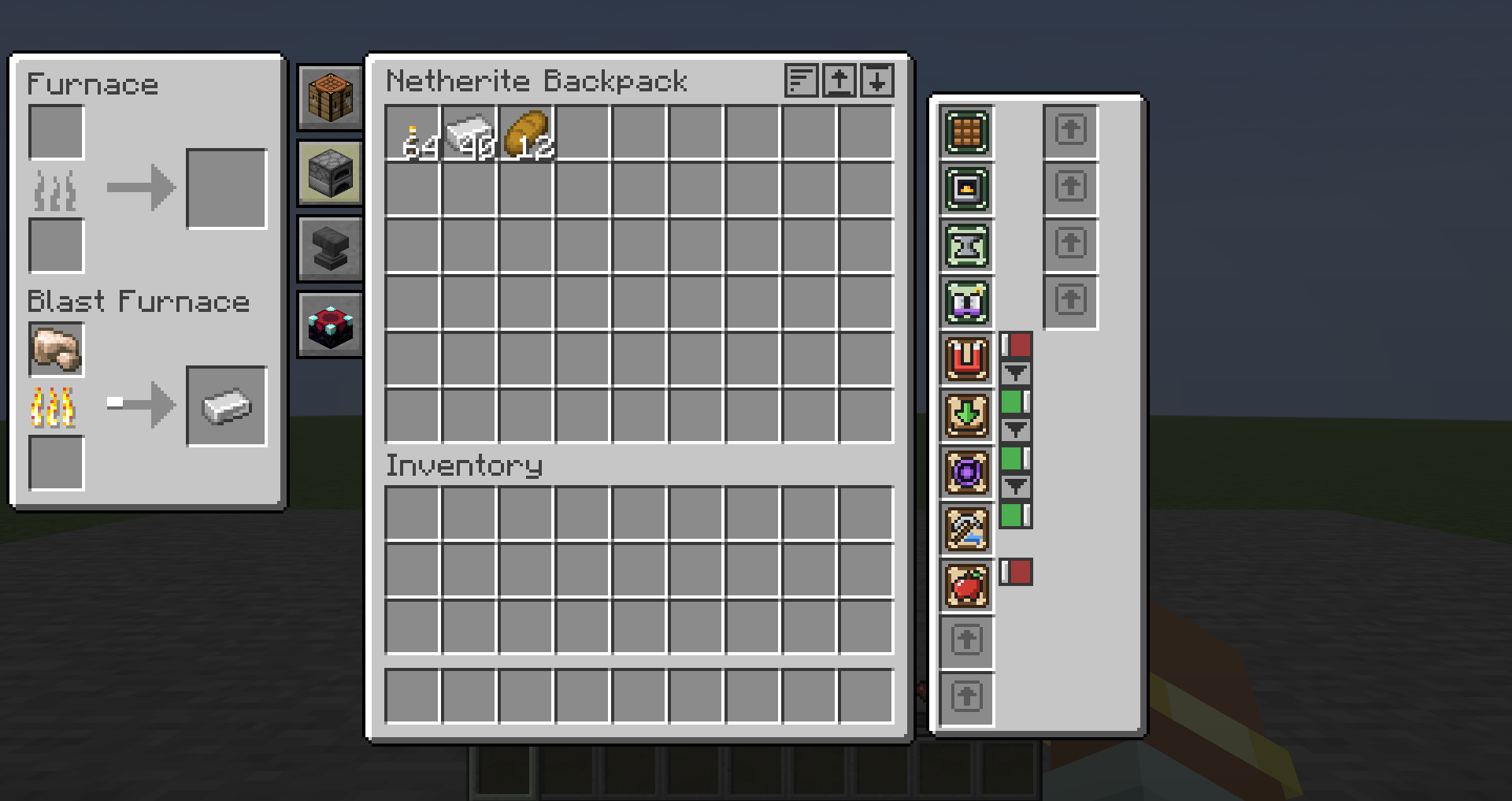
Four upgrades turn your backpack into a portable workshop. Each one adds a tab on the left side of the backpack screen. Click a tab and its panel pops out beside the backpack, so your whole inventory stays right there while you work. Click it again to put it away.
Crafting. A full 3×3 crafting grid, with the recipe book.
Smelting. A furnace and a blast furnace side by side. They keep smelting when you close the backpack, whether you're wearing it, carrying it or have it set down, so your ore is ready by the time you're back from the next cave.
Anvil. Repair, combine and rename, at exactly the same experience cost as a real anvil.
Enchanting. An enchanting table that's always fully powered, as if surrounded by fifteen bookshelves. It still costs the usual experience and lapis.
Shift-clicking is smart while a panel is open: ores and fuel go to the furnaces, gear and lapis to the enchanting table, and items to the anvil. Anything you leave in a crafting grid, anvil or enchanting slot comes back to you when you close the backpack.
Recipes
Every recipe is shaped, so the grid below is exactly what goes in the crafting table.
Leather Backpack
Leather String Leather Leather Chest Leather Leather Leather Leather
Iron Backpack (your old backpack goes in the middle and keeps everything inside it)
Iron Ingot Iron Ingot Iron Ingot Iron Ingot Leather Backpack Iron Ingot Iron Ingot Iron Ingot Iron Ingot
Diamond Backpack
Diamond Diamond Diamond Diamond Iron Backpack Diamond Diamond Diamond Diamond
Netherite Backpack is made at a smithing table: Netherite Upgrade template + Diamond Backpack + Netherite Ingot.
Upgrades
All upgrades share one patch shape: string in the corners, leather top and bottom, and the upgrade's own item in the middle. The few upgrades that need a second ingredient have it on both sides of the middle.
String Leather String Side Middle Side String Leather String Upgrade Middle Sides Magnet Iron Ingot Redstone Auto-Pickup Hopper Leather Void Ender Pearl Obsidian Auto-Feed Golden Carrot Leather Hotbar Refill Dispenser Leather Lantern Lantern Leather Soulbound Totem of Undying Leather Compacting Piston Crafting Table Stack Block of Iron Leather Tool Swap Iron Pickaxe Iron Axe Quick Deposit Chest Redstone Crafting Crafting Table Leather Smelting Blast Furnace Furnace Anvil Anvil Leather Enchanting Enchanting Table Leather
The Leather Backpack recipe shows up in your recipe book once you pick up leather, and every upgrade recipe appears once you have a backpack.
Good to know A worn backpack drops when you die unless it has Soulbound or keepInventory is on. Void deletes items for good. Double-check the filter before you walk through a pile of diamonds. Backpacks can't be stored inside other backpacks or shulker boxes. The Lantern uses vanilla's invisible light block at head height. It never replaces a block, so it doesn't shine while your head is in water or tall grass. Both keys (B to open, G to wear) can be changed in Controls. Requirements Minecraft 26.2 Fabric Loader 0.19.5 or newer Fabric API Java 25 (comes with the 26.2 launcher)
Install it on both the client and the server.
FAQ
Does it work with Sophisticated Backpacks or Traveler's Backpack installed? Yes. They're completely separate items and don't interfere with each other.
Forge or NeoForge? Not right now. Handy Backpacks is Fabric only.
Older Minecraft versions? No, 26.2 only. The mod is kept small on purpose so it can move to new versions quickly.
Can I use it in my modpack? Yes, go right ahead.
Found a bug or have an idea? Come say hi in the Discord (linked on this page). Bug reports are always welcome, and ideas that fit the "carry your whole life with you" style are extra welcome.
Join the Discord: https://discord.gg/Un5mMCd8tk
Made by Pack Rat Studio.
The Handy Backpacks Team