Gottsch Books
- By
Write mod books in plain Markdown: lore books and manuals, no new syntax to learn.
Gottsch Books
Books for your mods, written in Markdown.
Gottsch Books is a small library for in-game books: lore books to find and collect, and mod manuals with categories, entries, pictures and recipes. You write the text in plain Markdown files, and players read it in a vanilla-styled book.
Simple by design. There's no JSON page format to learn and no special syntax: if you've written a README, a Discord message or a Reddit post, you already know how to write a book. One Markdown file per book (or per manual entry), and you're done.
Did a mod ask you to install this? Then that's all you need to do. Gottsch Books has no dependencies of its own.
📖 Two Kinds of Book
📜 Lore Books
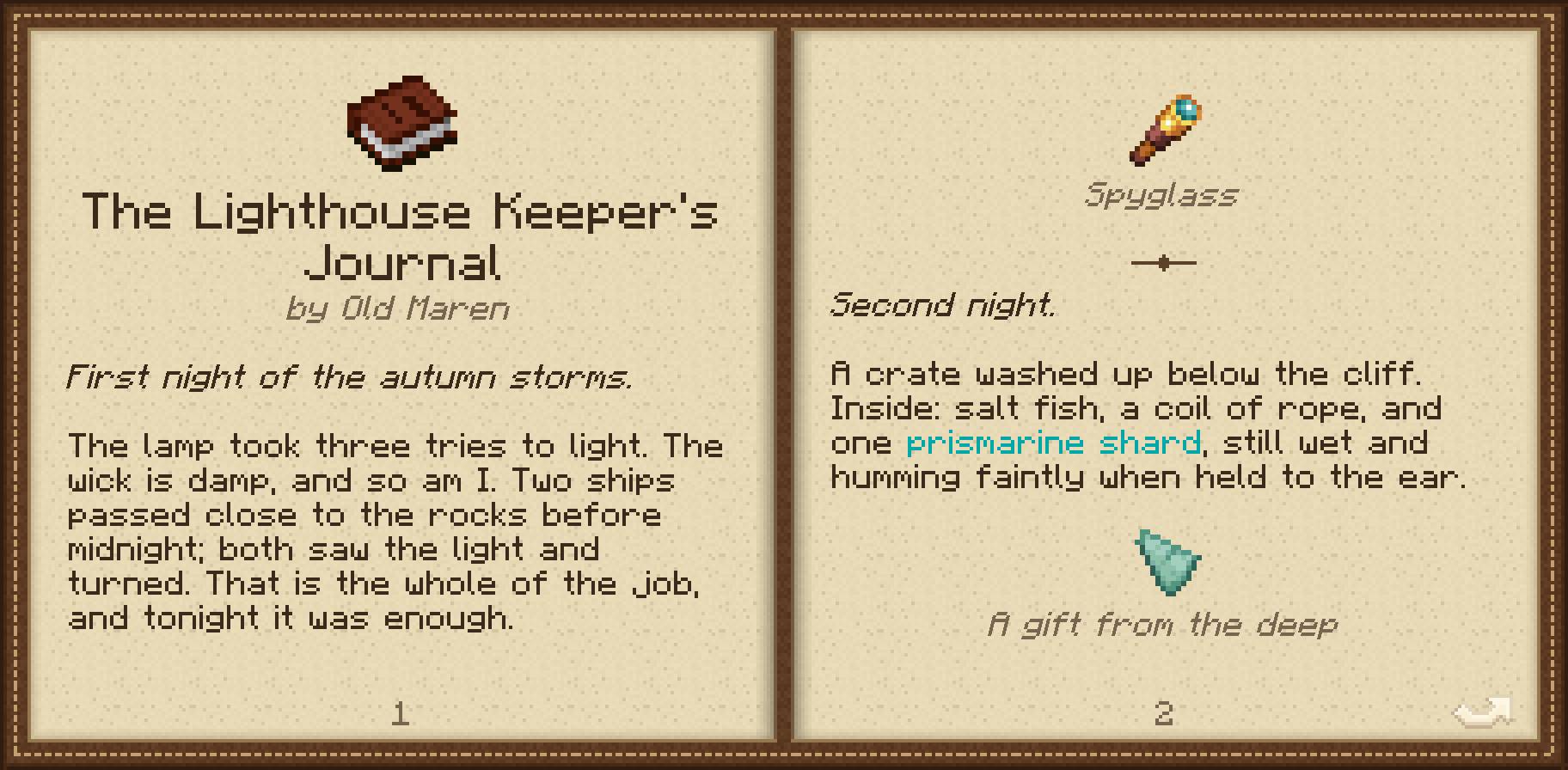
One text, read front to back. A title page shows the icon, title and author, followed by the story with ornaments between sections and illustrated items along the way. Hover over a picture to see the item's tooltip.
📘 Manuals
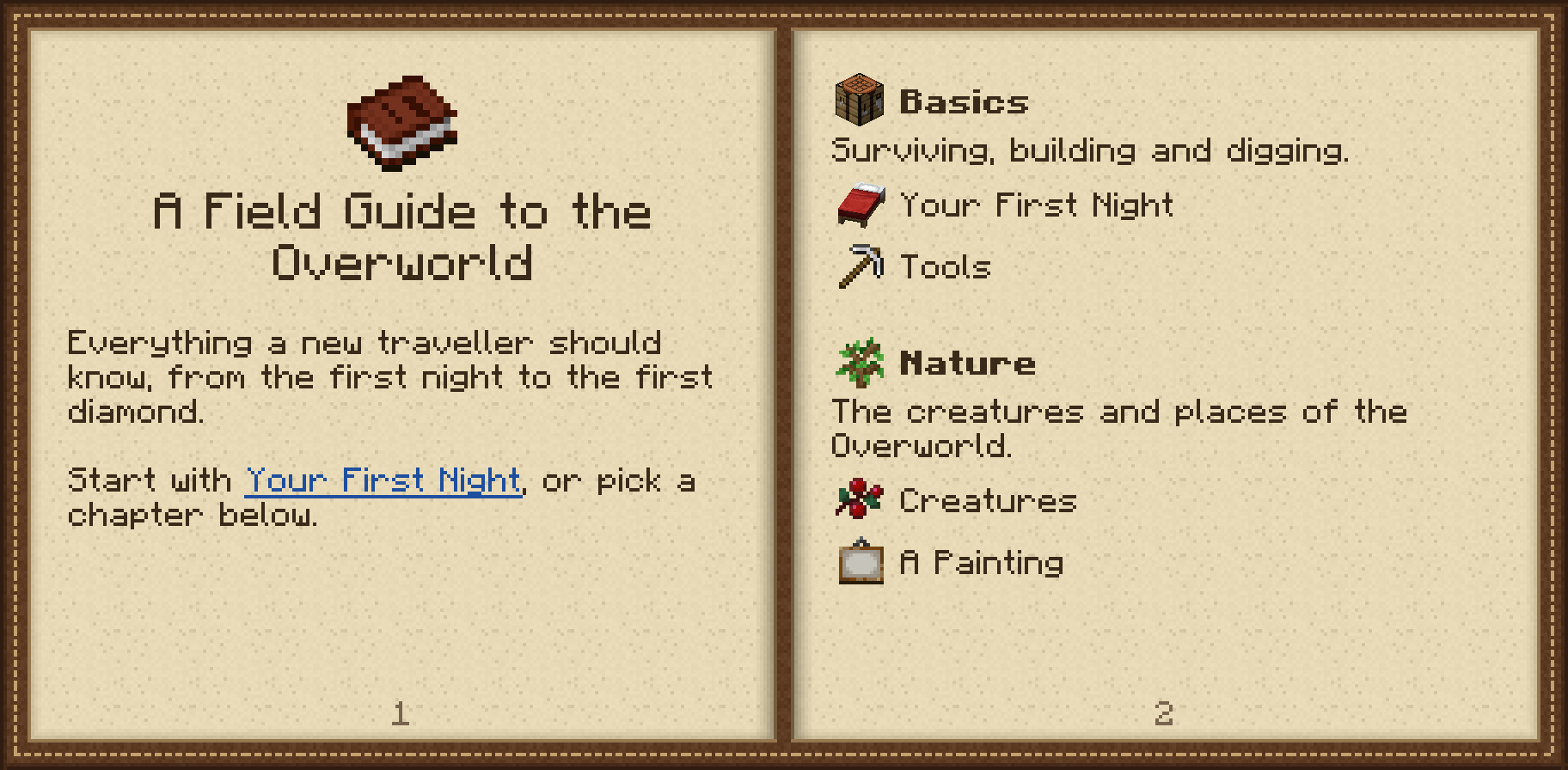
A guide with a contents page, categories and entries:
- Spotlights: an item shown large and framed, with its description underneath
- Recipes: a 3x3 crafting grid that cycles through every accepted ingredient
- Images and mobs: any texture, or a mob slowly turning on the page
- Links between entries and to the exact heading you want, with Back and Contents buttons
- Locked entries that stay hidden until the player earns an advancement
In both kinds, the text flows onto as many pages as it needs, so nothing runs off a page in any language or window size.
✍️ Written in Markdown
---
title: An Old Diary
author: A Lost Traveller
---
The first day. The road was longer than the map said.
---
The second day. I found a **ring** in the {dark_aqua}river{}.
That file is a whole book: no page numbers to manage, no layout to work out, no build step. You get italic, bold, colours, headings, lists, notes, ornaments and page breaks. Mistakes show up as plain text, so a stray character never breaks a page.
Translations sit next to the English as their own files. Each file falls back to English on its own, so a translation can be partial. Press F3+T in game to reload books while you write.
📦 No Code Needed
A book is all data: a resource pack holds the text, and a datapack holds the book's entry. Modpack makers can ship their own guide without writing a mod:
| Want to… | Do this |
|---|---|
| Give it to players | /give @p gottschbooks:book[gottschbooks:book="mypack:guide"] (1.21.1)/give @p gottschbooks:book{"gottschbooks:book":"mypack:guide"} (1.20.1) |
| Hand it out on first join | "give_on_first_join": true in the book's datapack entry |
| Put it in loot | a loot table entry for gottschbooks:book that names the book |
| Open it from a command block | /gottschbooks open @p mypack:guide |
🏆 Advancements
The gottschbooks:book_read trigger lets you reward reading:
- a single book
- every book in a tag, such as "Read all the diaries"
- every book from one mod
- any book at all
The game remembers which books each player has read, and the record survives death.
🧩 For Mod Developers
- Your own book items: register a
BookItem, or use one item for many books. - Your own picture schemes: have
draw any stack your mod can build. - Opening a book from code:
GottschBooksClient.open(...). - Bundling it: nest it in your jar with Jar-in-Jar, or depend on it optionally if your mod only has a manual.
- Backwards compatible: every 1.x release keeps working with books and code written for 1.0.
The full guide covers file layout, every Markdown feature, server entries and build setup: Writing books for Gottsch Books
🔌 Compatibility
- NeoForge 1.21.1 and Forge 1.20.1. Both use the same book format.
- Install it on both client and server.
- No dependencies.
- Used by Magic Treasures for its lore books and manual.
📚 Source & Issues
GitHub · Licensed under the LGPL v3
Gottsch Books Team

Owner