


GearDiff
- By
Compare armor, weapons and tools with your equipped gear right in the tooltip: stat changes, damage per second, durability and enchantments.
01-armor-upgrade.png
02-weapon-swap.png
03-armor-downgrade.png
05-hold-shift.png
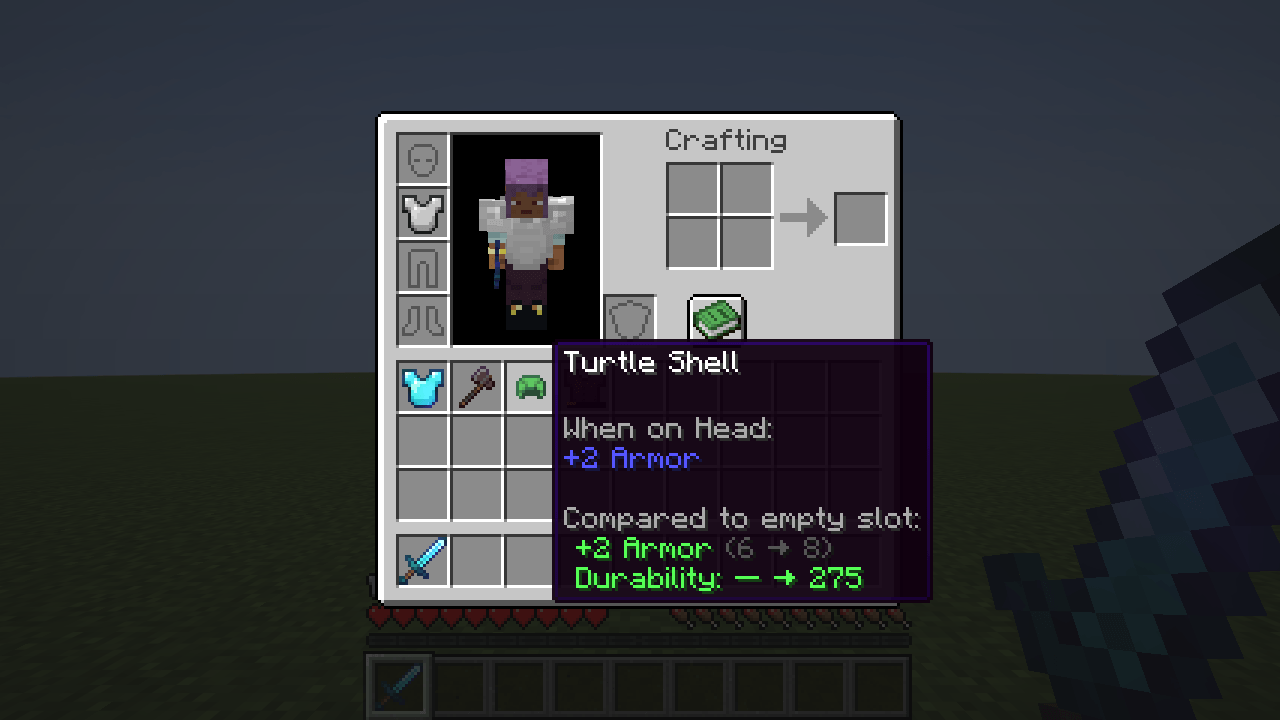
04-empty-slot.png
Description
GearDiff
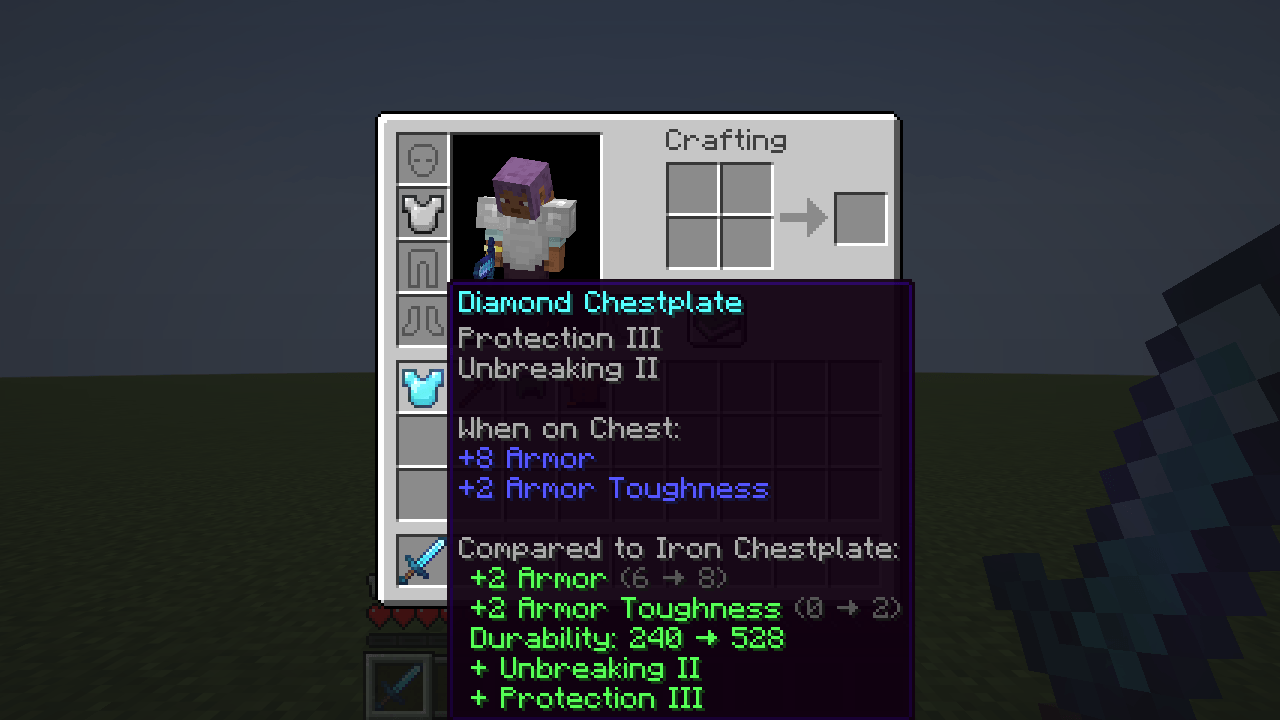
Is this new chestplate actually better? Hover over it and GearDiff answers right in the tooltip.
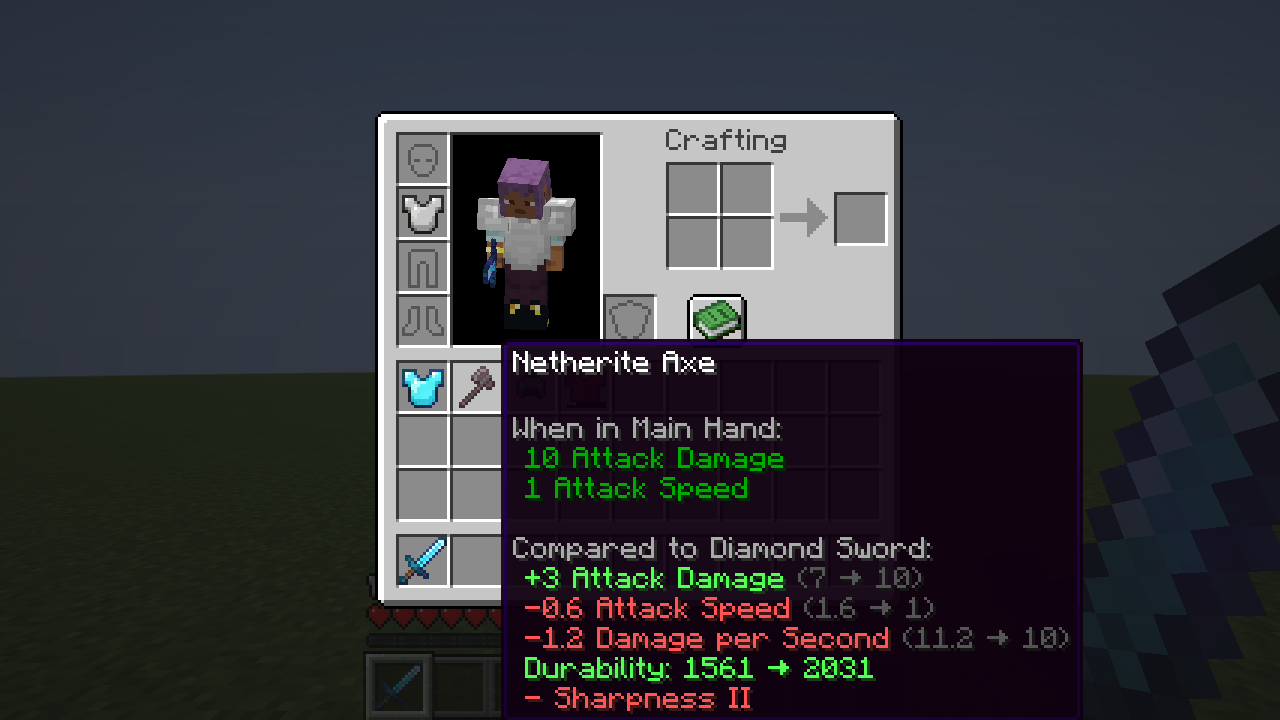
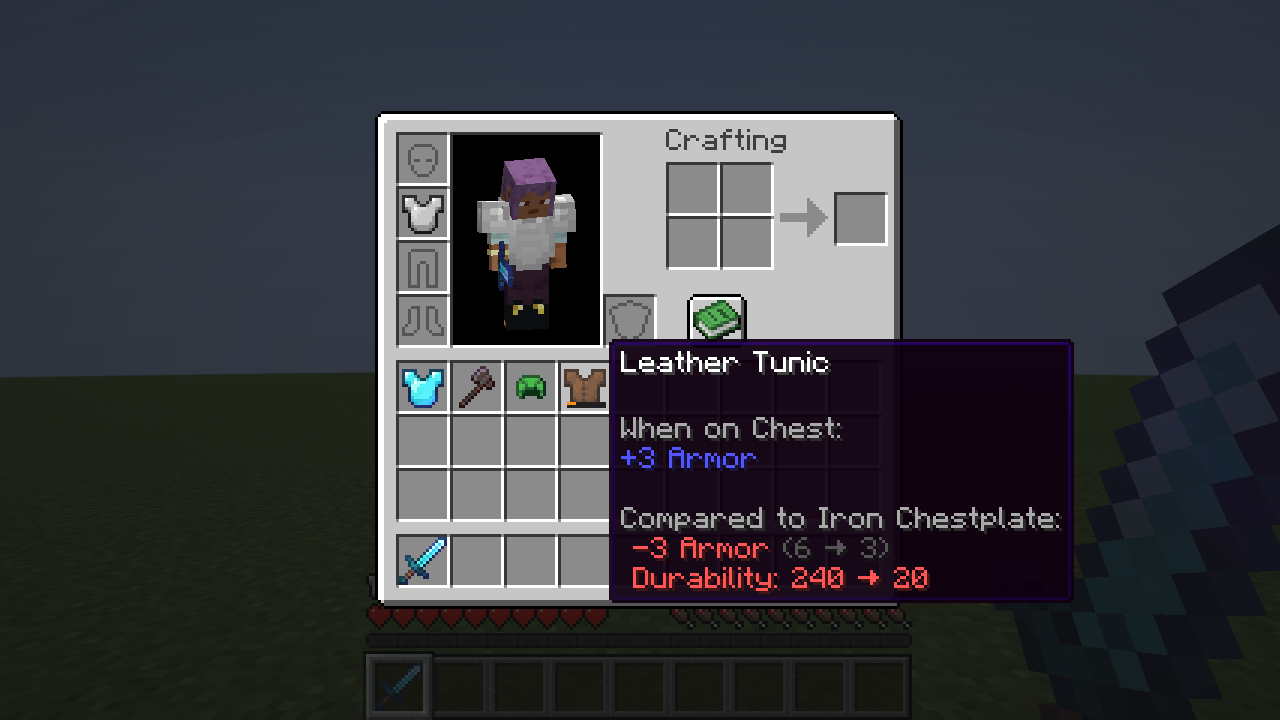
GearDiff adds a short comparison block to the tooltip of any armor piece, weapon or tool. It compares the hovered item with the one you are wearing or holding in the same slot and shows how your stats would change if you swapped them.
What you see
- Stat changes: armor, armor toughness, knockback resistance, attack damage, attack speed and every other attribute the item changes, with totals like
(6 → 8). - Damage per second for weapons and tools, so a slow axe and a fast sword can be compared in one number.
- Durability of both items.
- Enchantments you would gain or lose. Curses count the other way: gaining one is shown in red.
- Green means better, red means worse. Attributes where less is better are colored the right way round.
- Empty slots count too: the tooltip shows what you gain by putting the item on.
How it works
GearDiff does not read numbers off the item. It takes your current attributes, removes the modifiers of the equipped item, adds those of the hovered one and runs them through the game's own attribute formula. This way enchantments, potion effects, the rest of your gear and attributes added by other mods are all counted.
Settings
config/geardiff.json (created on first launch):
| Key | Default | What it does |
|---|---|---|
enabled |
true |
Turns the comparison on or off |
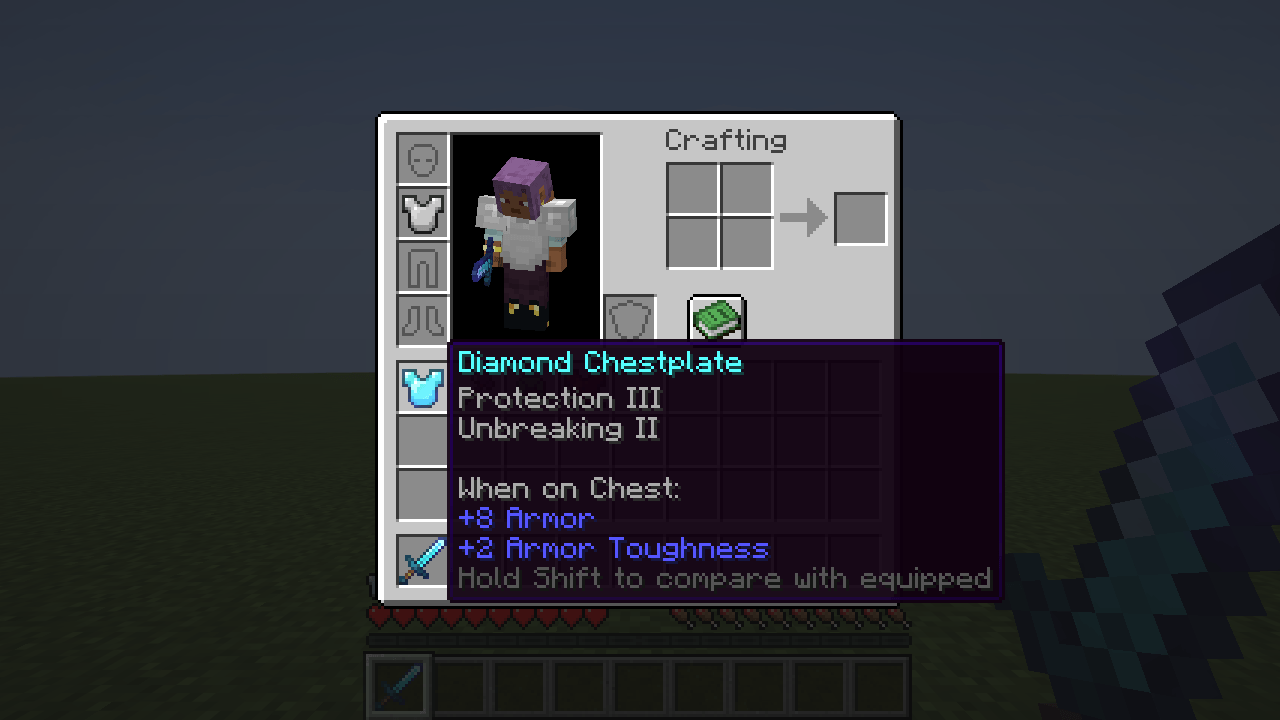
requireShift |
false |
Show the comparison only while Shift is held |
compareWithEmptySlot |
true |
Compare with an empty slot as well |
showTotals |
true |
Show (current → new) after each change |
showDamagePerSecond |
true |
Show the damage per second line |
showDurability |
true |
Show the durability line |
showEnchantments |
true |
List gained and lost enchantments |
Restart the game after editing the file.
Compatibility
- Client-side only. Works on any server, including vanilla servers. Nothing is needed on the server.
- Fabric: requires Fabric API. NeoForge: no dependencies.
- Items and attributes from other mods are compared the same way as vanilla ones.
License
MIT. You are welcome to include GearDiff in modpacks.
GearDiff Team


