Frame Stash
- By
Label chests with item frames, then stash, restock and overflow into them with one keybind
Your storage, sorted with one key
You already hang item frames on your chests so you know what's inside. Frame Stash makes those frames work.
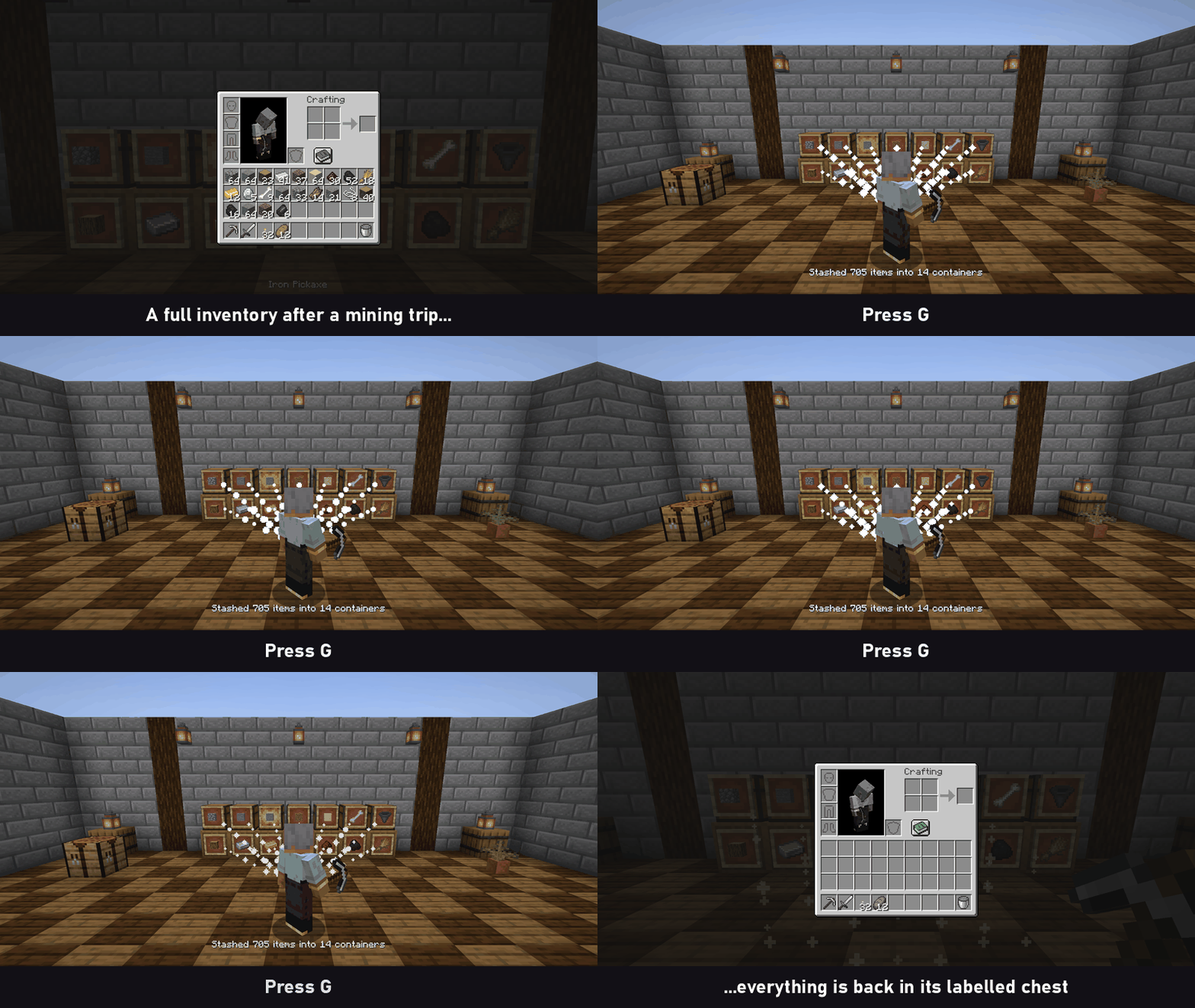
Come back from a mining trip, press G, and every item in your inventory goes to the chest whose frame shows it: cobblestone to the cobblestone chest, iron to the iron chest, logs to the log chest. Running low on torches? Press H and your stacks fill back up from the same chests.
No new blocks, no new items, no setup screens. Just vanilla item frames on vanilla chests.
How it works
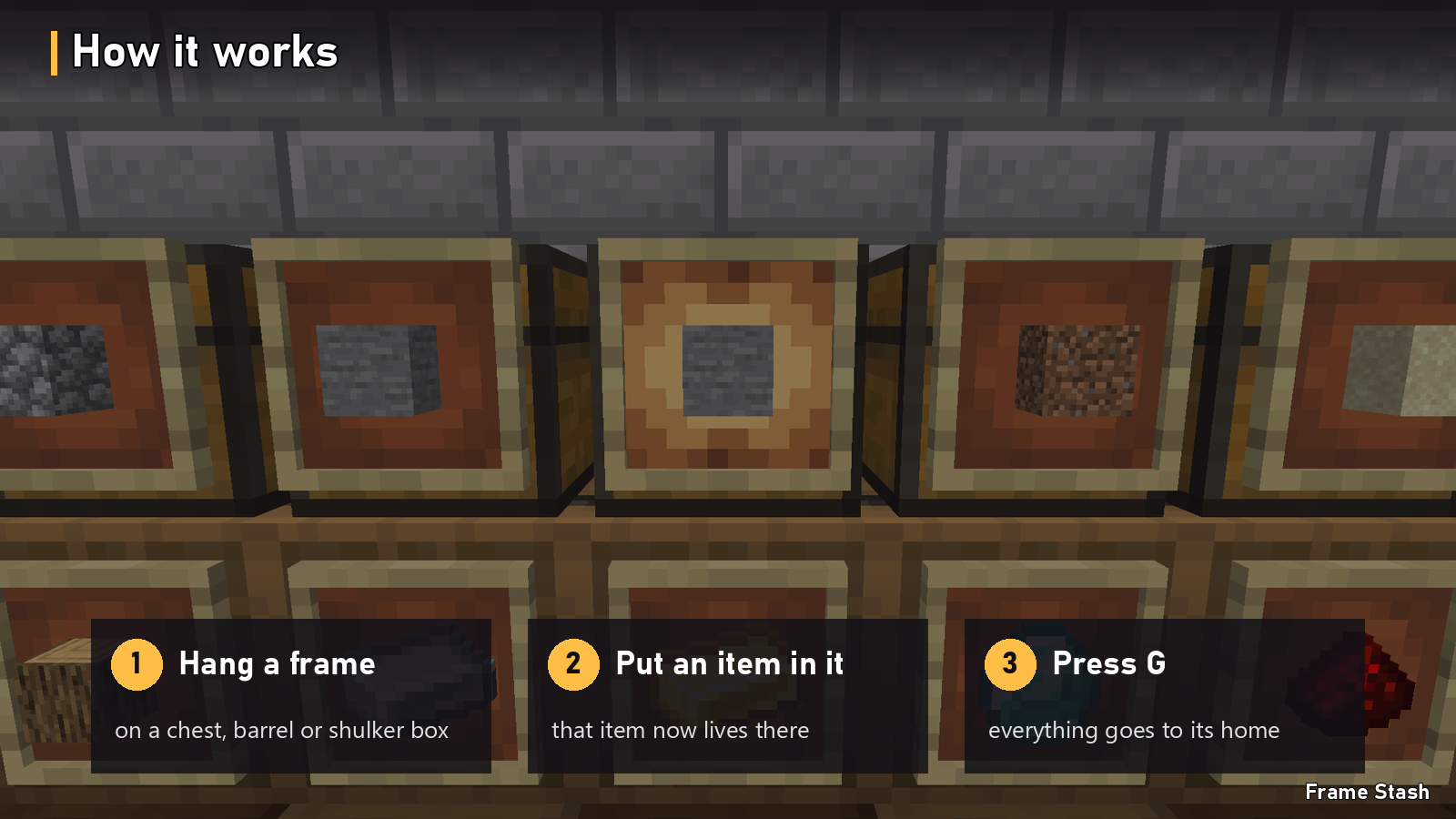
- Hang an item frame on a chest, trapped chest, barrel or shulker box.
- Put an item in the frame. That container is now its home.
- Press G near your storage. Everything with a home goes home.
Controls
| Key | What it does |
|---|---|
| G | Stash. Sends every item that has a labelled home into its container |
| H | Restock. Tops up partial stacks (torches, food, blocks, arrows) from your labelled containers |
| (set your own) | Open the Frame Stash menu |
- G and H also work with your inventory or a chest open. Quick-stack without closing the screen.
- Change them under Options → Controls → Key Binds → Frame Stash.
- Your hotbar, armour and offhand are never touched unless you allow the hotbar in the menu.
Features
Any item frame is a label
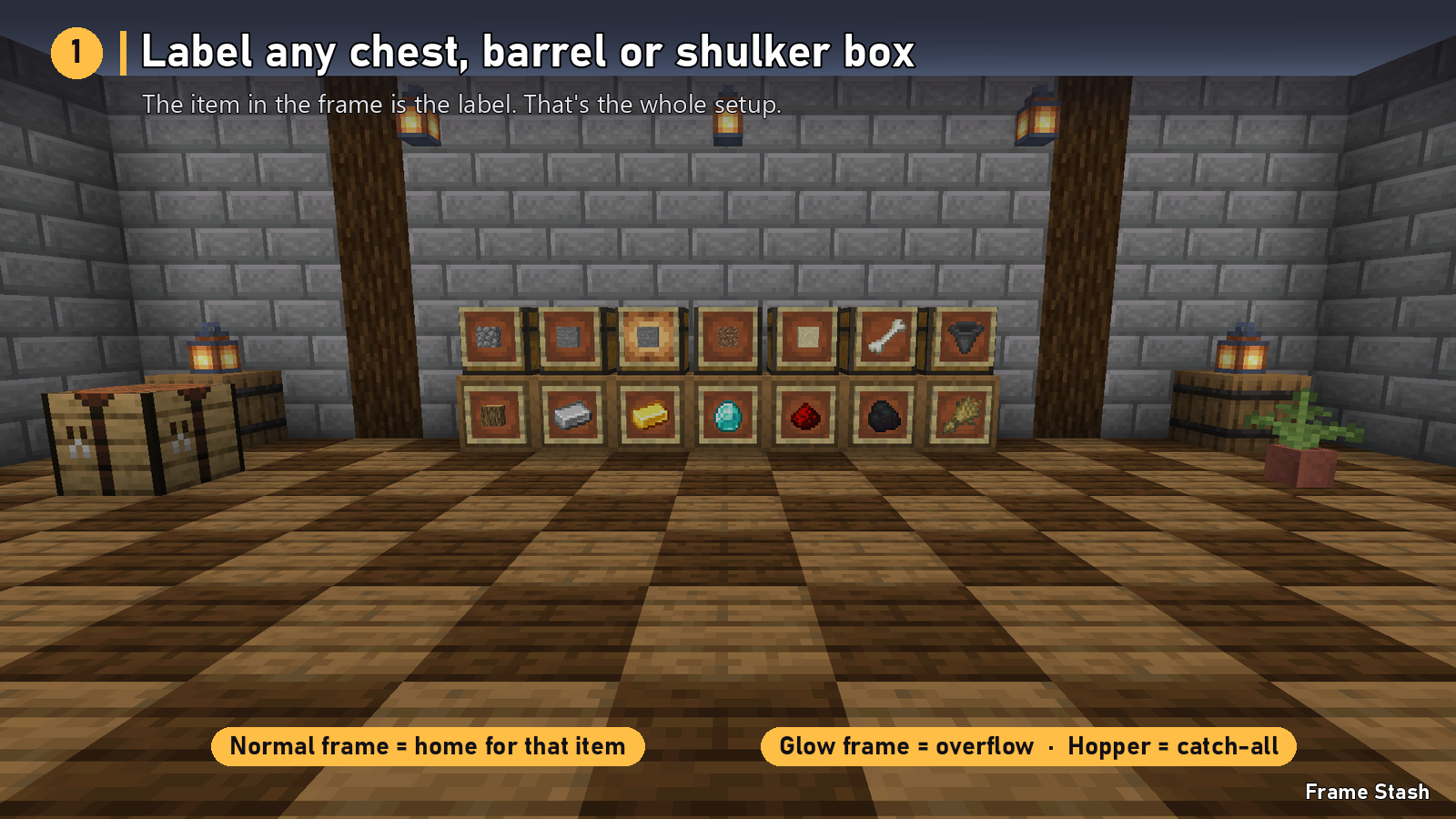
- One frame, one label. Hang several frames on a container and it accepts all of those items.
- Double chests just work. A frame on either half labels the whole chest.
- Nearest first. Items go to the closest matching container in range.
- No mixing. Items only stack onto identical items, so your renamed or enchanted gear stays separate.
One key empties your inventory
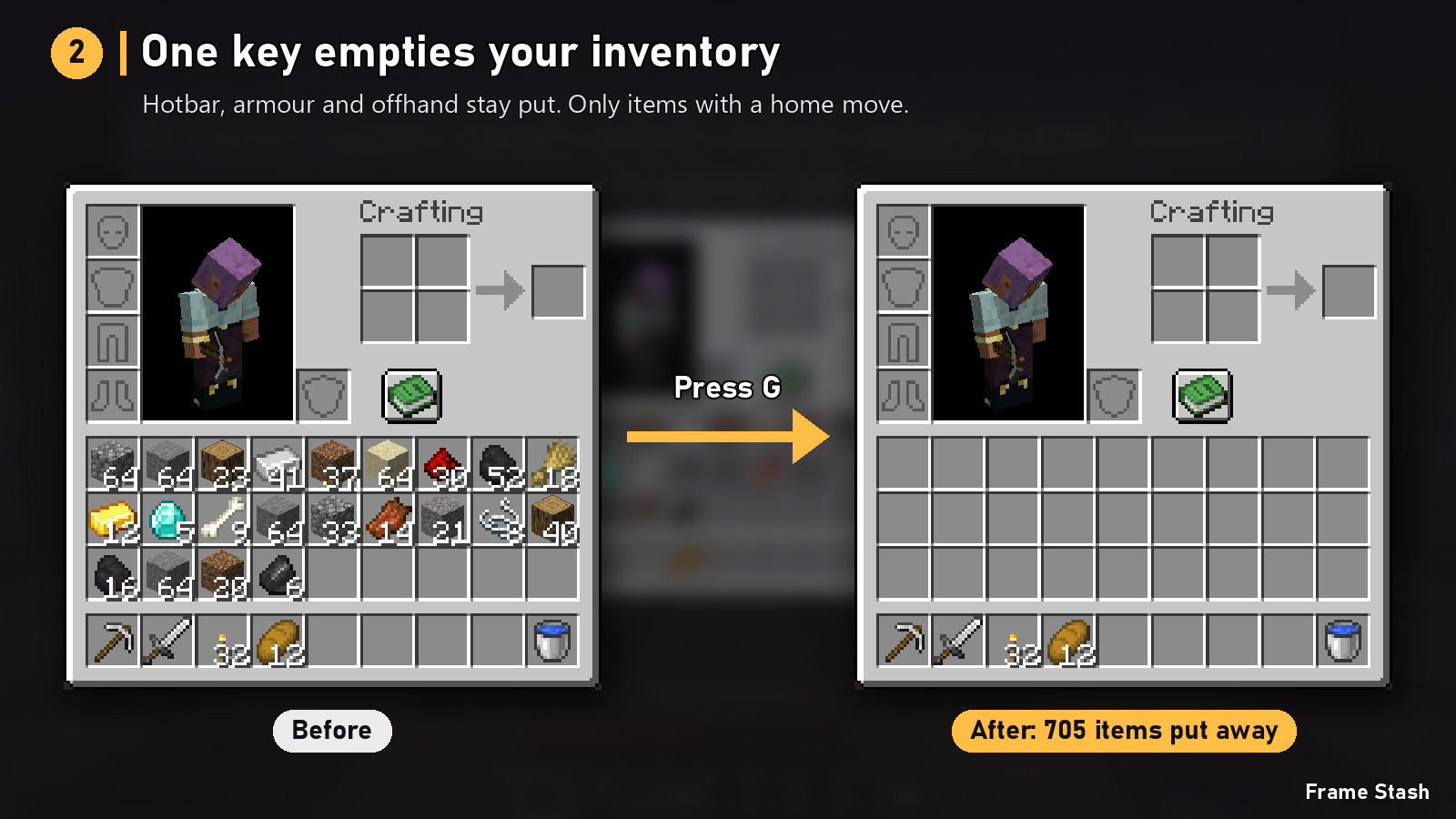
Only items that have a home move. Everything else stays in your inventory, so nothing ends up somewhere you didn't plan.
See where everything went
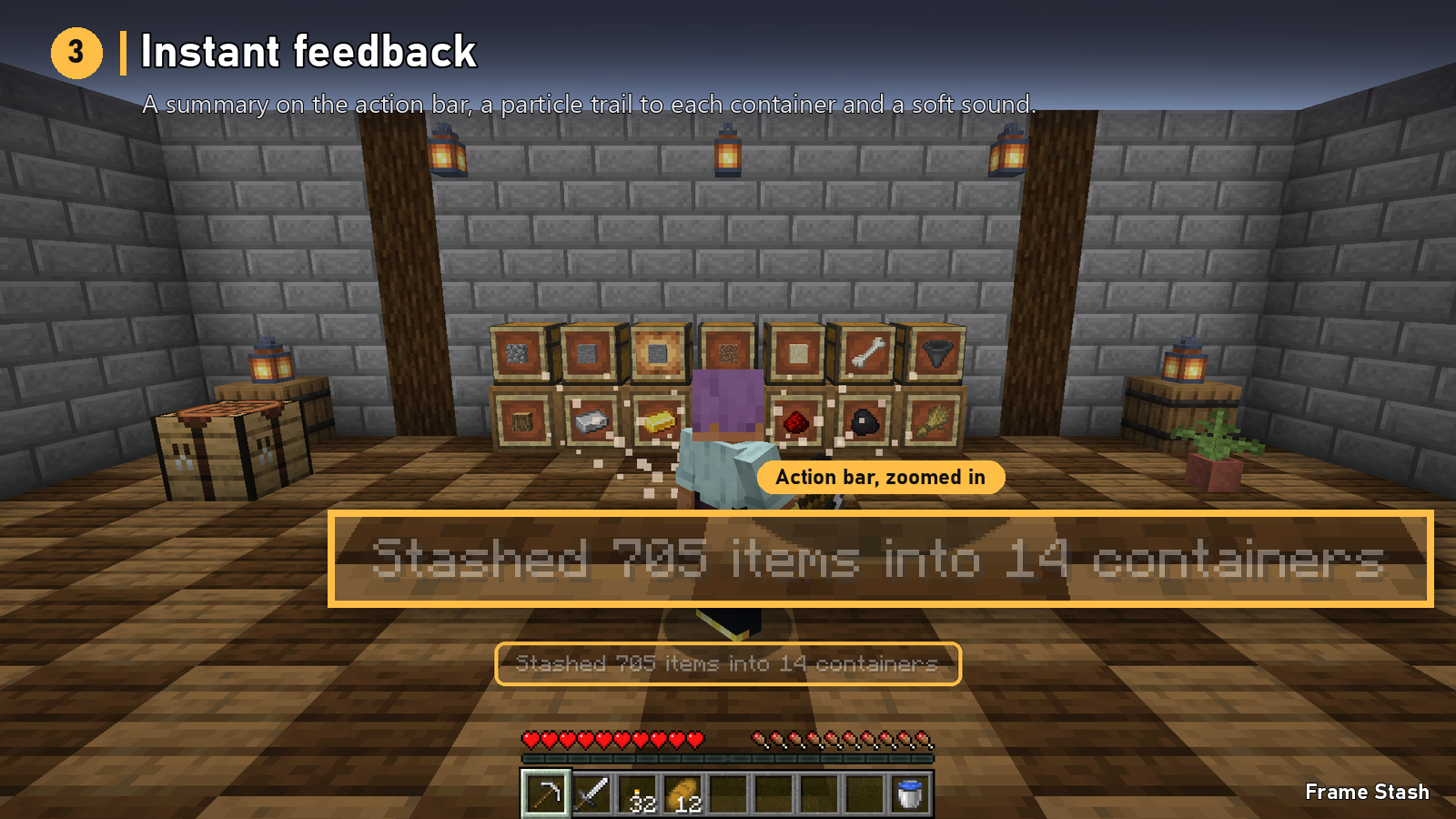
A short summary on your action bar ("Stashed 705 items into 14 containers"), a particle trail to every container that received something, and a soft sound. Each one can be turned off.
Overflow chests and a catch-all
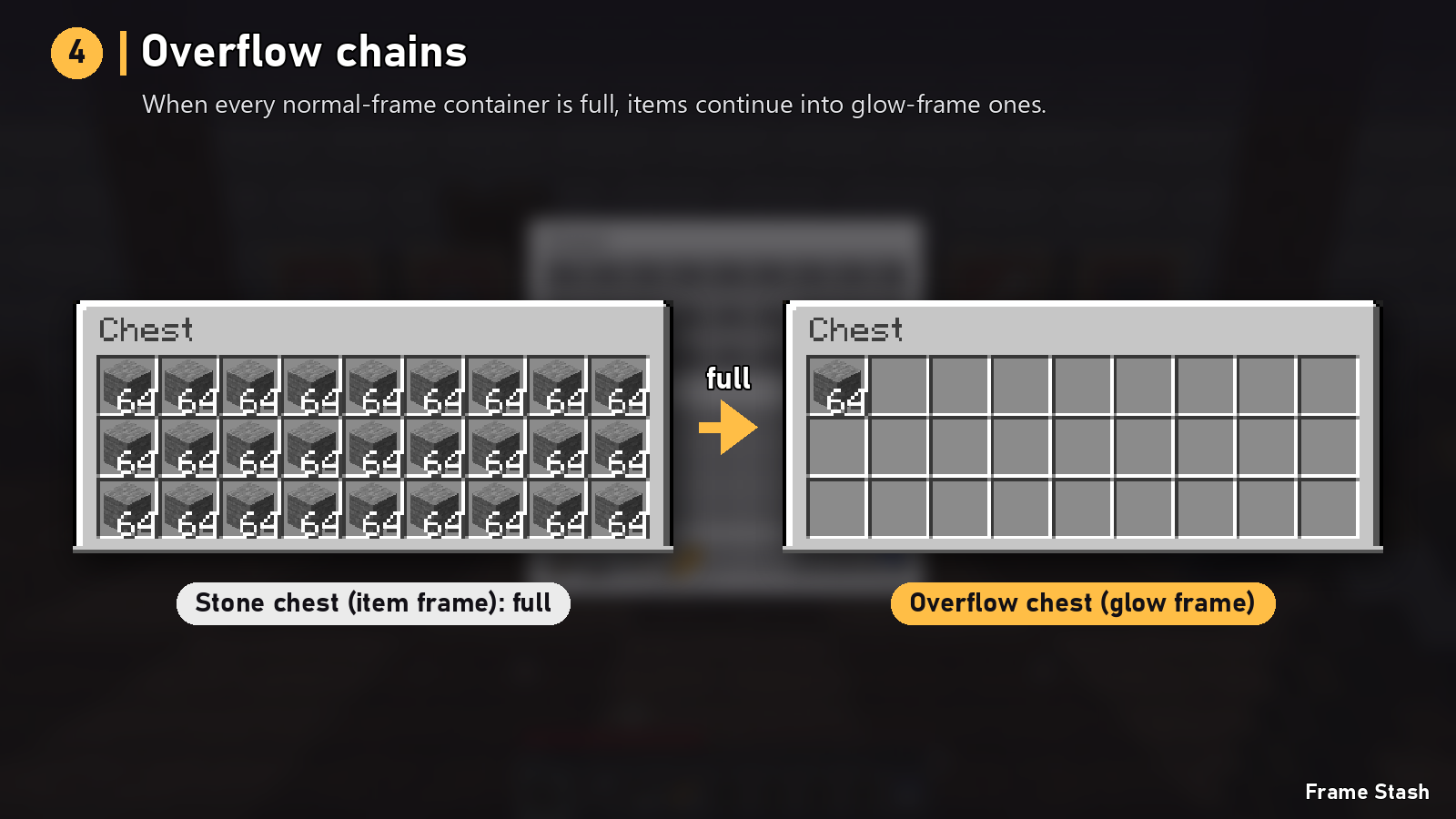
- Glow item frame = overflow. When every normal-frame chest for an item is full, the rest goes into glow-frame chests. No more "chest full" surprises after a big mining trip.
- Hopper in a frame = catch-all. Anything with nowhere else to go lands here instead of staying in your inventory.
The Frame Stash menu
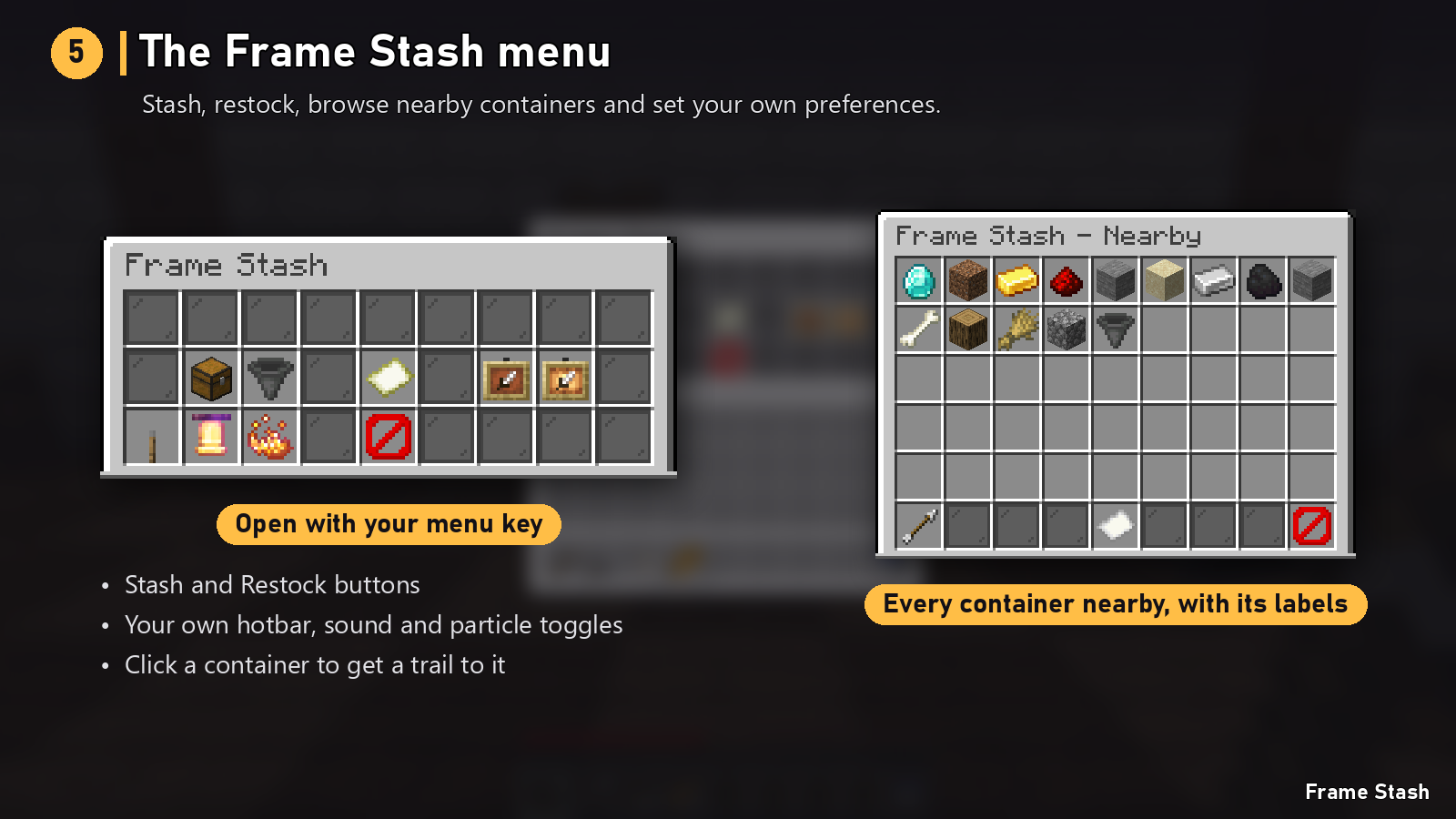
Open it with your menu key (set it once under Controls):
- Stash and Restock buttons
- Nearby containers: every labelled container around you, with its labels, how full it is, and a warning if it can't be used. Click one and a particle trail shows you the way.
- Your own settings: include the hotbar, sound, particles
For multiplayer worlds
- Safe by design. Every stash is planned first and then applied with fresh checks, so items are never lost or duplicated, even when several players use the same chests.
- Light on performance. Nothing runs in the background; work only happens when someone presses a key.
- Bigger stacks friendly. Stack limits come from the item and the container, never a fixed 64, so stack-size mods and data packs just work.
- Configurable. Edit
config/frame_stash.toml, then apply it in game with the Reload config button in the menu (operators only). Data packs can add more container blocks through the block tagframe_stash:containers.
| Setting | Default | What it does |
|---|---|---|
radius |
16 | How far to look for labelled containers (4 to 32 blocks) |
maxContainers |
64 | Most containers used by one stash |
includeHotbar |
false | Default for taking hotbar items (each player can change their own in the menu) |
restockEnabled |
true | Turns restocking on or off |
overflowEnabled |
true | Glow frames mean overflow. When off, they act like normal frames |
catchAllItem |
"minecraft:hopper" |
Item that marks a catch-all. "" turns it off |
cooldownTicks |
20 | Minimum time between stashes per player |
particles, sound, actionBar |
true | Feedback toggles |
commandPermissionLevel |
0 | Who can stash, restock and open the menu (0 = everyone, 2 = operators only) |
skipBlockedChests |
true | Skip chests vanilla wouldn't open |
protectionCheck |
true | Ask claim and protection mods before using a container |
sneakGesture |
false | Sneak and right-click a labelled container with an empty hand to stash |
FAQ
Will it put items in my locked or claimed chests? No. Anything you couldn't open yourself is skipped.
What are glow item frames for? Overflow. A glow-frame chest is only used once every normal-frame chest for that item is full.
Will it grab my tools and food? No. Your hotbar, armour and offhand are left alone by default, and only items with a labelled home (or a catch-all) move at all.
Does it sort the inside of my chests? No. It moves items between you and your chests; it doesn't rearrange what's already inside.
Can I use it in a modpack? Yes. Frame Stash is MIT licensed.
Frame Stash Team

Owner