Floating Damage Indicators
- By
Adds floating damage numbers above every target you hit, and your own incoming damage too. Color-coded by damage type.
Support 3C Team Mods & Get A Discount
Create a server, get 25% off your first month

Floating Damage Indicators
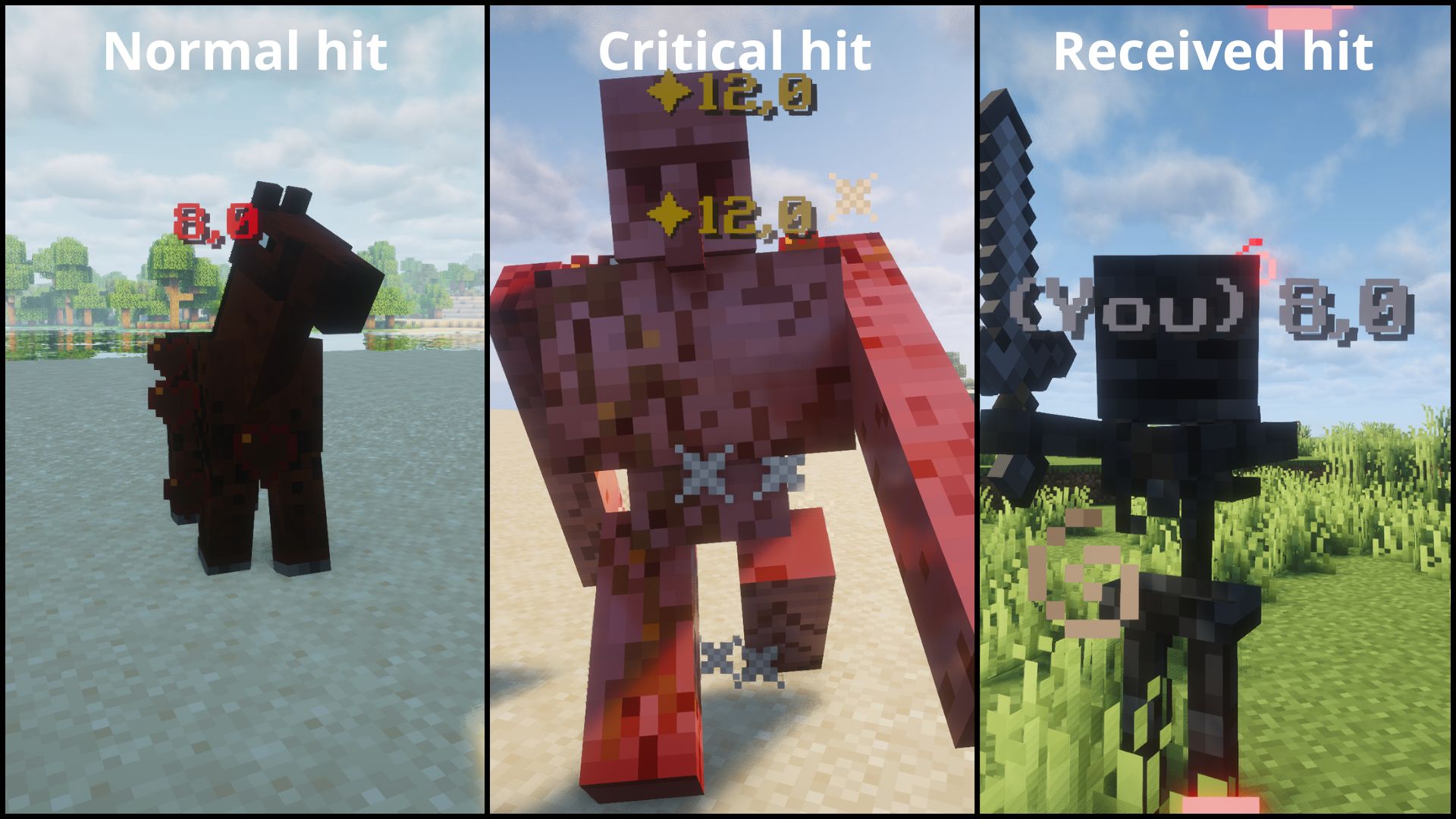
Floating damage numbers above every target you hit, and your own incoming damage too. Color-coded by damage type.
Note: FDI must be installed on both the server and client for multiplayer servers.
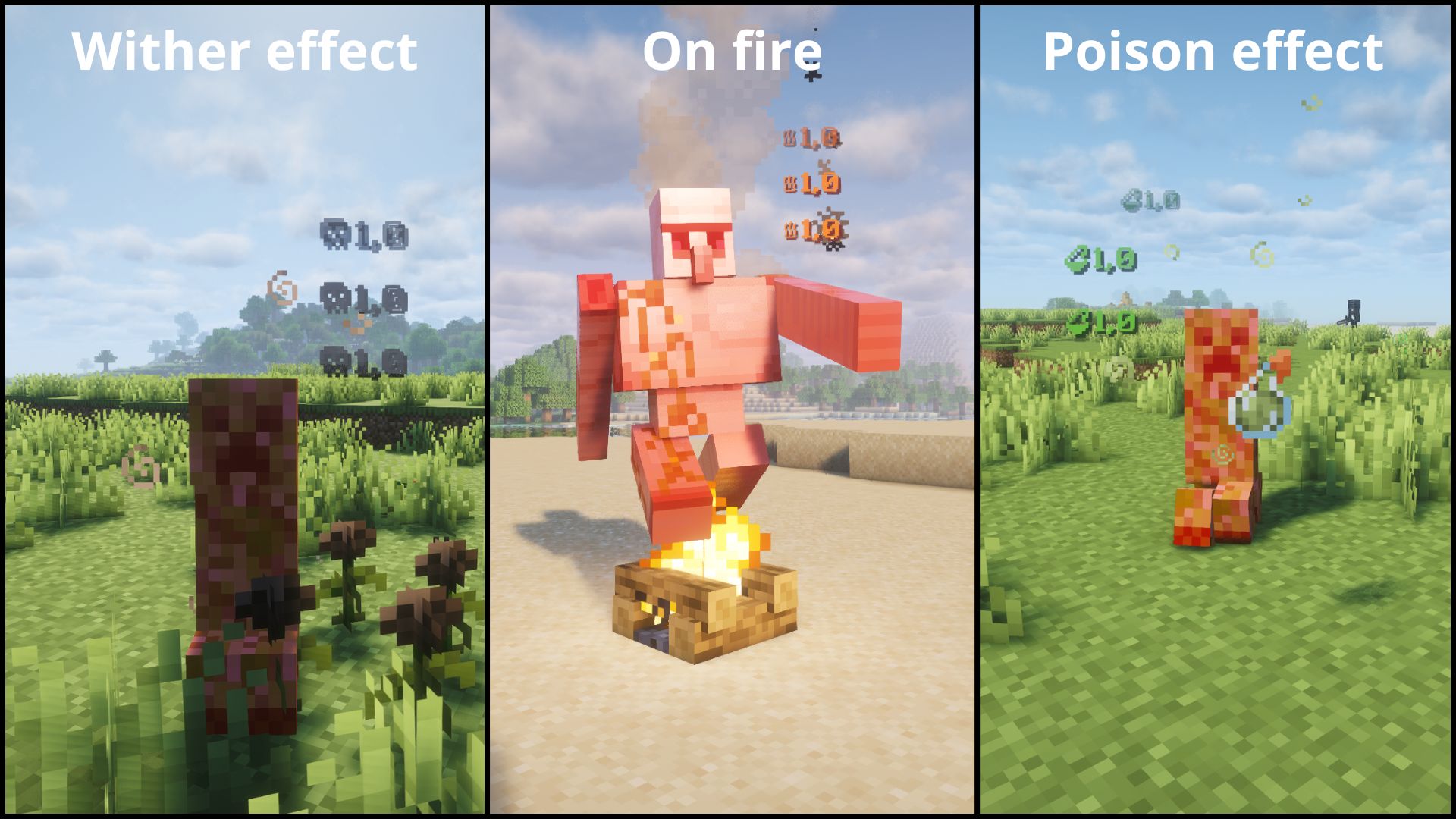
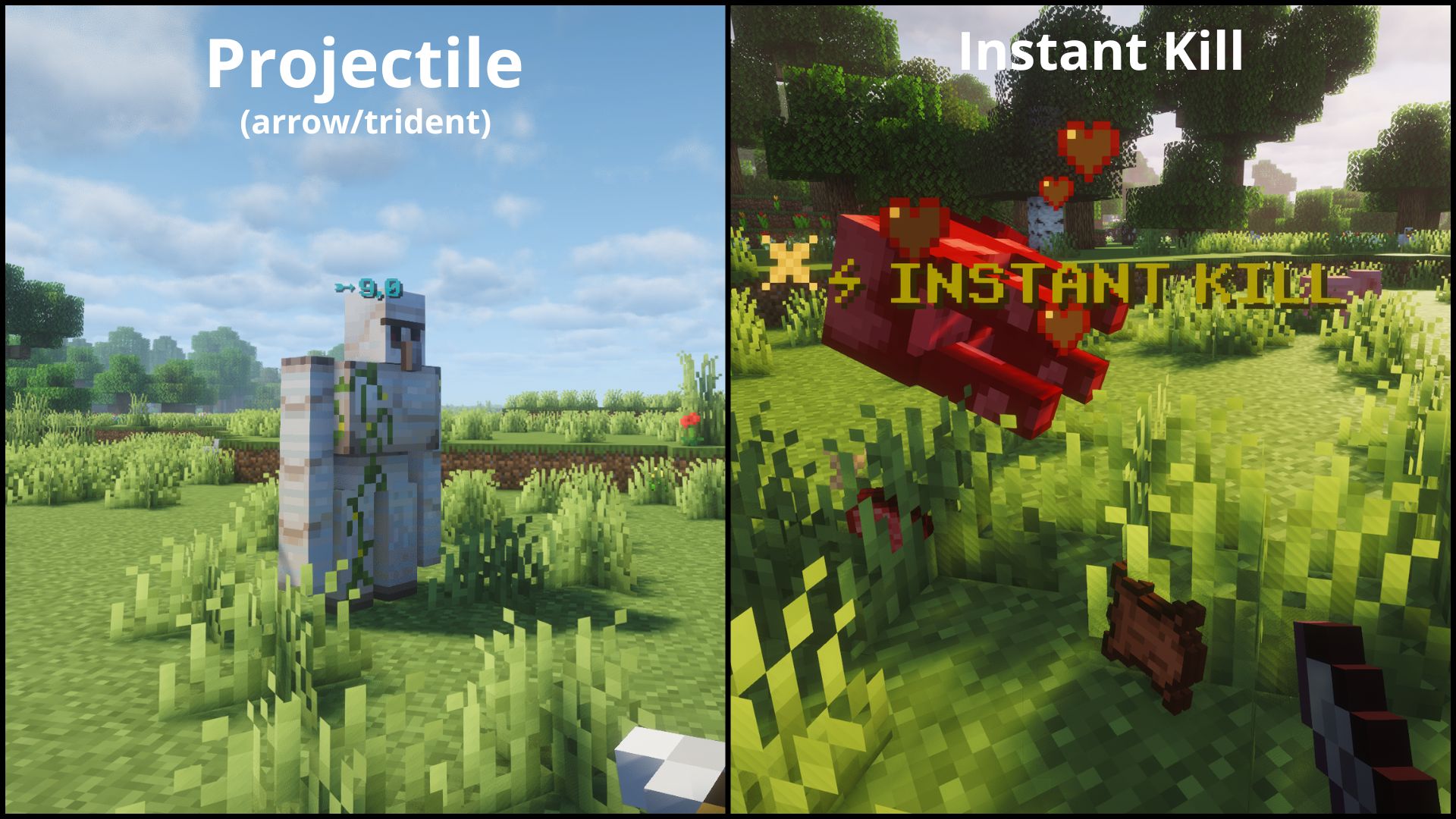
⚡ Features
- Floating damage numbers above any entity you hit.
- See your own incoming damage too.
- Color-coded by damage type.
- Configurable. Choose which numbers show up.
- Works in both singleplayer and dedicated multiplayer.
| Type | Icon | Color | Example |
|---|---|---|---|
| NORMAL | — | Red | Normal hit |
| CRITICAL | ✦ | Gold | Jump crit |
| PROJECTILE | ➵ | Cyan | Arrow, trident |
| FIRE | ♨ | Orange | Fire Aspect |
| POISON | ⚗ | Green | Poison |
| WITHER | ☠ | Dark gray | Wither effect |
| RECEIVING | — | Light gray | Damage you take |
| INSTANT_KILL | ⚡ INSTANT KILL | Gold | Kill an enemy in one hit |
⚙️ Configuration
The easiest way to configure Floating Damage Indicators is in-game: open Mod Menu (Fabric) or the Config button in the mods list (NeoForge).
Note: The in-game screen is intentionally minimal. It only shows the two main toggles and a button to open the config file. Colors, prefixes and per-type options are edited directly in the config file (see below).
After launching the game once, a configuration file will be generated:
config/floatingdamageindicators.jsonAvailable options:
Important:
showDamageis the master switch. If it is set tofalse, no numbers are shown at all, including your own incoming damage.showReceivedDamageonly takes effect whileshowDamageistrue, so keepshowDamageenabled to see the damage you take.
Note: The
formatssection is client-side only. The server only readsshowDamage,showReceivedDamage, andINSTANT_KILL'senabled. To customize prefixes, colors, orshowDamage, edit the config file on your client.Tip: Some Unicode characters or emojis may not display correctly depending on your Minecraft font. If a character shows as a blank square, try a different one. Stick to basic Unicode symbols for best results.
Tip: Colors must be 6-digit hex (RRGGBB). Invalid values like
"ZZZ123"or"FF"will silently fall back to the default for that damage type.
{
  "showDamage": true,
  "showReceivedDamage": true,
  "formats": {
    "NORMAL":       { "enabled": true, "prefix": "", "color": "FF3333", "showDamage": true },
    "CRITICAL":     { "enabled": true, "prefix": "\u2726", "color": "FFD700", "showDamage": true },
    "PROJECTILE":   { "enabled": true, "prefix": "\u27B5", "color": "00FFFF", "showDamage": true },
    "FIRE":         { "enabled": true, "prefix": "\u2668", "color": "FF6600", "showDamage": true },
    "POISON":       { "enabled": true, "prefix": "\u2697", "color": "4A9E2F", "showDamage": true },
    "WITHER":       { "enabled": true, "prefix": "\u2620", "color": "3C3C3C", "showDamage": true },
    "RECEIVING":    { "enabled": true, "prefix": "(You) ", "color": "AAAAAA", "showDamage": true },
    "INSTANT_KILL": { "enabled": true, "prefix": "\u26A1 INSTANT KILL", "color": "FFD700", "showDamage": false }
  }
}
Each format entry:
- enabled: show/hide this damage type entirely
- prefix: custom text shown before (or instead of) the number
- color: 6-digit hex color (RGB)
- showDamage: if false, only the prefix is shown (no damage number)
📦 Requirements
Fabric
- Fabric API
- Mod Menu (optional)
- (+26.X) Java 25 or newer
NeoForge
- (+26.X) Java 25 or newer
💬 Suggestions & Issues
If you have an idea, a suggestion, or found a bug, feel free to leave a comment on the CurseForge page or open an issue on the GitHub repository.
❓ FAQ
Can I use this mod in a public modpack?
Yes! You're free to include it in any public or private modpack, no permission needed.
📜 License
This project is licensed under the MIT License.
Floating Damage Indicators Team