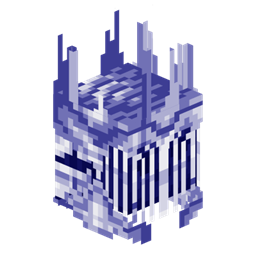
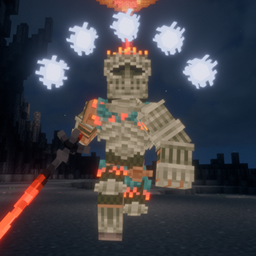
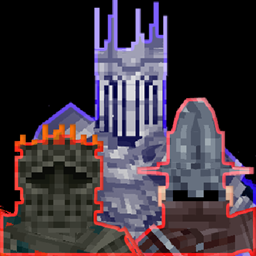
Final Adversaries Lite
- By
Contains she Sunflower and Lothran Boss, to be used inside modpacks or servers etc.
How to Use:
Contains just the Sunflower and Lothran Boss, to be used for modpacks, servers etc.
More info inside the patchnotes of each version.
This mod functions as a datapack behind the scenes.
Adjusting Settings
- All settings can be adjusted using:
/function final_adversaries:adjust_bosses/... - If no boss is active, the datapack has no impact on performance.
How Bosses Spawn
- The mod automatically summons bosses at their uninitialized spawnpoint marker.
- A marker is initialized when a player enters a 50-block range, triggering the boss spawn.
Custom Boss Structures
To make bosses spawn in your custom generated structures:
- Disable auto-spawning to prevent markers from initializing automatically:
/function final_adversaries/adjust_bosses/auto_spawn_bosses_toggle - Place the required markers inside your structure using:
final_adversaries:adjust_bosses/... - Save the structure with entities enabled for the markers to be saved in the structure file.
Sunflower Boss
General
- When defeated, all players within a 50-block radius receive the advancement
final_adversaries:kill_sunflower - The fight activates only when a player enters a 28-block range.
- The boss attacks all entities within a 28-block radius, prioritizing players.
- To add custom boss bars, note that the sunflower's hitbox is a slime with the score
boss_hitboxset to 4. - Sunflower model is an item_display with score
boss_numberset to 4
Lothran Boss
Spawnpoint Marker
- Lothran spawns and returns to this position after a fight
Cutscene Marker
- During phase transitions, Lothran moves to this marker. His hitbox hovers 10 blocks below him to prevent damage during this time.
Teleport Marker
- Lothran teleports randomly to these markers for certain attacks.
Detection Marker
- While idle, Lothran periodically scans a 10-block radius around these markers. If a player is detected, it is marked, and the fight begins.
Arena Marker
- when the fight begins, all players in a 10-block radius to these markers are also marked, to ensure the boss targets all players inside the arena.
General
- upon Lothran's defeat, all players within a 250-block radius with
in_boss_fightscore set to 1 will receive the advancementfinal_adveraries:kill_lothran, and theirin_boss_fightscore will reset to 0 - The boss arena should avoid large obstacles as Lothran lacks collision detection
- The arena floor must be filled with light blocks for Lothran's spinning attack. This can be done easily with WorldEdit by selecting an area with
//pos1and//pos2and replacing all air blocks with light blocks://replace air light[level=0] - When Lothran initiates combat, it marks all targets by setting their scoreboard
in_boss_fightto 1, Lothran only attacks marked entities and returns to its spawn if none can be found nearby - Multiple Lothrans can theoretically be fought simultaneously, but this may significantly impact performance. Ensure they are at least 500 blocks apart
- If multiple instances of the same boss exist, disable boss bars in the settings, as they will display erratic behavior by tracking all bosses' health simultaneously
- To add custom boss bars, note that Lothran's hitbox is a slime with the score
boss_hitboxset to 1 - Players who die during the fight will also have their
in_boss_fightscore reset to 0 - Lothrans model is an item_display with score
boss_numberset to 1
The Final Adversaries Lite Team

Owner