Fallen Survivors
- By
Search the remains of fallen survivors, collect randomized loot, and risk attracting zombies in a configurable Minecraft Forge 1.20.1 apocalypse experience.
2026-11-20_08.50.40.png
2026-11-20_08.50.44.png
2026-11-20_08.50.53.png
2026-11-20_08.51.04.png
Description
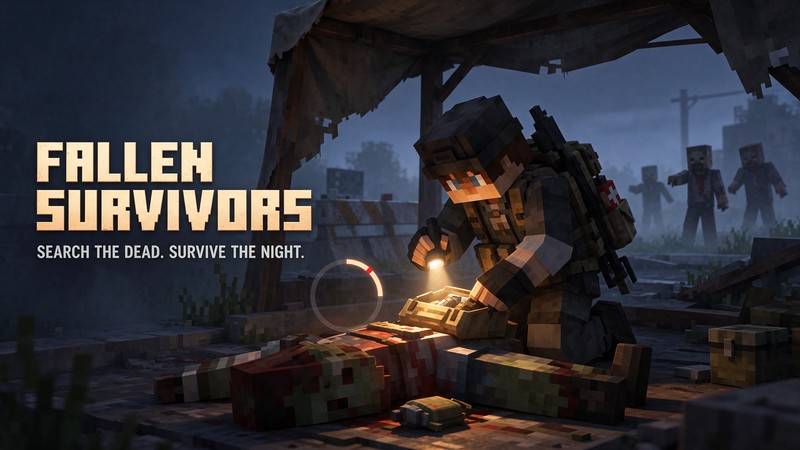
Fallen Survivors adds lootable survivor corpses to Minecraft Forge 1.20.1. Explore newly generated areas, find the remains of civilians, soldiers, medics, police officers, scientists, survivalists, and victims, then search them for useful supplies.
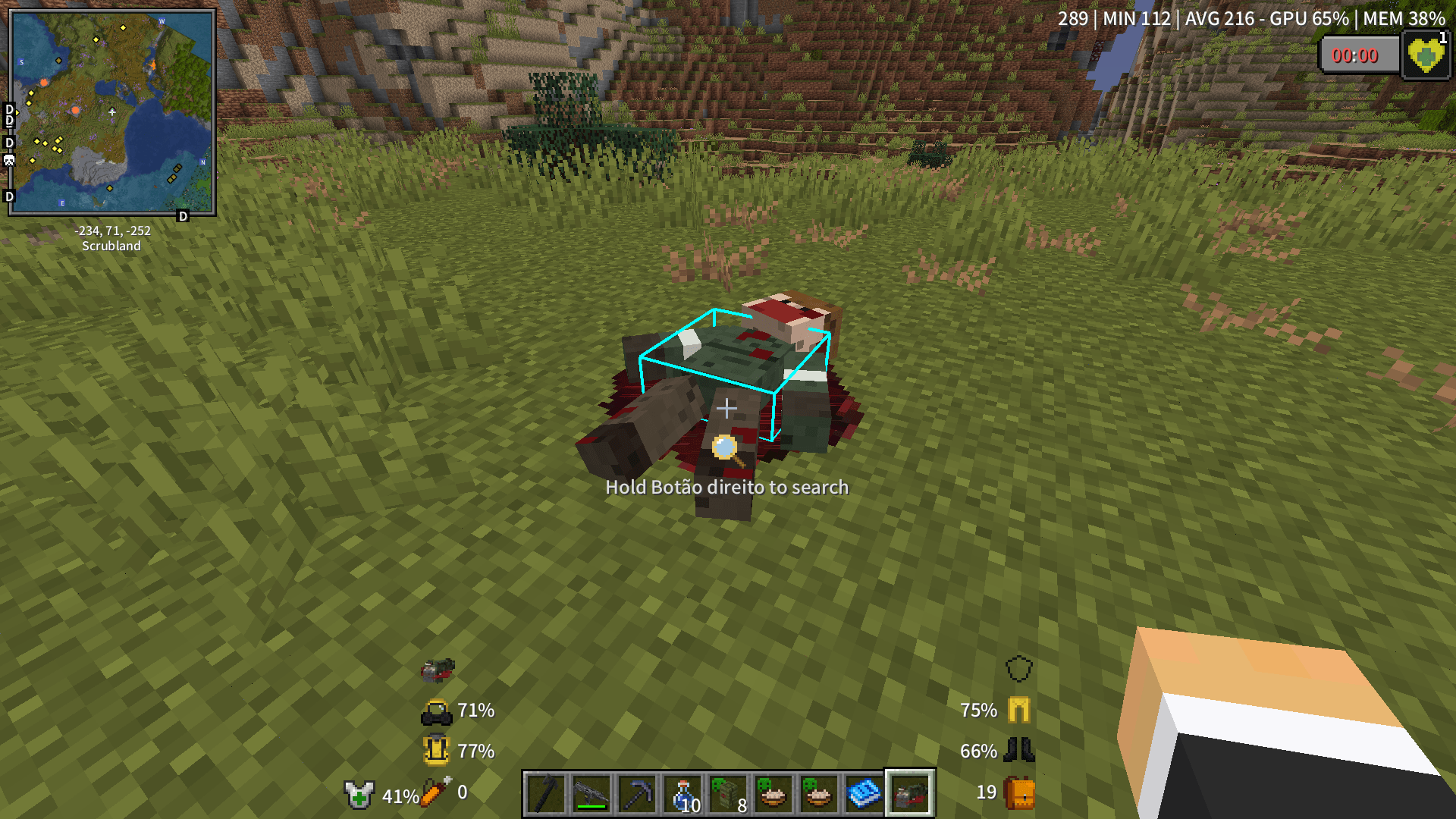
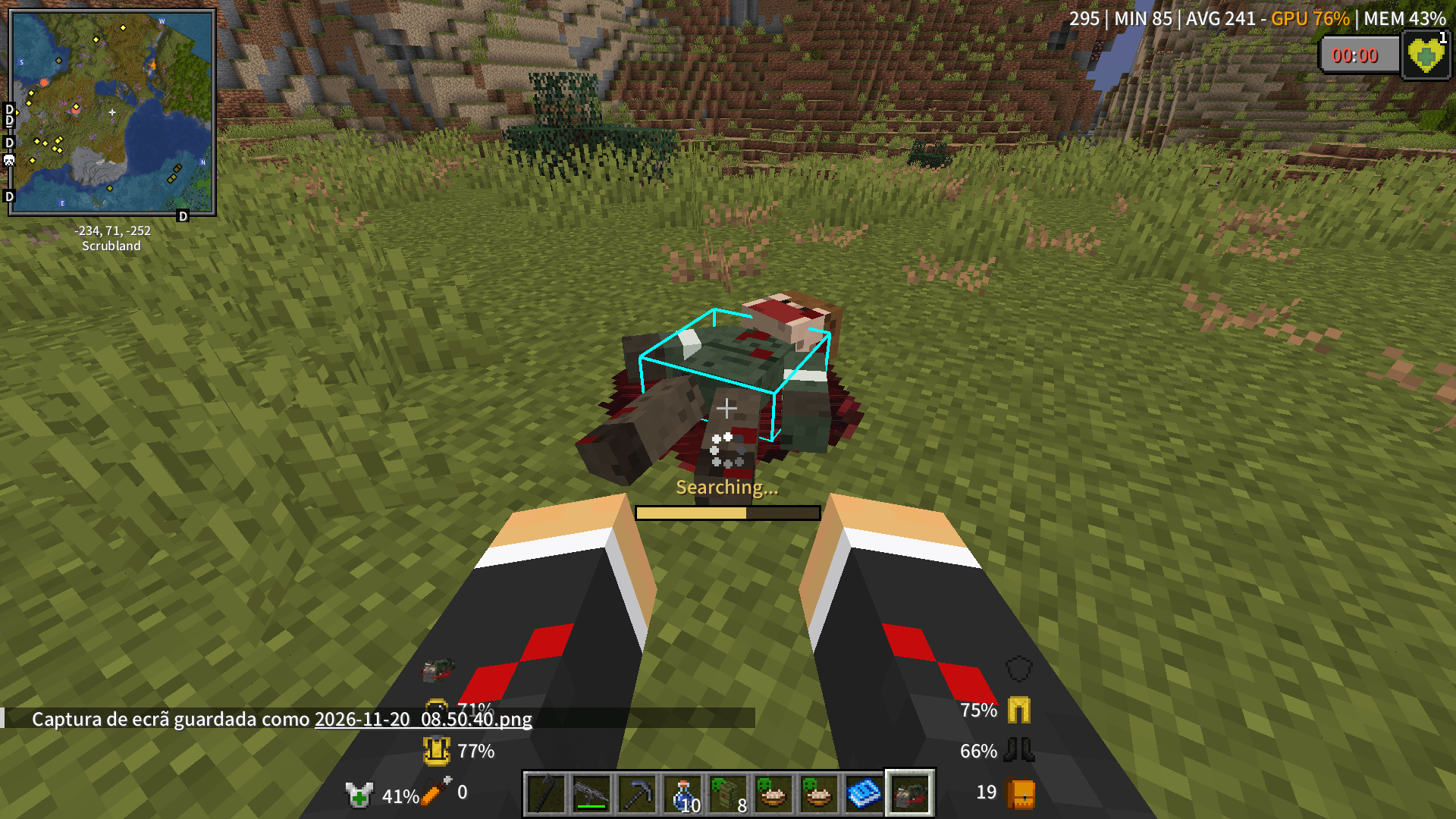
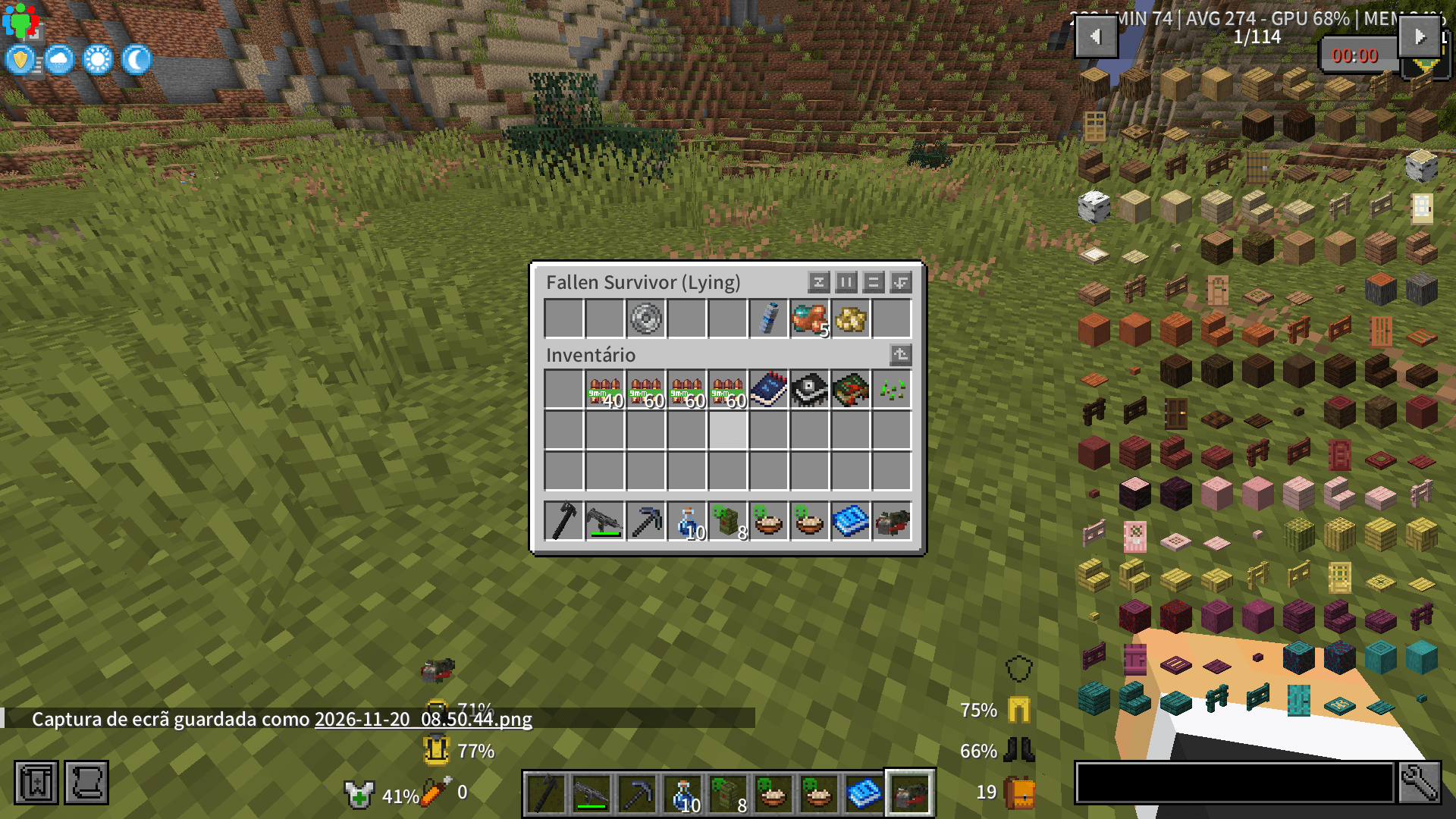
Searching is not instant. Hold the use key while interacting with a corpse and wait for the progress bar to finish. Animated hands appear in first person, and the search animation is also visible in third person to nearby players. Once a corpse has been searched, a later interaction opens its inventory directly.
The mod is designed for zombie-apocalypse modpacks, survival servers, exploration-focused worlds, and scenarios where every supply run should carry a risk.
Features
Lootable survivor corpses
•Corpses can generate naturally in newly generated Overworld chunks.
•Generation uses a configurable spaced-grid system instead of placing bodies everywhere.
•Configure spacing, spawn chance, small groups, dimensions, biomes, and generation limits.
•Spawn specific corpse families with commands for testing or map building.
Survivor profiles and skins
Each corpse can use a survivor profile with its own gameplay identity:
•civilian;
•soldier;
•police;
•medic;
•scientist;
•survivalist;
•victim.
Profiles can define different skins, loot groups, inventory rows, search times, and empty-container chances. Skins can be selected per profile and can also be supplied through the configuration folder or a resource pack.
Search gameplay
•Hold the use key to search a corpse.
•First-person search hands use GeckoLib animations.
•Third-person search animation works for the local player and for nearby players watching someone search.
•A progress bar and search indicators show the current state.
•Search time is configurable per loot profile.
•Already searched corpses can open their inventory immediately.
Noise and zombie events
Searching can make noise and attract danger. Depending on the configuration, a noise event can interrupt the search or happen when the search finishes.
Configure:
•activation chance;
•night-only behavior;
•cooldown per player;
•interruption range on the progress bar;
•number of zombies;
•spawn distance and radius;
•delay before the zombies appear;
•zombie types and sounds.
When a search is interrupted by noise, the progress is lost and the player must decide whether it is safe to try again.
Loot pools and in-game editor
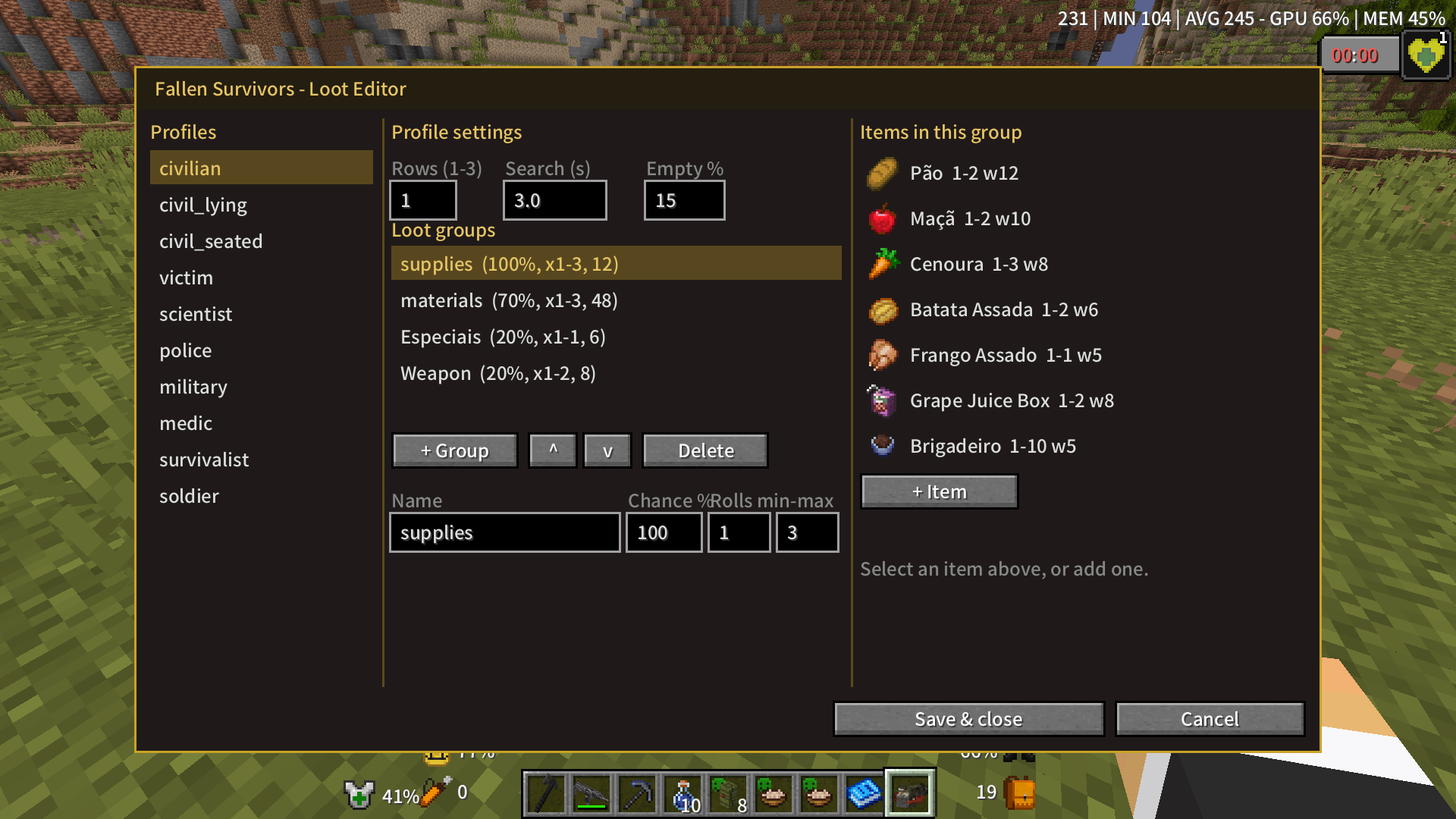
Loot is organized into configurable profiles and pools. Each pool can have its own chance, number of rolls, weighted entries, item ranges, and optional NBT data.
Operators can open the in-game editor with:
Plain Text
/corpses editor
The editor includes:
•profile selection;
•loot-group editing;
•item search;
•item insertion;
•minimum and maximum quantities;
•weighted entries;
•an "item in hand" option that preserves item data when applicable.
Commands
Use these commands as an operator:
Plain Text
/corpses spawn <family> [profile] /corpses scatter <chunks> /corpses clear <blocks> /corpses reload /corpses editor /corpses event
Configuration
The main configuration is stored in:
Plain Text
config/fallen_survivors/config.json
Loot profiles are stored in:
Plain Text
config/fallen_survivors/loot/<profile>.json
Client-side hand animation settings are stored in:
Plain Text
config/fallen_survivors/client.json
The first-person hand mode can be set to:
•geckolib — animated GeckoLib hands;
•simple — a lighter fallback motion;
•off — disables the custom first-person hand animation.
Installation
1.Install Minecraft 1.20.1 with Forge 47.x.
2.Install GeckoLib for Forge 1.20.1.
3.Put the Fallen Survivors JAR and GeckoLib JAR in the mods folder.
4.Start the game and create or load a world.
5.Travel through newly generated Overworld terrain or use the corpse commands for testing.
Requirements
•Minecraft 1.20.1
•Minecraft Forge 47.x
•GeckoLib 4.x for Forge
•Java 17 for development and compilation
Compatibility and performance
The third-person animation only performs extra rendering while a player is actively searching. The network synchronization sends search-state changes rather than animation data every frame. The expected overhead is low, but testing should still be performed with the complete modpack and any custom armor or animation mods installed.
License
The code and original assets are distributed according to the license included with the release. External assets remain subject to their original authors' licenses and permissions.
Fallen Survivors Team