F1 Cinematic
- By
Cycle cinematic views with F1: animated letterbox bars, visible or hidden hands, and a clean HUD for Minecraft screenshots.
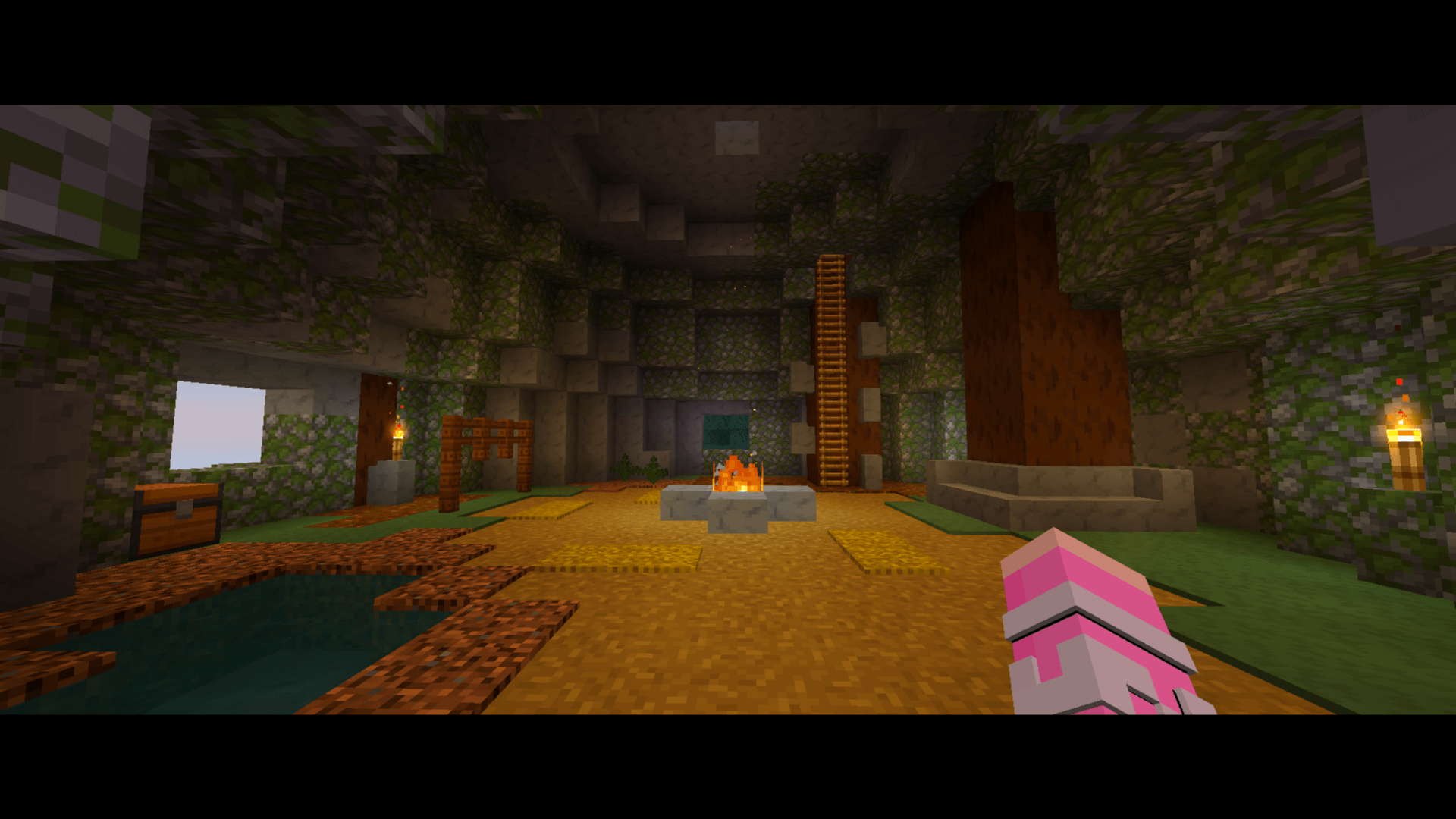
Minecraft_Screenshot_2026.10.03_-_20.23.22.77.png
Description
F1 Cinematic
Frame your Minecraft moments with a cinematic touch.
F1 Cinematic is a client-side mod that turns the F1 key into a cinematic view switcher. Enjoy animated letterbox bars, hide the HUD, and choose whether your first-person hand stays in the shot.
One key. Three views.
- First press — Cinematic with hands: animated black bars, hidden HUD, and a visible first-person hand.
- Second press — Cinematic without hands: keep the cinematic bars while hiding the hand and HUD.
- Third press — Back to gameplay: leave the cinematic modes and restore your previous HUD visibility. With a normally visible HUD, the interface and hand return.
Press F1 again to repeat the cycle.
Capture the moment
- Smooth, animated letterbox transitions.
- First-person hand positioning that follows the bar transition.
- Quick switching between shots with and without the hand.
- Default 2.39:1 letterbox framing when used independently, where your window proportions allow it.
- Cinematic framing for screenshots and gameplay videos.
Letterbox bars frame the image. Their visible size depends on your window proportions.
Better together with Cinematic Zoom
F1 Cinematic works independently. For an additional zoom feature, install Cinematic Zoom and use C + the mouse wheel to adjust your zoom.
When both mods are installed, F1 Cinematic reads Cinematic Zoom's bar settings and coordinates HUD visibility with its cinematic modes. Cinematic Zoom is an optional companion.
Optional Ping Wheel integration
Starting with version 1.1.4, F1 Cinematic includes support for hiding Ping Wheel markers, labels, and direction indicators during cinematic views.
Pings continue updating while hidden. When you return to normal gameplay, any pings that have not expired can become visible again. Ping Wheel is optional and must match your Minecraft version and loader.
Installation
- Install Fabric, Forge, or NeoForge for your Minecraft version.
- Download the matching F1 Cinematic JAR and place it in your
modsfolder. - For Fabric, also install Fabric API.
- Launch Minecraft, enter a world, and press F1.
Client-side mod: F1 Cinematic only needs to be installed on your client.
Dependencies: F1 Cinematic does not require Cinematic Zoom, Configuration, Cloth Config, or Ping Wheel. Optional companion mods retain their own dependencies.
Available builds
Separate builds are available for Fabric, Forge, and NeoForge on:
- Minecraft 1.20.1
- Minecraft 1.21.1
- Minecraft 1.21.11
- Minecraft 26.1
- Minecraft 26.1.1
- Minecraft 26.1.2
- Minecraft 26.2
Always download the file matching your Minecraft version and mod loader.
Feedback and bug reports
Found an issue? Include your Minecraft version, mod loader, F1 Cinematic version, other installed visual mods, and latest.log. Describe which F1 press triggers the problem and what you expected to see.
F1 Cinematic Team


Owner