Ekran görüntüsü 2026-08-09 194651.png
Ekran görüntüsü 2026-08-09 200930.png
Ekran görüntüsü 2026-08-09 201106.png
Ekran görüntüsü 2026-08-09 201403.png
Description
Minecraft shows your status effects as a row of icons in the top-right corner and tells you nothing else about them. No numbers, no idea whether your Strength has forty seconds left or four.
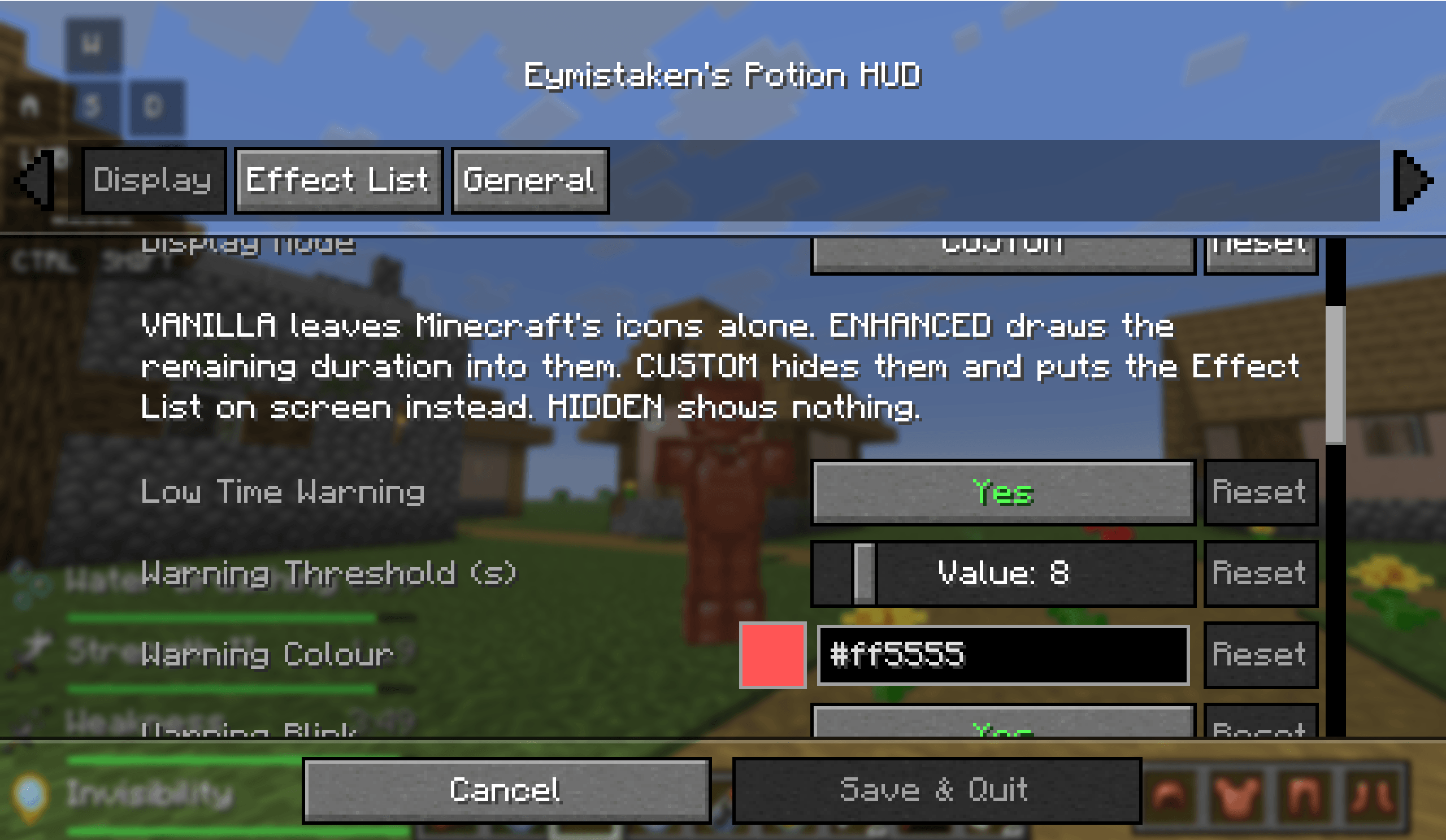
This mod gives you one setting to fix that. Display Mode decides how your effects are shown, and it has four answers: leave Minecraft's icons alone, keep them and read the time off them, replace them with a list you place yourself, or hide them entirely. There is no second switch that can contradict the first, and no way to end up reading the same effect twice in two corners of the screen.
Read the time off Minecraft's own icons
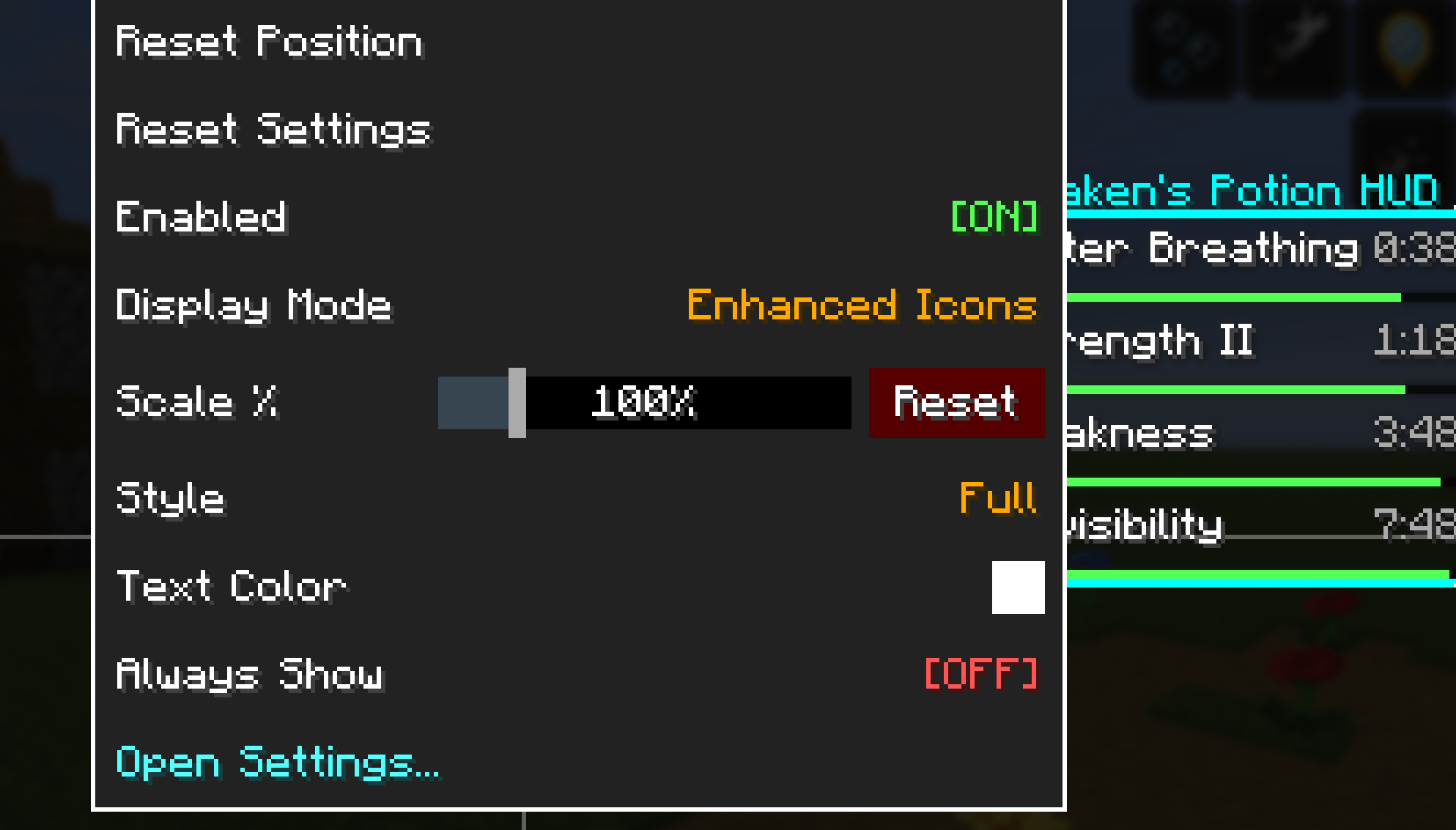
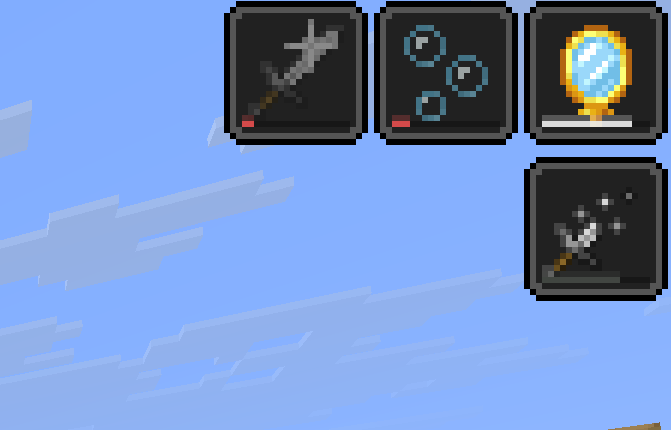
Enhanced is the default, and it is the option that changes the least. Minecraft's icons stay exactly where they are, drawn by Minecraft, and the remaining duration is worked into the artwork rather than stacked on top of it.
A hairline sits along the bottom edge of the icon, inside the frame, tinted with the effect's own colour. There is no black track behind it, so at full duration there is nothing to notice — the line simply shortens as the effect runs down. One to three pixels thick, your choice.
If you would rather not add anything to the icon at all, Drain shades the icon itself from the top down as the time is spent, the way a cooldown reads. A countdown and a level number are available too, both off by default, because the icons are artwork and covering them up is a decision you should make deliberately.
Or build the display yourself
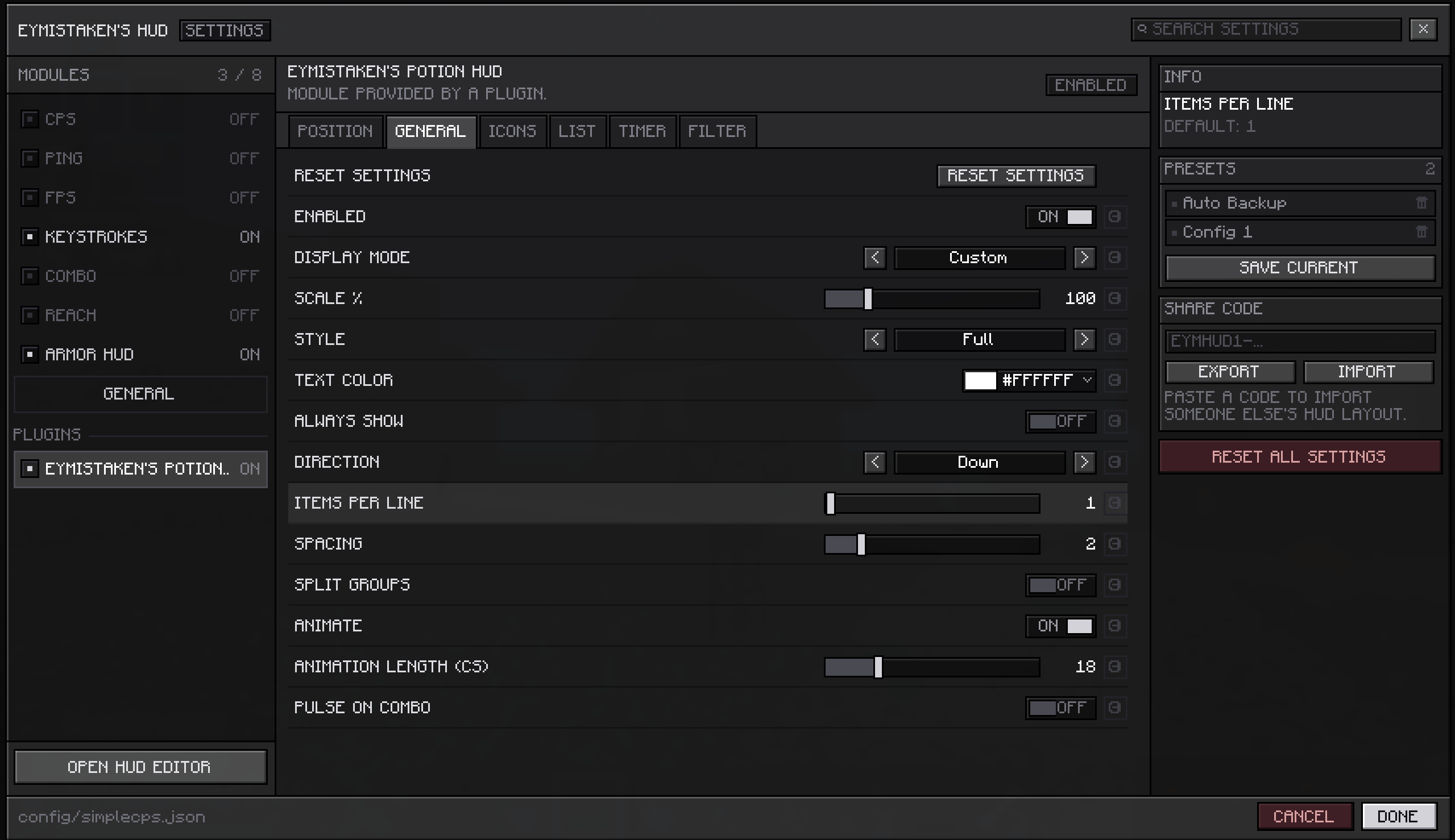
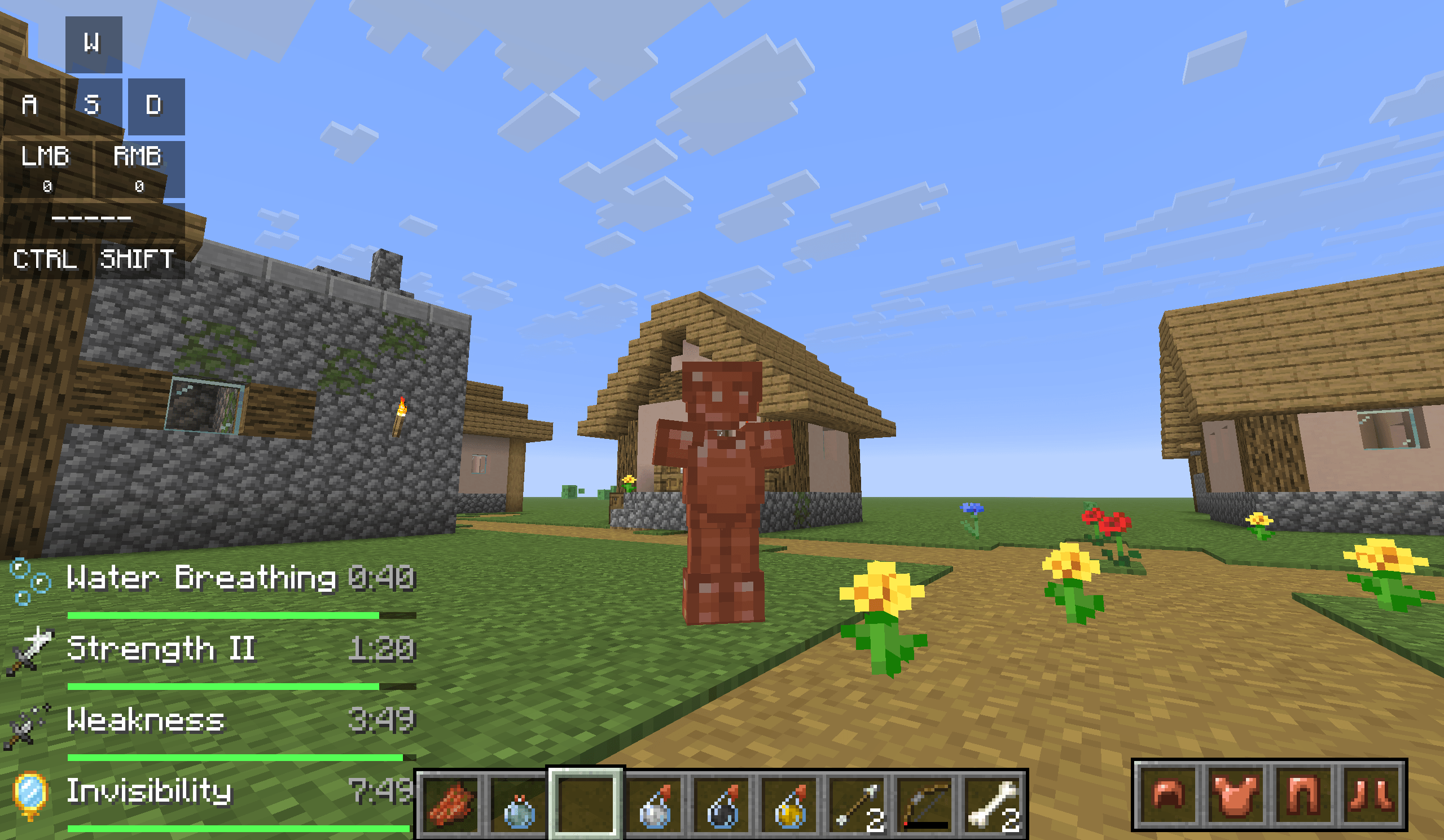
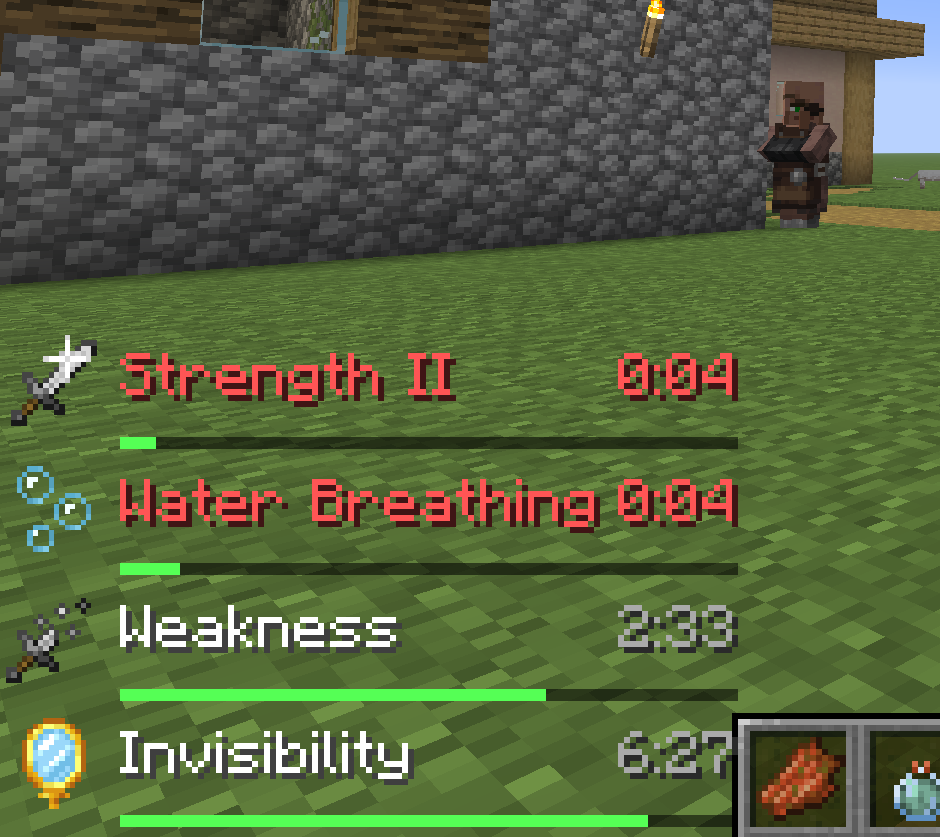
Custom hides Minecraft's icons and draws its own list instead, anywhere on the screen and at any size between half and triple.
Each entry can carry the effect icon, its name, its level and its remaining time, in five arrangements: a full row, a compact icon-and-timer pair, icons alone, text alone, or a tile with the timer centred under the icon. The list grows in whichever direction you point it, wraps after as many entries per line as you like, and can be split into two independently placed halves so your buffs sit in one corner and your debuffs in another.
Colours follow one text colour, or the effect's category, or a rainbow. Levels read as Roman numerals or plain digits. Durations read as M:SS, whole seconds, or tenths for the last few. A duration bar can sit under the text, under the icon, or drain across the whole row as its background.
Beacon and conduit effects, effects with their particles hidden, whole categories, and any effect you name by id can all be filtered out, and what is left can be sorted by time remaining, name, category or Minecraft's own order.
Notice before it runs out
Below a threshold you set, an effect turns your warning colour and pulses. This works the same in both displays — a vanilla icon and a custom row read identically when time is short, because it is one setting, not two.
Minecraft never tells a mod how long an effect originally lasted, so the bars measure against the longest duration they have seen for that effect. Drinking another potion pushes the reference back up on its own.
With Eymistaken's HUD, and without it
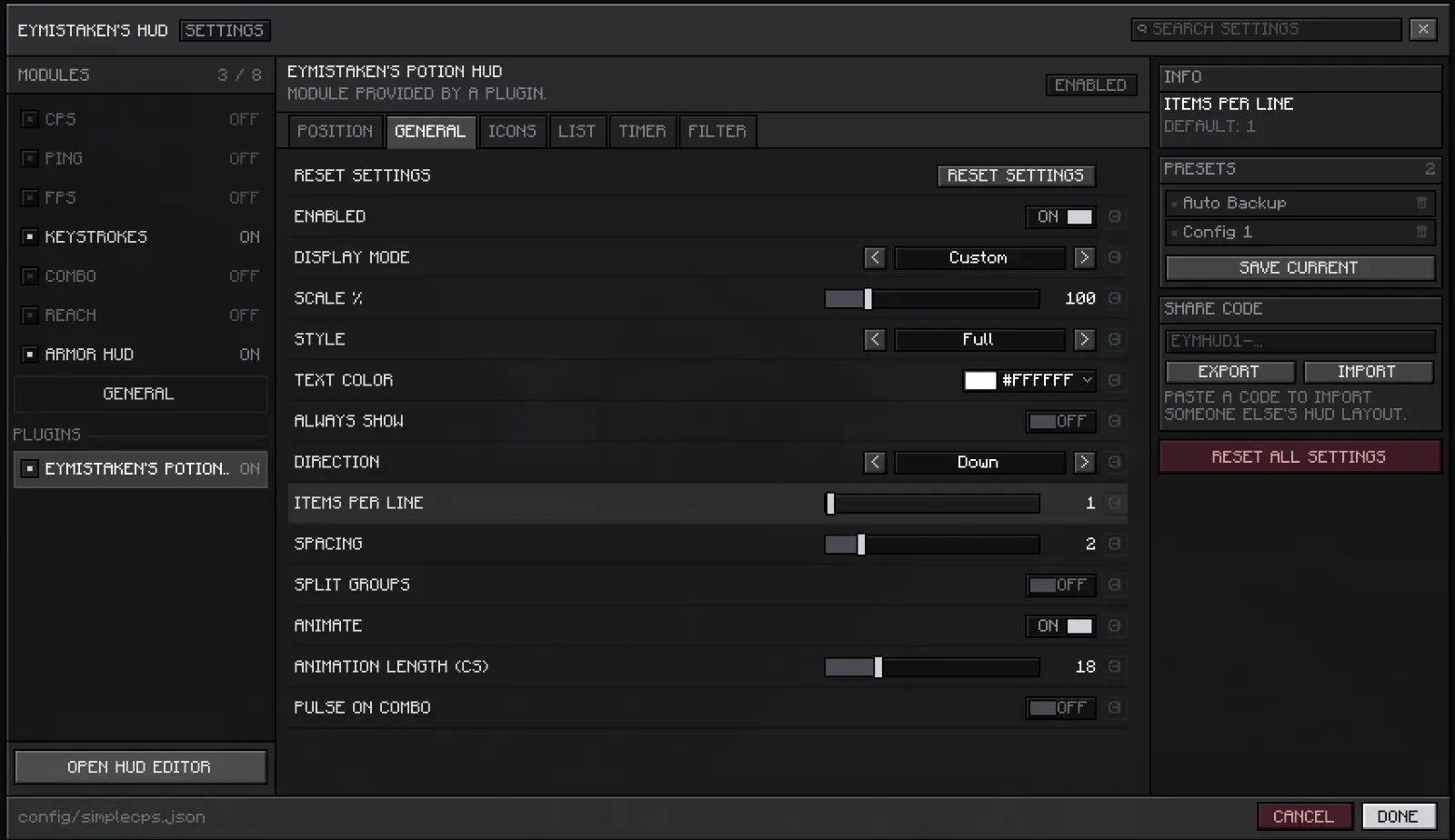
Install Eymistaken's HUD and this becomes one of its modules: drag it around the editor, resize it with the scroll wheel, snap it to guides, and find its settings under a single entry in the plugins list with its own tabs. Everything it owns travels through named presets, share codes and per-server configs, so a layout you send a friend brings your potion display with it.
Without that mod, everything still works. The displays are drawn from the same anchor and offsets, and if you have Mod Menu and Cloth Config installed you get a settings screen for all of it. Neither is required, and nothing here is a hard dependency — the mod runs on Fabric API alone.
A keybind cycles the four display modes in-game and names the one you landed on, if you would rather not open a menu mid-fight. It is unbound by default.
Requirements
Fabric for Minecraft 26.2, plus Fabric API. Client-side only — it does nothing on a server and does not need to be installed on one.
Eymistaken's Potion HUD Team