Entity Director
- By
raycast_blacklist_demo.gif
{151A8F1B-C5BA-442E-9980-FDB0D5C25DDE} (1).png
{C7E1D191-2C70-47FC-B9E9-EA55688D826F}.png
{EBFC6E46-E6BD-406F-88D8-D46B5DB91496}.png
{002B033D-F48A-4A89-8D13-1606BAF61680}.png


Description
Entity Director
Entity Director is an in-game toolkit for controlling mob spawns and loot, creating encounters, and automating gameplay events in Minecraft modpacks and servers.
Available now: Minecraft 1.21.1 on NeoForge 21.1.x. Forge, Fabric, and other Minecraft versions are not supported by the current JAR. Check the Files tab for the exact version and loader of each release.
Build and test supported rules through the visual editor without repeatedly editing JSON by hand. Saved server rules can be applied while the world is running.
Why Entity Director?
| Task | JSON-only workflow | Entity Director |
|---|---|---|
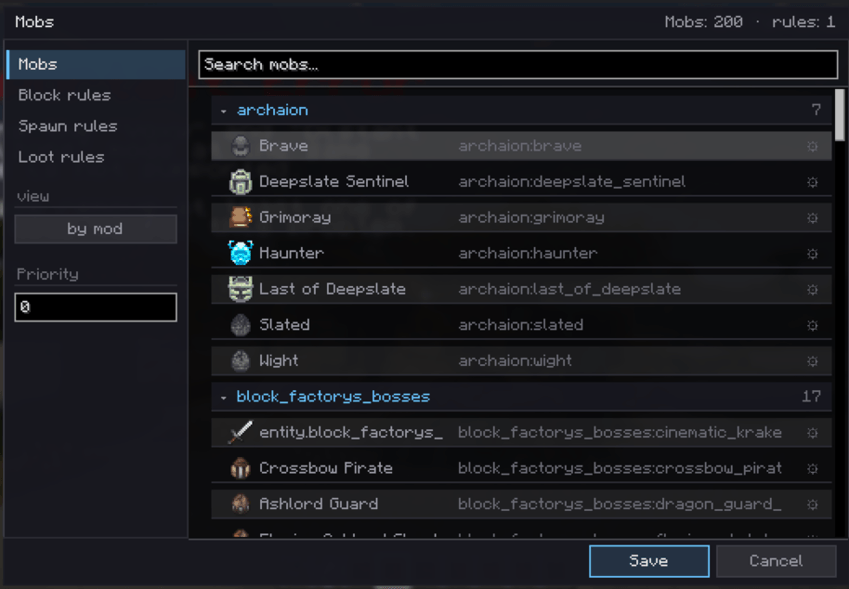
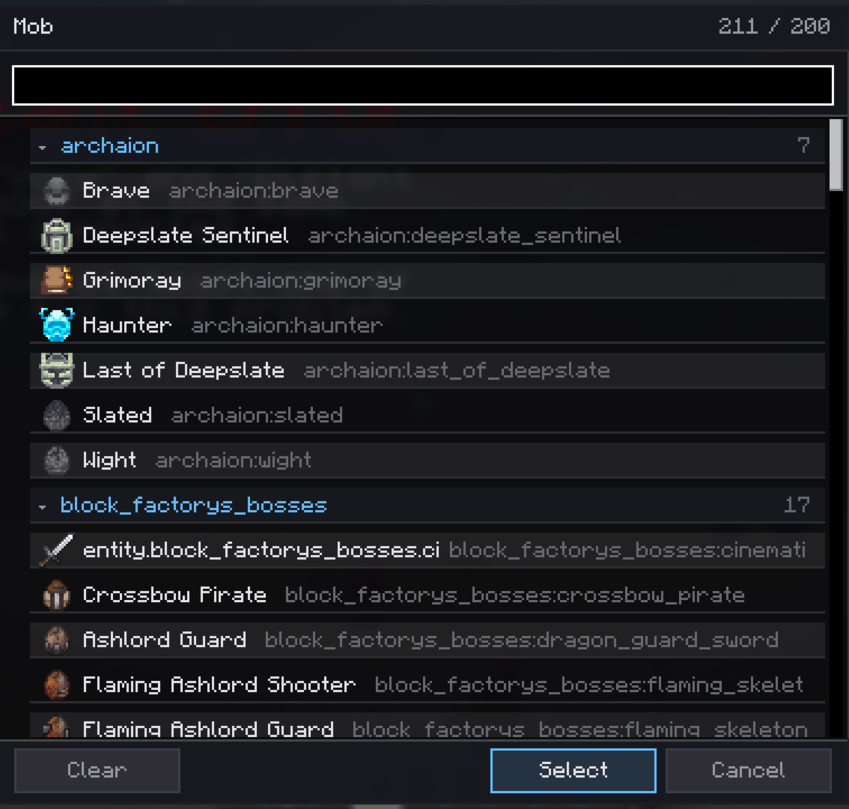
| Configure rules | Edit files manually | Browse mobs and edit rules in game with /edgui |
| Apply supported rule changes | Reload files or restart | Save from the editor while the world is running |
| Test a spawn rule | Wait for a matching spawn | Preview the decision at your position with /ed test <mob_id> |
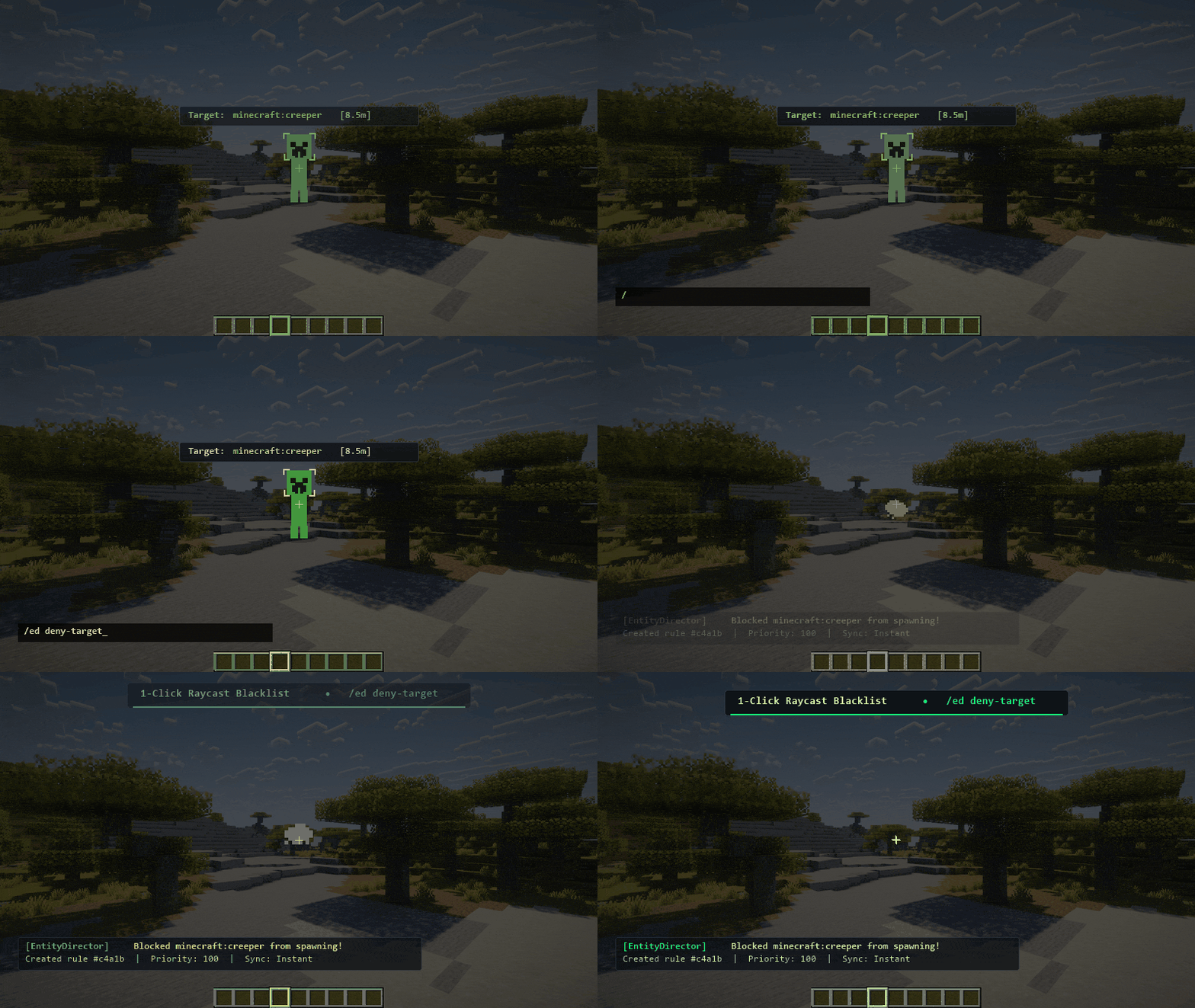
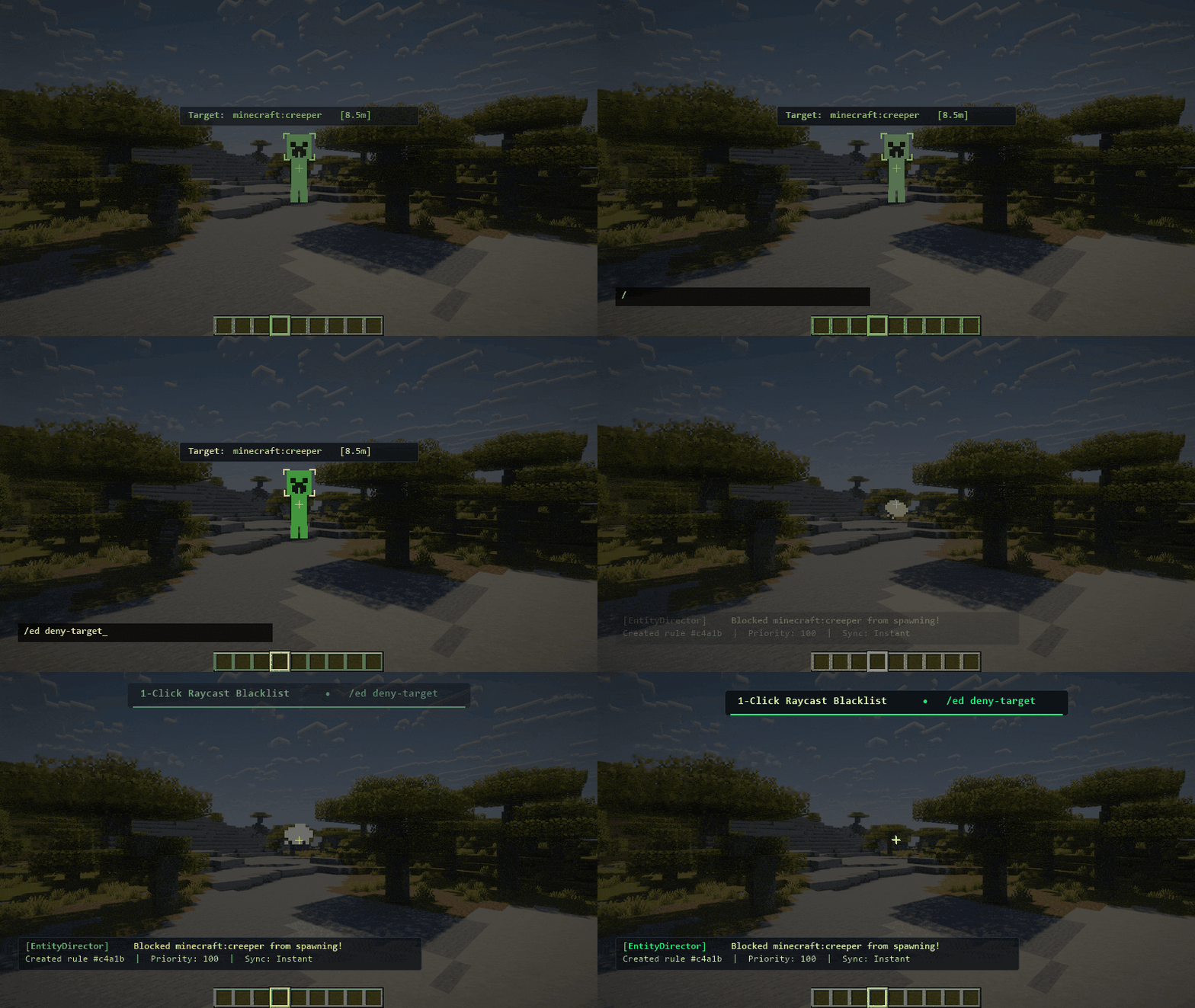
| Block a specific mob | Find and enter its registry ID | Look at it and run /ed deny-target |
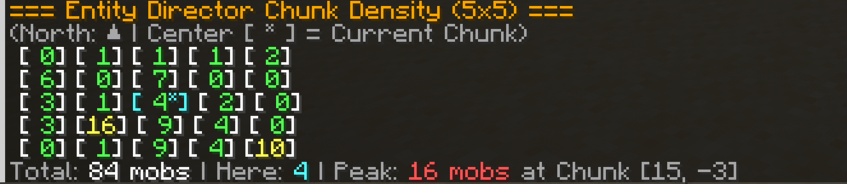
| Inspect crowding | Count nearby mobs manually | View a 5×5 chunk density grid with /eddensity |
| Build gameplay events | Maintain separate command logic | Configure encounters and event-driven automation in game |
Core Capabilities
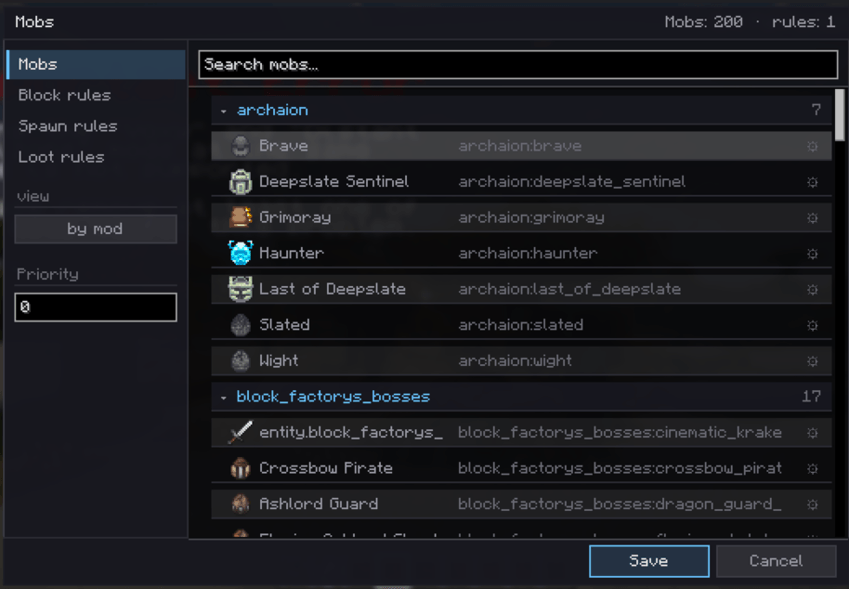
- Spawn rules: Create, prioritize, enable, and test mob and block rules. Filter by dimension, biome, structure, setpiece, Y range, light, time, weather, and nearby mob density.
- Custom spawners: Add timed, chance-based mob spawns with placement checks and nearby caps.
- Custom loot: Add, remove, or replace mob drops with conditions and weighted chances.
- Presets and sharing: Start from rule templates, and copy or import rule configurations through the clipboard.
- Rule testing: Use
/ed test <mob_id>to preview spawn evaluation at your current position. - Target blocking: Aim at a mob within 32 blocks and use
/ed deny-targetto create a deny rule.
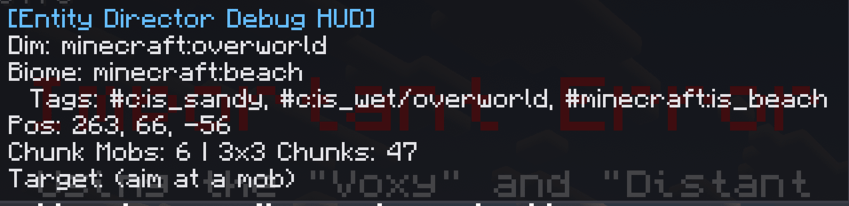
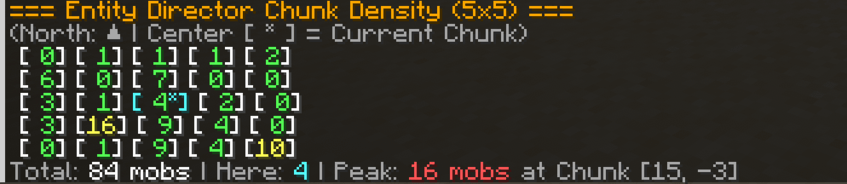
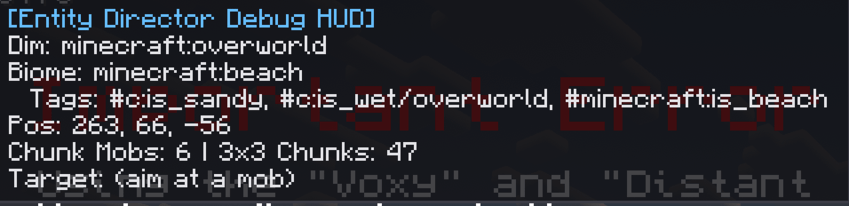
- Diagnostics: Use the debug HUD, World Inspector, rule previews,
/eddensity, and/edheatmap. The heatmap highlights nearby chunks with at least 20 mobs using particles; it is not a full-screen graph. - Encounters: Build phased fights with weighted entity groups, spawn budgets, objectives, rewards, zones, elite modifiers, formations, and optional squad behavior.
- Automation: Connect gameplay events to conditions and actions, with reusable phases, areas, variables, and counters.
- Optional FTB Quests bridge: Start encounters when quests complete, gate starts behind quest progress, or credit a Custom Task after an encounter win. The rest of the mod works without FTB Quests.
Getting Started
- Run
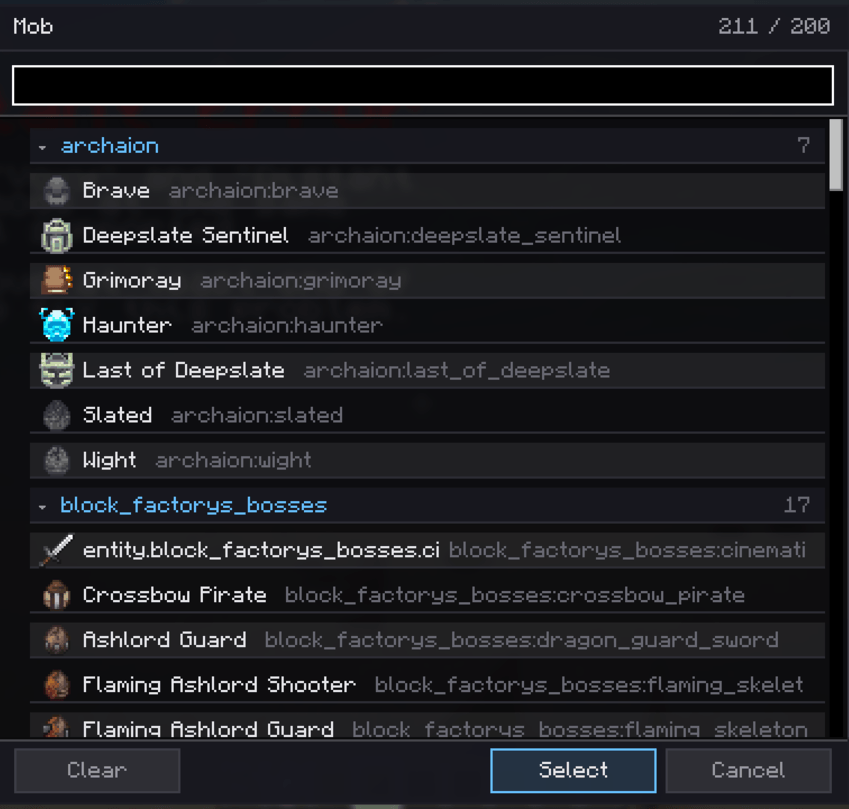
/edguior open Entity Director → Config from the Mods screen. The editor key can be viewed or changed in Minecraft's Controls settings. - Choose a mob or create a spawn rule. For a phased fight, open Encounters and add an encounter, then configure its phases.
- Save your changes and test them in a copy of your world. The in-game Guide explains the editor workflow.
Command Reference
/edgui— Open the main editor./ed test <mob_id>— Preview spawn rules at your position./ed deny-target— Block the mob in your crosshairs./ed densityor/eddensity— Print the nearby 5×5 chunk mob-density grid./edheatmap— Toggle particle highlights for crowded nearby chunks./edhud— Toggle the debug HUD (also available on F8 by default)./encounter edit— Open the encounter editor./encounter status— Show active encounter runs./edguide— Open the in-game Guide./ed reload— Reload supported server configuration files from disk.
Administrative commands require the appropriate permissions.
Technical Specifications & Compatibility
- Current release: Minecraft 1.21.1, NeoForge 21.1.x, Java 21.
- Multiplayer: Install the same Entity Director version on both client and server for in-game editing. Dedicated servers can use server-side rules without the GUI.
- Configuration: Stored under
config/encounterdirector/. Back up your world and configuration before updating. - Optional dependency: FTB Quests for the quest bridge only.
- License: LGPL-3.0-only.
YouTubers & Modpack Creators
Making a video, mod showcase, or modpack with Entity Director? Go for it! You are welcome to feature it in your content or include it in a modpack. A link to this mod page is appreciated so other players can find it too.
If the mod helps your project, consider supporting me — donations help fund my short films. 🎬
FAQ
Do I need to restart the server after changing rules?
Supported rule edits can be saved and applied while the world is running. Installing or updating a mod still requires a normal restart.
Which key opens the editor?
Check Controls → Entity Director. You can rebind it there, or use /edgui.
Do I need FTB Quests?
No. It is only needed for the optional quest integration.
Can I use Entity Director in a modpack or make videos about it?
Yes. You are welcome to include the mod and showcase it. A link to this page is appreciated.
Can I make an unofficial port?
The 1.1.0 release is under LGPL-3.0-only. Unofficial ports and modified versions must follow the applicable license terms; please label them clearly as unofficial so players do not confuse them with releases from this project.
The Entity Director Team