EmoteCraft Oneclient Compat
Make OneClient compatible with EmoteCraft and manage emotes through OneClient and play them through OneClient
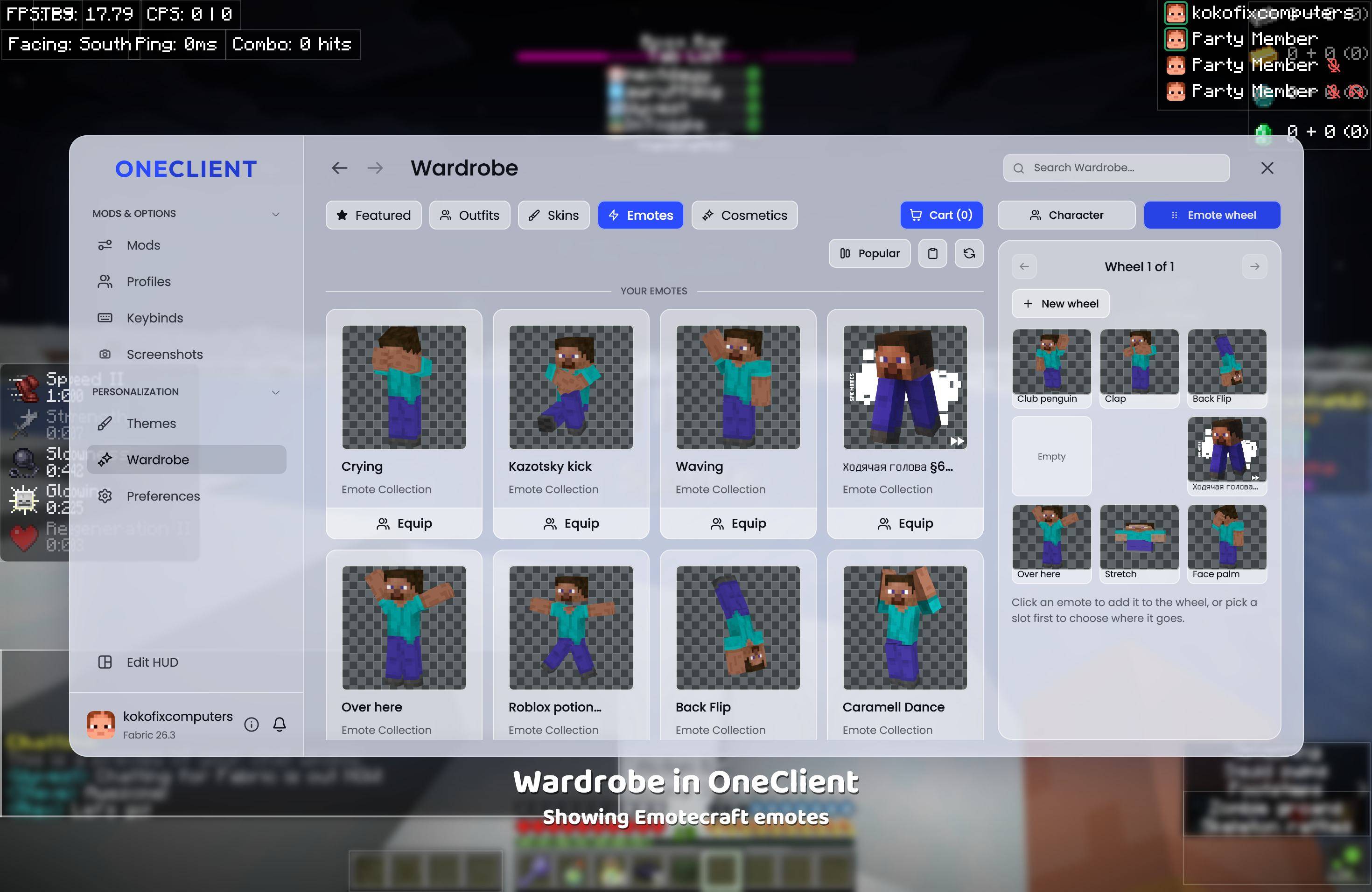
2026-11-10_16.23.56.jpg
Description
Play your local EmoteCraft emotes from the OneClient emote wheel.
EmoteCraft lets you load custom emotes from a local folder. OneClient (PolyPlus) has a polished in-game emote wheel. This mod bridges the two — every emote EmoteCraft finds gets injected into OneClient's wheel so you can assign, equip, and play them without ever leaving the OneClient UI.
Requirements
- EmoteCraft
- OneClient (PolyPlus)
How to use
- Open the OneClient menu and go to Wardrobe → Emotes. All your EmoteCraft emotes appear there alongside your PolyPlus emotes, with their thumbnails.
- Navigate to Emote Wheel in the wardrobe. Click any empty slot and pick an EmoteCraft emote from the picker. Drag slots to reorder freely.
- In-game, hold the OneClient emote wheel keybind (default: B), hover over the slot with your emote, then release to play it.
Features
- Thumbnails — EmoteCraft icon images are shown in the emote picker and wheel editor so you can tell them apart at a glance.
- Live reload — Add or remove emote files and the wheel updates automatically, no restart needed.
- Restart persistence — Emotes assigned to wheel slots survive game restarts and always show as equipped on load.
- OneClient v1 & v2 — Works on both the stable OneClient release and the new v2 build. The correct code path is chosen automatically at runtime.
EmoteCraft Oneclient Compat Team