Screenshot_20260927_223648.png
Description
Easy Item Positions
Live item position editor for flatscreen and VR :D Designed to handle custom resourcepacks and modded items!
How To Use the Editor:
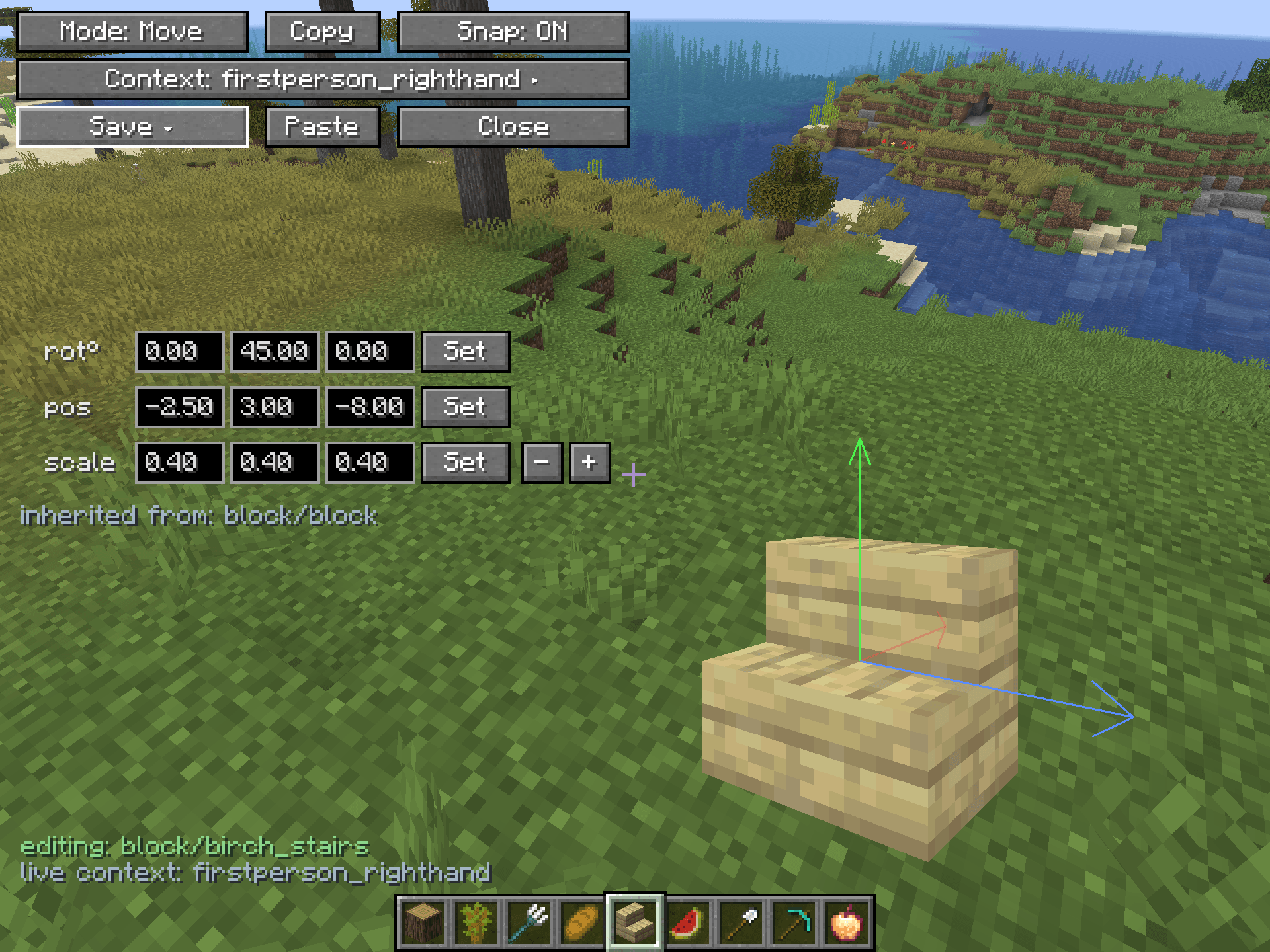
- Flatscreen: Open the editor with an item in-hand (default keybind is "P") and viola! Reposition the item via pressing WASDQE, clicking and dragging the gizmo arrows, or manually typing values. There is a toggle in the top left that switches between move and rotate modes.
- Vivecraft: Open the editor with a connected keyboard, typing the command "/eip edit", or binding the keybind to the radial menu or a special keybind. Unless you have rebound teleport in the past, by default using the offhand trigger will allow you to grab the gizmo arrows and pull the item around in 3d space. At the center of the item will be a box and grabbing that will allow you to drag the item freely on any axis! Just like in Flatscreen, the toggle in the upper left switches between move and rotate modes.
For Vivecraft players that want to update items to show correctly in VR without using their headset, there is also a flatscreen VR context that can be selected by pressing the big context button sandwiched in between the other options in the editor UI. This uses Vivecraft's arm renderer to show how an item's transforms will look in the VR hand without putting on your headset. Transforms can be edited the same way as in Flatscreen. The preview arm can be rotated by holding spacebar and pressing WASDQE imagining it as 6 arrow keys creating a joystick. Double tapping spacebar resets the preview hand position. FYI Vivecraft does need to be installed for this option to appear.
How to Save Edits:
There are several ways to save your edits.
- Just close the editor. The mod automatically saves the modified transforms in a config file that persists across restarts. Players and modpack creators can simply use the editor to adjust an item's positions to their liking and there you go.
- Export! This creates a resourcepack in the instance's resourcepacks folder with the modified item models containing the new transforms. After successful export, the mod will clear the local config of all the exported transforms. Exporting will export all current modified positions and will overwrite any same-item entries if previously saved in an export. Re-exporting will overwrite any previous versions of that item's model.json in the exported pack. Lastly: DO NOT PUBLISH OR CIRCULATE EXPORTED RESOURCEPACKS CONTAINING MODEL ASSETS THAT DO NOT BELONG TO YOU UNLESS GIVEN PERMISSION FROM THE COPYRIGHT HOLDER. Exported item files contain the entire model files...well model. No textures are included in the export but models are still bound by any given creator's licensing. Pack does still need to be activated like any other resourcepack in order to work. Make sure it is at the top of the list or the models may be overriden.
- In the case of some items, they may contain conditional animated model variants and so on. In the editor there is a dropdown menu from the save option which gives an option to "Apply to All Variants" which applies the modified transforms to all model variants immediately. This works very well for instance in the case of eating animation resource packs.
- In the same dropdown menu, there is a "Save to Provider" option which applies the given transforms to the item's parent if present.
Config Options:
- Bounds-centered Gizmos: OFF renders the gizmo at the model's pivot point (what the transforms actually apply to), ON tries to center the gizmo on the model (this can work well sometimes to make it easier to use the gizmos on very off-centered pivot points).
- Auto Apply to Variants: Pretty self explanatory, but useful when bulk updating models with loads of variants. Automatically applies the edited positions to all variants instead of just the one currently in focus.
Commands:
- /eip edit (opens the editor UI)
- /eip export (exports current saved transforms as a resourcepack)
- /eip clear (clears local transforms config, aka clears all currently saved item transforms. Does not effect exported resourcepacks)
Video thanks to Carter the Cat! When this was recorded, the mod was called MC Position Editor instead of the official name Easy Item Positions. All functionality is the same.
Contact
For any questions/issues/ideas, feel free to contact me on Discord or Matrix :)
Credits:
I want to thank Rafinha and Carter the Cat on Discord for all the feedback and support while developing this mod :)
The Easy Item Positions Team


Owner